Last updated:
Application Routing Rules for Recruiting Teams

Recruitment Process
Recruitment Process

The Recruitify Team
Application routing rules are the conditions that decide where an incoming application goes: which job, which recruiter, which pipeline stage and which follow-up. When they are written down and automated, every CV lands with the person who can act on it within minutes, and nothing waits in a shared inbox. When they live in people’s heads, good candidates go cold. Recruitify combines an ATS, a sales CRM and an IT contracting module in one platform, so the rules that route applications can follow one candidate record from the first CV to a signed B2B contract.
A note on the term: in networking, “request routing rules” describe how a cloud load balancer sends web traffic to servers, for example in Azure Application Gateway. That is a topic for IT administrators. This article is about routing job applications and candidates, for agency owners, in-house HR teams and freelance recruiters.
Key Takeaways
A routing rule has four parts: a trigger, one or more conditions, an action and a fallback. A rule without a fallback is the main reason applications disappear.
Order matters. When two rules can match the same application, the one placed first wins, so list narrow rules before broad ones.
The most useful conditions are role and tech stack, source, client or account, match score, duplicate status and consent or region.
Routing is only as good as the data behind it. Parsing every CV into a structured profile first is what makes conditions reliable.
Keep a person in the decision that matters. Automate sorting and assignment, and let a recruiter review rejections.
Table of Contents
What application routing rules mean in recruiting
Every recruiting team already routes applications, usually by hand. Someone opens the inbox, reads a CV, decides it looks like a Java backend profile and forwards it to the recruiter who handles Java. Someone else notices the candidate applied last year and pings the original owner. A third person checks whether the applicant is in the EU and needs a different consent notice.
A routing rule turns each of those judgments into an explicit statement: if this, then that, otherwise this other thing. The benefits are practical:
Speed. The candidate is assigned in seconds, not after the Monday triage.
Consistency. Two applications with the same profile get the same treatment, whoever is on holiday.
Accountability. Each application has one owner and a visible reason for being there.
Capacity. The team handles more volume without adding people to the sorting step.
This matters most where volume is high and roles are specialized. IT recruitment agencies and body leasing companies receive applications for dozens of stacks at once, and HR departments can receive hundreds of CVs for a single posting. In both cases the bottleneck is not finding candidates, it is the hours between the application arriving and a qualified recruiter looking at it.
The anatomy of a routing rule
Whether you configure rules in software or write them on a whiteboard first, each one needs the same four parts.
Part | Question it answers | Example |
|---|---|---|
Trigger | When does the rule run? | A new application arrives from any channel |
Condition | Which applications does it apply to? | Tech stack includes Python and Django, location is Poland or remote |
Action | What happens? | Assign to the Python recruiter, move to “New”, start the screening task |
Fallback | What if nothing matches? | Send to the team lead’s queue within one working day |
The fallback is the part teams skip. Networking has the same lesson: a rule set with no default destination leaves unmatched traffic with nowhere to go, which is why Microsoft’s troubleshooting guidance points to missing defaults when requests return errors. A recruiting pipeline fails the same way: the application that fits no rule is the one nobody ever opens.
Six routing rules worth setting up first
You do not need fifty rules. Most teams get the bulk of the value from six.
1. Route by role and tech stack
This is the baseline. Applications for a given job go to the recruiter who owns that job. For agencies, extend it to skills: a candidate who lists Kubernetes and Terraform goes to the DevOps desk even if they applied to a general “engineer” posting.
The weak point is keyword matching. A candidate who writes “Spring Boot” and never the word “Java” slips past a rule that looks for Java. Recruitify’s contextual matching AI is built to understand relationships within a candidate’s tech stack rather than rely on simple keyword searches, which is the kind of understanding a skills-based rule needs.
2. Route by source
Applications from a referral, a job board, a career portal and a cold outreach reply deserve different handling. A referral may go straight to a senior recruiter with a same-day target, while job board volume goes through a screening queue. Tag the source at intake so the rule has something to read.
3. Route by client or account
In an agency, the same candidate can fit a current client’s open role. A rule that links an incoming application to an active vacancy for a specific client lets the account owner see it first. This is where a single system for recruitment and sales helps: the recruiter sees the client context, and the account manager sees the candidate pipeline, without exporting spreadsheets between tools.
4. Route by match score
If your system produces a percentage match against project requirements, you can use it as a condition. A common pattern has three bands:
High match: assign to a recruiter and create a call task.
Medium match: place in a review queue for a quick human look.
Low match: keep in the talent pool, tagged for future roles.
Notice that low match does not mean delete. A candidate who misses today’s role may be the right fit next quarter, and that stored profile is an asset. Recruitify’s database monetization approach is built on that idea: intelligent indexing helps an agency recover lost candidates from the database it already owns.
5. Route by duplicate status
Duplicates cause awkward moments: two recruiters contacting the same person about the same role, or a returning candidate treated as a stranger. A duplicate rule checks whether the person already exists and, if so, attaches the new application to the existing profile and notifies the current owner. It depends on reliable identity data, which is why parsing quality matters. Recruitify’s AI CV parser extracts data from PDFs, DOCX files, scans and photos in about 3 seconds, builds a structured profile and automatically detects duplicates, so this rule has clean input.

6. Route by consent and region
If you process candidate data from the EU, consent status can be a routing condition: no recorded consent means the profile is held in a restricted state until the consent step is complete. Recruitify includes a GDPR consent management module with a total audit trail, which lets you show when consent was given and what happened to the record afterward.
How to build your rule set, step by step

Step 1: Map where applications come from
List every channel: career page, job boards, email, LinkedIn messages, referrals, agency partners, sourcing. Applications that arrive by email as attachments are the usual blind spot. If a channel is not captured, no rule can route what comes through it. Recruitify supports multi-channel job posting and branded career portals, so postings and responses can be tracked from the start.
Step 2: Turn every application into structured data
Rules read fields, not documents. Before routing, each CV must become a profile with name, contact details, skills, experience and location. Manual typing is slow and inconsistent, so parse automatically. Run every file type through the same parser, including scans and photos, because candidates send whatever they have.
Step 3: Name the owners
For each job, skill group or client, write down one owner and one backup. Rules assign to people, and a rule that points at someone on leave is a silent delay. Rotate or share queues when a desk has more than one recruiter.
Step 4: Write the conditions, narrowest first
Put specific rules above general ones. A rule for “Senior SAP consultant for client A” must come before “any SAP candidate”, or the general rule will catch it first. Microsoft’s guidance for web traffic makes the same point: in Azure’s path-based routing, patterns are evaluated in the order listed. The principle carries over: whichever rule is checked first decides the outcome.
Step 5: Define the fallback
Choose a default owner and a service level, for example “unmatched applications are reviewed by the team lead within one working day”. Put a recurring task or report on it so the fallback queue is never silent.
Step 6: Attach the next action
Routing should not stop at assignment. Each rule should set the stage, the task and the message: an acknowledgment to the candidate, a screening call task for the recruiter, a note to the account manager. Recruitify automates workflows from initial lead contact and talent categorization through to generating final B2B contracts, which is what keeps routing from being just a faster way to fill an inbox.
Step 7: Test with real, past applications
Take 30 to 50 applications from the last month and check where each would have landed. Look for three outcomes: routed to the wrong person, routed to nobody, and matched by two rules. Fix order and conditions until the results match what your best recruiter would have done.
Step 8: Review monthly
New clients, new stacks and new job boards change the picture. Check the fallback queue size and the time to first contact each month, and adjust.
A worked example
Imagine an IT recruitment agency with four recruiters, receiving about 200 applications a week across Java, .NET, DevOps and data roles. The illustration below is hypothetical, not client data.
Order | Condition | Action |
|---|---|---|
1 | Source is referral | Assign to the senior recruiter for that stack, task due the same day |
2 | Candidate already exists in database | Attach to existing profile, notify current owner |
3 | Applied to an open role for a named client, match score in the high band | Assign to the role owner, create a call task |
4 | Stack is DevOps | Assign to the DevOps recruiter |
5 | Stack is Java or .NET | Assign by round robin between the two desk owners |
6 | Match score in the low band | Tag and keep in the talent pool |
Default | No rule matched | Team lead queue, reviewed daily |
Three things make this set work. The duplicate rule sits near the top, so a returning candidate never gets a second owner. The client-specific rule comes before the generic stack rules. And the low band rule keeps profiles instead of discarding them, so next month’s search starts with candidates the agency already knows.
Common mistakes to avoid
Overlapping rules with no order. Two rules match the same CV and the result depends on whichever runs first. Number the rules and keep them short.
No fallback. Unmatched applications pile up unseen.
Routing on dirty data. If a location field says “Warsaw” in one profile and “Warszawa” in another, a location rule will miss half of them. Structured parsing and consistent fields solve this upstream.
Treating score as a verdict. A match percentage is a prioritization tool. Use it to decide who is looked at first, not to close the door on people.
Forgetting the candidate. An application that is routed perfectly but never acknowledged still produces a bad experience. Include the candidate message in the rule.
Keeping routing fair and compliant
Automated sorting is different from automated rejection. Under the GDPR, people have the right not to be subject to a decision based solely on automated processing, including profiling, that significantly affects them, and European regulators have signaled attention on automated candidate screening. A practical approach for any team processing EU candidate data is to use rules to assign, prioritize and tag, and to have a recruiter make or confirm the decisions that affect a candidate’s chances. Keep a record of consent and of what happened to each profile; Recruitify’s consent management and audit trail are designed for exactly this record keeping.
If you also hire in the US, check with your employment counsel on how anti-discrimination law applies to the criteria your rules use, and keep conditions tied to job-related requirements such as skills and experience.
Where Recruitify fits
Routing rules work best when intake, parsing, matching, pipeline and client records live in one place. Recruitify brings the ATS, the agency CRM and the contracting and body leasing module into a single system, so a routed application keeps its history through screening, client presentation and contract. Blind CV AI generates anonymized candidate profiles ready to present to the end client, and the X-RAY search and Boolean engine helps you fill the gaps when routing shows that a stack has too few candidates. Recruitify’s own figure is a 70% reduction in administrative tasks through workflow automation.
Plans are priced per user: HR Team is €61 per month per user and Agency is €67 per month per user, with Enterprise available on request. You can see the details on the pricing page, and the AI features overview shows how matching and scoring work.
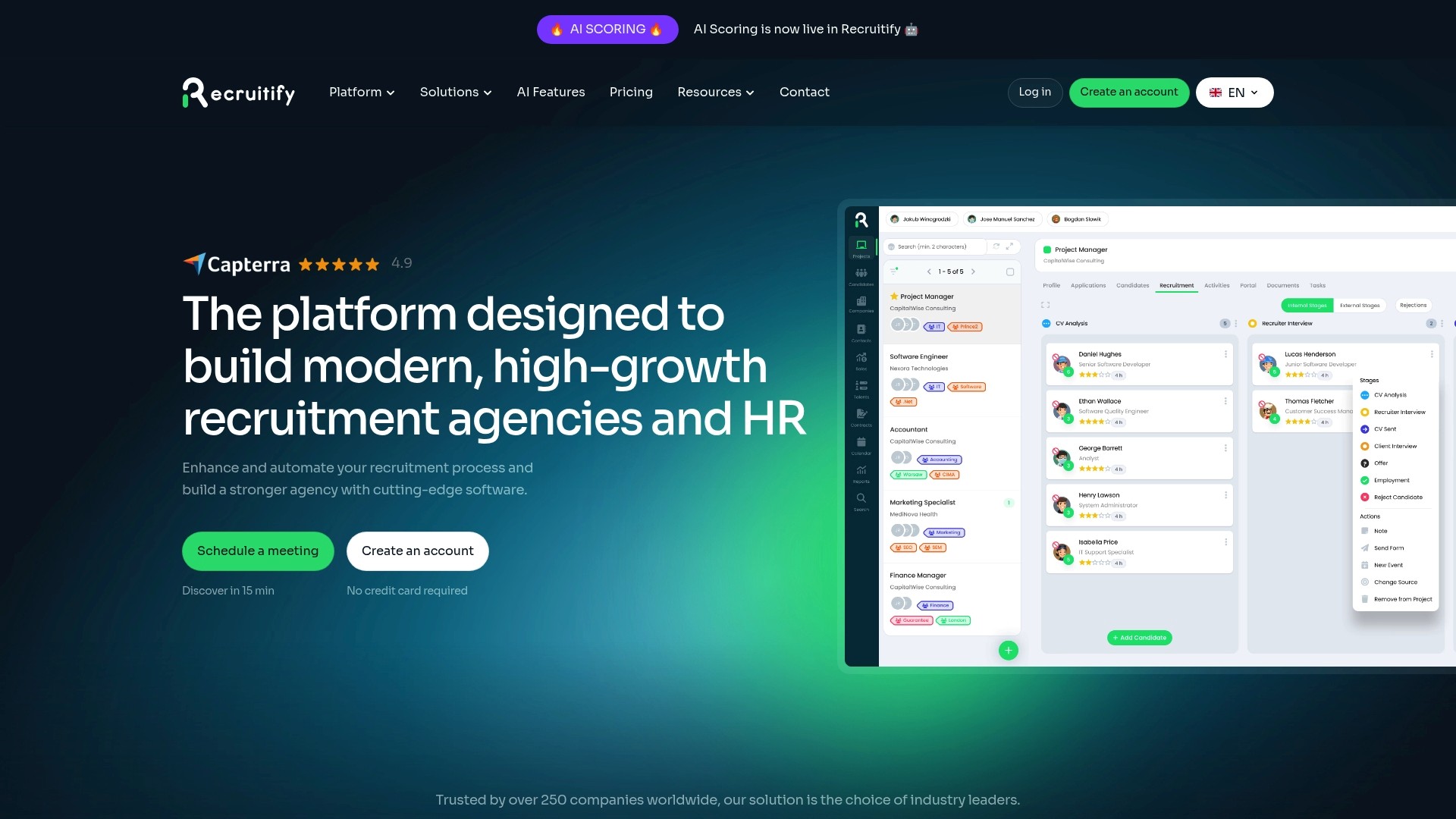
To see how your own routing rules would look in a single system, start from the Recruitify homepage and choose the plan that fits your team.
Our perspective
Most recruiting teams do not have a candidate shortage, they have a handling shortage. Applications arrive faster than people can read them, and the cost shows up as slow replies and lost placements.
We build Recruitify on the view that routing should not be a separate project. When the parser, the matching engine, the ATS and the CRM share one record, a rule can use everything known about a candidate and a client at once: stack, score, history, consent status.
That is why we focus on removing the repetitive steps, from lead contact and talent categorization to contract generation, so agencies can close more placements without growing the team. Recruiters should spend their time on conversations, and the system should handle the sorting.
Recruitify Team
FAQ
What is an application routing rule in recruitment?
It is a condition and action pair that decides where a new application goes, such as assigning every Python CV to a specific recruiter. A complete rule also has a fallback for applications that match nothing. The goal is that each candidate has an owner and a next step from the moment they apply.
How many routing rules does a small team need?
Start with five to seven: role or stack, source, client, match band, duplicate check and a default. Small teams often get most of the benefit from the duplicate rule and the fallback alone. Add rules only when you see a repeated manual sorting task.
Can I route applications by match score?
Yes, if your system calculates a score against the job requirements. Use bands rather than a single cutoff: high goes to a recruiter, medium to a quick review, low to the talent pool. Recruitify’s contextual matching AI produces a percentage match score and ready-made shortlists that you can use as that condition.
Is automated routing allowed under GDPR?
Sorting and assigning applications is different from a solely automated decision that significantly affects a candidate. Article 22 of the GDPR restricts the latter, so keep a human in decisions such as rejection and record consent. For your specific setup, check with your data protection officer or legal counsel.
Is this the same as request routing in Azure or IIS?
No. Those are network and server settings for sending web traffic to backend servers, and they are an IT administration topic. The logic of ordered rules and defaults is similar, but this article covers routing candidates and applications.
Sources
Troubleshoot routing, redirect, and hostname issues in Application Gateway
Azure Application Gateway URL-based content routing overview
EDPB 2027 enforcement: automated hiring decisions and Article 22
Recommended
For Agencies: Orchestrate Stages with Recruitment Workflow Automation
LinkedIn ATS Integration for Recruiters: Avoid Months of RSC
Recruitment Process Mapping for Recruiters: Fix Handoffs With SLAs


News & Updates
Stay up-to-date with the latest innovations, features, and tips about Recruitify!
By providing your email address within the newsletter sign-up form, you confirm its processing to send marketing information regarding the Administrator’s products and services. The Administrator of your personal data processed for the abovementioned purposes is Recruitify Spółka z o.o., based in Warsaw, Poland (KRS 0000709889). For more information on the principles of personal data processing and the rights of data subjects, please check the Privacy Policy.

Last updated:
Application Routing Rules for Recruiting Teams
Recruitment Process
The Recruitify Team
Application routing rules are the conditions that decide where an incoming application goes: which job, which recruiter, which pipeline stage and which follow-up. When they are written down and automated, every CV lands with the person who can act on it within minutes, and nothing waits in a shared inbox. When they live in people’s heads, good candidates go cold. Recruitify combines an ATS, a sales CRM and an IT contracting module in one platform, so the rules that route applications can follow one candidate record from the first CV to a signed B2B contract.
A note on the term: in networking, “request routing rules” describe how a cloud load balancer sends web traffic to servers, for example in Azure Application Gateway. That is a topic for IT administrators. This article is about routing job applications and candidates, for agency owners, in-house HR teams and freelance recruiters.
Key Takeaways
A routing rule has four parts: a trigger, one or more conditions, an action and a fallback. A rule without a fallback is the main reason applications disappear.
Order matters. When two rules can match the same application, the one placed first wins, so list narrow rules before broad ones.
The most useful conditions are role and tech stack, source, client or account, match score, duplicate status and consent or region.
Routing is only as good as the data behind it. Parsing every CV into a structured profile first is what makes conditions reliable.
Keep a person in the decision that matters. Automate sorting and assignment, and let a recruiter review rejections.
Table of Contents
What application routing rules mean in recruiting
Every recruiting team already routes applications, usually by hand. Someone opens the inbox, reads a CV, decides it looks like a Java backend profile and forwards it to the recruiter who handles Java. Someone else notices the candidate applied last year and pings the original owner. A third person checks whether the applicant is in the EU and needs a different consent notice.
A routing rule turns each of those judgments into an explicit statement: if this, then that, otherwise this other thing. The benefits are practical:
Speed. The candidate is assigned in seconds, not after the Monday triage.
Consistency. Two applications with the same profile get the same treatment, whoever is on holiday.
Accountability. Each application has one owner and a visible reason for being there.
Capacity. The team handles more volume without adding people to the sorting step.
This matters most where volume is high and roles are specialized. IT recruitment agencies and body leasing companies receive applications for dozens of stacks at once, and HR departments can receive hundreds of CVs for a single posting. In both cases the bottleneck is not finding candidates, it is the hours between the application arriving and a qualified recruiter looking at it.
The anatomy of a routing rule
Whether you configure rules in software or write them on a whiteboard first, each one needs the same four parts.
Part | Question it answers | Example |
|---|---|---|
Trigger | When does the rule run? | A new application arrives from any channel |
Condition | Which applications does it apply to? | Tech stack includes Python and Django, location is Poland or remote |
Action | What happens? | Assign to the Python recruiter, move to “New”, start the screening task |
Fallback | What if nothing matches? | Send to the team lead’s queue within one working day |
The fallback is the part teams skip. Networking has the same lesson: a rule set with no default destination leaves unmatched traffic with nowhere to go, which is why Microsoft’s troubleshooting guidance points to missing defaults when requests return errors. A recruiting pipeline fails the same way: the application that fits no rule is the one nobody ever opens.
Six routing rules worth setting up first
You do not need fifty rules. Most teams get the bulk of the value from six.
1. Route by role and tech stack
This is the baseline. Applications for a given job go to the recruiter who owns that job. For agencies, extend it to skills: a candidate who lists Kubernetes and Terraform goes to the DevOps desk even if they applied to a general “engineer” posting.
The weak point is keyword matching. A candidate who writes “Spring Boot” and never the word “Java” slips past a rule that looks for Java. Recruitify’s contextual matching AI is built to understand relationships within a candidate’s tech stack rather than rely on simple keyword searches, which is the kind of understanding a skills-based rule needs.
2. Route by source
Applications from a referral, a job board, a career portal and a cold outreach reply deserve different handling. A referral may go straight to a senior recruiter with a same-day target, while job board volume goes through a screening queue. Tag the source at intake so the rule has something to read.
3. Route by client or account
In an agency, the same candidate can fit a current client’s open role. A rule that links an incoming application to an active vacancy for a specific client lets the account owner see it first. This is where a single system for recruitment and sales helps: the recruiter sees the client context, and the account manager sees the candidate pipeline, without exporting spreadsheets between tools.
4. Route by match score
If your system produces a percentage match against project requirements, you can use it as a condition. A common pattern has three bands:
High match: assign to a recruiter and create a call task.
Medium match: place in a review queue for a quick human look.
Low match: keep in the talent pool, tagged for future roles.
Notice that low match does not mean delete. A candidate who misses today’s role may be the right fit next quarter, and that stored profile is an asset. Recruitify’s database monetization approach is built on that idea: intelligent indexing helps an agency recover lost candidates from the database it already owns.
5. Route by duplicate status
Duplicates cause awkward moments: two recruiters contacting the same person about the same role, or a returning candidate treated as a stranger. A duplicate rule checks whether the person already exists and, if so, attaches the new application to the existing profile and notifies the current owner. It depends on reliable identity data, which is why parsing quality matters. Recruitify’s AI CV parser extracts data from PDFs, DOCX files, scans and photos in about 3 seconds, builds a structured profile and automatically detects duplicates, so this rule has clean input.
6. Route by consent and region
If you process candidate data from the EU, consent status can be a routing condition: no recorded consent means the profile is held in a restricted state until the consent step is complete. Recruitify includes a GDPR consent management module with a total audit trail, which lets you show when consent was given and what happened to the record afterward.
How to build your rule set, step by step
Step 1: Map where applications come from
List every channel: career page, job boards, email, LinkedIn messages, referrals, agency partners, sourcing. Applications that arrive by email as attachments are the usual blind spot. If a channel is not captured, no rule can route what comes through it. Recruitify supports multi-channel job posting and branded career portals, so postings and responses can be tracked from the start.
Step 2: Turn every application into structured data
Rules read fields, not documents. Before routing, each CV must become a profile with name, contact details, skills, experience and location. Manual typing is slow and inconsistent, so parse automatically. Run every file type through the same parser, including scans and photos, because candidates send whatever they have.
Step 3: Name the owners
For each job, skill group or client, write down one owner and one backup. Rules assign to people, and a rule that points at someone on leave is a silent delay. Rotate or share queues when a desk has more than one recruiter.
Step 4: Write the conditions, narrowest first
Put specific rules above general ones. A rule for “Senior SAP consultant for client A” must come before “any SAP candidate”, or the general rule will catch it first. Microsoft’s guidance for web traffic makes the same point: in Azure’s path-based routing, patterns are evaluated in the order listed. The principle carries over: whichever rule is checked first decides the outcome.
Step 5: Define the fallback
Choose a default owner and a service level, for example “unmatched applications are reviewed by the team lead within one working day”. Put a recurring task or report on it so the fallback queue is never silent.
Step 6: Attach the next action
Routing should not stop at assignment. Each rule should set the stage, the task and the message: an acknowledgment to the candidate, a screening call task for the recruiter, a note to the account manager. Recruitify automates workflows from initial lead contact and talent categorization through to generating final B2B contracts, which is what keeps routing from being just a faster way to fill an inbox.
Step 7: Test with real, past applications
Take 30 to 50 applications from the last month and check where each would have landed. Look for three outcomes: routed to the wrong person, routed to nobody, and matched by two rules. Fix order and conditions until the results match what your best recruiter would have done.
Step 8: Review monthly
New clients, new stacks and new job boards change the picture. Check the fallback queue size and the time to first contact each month, and adjust.
A worked example
Imagine an IT recruitment agency with four recruiters, receiving about 200 applications a week across Java, .NET, DevOps and data roles. The illustration below is hypothetical, not client data.
Order | Condition | Action |
|---|---|---|
1 | Source is referral | Assign to the senior recruiter for that stack, task due the same day |
2 | Candidate already exists in database | Attach to existing profile, notify current owner |
3 | Applied to an open role for a named client, match score in the high band | Assign to the role owner, create a call task |
4 | Stack is DevOps | Assign to the DevOps recruiter |
5 | Stack is Java or .NET | Assign by round robin between the two desk owners |
6 | Match score in the low band | Tag and keep in the talent pool |
Default | No rule matched | Team lead queue, reviewed daily |
Three things make this set work. The duplicate rule sits near the top, so a returning candidate never gets a second owner. The client-specific rule comes before the generic stack rules. And the low band rule keeps profiles instead of discarding them, so next month’s search starts with candidates the agency already knows.
Common mistakes to avoid
Overlapping rules with no order. Two rules match the same CV and the result depends on whichever runs first. Number the rules and keep them short.
No fallback. Unmatched applications pile up unseen.
Routing on dirty data. If a location field says “Warsaw” in one profile and “Warszawa” in another, a location rule will miss half of them. Structured parsing and consistent fields solve this upstream.
Treating score as a verdict. A match percentage is a prioritization tool. Use it to decide who is looked at first, not to close the door on people.
Forgetting the candidate. An application that is routed perfectly but never acknowledged still produces a bad experience. Include the candidate message in the rule.
Keeping routing fair and compliant
Automated sorting is different from automated rejection. Under the GDPR, people have the right not to be subject to a decision based solely on automated processing, including profiling, that significantly affects them, and European regulators have signaled attention on automated candidate screening. A practical approach for any team processing EU candidate data is to use rules to assign, prioritize and tag, and to have a recruiter make or confirm the decisions that affect a candidate’s chances. Keep a record of consent and of what happened to each profile; Recruitify’s consent management and audit trail are designed for exactly this record keeping.
If you also hire in the US, check with your employment counsel on how anti-discrimination law applies to the criteria your rules use, and keep conditions tied to job-related requirements such as skills and experience.
Where Recruitify fits
Routing rules work best when intake, parsing, matching, pipeline and client records live in one place. Recruitify brings the ATS, the agency CRM and the contracting and body leasing module into a single system, so a routed application keeps its history through screening, client presentation and contract. Blind CV AI generates anonymized candidate profiles ready to present to the end client, and the X-RAY search and Boolean engine helps you fill the gaps when routing shows that a stack has too few candidates. Recruitify’s own figure is a 70% reduction in administrative tasks through workflow automation.
Plans are priced per user: HR Team is €61 per month per user and Agency is €67 per month per user, with Enterprise available on request. You can see the details on the pricing page, and the AI features overview shows how matching and scoring work.
To see how your own routing rules would look in a single system, start from the Recruitify homepage and choose the plan that fits your team.
Our perspective
Most recruiting teams do not have a candidate shortage, they have a handling shortage. Applications arrive faster than people can read them, and the cost shows up as slow replies and lost placements.
We build Recruitify on the view that routing should not be a separate project. When the parser, the matching engine, the ATS and the CRM share one record, a rule can use everything known about a candidate and a client at once: stack, score, history, consent status.
That is why we focus on removing the repetitive steps, from lead contact and talent categorization to contract generation, so agencies can close more placements without growing the team. Recruiters should spend their time on conversations, and the system should handle the sorting.
Recruitify Team
FAQ
What is an application routing rule in recruitment?
It is a condition and action pair that decides where a new application goes, such as assigning every Python CV to a specific recruiter. A complete rule also has a fallback for applications that match nothing. The goal is that each candidate has an owner and a next step from the moment they apply.
How many routing rules does a small team need?
Start with five to seven: role or stack, source, client, match band, duplicate check and a default. Small teams often get most of the benefit from the duplicate rule and the fallback alone. Add rules only when you see a repeated manual sorting task.
Can I route applications by match score?
Yes, if your system calculates a score against the job requirements. Use bands rather than a single cutoff: high goes to a recruiter, medium to a quick review, low to the talent pool. Recruitify’s contextual matching AI produces a percentage match score and ready-made shortlists that you can use as that condition.
Is automated routing allowed under GDPR?
Sorting and assigning applications is different from a solely automated decision that significantly affects a candidate. Article 22 of the GDPR restricts the latter, so keep a human in decisions such as rejection and record consent. For your specific setup, check with your data protection officer or legal counsel.
Is this the same as request routing in Azure or IIS?
No. Those are network and server settings for sending web traffic to backend servers, and they are an IT administration topic. The logic of ordered rules and defaults is similar, but this article covers routing candidates and applications.
Sources
Troubleshoot routing, redirect, and hostname issues in Application Gateway
Azure Application Gateway URL-based content routing overview
EDPB 2027 enforcement: automated hiring decisions and Article 22
Recommended
For Agencies: Orchestrate Stages with Recruitment Workflow Automation
LinkedIn ATS Integration for Recruiters: Avoid Months of RSC
Recruitment Process Mapping for Recruiters: Fix Handoffs With SLAs
News & Updates
Stay up-to-date with the latest innovations, features, and tips about Recruitify!
By providing your email address within the newsletter sign-up form, you confirm its processing to send marketing information regarding the Administrator’s products and services. The Administrator of your personal data processed for the abovementioned purposes is Recruitify Spółka z o.o., based in Warsaw, Poland (KRS 0000709889). For more information on the principles of personal data processing and the rights of data subjects, please check the Privacy Policy.

Discover More

Applicant Tracking System
Contextual Matching in Recruitment: How It Works and Why It Beats Keywords
Contextual matching reads skills, titles and experience in context, not as keywords. Learn how it works, how to measure it and how to keep recruiters in control.
23 Nov 2026
Discover More

Recruitment Process
SOW vs MSA in Staffing: How the Two Documents Work Together
SOW vs MSA in staffing: what each document covers, which one wins in a conflict, and how to structure placements so terms are set once and reused.
22 Nov 2026
Discover More

Applicant Tracking System
Data Subject Requests in Recruitment: A Handling Guide
How recruitment agencies and HR teams should receive, verify and answer data subject requests from candidates: deadlines in the UK, EU and US states, plus a workflow.
21 Nov 2026
Discover More
Applicant Tracking System
Contextual Matching in Recruitment: How It Works and Why It Beats Keywords
Contextual matching reads skills, titles and experience in context, not as keywords. Learn how it works, how to measure it and how to keep recruiters in control.
23 Nov 2026
Discover More
Recruitment Process
SOW vs MSA in Staffing: How the Two Documents Work Together
SOW vs MSA in staffing: what each document covers, which one wins in a conflict, and how to structure placements so terms are set once and reused.
22 Nov 2026
Discover More