Last updated:
Contract Extension Workflow for Staffing Agencies

Recruitment Process

The Recruitify Team
A contract extension workflow in staffing is a fixed sequence that starts well before an assignment ends: a decision on whether to extend, convert or release the contractor, an approval, a written amendment, a signature and an updated record. The agencies that run it as a dated process, with one owner per step and one place where every document lives, avoid the two costly outcomes: a contractor who keeps working after the paper has expired, and a client who learns about the end date too late to decide anything. This guide gives the full routine, the timeline most teams work to, what the amendment must contain, and how to automate the tracking.
It is written for agency owners, IT contract staffing and body leasing teams, and in-house HR and talent acquisition managers who currently run extensions from spreadsheets, inboxes and calendar reminders.
Key Takeaways
Treat every extension as a business decision made 45 to 120 days before the end date, not as an administrative date change on the day the contract lapses.
Run six steps in order: review the assignment, decide, get approval, draft the written amendment, sign, then update the records and the invoicing setup.
An extension should be agreed in writing, and the existing terms stay in force except where the amendment changes them.
Working past an expired contract date can create significant labor-law liabilities, so expiry dates need an owner and an alert, not memory.
Tracking, reminders and contract generation are the steps that automation removes from the team’s plate; the decisions stay with people.
Table of Contents
What a contract extension workflow actually covers
An extension looks like a single action (change the end date), but it is a chain of at least four separate checks: does the work continue, does the client want this person, does the contractor want to stay, and are the terms and legal status still valid. A workflow is the agreed order in which those checks happen, who does each, and by when.
Two documented examples show how formal this can be. Shell’s May 2021 contingent worker policy describes a centralized extension process that notifies line managers 120 days before the end date, and allows extensions beyond 24 months only in rare circumstances. It also requires an exit strategy, with options such as completing the work, replacing or converting the contractor, or engaging the person as a consultant.
The Maryland Department of Budget and Management’s process definition for contractual employees treats an extension as a controlled transaction: HR validates the terms, an authorized approver decides, signatures establish execution, and only then is the system record updated. Few agencies need a government-grade process, but the sequence is a sound template: validate, approve, execute, record.

The timeline: when to start
The most common failure is starting too late. If the first conversation happens in the final week, the client has no time to weigh alternatives, the contractor may already be talking to other agencies, and the paperwork gets rushed.
One US staffing firm’s contract extension guidance suggests a practical countdown that fits most agency assignments:
Days before end date | Milestone |
|---|---|
45 | Hiring manager answers two questions: is the work continuing, and is this the contractor they want? |
30 | Final decision made: extend, convert or release |
21 | Contractor informed of the decision |
14 | All paperwork sent out |
Large enterprises with formal policies start earlier, as the 120-day notification above shows. For an agency, the right trigger depends on the notice period in your client agreements and on how long your signature loop usually takes. Work backward from the slowest approver you deal with, then add a buffer.
The same guidance argues that the extend, convert or release call should be a deliberate business decision made well before expiry, not a passive renewal. That framing matters commercially: an agency that raises the question at day 45 is the one that shapes the answer, whether it is an extension, a conversion fee or a replacement placement.
The six steps of a contract extension workflow
1. Review the assignment as it is today
Start with what the contractor actually does now, not what the original contract says. Assignments drift: duties expand, the work location changes, the reporting manager changes. A Singapore staffing firm’s extension checklist recommends a check-everything approach for exactly this reason, covering duties, location and reporting line, and confirming worker availability before anything is finalized.
What to collect at this step:
Current scope of work against the contracted scope
Current bill rate and pay rate, and whether either is due to change
Hours worked against any cap or not-to-exceed amount
Contractor availability and interest in continuing
Client feedback on performance
Any legal-status question, such as work authorization or classification
The usual mistake here is relying on the account manager’s recollection. When contract, rate history, timesheets and client notes sit in different places, the review becomes a scavenger hunt and gets skipped.
2. Decide: extend, convert or release
Every expiring assignment has three outcomes. Extending keeps the contractor on the same engagement for a defined period. Converting moves the person to the client’s payroll, which for a staffing agency triggers whatever conversion terms the client agreement contains. Releasing ends the assignment and, ideally, starts a replacement or redeployment conversation.
Record the decision, the person who made it and the date. Distinguish clearly between a proposed extension and a confirmed one. Mixed signals, where the client has verbally agreed but nothing is documented, produce conflicting expectations on all three sides.
3. Get the approval from the right people
In Maryland’s documented process, HR reviews dates, rates and other terms, makes any modifications through addenda and submits the contract for approval, and only then does the appointing authority approve or deny it. The agency equivalent is usually three approvals: the account owner on the agency side (commercial terms), the client’s budget holder (rate and duration), and, where relevant, the contractor (acceptance).
Write down who the approver is for each client at the start of the engagement. Chasing a signatory who changed jobs three months ago is one of the most common sources of delay.
4. Draft the written amendment
The extension should be in writing. A Washington State temporary staffing services agreement states that an extension must be agreed in writing and that the existing terms remain effective during the renewal term except where amended in writing. That is a useful drafting principle: do not re-open the whole contract, amend only what changes and confirm that everything else carries forward.
The next section lists what the amendment should contain.
5. Execute: signatures and distribution
In the Maryland workflow, the post-approval steps are a contract number being assigned, the contract and addenda being generated, the authorized signature being obtained, originals going to HR and a copy going to the contract manager. For an agency, translate that into: unique document reference, signature by every party, and a copy to everyone who bills, pays or manages the contractor. The cutoff matters: the KORE1 timetable above puts the paperwork out 14 days before the end date, so that signatures are back before the old contract lapses.
6. Update the records and downstream systems
An executed amendment that is not reflected in the system creates the next problem. Maryland’s contractual renewal guide is explicit: close the open contract, add a new one, attach the executed document, and update the hourly rate and not-to-exceed amount where applicable. The replacement record needs the start date, contract type, open status, end date and a description of the review code, with the signed document uploaded.
In an agency, the same step covers the end date used for reminders, the rates used for timesheet validation and invoicing, and the date on which the next review begins. If any of these is left on the old value, the contractor is either invoiced at the wrong rate or flagged as expired while still working.
What the extension document should specify
A contract staffing agreement defines parties, term, scope, compensation, invoicing and payment terms, and how amendments are made; the Washington sample also covers contractor taxes and insurance. An extension amendment should reference the original agreement and restate only the elements that change. A checklist:
Parties and reference. Names of all signing parties and the agreement and previous amendment numbers.
New term. Exact new start and end dates, so there is no gap and no overlap with the previous term.
Scope of work. Updated duties, location and reporting manager if they differ from the original.
Rates and caps. New bill and pay rates, any hours or not-to-exceed limit, and the payment schedule.
Invoicing and payment terms. Confirmation that they continue, or what changes.
Continuity clause. A sentence stating that all other terms remain in effect, as in the Washington example.
Notice and further extension. How the next extension or termination is to be notified.
Signatures and dates. Every party, with the execution date.
For teams working with B2B contractors, generating this document from stored data rather than retyping it is where most errors disappear. Recruitify’s guide on how to automate B2B contracts for staffing agencies walks through that approach.
Legal exposure when an extension is late
The risk of a missed extension is not only commercial. The CARE toolkit’s contract administration guidance says contract expiry dates must be closely managed, because working beyond a contract period can create significant labor-law liabilities.
In practice, that means a contractor working on an expired contract has no current written terms for pay, scope or termination. Rules about maximum assignment length, work authorization and worker classification differ by country and, in the US, by state, so the agency’s own legal adviser or employment counsel should confirm the limits that apply to each engagement. Shell’s 24-month ceiling is a private company policy, not a legal rule, but it illustrates why many clients set an upper bound and why a long-running assignment needs a second look at its status before another extension is signed.
Where manual extension tracking breaks
Most agencies start with a spreadsheet and calendar alerts. It works until the volume rises, and then it fails in predictable ways:
Silent expiry. The calendar reminder belonged to a recruiter who left or was on leave.
Version drift. The rate in the spreadsheet differs from the rate in the signed amendment.
Scattered documents. The contract is in email, the CV in the ATS, the client terms in the CRM.
No visibility of revenue at risk. Nobody can answer how much monthly contracting revenue ends in the next 60 days.
Late decisions. The client is asked at day 5, so the choice is forced rather than considered.
This is also a revenue problem. Contracting is often the most predictable revenue an agency has, which is the argument Recruitify makes in its article on why contracting is still managed in Excel. Each missed extension is predictable income that was lost through process rather than through the market.
How to track expirations and measure the workflow
A working tracking system answers three questions at any moment: what expires in the next 30, 60 and 90 days, what stage each of those extensions is in, and who owns the next action.
Automate the triggers. Create reminders at the milestones in your timeline (for example 45, 30, 21 and 14 days) and send them to a named owner and a backup, not to a shared inbox.
Keep one record. The candidate, the client, the contract and the documents belong together. Recruitify’s piece on keeping candidates, clients, contracts and compliance in one place describes the operating model.
Measure a few numbers. These need no special analytics, only consistent dates:
Metric | What it tells you |
|---|---|
Extension rate (extended / expiring) | How much contracting revenue is retained |
Days between decision and signature | Where the approval loop is slow |
Share of extensions signed before the end date | How often work happens without current paper |
Share of expiring contracts with a decision at day 30 | Whether the timeline is actually followed |
Conversions and releases with a replacement started | Whether non-extensions still create revenue |
Review them monthly. A falling pre-expiry signature rate points to a late start, while a long decision-to-signature gap points to an approval bottleneck.
How Recruitify supports the extension workflow
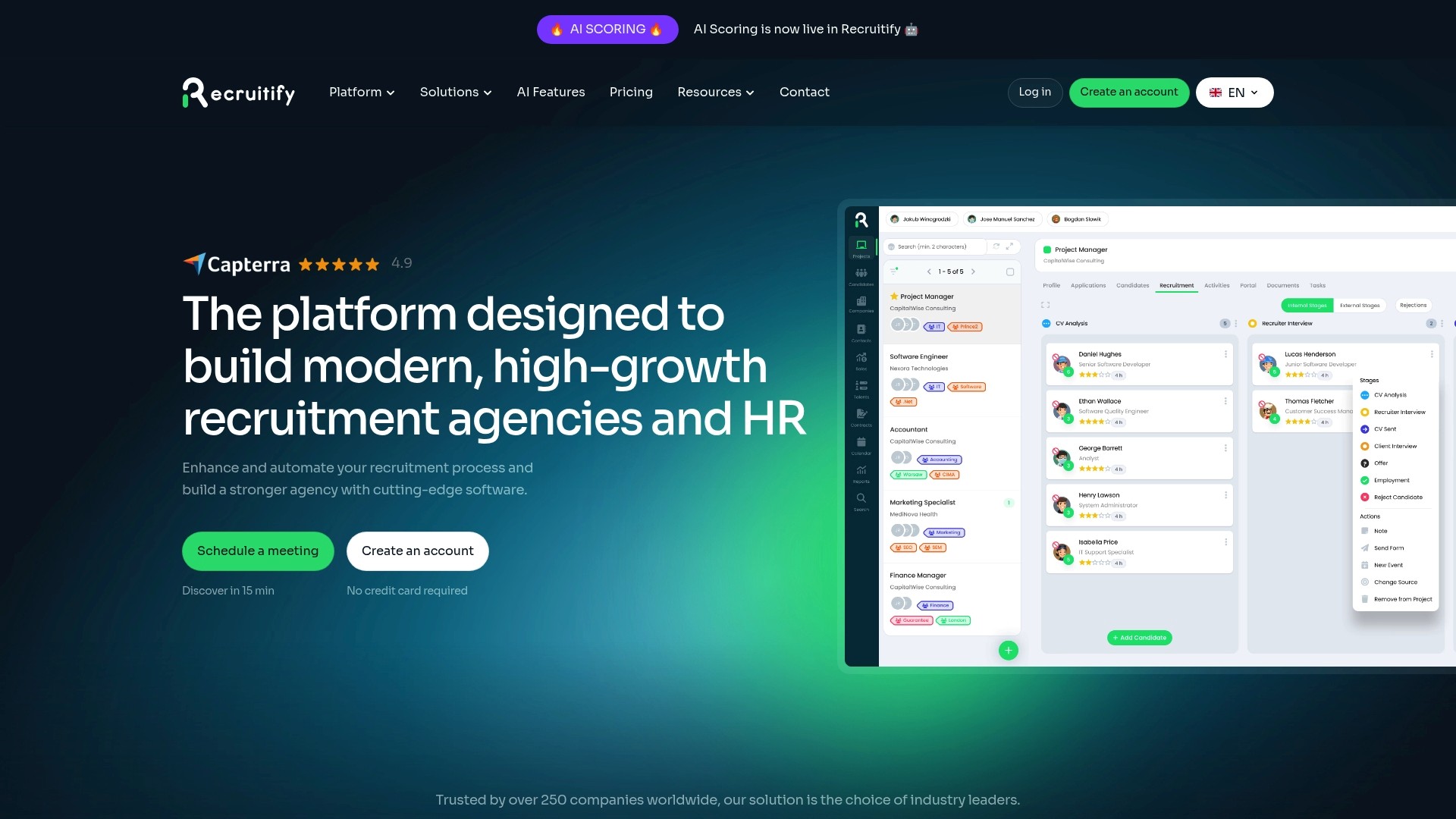
Recruitify combines an ATS, a sales CRM and an IT contracting (body leasing) module in one system, so the candidate, the client and the contract are handled in a single tab rather than across spreadsheets and email. Its workflow automation covers the path from the first lead contact and candidate categorization to the generation of final B2B contracts, and its consent management module keeps a total audit trail, which is useful when you need to show who approved what and when. Our owner-stated aim is a 70% reduction in administrative tasks, and recurring work such as expiry follow-up and contract preparation is where agencies feel it first.

The Contracting & Body Leasing module is the part built for this routine. For a view of the same approach in practice, see how an IT company streamlined staffing and collaboration with contractors. If you are moving off spreadsheets, the article on moving from manual processes to automation sets out the transition in stages.
Plans are priced per user per month: HR Team at €61, Agency at €67, and Enterprise on request. Details are on the pricing page.
Our perspective: an extension is a revenue event
Most agencies treat an expiring contract as a calendar problem. We see it as the moment when a placement either keeps earning or stops. That is why the workflow has to begin early and has to live in the same place as the candidate, the client and the contract.
The reasons for spreadsheets are understandable, but they separate the sales pipeline from the recruitment pipeline, and the extension sits exactly between the two. When the account owner, the recruiter and the person preparing the paperwork each look at a different file, the decision at day 45 is made with partial information, and the signature at day 3 is made under pressure.
Recruitify was built so that these steps connect: contracting data next to the CRM and the ATS, contract generation from stored data, and an audit trail of consent and changes. Automation takes over the reminders and the document preparation. The decisions about whom to extend, at what rate, and for how long remain with your people, where they belong. A team that can see all expiring contracts, and what stage each is in, can spend its time on the conversations that keep the revenue.
Recruitify Team
FAQ
How early should a staffing contract extension process start?
Most teams begin 45 days before the end date, with the final decision by day 30. Large clients with formal policies start earlier; Shell’s 2021 policy notifies managers 120 days ahead. Work backward from your slowest approval loop and add a buffer.
Does an extension need a new contract?
Not necessarily. A written amendment that sets the new term and any changed rates or scope, and states that all other terms continue, is the common approach, as in the Washington State sample agreement. Your legal adviser should confirm what your jurisdiction and client agreement require.
What happens if a contractor keeps working after the contract expires?
The engagement then lacks current written terms, and working beyond a contract period can create significant labor-law liabilities. Alerts at fixed milestones and a named owner for each end date prevent it. If it has already happened, involve employment counsel quickly.
Which metrics show whether the extension workflow works?
Track the extension rate, the share of extensions signed before the end date, the days between decision and signature, and the share of expiring contracts with a decision at day 30. Together they show whether the process starts early enough and where approvals slow down.
Sources
Recommended


News & Updates
Stay up-to-date with the latest innovations, features, and tips about Recruitify!
By providing your email address within the newsletter sign-up form, you confirm its processing to send marketing information regarding the Administrator’s products and services. The Administrator of your personal data processed for the abovementioned purposes is Recruitify Spółka z o.o., based in Warsaw, Poland (KRS 0000709889). For more information on the principles of personal data processing and the rights of data subjects, please check the Privacy Policy.

Last updated:
Contract Extension Workflow for Staffing Agencies
Recruitment Process
The Recruitify Team
A contract extension workflow in staffing is a fixed sequence that starts well before an assignment ends: a decision on whether to extend, convert or release the contractor, an approval, a written amendment, a signature and an updated record. The agencies that run it as a dated process, with one owner per step and one place where every document lives, avoid the two costly outcomes: a contractor who keeps working after the paper has expired, and a client who learns about the end date too late to decide anything. This guide gives the full routine, the timeline most teams work to, what the amendment must contain, and how to automate the tracking.
It is written for agency owners, IT contract staffing and body leasing teams, and in-house HR and talent acquisition managers who currently run extensions from spreadsheets, inboxes and calendar reminders.
Key Takeaways
Treat every extension as a business decision made 45 to 120 days before the end date, not as an administrative date change on the day the contract lapses.
Run six steps in order: review the assignment, decide, get approval, draft the written amendment, sign, then update the records and the invoicing setup.
An extension should be agreed in writing, and the existing terms stay in force except where the amendment changes them.
Working past an expired contract date can create significant labor-law liabilities, so expiry dates need an owner and an alert, not memory.
Tracking, reminders and contract generation are the steps that automation removes from the team’s plate; the decisions stay with people.
Table of Contents
What a contract extension workflow actually covers
An extension looks like a single action (change the end date), but it is a chain of at least four separate checks: does the work continue, does the client want this person, does the contractor want to stay, and are the terms and legal status still valid. A workflow is the agreed order in which those checks happen, who does each, and by when.
Two documented examples show how formal this can be. Shell’s May 2021 contingent worker policy describes a centralized extension process that notifies line managers 120 days before the end date, and allows extensions beyond 24 months only in rare circumstances. It also requires an exit strategy, with options such as completing the work, replacing or converting the contractor, or engaging the person as a consultant.
The Maryland Department of Budget and Management’s process definition for contractual employees treats an extension as a controlled transaction: HR validates the terms, an authorized approver decides, signatures establish execution, and only then is the system record updated. Few agencies need a government-grade process, but the sequence is a sound template: validate, approve, execute, record.
The timeline: when to start
The most common failure is starting too late. If the first conversation happens in the final week, the client has no time to weigh alternatives, the contractor may already be talking to other agencies, and the paperwork gets rushed.
One US staffing firm’s contract extension guidance suggests a practical countdown that fits most agency assignments:
Days before end date | Milestone |
|---|---|
45 | Hiring manager answers two questions: is the work continuing, and is this the contractor they want? |
30 | Final decision made: extend, convert or release |
21 | Contractor informed of the decision |
14 | All paperwork sent out |
Large enterprises with formal policies start earlier, as the 120-day notification above shows. For an agency, the right trigger depends on the notice period in your client agreements and on how long your signature loop usually takes. Work backward from the slowest approver you deal with, then add a buffer.
The same guidance argues that the extend, convert or release call should be a deliberate business decision made well before expiry, not a passive renewal. That framing matters commercially: an agency that raises the question at day 45 is the one that shapes the answer, whether it is an extension, a conversion fee or a replacement placement.
The six steps of a contract extension workflow
1. Review the assignment as it is today
Start with what the contractor actually does now, not what the original contract says. Assignments drift: duties expand, the work location changes, the reporting manager changes. A Singapore staffing firm’s extension checklist recommends a check-everything approach for exactly this reason, covering duties, location and reporting line, and confirming worker availability before anything is finalized.
What to collect at this step:
Current scope of work against the contracted scope
Current bill rate and pay rate, and whether either is due to change
Hours worked against any cap or not-to-exceed amount
Contractor availability and interest in continuing
Client feedback on performance
Any legal-status question, such as work authorization or classification
The usual mistake here is relying on the account manager’s recollection. When contract, rate history, timesheets and client notes sit in different places, the review becomes a scavenger hunt and gets skipped.
2. Decide: extend, convert or release
Every expiring assignment has three outcomes. Extending keeps the contractor on the same engagement for a defined period. Converting moves the person to the client’s payroll, which for a staffing agency triggers whatever conversion terms the client agreement contains. Releasing ends the assignment and, ideally, starts a replacement or redeployment conversation.
Record the decision, the person who made it and the date. Distinguish clearly between a proposed extension and a confirmed one. Mixed signals, where the client has verbally agreed but nothing is documented, produce conflicting expectations on all three sides.
3. Get the approval from the right people
In Maryland’s documented process, HR reviews dates, rates and other terms, makes any modifications through addenda and submits the contract for approval, and only then does the appointing authority approve or deny it. The agency equivalent is usually three approvals: the account owner on the agency side (commercial terms), the client’s budget holder (rate and duration), and, where relevant, the contractor (acceptance).
Write down who the approver is for each client at the start of the engagement. Chasing a signatory who changed jobs three months ago is one of the most common sources of delay.
4. Draft the written amendment
The extension should be in writing. A Washington State temporary staffing services agreement states that an extension must be agreed in writing and that the existing terms remain effective during the renewal term except where amended in writing. That is a useful drafting principle: do not re-open the whole contract, amend only what changes and confirm that everything else carries forward.
The next section lists what the amendment should contain.
5. Execute: signatures and distribution
In the Maryland workflow, the post-approval steps are a contract number being assigned, the contract and addenda being generated, the authorized signature being obtained, originals going to HR and a copy going to the contract manager. For an agency, translate that into: unique document reference, signature by every party, and a copy to everyone who bills, pays or manages the contractor. The cutoff matters: the KORE1 timetable above puts the paperwork out 14 days before the end date, so that signatures are back before the old contract lapses.
6. Update the records and downstream systems
An executed amendment that is not reflected in the system creates the next problem. Maryland’s contractual renewal guide is explicit: close the open contract, add a new one, attach the executed document, and update the hourly rate and not-to-exceed amount where applicable. The replacement record needs the start date, contract type, open status, end date and a description of the review code, with the signed document uploaded.
In an agency, the same step covers the end date used for reminders, the rates used for timesheet validation and invoicing, and the date on which the next review begins. If any of these is left on the old value, the contractor is either invoiced at the wrong rate or flagged as expired while still working.
What the extension document should specify
A contract staffing agreement defines parties, term, scope, compensation, invoicing and payment terms, and how amendments are made; the Washington sample also covers contractor taxes and insurance. An extension amendment should reference the original agreement and restate only the elements that change. A checklist:
Parties and reference. Names of all signing parties and the agreement and previous amendment numbers.
New term. Exact new start and end dates, so there is no gap and no overlap with the previous term.
Scope of work. Updated duties, location and reporting manager if they differ from the original.
Rates and caps. New bill and pay rates, any hours or not-to-exceed limit, and the payment schedule.
Invoicing and payment terms. Confirmation that they continue, or what changes.
Continuity clause. A sentence stating that all other terms remain in effect, as in the Washington example.
Notice and further extension. How the next extension or termination is to be notified.
Signatures and dates. Every party, with the execution date.
For teams working with B2B contractors, generating this document from stored data rather than retyping it is where most errors disappear. Recruitify’s guide on how to automate B2B contracts for staffing agencies walks through that approach.
Legal exposure when an extension is late
The risk of a missed extension is not only commercial. The CARE toolkit’s contract administration guidance says contract expiry dates must be closely managed, because working beyond a contract period can create significant labor-law liabilities.
In practice, that means a contractor working on an expired contract has no current written terms for pay, scope or termination. Rules about maximum assignment length, work authorization and worker classification differ by country and, in the US, by state, so the agency’s own legal adviser or employment counsel should confirm the limits that apply to each engagement. Shell’s 24-month ceiling is a private company policy, not a legal rule, but it illustrates why many clients set an upper bound and why a long-running assignment needs a second look at its status before another extension is signed.
Where manual extension tracking breaks
Most agencies start with a spreadsheet and calendar alerts. It works until the volume rises, and then it fails in predictable ways:
Silent expiry. The calendar reminder belonged to a recruiter who left or was on leave.
Version drift. The rate in the spreadsheet differs from the rate in the signed amendment.
Scattered documents. The contract is in email, the CV in the ATS, the client terms in the CRM.
No visibility of revenue at risk. Nobody can answer how much monthly contracting revenue ends in the next 60 days.
Late decisions. The client is asked at day 5, so the choice is forced rather than considered.
This is also a revenue problem. Contracting is often the most predictable revenue an agency has, which is the argument Recruitify makes in its article on why contracting is still managed in Excel. Each missed extension is predictable income that was lost through process rather than through the market.
How to track expirations and measure the workflow
A working tracking system answers three questions at any moment: what expires in the next 30, 60 and 90 days, what stage each of those extensions is in, and who owns the next action.
Automate the triggers. Create reminders at the milestones in your timeline (for example 45, 30, 21 and 14 days) and send them to a named owner and a backup, not to a shared inbox.
Keep one record. The candidate, the client, the contract and the documents belong together. Recruitify’s piece on keeping candidates, clients, contracts and compliance in one place describes the operating model.
Measure a few numbers. These need no special analytics, only consistent dates:
Metric | What it tells you |
|---|---|
Extension rate (extended / expiring) | How much contracting revenue is retained |
Days between decision and signature | Where the approval loop is slow |
Share of extensions signed before the end date | How often work happens without current paper |
Share of expiring contracts with a decision at day 30 | Whether the timeline is actually followed |
Conversions and releases with a replacement started | Whether non-extensions still create revenue |
Review them monthly. A falling pre-expiry signature rate points to a late start, while a long decision-to-signature gap points to an approval bottleneck.
How Recruitify supports the extension workflow
Recruitify combines an ATS, a sales CRM and an IT contracting (body leasing) module in one system, so the candidate, the client and the contract are handled in a single tab rather than across spreadsheets and email. Its workflow automation covers the path from the first lead contact and candidate categorization to the generation of final B2B contracts, and its consent management module keeps a total audit trail, which is useful when you need to show who approved what and when. Our owner-stated aim is a 70% reduction in administrative tasks, and recurring work such as expiry follow-up and contract preparation is where agencies feel it first.
The Contracting & Body Leasing module is the part built for this routine. For a view of the same approach in practice, see how an IT company streamlined staffing and collaboration with contractors. If you are moving off spreadsheets, the article on moving from manual processes to automation sets out the transition in stages.
Plans are priced per user per month: HR Team at €61, Agency at €67, and Enterprise on request. Details are on the pricing page.
Our perspective: an extension is a revenue event
Most agencies treat an expiring contract as a calendar problem. We see it as the moment when a placement either keeps earning or stops. That is why the workflow has to begin early and has to live in the same place as the candidate, the client and the contract.
The reasons for spreadsheets are understandable, but they separate the sales pipeline from the recruitment pipeline, and the extension sits exactly between the two. When the account owner, the recruiter and the person preparing the paperwork each look at a different file, the decision at day 45 is made with partial information, and the signature at day 3 is made under pressure.
Recruitify was built so that these steps connect: contracting data next to the CRM and the ATS, contract generation from stored data, and an audit trail of consent and changes. Automation takes over the reminders and the document preparation. The decisions about whom to extend, at what rate, and for how long remain with your people, where they belong. A team that can see all expiring contracts, and what stage each is in, can spend its time on the conversations that keep the revenue.
Recruitify Team
FAQ
How early should a staffing contract extension process start?
Most teams begin 45 days before the end date, with the final decision by day 30. Large clients with formal policies start earlier; Shell’s 2021 policy notifies managers 120 days ahead. Work backward from your slowest approval loop and add a buffer.
Does an extension need a new contract?
Not necessarily. A written amendment that sets the new term and any changed rates or scope, and states that all other terms continue, is the common approach, as in the Washington State sample agreement. Your legal adviser should confirm what your jurisdiction and client agreement require.
What happens if a contractor keeps working after the contract expires?
The engagement then lacks current written terms, and working beyond a contract period can create significant labor-law liabilities. Alerts at fixed milestones and a named owner for each end date prevent it. If it has already happened, involve employment counsel quickly.
Which metrics show whether the extension workflow works?
Track the extension rate, the share of extensions signed before the end date, the days between decision and signature, and the share of expiring contracts with a decision at day 30. Together they show whether the process starts early enough and where approvals slow down.
Sources
Recommended
News & Updates
Stay up-to-date with the latest innovations, features, and tips about Recruitify!
By providing your email address within the newsletter sign-up form, you confirm its processing to send marketing information regarding the Administrator’s products and services. The Administrator of your personal data processed for the abovementioned purposes is Recruitify Spółka z o.o., based in Warsaw, Poland (KRS 0000709889). For more information on the principles of personal data processing and the rights of data subjects, please check the Privacy Policy.

Discover More

Innovations
Sales and Recruiting Alignment: A Practical Guide for Agencies
How staffing agencies and HR teams align sales and recruiting: shared intake, clear handoffs, one pipeline and the metrics that show whether it works.
14 Nov 2026
Discover More

Recruitment Process
Data Retention in Recruitment: How Long to Keep Candidate Data
How long to keep candidate data, what a recruitment retention schedule must cover, and how to delete or anonymize records, with US and GDPR rules compared.
13 Nov 2026
Discover More

Innovations
Sourcing Channel Mix: How to Build One That Delivers Hires
Build a sourcing channel mix by role and market: how to pick three to five channels, judge job board fit, and measure which ones deliver hires.
12 Nov 2026
Discover More
Innovations
Sales and Recruiting Alignment: A Practical Guide for Agencies
How staffing agencies and HR teams align sales and recruiting: shared intake, clear handoffs, one pipeline and the metrics that show whether it works.
14 Nov 2026
Discover More
Recruitment Process
Data Retention in Recruitment: How Long to Keep Candidate Data
How long to keep candidate data, what a recruitment retention schedule must cover, and how to delete or anonymize records, with US and GDPR rules compared.
13 Nov 2026
Discover More