
Last updated:
Prevent Rework: ATS Implementation for HR Teams & Agencies

Innovations

The Recruitify Team
Prevent Rework: ATS Implementation for HR Teams & Agencies
The most reliable ATS implementation is a staged, foundation-first rollout that locks core configuration before importing data, connects integrations only after the data model is stable, and pilots with one or two teams before going company-wide. Success shows up as high adoption rates, faster time-to-fill, and pipelines that hold up under real reporting scrutiny, not just a signed contract and a login page.
TL;DR:
The implementation timeline varies from two to twelve weeks, depending on organization size and complexity, with larger entities requiring more time mainly due to integration and workflow customizations.
Clear ownership and stakeholder involvement are crucial to avoid delays, with specific roles like ATS owner, recruiters, hiring managers, and IT staff assigned to streamline decision-making.
Mapping real hiring workflows and setting measurable success criteria beforehand prevents over-customization and ensures system adoption aligns with actual practices.
Prioritize critical integrations such as email, HRIS, and SSO, and conduct thorough security reviews to comply with GDPR and emerging regulatory requirements for automated hiring tools.
Proper testing, limited pilot groups, and dedicated hypercare support reduce disruptions, while tracking KPIs like adoption rate and time-to-fill ensures continuous system improvement post-launch.
Table of Contents
What Does an ATS Implementation Roadmap Look Like?
Who Should Own Your ATS Implementation?
How Do You Map Your Hiring Workflow Before Configuring the System?
How Should You Configure the System and Data Model?
What Data Should You Migrate, and How?
What Integrations and Security Checks Matter Most?
How Long Should UAT Take Before Go-Live?
How Do You Train Teams and Drive Adoption?
How Should You Run the Pilot and Hypercare Period?
What Should You Track After Go-Live?
What Are the Most Common ATS Implementation Mistakes?
How Recruitify Supports Each Phase of ATS Implementation
What Surprises Teams Most During Rollout
See How Recruitify Handles Your Rollout
Sources
What Does an ATS Implementation Roadmap Look Like?
Every successful applicant tracking system setup follows a similar sequence, regardless of vendor. Skip a step and you pay for it later, usually during data migration or in the first week after go-live when recruiters discover the pipeline stages don’t match how they actually work. Industry guides converge on the same foundation-first sequence: configure before you migrate, migrate before you integrate, and test before you train.
Plan. Define scope, team, and success metrics.
Configure. Set up org structure, roles, pipelines, and scorecards.
Migrate. Move clean, relevant candidate and job data.
Integrate. Connect HRIS, email, calendar, and assessment tools.
Test. Run structured UAT with real scenarios.
Train. Deliver role-based sessions before go-live.
Pilot/go-live. Launch with one or two teams first.
Optimize. Refine based on real usage data.
Timelines vary by scale. A single-location small business can often complete implementing recruitment software in 2 to 4 weeks. Mid-market organizations with multiple hiring teams typically need 4 to 8 weeks. Enterprises with several departments, custom approval chains, or regulatory requirements should plan for 8 to 12 weeks or more. Integration complexity and custom workflow approvals are the two variables most likely to extend any of these windows.
Who Should Own Your ATS Implementation?
Governance decides whether an ATS implementation checklist becomes a working plan or a stalled project. You need clear ownership before you touch a single setting, because ambiguity here is exactly what stretches a 4-week rollout into a 10-week one.
A workable team structure looks like this:
ATS owner: one person accountable for configuration decisions and final sign-off.
TA leader or project sponsor: sets priorities, resolves budget questions, and represents leadership.
2 to 3 recruiters: provide day-to-day workflow input and test early builds.
1 to 2 hiring managers: validate scorecards, interview stages, and approval steps.
IT representative: handles SSO, data security, and integration technicalities.
Vendor project manager: guides configuration best practices and troubleshoots vendor-side issues.
Set escalation points up front: who approves budget changes, who decides on timeline slippage, and who calls the go/no-go on launch day. Plan for several hours per week from core team members during active phases, with increased time during migration and UAT. Resource conflicts are common. Recruiters juggling live requisitions while testing a new system need protected time, or testing quality suffers.
How Do You Map Your Hiring Workflow Before Configuring the System?
Before anyone opens the admin panel, document how hiring actually happens today, not how the org chart says it should happen. Most teams find their real process differs from department to department, and cramming a dozen variations into the system creates the over-customization problem that plagues so many rollouts. Consolidate down to 1 or 2 pipeline templates that flex enough for real edge cases without becoming unmanageable.
Then translate business goals into measurable acceptance criteria:
Adoption target: for example, 90% of active recruiters logging candidate activity within the system by week 4.
Time-to-fill benchmark: compare pre-implementation baseline against a 90-day post-launch average.
Candidate response SLA: a rule like “acknowledge every application within 48 hours” gives you something concrete to test against during UAT.
Data completeness threshold: a minimum percentage of candidate records with complete contact and consent fields before go-live.
These criteria become your test scripts later, so write them down now rather than improvising them during UAT week.
How Should You Configure the System and Data Model?
Configuration order matters more than most teams expect. Build in this sequence: organizational structure first, then roles and permissions, then pipeline stages, then scorecards, then communication templates. Reversing this order, especially building pipelines before permissions are locked, creates rework you’ll redo during UAT.

Field strategy deserves real attention here. Every legacy system accumulates fields nobody uses, and importing that clutter into a new applicant tracking system setup just recreates the mess. Decide field-by-field: keep it, consolidate it into an existing field, or drop it entirely. A good rule is to keep only fields tied to an actual decision, a report, or a compliance requirement.
Naming conventions matter too. Agree on how pipeline stages, job codes, and tags get named before multiple admins start creating their own versions. Assign one person to police this convention, or it degrades within weeks. Sequencing configuration before data import is one of the most consistently cited practices for avoiding migration errors.
What Data Should You Migrate, and How?
Migrate what you’ll actually use: open roles and active candidates, full stop. Older records deserve more scrutiny. Best practice is to bring in candidates from the last 12 to 24 months selectively, and only where consent and data quality hold up. Everything older gets archived rather than imported.
Data-cleaning checklist before migration:
Deduplicate candidate and company records.
Normalize job titles and department names into consistent formats.
Map custom legacy fields to your new field structure, or drop them.
Verify consent status on every record you plan to migrate, particularly under GDPR for candidates in the EU.
Pro Tip: Run a parallel validation count. Export a candidate count and a job count from your legacy system, then compare those numbers against what lands in the new ATS after import. A mismatch of even a few percent usually means a mapping error, not a rounding issue.
Only a minority of HR technology deployments realize their full intended value, and dirty migrated data is one of the quieter reasons why. Always have a fallback plan. If validation counts don’t reconcile, delay cutover rather than launching on broken data.
What Integrations and Security Checks Matter Most?
Prioritize integrations in this order: email and calendar sync first (recruiters live in these daily), then HRIS for headcount and offer data, then SSO for access control, then assessment or background-check tools last since they touch fewer people per requisition.
Security and compliance deserve a dedicated checklist, not an afterthought:
Confirm SSO is enforced for all admin and recruiter accounts.
Audit role permissions quarterly, not just at launch.
Set data retention rules that match your legal obligations for candidate records.
Review vendor contracts for data-handling and breach-notification language.
GDPR obligations apply directly to how long you retain candidate data and what consent you need to keep it. If you use automated candidate screening or AI scoring, stay aware of emerging EU AI Act transparency requirements around automated hiring decisions, since regulatory scope here continues to evolve.
How Long Should UAT Take Before Go-Live?
User acceptance testing is where most implementation failures get caught, or missed. Build role-based test scripts that walk through a complete hiring cycle: apply, screen, interview, offer, hire. A strong UAT plan includes:
6 to 10 end-to-end scenarios tied to real roles, including negative cases like an incomplete application or missing consent.
Testers who weren’t on the implementation team. People who built the system test around its known quirks, not its actual weak points.
A minimum two-week UAT window, run in parallel with your legacy system so nothing falls through during validation.
Documented rollback triggers, meaning a specific list of failures (data mismatches, broken integrations, blocked hiring manager approvals) that automatically pause go-live.
Categorize every issue found by severity. A go/no-go decision should rest on whether critical-severity issues are resolved, not on whether every minor cosmetic bug is fixed.
How Do You Train Teams and Drive Adoption?
Adoption, not features, determines whether your investment in applicant tracking system setup pays off. Vendor and industry guidance consistently points to training and governance as the real driver of long-term value, more than any specific feature set.
Structure training by role:
ATS admins: hands-on sessions of 3 to 4 hours covering configuration, reporting, and troubleshooting.
Recruiters: 90-minute workshops focused on daily workflows, plus a one-page quick-reference sheet.
Hiring managers: 30-minute sessions covering only what they need: reviewing candidates, giving feedback, approving next steps.
Pro Tip: Recruit one or two internal champions, ideally recruiters who like the new system, before full rollout. Peer encouragement moves adoption faster than any mandate from leadership.
Set adoption SLAs (like login frequency or candidate-activity logging) and track them on a simple dashboard. When someone lags behind, address it directly with a short refresher session rather than a broad reminder email to the whole team.
How Should You Run the Pilot and Hypercare Period?
Choose your pilot group carefully. One or two departments with moderate hiring volume, cooperative recruiters, and low political sensitivity make the best test bed. A phased pilot beats a company-wide “big bang” launch almost every time, since it isolates problems before they touch every team at once.
Before cutover, confirm: data validation is complete, integrations are live and tested, and a triage process exists for issues reported on day one. Piloting with a limited group and staffing hypercare for 2 to 4 weeks after launch consistently reduces disruption compared to a full rollout with no stabilization period.
During hypercare, staff a dedicated response person with a same-day SLA for critical issues. Once issue volume drops and stabilizes for a week, shift from firefighting mode into planned optimization.
What Should You Track After Go-Live?
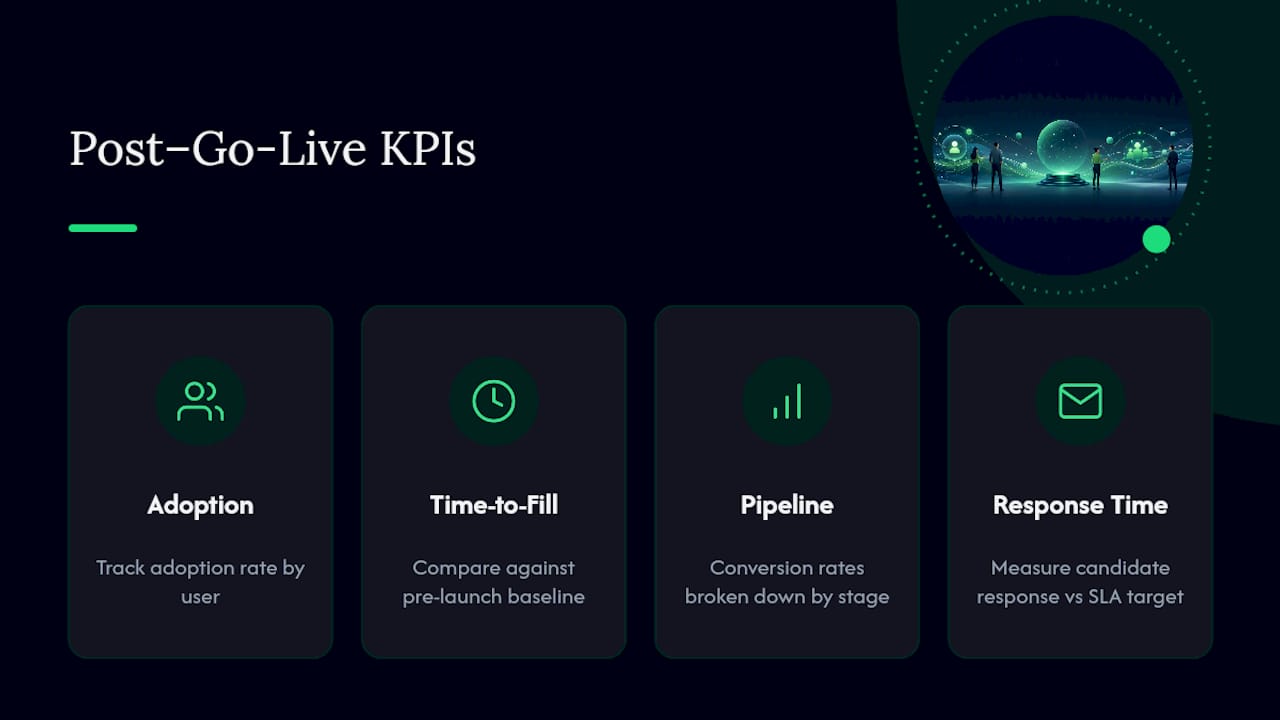
Report daily during hypercare, then move to weekly and eventually monthly cadence once the system stabilizes. Core KPIs to track: adoption rate by user, time-to-fill against your pre-launch baseline, pipeline conversion rates by stage, and candidate response time against your SLA target.
Optimization priorities after the first month usually fall into three categories: refining scorecards that hiring managers find confusing, tuning automations that trigger too often or too rarely, and reassessing which sourcing channels actually convert. Use a simple decision rule: if adoption and core workflows are stable, expand features. If either is shaky, keep stabilizing before adding anything new.
What Are the Most Common ATS Implementation Mistakes?
Over-customization tops the list of preventable errors. Every stakeholder wants their exact process reflected in the system, and saying yes to all of them produces a configuration nobody can maintain. Migrating dirty data ranks second: unclean records slow search, break reporting, and undermine trust in the new system within weeks. Skipping or shortening UAT, under-training recruiters, and leaving the project without one clear owner round out the most frequent failure points.
Checklist item | When to run it |
|---|---|
Go/no-go review | Immediately before cutover |
Post-launch review | 30 days after go-live |
Cost and time expectations | SMB: 2 to 4 weeks, lower cost; mid-market: 4 to 8 weeks, moderate cost with some vendor services |
Budget realistically. Migration effort, integration setup, training hours, and a temporary productivity dip are the main cost drivers beyond the subscription fee itself, and skipping this budgeting step is its own common mistake.
How Recruitify Supports Each Phase of ATS Implementation
Recruitify’s platform maps directly to the phases above rather than treating them as afterthoughts. Automation features handle candidate profile creation and job posting generation during the configure and optimize phases, cutting manual setup work. Built-in AI candidate scoring and CV parsing support the data model and testing phases by reducing manual field entry and standardizing how candidate data enters the system. Because CRM, sales pipeline management, and applicant tracking live in one integrated ecosystem, teams avoid the fragmented, multi-vendor integration headaches that often stretch out the integrate and test phases. The project and recruitment control tools give implementation teams a structured way to track rollout milestones. Recruitify counts more than 250 companies using the platform, a scale that reflects sustained use of this foundation-first approach across agencies and internal HR teams alike.
What Surprises Teams Most During Rollout
Two things catch teams off guard almost every time. First, the amount of internal decision-making required, choosing field names, pipeline stages, and approval rules, usually takes longer than the technical setup itself. Second, teams that resist the urge to customize everything on day one and instead prioritize clean data and solid role-based training see far less rework in month two. Getting the sequence right the first time beats fixing it after go-live.
— Recruitify Team
See How Recruitify Handles Your Rollout
Recruitify is built to remove the friction points that derail most ATS implementations. Configuration templates, automated candidate parsing, and an integrated CRM mean your team spends less time on repetitive setup work and more time on decisions that actually move hiring forward.

Instead of juggling separate tools for candidate tracking, sales pipeline management, and reporting, Recruitify keeps them under one roof, which shortens the integration phase most teams find most time-consuming. The platform’s automation tools, including AI-driven CV parsing and offer generation, are designed to speed up recruitment workflows by up to five times once teams move past the pilot stage. If you’re mapping out your own rollout, explore the Recruitify platform and request a demo to see how configuration, migration, and reporting come together before you commit to a go-live date.
Sources
Recommended


News & Updates
Stay up-to-date with the latest innovations, features, and tips about Recruitify!
By providing your email address within the newsletter sign-up form, you confirm its processing to send marketing information regarding the Administrator’s products and services. The Administrator of your personal data processed for the abovementioned purposes is Recruitify Spółka z o.o., based in Warsaw, Poland (KRS 0000709889). For more information on the principles of personal data processing and the rights of data subjects, please check the Privacy Policy.

Last updated:
Prevent Rework: ATS Implementation for HR Teams & Agencies
Innovations
The Recruitify Team
Prevent Rework: ATS Implementation for HR Teams & Agencies
The most reliable ATS implementation is a staged, foundation-first rollout that locks core configuration before importing data, connects integrations only after the data model is stable, and pilots with one or two teams before going company-wide. Success shows up as high adoption rates, faster time-to-fill, and pipelines that hold up under real reporting scrutiny, not just a signed contract and a login page.
TL;DR:
The implementation timeline varies from two to twelve weeks, depending on organization size and complexity, with larger entities requiring more time mainly due to integration and workflow customizations.
Clear ownership and stakeholder involvement are crucial to avoid delays, with specific roles like ATS owner, recruiters, hiring managers, and IT staff assigned to streamline decision-making.
Mapping real hiring workflows and setting measurable success criteria beforehand prevents over-customization and ensures system adoption aligns with actual practices.
Prioritize critical integrations such as email, HRIS, and SSO, and conduct thorough security reviews to comply with GDPR and emerging regulatory requirements for automated hiring tools.
Proper testing, limited pilot groups, and dedicated hypercare support reduce disruptions, while tracking KPIs like adoption rate and time-to-fill ensures continuous system improvement post-launch.
Table of Contents
What Does an ATS Implementation Roadmap Look Like?
Who Should Own Your ATS Implementation?
How Do You Map Your Hiring Workflow Before Configuring the System?
How Should You Configure the System and Data Model?
What Data Should You Migrate, and How?
What Integrations and Security Checks Matter Most?
How Long Should UAT Take Before Go-Live?
How Do You Train Teams and Drive Adoption?
How Should You Run the Pilot and Hypercare Period?
What Should You Track After Go-Live?
What Are the Most Common ATS Implementation Mistakes?
How Recruitify Supports Each Phase of ATS Implementation
What Surprises Teams Most During Rollout
See How Recruitify Handles Your Rollout
Sources
What Does an ATS Implementation Roadmap Look Like?
Every successful applicant tracking system setup follows a similar sequence, regardless of vendor. Skip a step and you pay for it later, usually during data migration or in the first week after go-live when recruiters discover the pipeline stages don’t match how they actually work. Industry guides converge on the same foundation-first sequence: configure before you migrate, migrate before you integrate, and test before you train.
Plan. Define scope, team, and success metrics.
Configure. Set up org structure, roles, pipelines, and scorecards.
Migrate. Move clean, relevant candidate and job data.
Integrate. Connect HRIS, email, calendar, and assessment tools.
Test. Run structured UAT with real scenarios.
Train. Deliver role-based sessions before go-live.
Pilot/go-live. Launch with one or two teams first.
Optimize. Refine based on real usage data.
Timelines vary by scale. A single-location small business can often complete implementing recruitment software in 2 to 4 weeks. Mid-market organizations with multiple hiring teams typically need 4 to 8 weeks. Enterprises with several departments, custom approval chains, or regulatory requirements should plan for 8 to 12 weeks or more. Integration complexity and custom workflow approvals are the two variables most likely to extend any of these windows.
Who Should Own Your ATS Implementation?
Governance decides whether an ATS implementation checklist becomes a working plan or a stalled project. You need clear ownership before you touch a single setting, because ambiguity here is exactly what stretches a 4-week rollout into a 10-week one.
A workable team structure looks like this:
ATS owner: one person accountable for configuration decisions and final sign-off.
TA leader or project sponsor: sets priorities, resolves budget questions, and represents leadership.
2 to 3 recruiters: provide day-to-day workflow input and test early builds.
1 to 2 hiring managers: validate scorecards, interview stages, and approval steps.
IT representative: handles SSO, data security, and integration technicalities.
Vendor project manager: guides configuration best practices and troubleshoots vendor-side issues.
Set escalation points up front: who approves budget changes, who decides on timeline slippage, and who calls the go/no-go on launch day. Plan for several hours per week from core team members during active phases, with increased time during migration and UAT. Resource conflicts are common. Recruiters juggling live requisitions while testing a new system need protected time, or testing quality suffers.
How Do You Map Your Hiring Workflow Before Configuring the System?
Before anyone opens the admin panel, document how hiring actually happens today, not how the org chart says it should happen. Most teams find their real process differs from department to department, and cramming a dozen variations into the system creates the over-customization problem that plagues so many rollouts. Consolidate down to 1 or 2 pipeline templates that flex enough for real edge cases without becoming unmanageable.
Then translate business goals into measurable acceptance criteria:
Adoption target: for example, 90% of active recruiters logging candidate activity within the system by week 4.
Time-to-fill benchmark: compare pre-implementation baseline against a 90-day post-launch average.
Candidate response SLA: a rule like “acknowledge every application within 48 hours” gives you something concrete to test against during UAT.
Data completeness threshold: a minimum percentage of candidate records with complete contact and consent fields before go-live.
These criteria become your test scripts later, so write them down now rather than improvising them during UAT week.
How Should You Configure the System and Data Model?
Configuration order matters more than most teams expect. Build in this sequence: organizational structure first, then roles and permissions, then pipeline stages, then scorecards, then communication templates. Reversing this order, especially building pipelines before permissions are locked, creates rework you’ll redo during UAT.
Field strategy deserves real attention here. Every legacy system accumulates fields nobody uses, and importing that clutter into a new applicant tracking system setup just recreates the mess. Decide field-by-field: keep it, consolidate it into an existing field, or drop it entirely. A good rule is to keep only fields tied to an actual decision, a report, or a compliance requirement.
Naming conventions matter too. Agree on how pipeline stages, job codes, and tags get named before multiple admins start creating their own versions. Assign one person to police this convention, or it degrades within weeks. Sequencing configuration before data import is one of the most consistently cited practices for avoiding migration errors.
What Data Should You Migrate, and How?
Migrate what you’ll actually use: open roles and active candidates, full stop. Older records deserve more scrutiny. Best practice is to bring in candidates from the last 12 to 24 months selectively, and only where consent and data quality hold up. Everything older gets archived rather than imported.
Data-cleaning checklist before migration:
Deduplicate candidate and company records.
Normalize job titles and department names into consistent formats.
Map custom legacy fields to your new field structure, or drop them.
Verify consent status on every record you plan to migrate, particularly under GDPR for candidates in the EU.
Pro Tip: Run a parallel validation count. Export a candidate count and a job count from your legacy system, then compare those numbers against what lands in the new ATS after import. A mismatch of even a few percent usually means a mapping error, not a rounding issue.
Only a minority of HR technology deployments realize their full intended value, and dirty migrated data is one of the quieter reasons why. Always have a fallback plan. If validation counts don’t reconcile, delay cutover rather than launching on broken data.
What Integrations and Security Checks Matter Most?
Prioritize integrations in this order: email and calendar sync first (recruiters live in these daily), then HRIS for headcount and offer data, then SSO for access control, then assessment or background-check tools last since they touch fewer people per requisition.
Security and compliance deserve a dedicated checklist, not an afterthought:
Confirm SSO is enforced for all admin and recruiter accounts.
Audit role permissions quarterly, not just at launch.
Set data retention rules that match your legal obligations for candidate records.
Review vendor contracts for data-handling and breach-notification language.
GDPR obligations apply directly to how long you retain candidate data and what consent you need to keep it. If you use automated candidate screening or AI scoring, stay aware of emerging EU AI Act transparency requirements around automated hiring decisions, since regulatory scope here continues to evolve.
How Long Should UAT Take Before Go-Live?
User acceptance testing is where most implementation failures get caught, or missed. Build role-based test scripts that walk through a complete hiring cycle: apply, screen, interview, offer, hire. A strong UAT plan includes:
6 to 10 end-to-end scenarios tied to real roles, including negative cases like an incomplete application or missing consent.
Testers who weren’t on the implementation team. People who built the system test around its known quirks, not its actual weak points.
A minimum two-week UAT window, run in parallel with your legacy system so nothing falls through during validation.
Documented rollback triggers, meaning a specific list of failures (data mismatches, broken integrations, blocked hiring manager approvals) that automatically pause go-live.
Categorize every issue found by severity. A go/no-go decision should rest on whether critical-severity issues are resolved, not on whether every minor cosmetic bug is fixed.
How Do You Train Teams and Drive Adoption?
Adoption, not features, determines whether your investment in applicant tracking system setup pays off. Vendor and industry guidance consistently points to training and governance as the real driver of long-term value, more than any specific feature set.
Structure training by role:
ATS admins: hands-on sessions of 3 to 4 hours covering configuration, reporting, and troubleshooting.
Recruiters: 90-minute workshops focused on daily workflows, plus a one-page quick-reference sheet.
Hiring managers: 30-minute sessions covering only what they need: reviewing candidates, giving feedback, approving next steps.
Pro Tip: Recruit one or two internal champions, ideally recruiters who like the new system, before full rollout. Peer encouragement moves adoption faster than any mandate from leadership.
Set adoption SLAs (like login frequency or candidate-activity logging) and track them on a simple dashboard. When someone lags behind, address it directly with a short refresher session rather than a broad reminder email to the whole team.
How Should You Run the Pilot and Hypercare Period?
Choose your pilot group carefully. One or two departments with moderate hiring volume, cooperative recruiters, and low political sensitivity make the best test bed. A phased pilot beats a company-wide “big bang” launch almost every time, since it isolates problems before they touch every team at once.
Before cutover, confirm: data validation is complete, integrations are live and tested, and a triage process exists for issues reported on day one. Piloting with a limited group and staffing hypercare for 2 to 4 weeks after launch consistently reduces disruption compared to a full rollout with no stabilization period.
During hypercare, staff a dedicated response person with a same-day SLA for critical issues. Once issue volume drops and stabilizes for a week, shift from firefighting mode into planned optimization.
What Should You Track After Go-Live?
Report daily during hypercare, then move to weekly and eventually monthly cadence once the system stabilizes. Core KPIs to track: adoption rate by user, time-to-fill against your pre-launch baseline, pipeline conversion rates by stage, and candidate response time against your SLA target.
Optimization priorities after the first month usually fall into three categories: refining scorecards that hiring managers find confusing, tuning automations that trigger too often or too rarely, and reassessing which sourcing channels actually convert. Use a simple decision rule: if adoption and core workflows are stable, expand features. If either is shaky, keep stabilizing before adding anything new.
What Are the Most Common ATS Implementation Mistakes?
Over-customization tops the list of preventable errors. Every stakeholder wants their exact process reflected in the system, and saying yes to all of them produces a configuration nobody can maintain. Migrating dirty data ranks second: unclean records slow search, break reporting, and undermine trust in the new system within weeks. Skipping or shortening UAT, under-training recruiters, and leaving the project without one clear owner round out the most frequent failure points.
Checklist item | When to run it |
|---|---|
Go/no-go review | Immediately before cutover |
Post-launch review | 30 days after go-live |
Cost and time expectations | SMB: 2 to 4 weeks, lower cost; mid-market: 4 to 8 weeks, moderate cost with some vendor services |
Budget realistically. Migration effort, integration setup, training hours, and a temporary productivity dip are the main cost drivers beyond the subscription fee itself, and skipping this budgeting step is its own common mistake.
How Recruitify Supports Each Phase of ATS Implementation
Recruitify’s platform maps directly to the phases above rather than treating them as afterthoughts. Automation features handle candidate profile creation and job posting generation during the configure and optimize phases, cutting manual setup work. Built-in AI candidate scoring and CV parsing support the data model and testing phases by reducing manual field entry and standardizing how candidate data enters the system. Because CRM, sales pipeline management, and applicant tracking live in one integrated ecosystem, teams avoid the fragmented, multi-vendor integration headaches that often stretch out the integrate and test phases. The project and recruitment control tools give implementation teams a structured way to track rollout milestones. Recruitify counts more than 250 companies using the platform, a scale that reflects sustained use of this foundation-first approach across agencies and internal HR teams alike.
What Surprises Teams Most During Rollout
Two things catch teams off guard almost every time. First, the amount of internal decision-making required, choosing field names, pipeline stages, and approval rules, usually takes longer than the technical setup itself. Second, teams that resist the urge to customize everything on day one and instead prioritize clean data and solid role-based training see far less rework in month two. Getting the sequence right the first time beats fixing it after go-live.
— Recruitify Team
See How Recruitify Handles Your Rollout
Recruitify is built to remove the friction points that derail most ATS implementations. Configuration templates, automated candidate parsing, and an integrated CRM mean your team spends less time on repetitive setup work and more time on decisions that actually move hiring forward.
Instead of juggling separate tools for candidate tracking, sales pipeline management, and reporting, Recruitify keeps them under one roof, which shortens the integration phase most teams find most time-consuming. The platform’s automation tools, including AI-driven CV parsing and offer generation, are designed to speed up recruitment workflows by up to five times once teams move past the pilot stage. If you’re mapping out your own rollout, explore the Recruitify platform and request a demo to see how configuration, migration, and reporting come together before you commit to a go-live date.
Sources
Recommended
News & Updates
Stay up-to-date with the latest innovations, features, and tips about Recruitify!
By providing your email address within the newsletter sign-up form, you confirm its processing to send marketing information regarding the Administrator’s products and services. The Administrator of your personal data processed for the abovementioned purposes is Recruitify Spółka z o.o., based in Warsaw, Poland (KRS 0000709889). For more information on the principles of personal data processing and the rights of data subjects, please check the Privacy Policy.
Last updated:
Prevent Rework: ATS Implementation for HR Teams & Agencies
Innovations
The Recruitify Team
Prevent Rework: ATS Implementation for HR Teams & Agencies
The most reliable ATS implementation is a staged, foundation-first rollout that locks core configuration before importing data, connects integrations only after the data model is stable, and pilots with one or two teams before going company-wide. Success shows up as high adoption rates, faster time-to-fill, and pipelines that hold up under real reporting scrutiny, not just a signed contract and a login page.
TL;DR:
The implementation timeline varies from two to twelve weeks, depending on organization size and complexity, with larger entities requiring more time mainly due to integration and workflow customizations.
Clear ownership and stakeholder involvement are crucial to avoid delays, with specific roles like ATS owner, recruiters, hiring managers, and IT staff assigned to streamline decision-making.
Mapping real hiring workflows and setting measurable success criteria beforehand prevents over-customization and ensures system adoption aligns with actual practices.
Prioritize critical integrations such as email, HRIS, and SSO, and conduct thorough security reviews to comply with GDPR and emerging regulatory requirements for automated hiring tools.
Proper testing, limited pilot groups, and dedicated hypercare support reduce disruptions, while tracking KPIs like adoption rate and time-to-fill ensures continuous system improvement post-launch.
Table of Contents
What Does an ATS Implementation Roadmap Look Like?
Who Should Own Your ATS Implementation?
How Do You Map Your Hiring Workflow Before Configuring the System?
How Should You Configure the System and Data Model?
What Data Should You Migrate, and How?
What Integrations and Security Checks Matter Most?
How Long Should UAT Take Before Go-Live?
How Do You Train Teams and Drive Adoption?
How Should You Run the Pilot and Hypercare Period?
What Should You Track After Go-Live?
What Are the Most Common ATS Implementation Mistakes?
How Recruitify Supports Each Phase of ATS Implementation
What Surprises Teams Most During Rollout
See How Recruitify Handles Your Rollout
Sources
What Does an ATS Implementation Roadmap Look Like?
Every successful applicant tracking system setup follows a similar sequence, regardless of vendor. Skip a step and you pay for it later, usually during data migration or in the first week after go-live when recruiters discover the pipeline stages don’t match how they actually work. Industry guides converge on the same foundation-first sequence: configure before you migrate, migrate before you integrate, and test before you train.
Plan. Define scope, team, and success metrics.
Configure. Set up org structure, roles, pipelines, and scorecards.
Migrate. Move clean, relevant candidate and job data.
Integrate. Connect HRIS, email, calendar, and assessment tools.
Test. Run structured UAT with real scenarios.
Train. Deliver role-based sessions before go-live.
Pilot/go-live. Launch with one or two teams first.
Optimize. Refine based on real usage data.
Timelines vary by scale. A single-location small business can often complete implementing recruitment software in 2 to 4 weeks. Mid-market organizations with multiple hiring teams typically need 4 to 8 weeks. Enterprises with several departments, custom approval chains, or regulatory requirements should plan for 8 to 12 weeks or more. Integration complexity and custom workflow approvals are the two variables most likely to extend any of these windows.
Who Should Own Your ATS Implementation?
Governance decides whether an ATS implementation checklist becomes a working plan or a stalled project. You need clear ownership before you touch a single setting, because ambiguity here is exactly what stretches a 4-week rollout into a 10-week one.
A workable team structure looks like this:
ATS owner: one person accountable for configuration decisions and final sign-off.
TA leader or project sponsor: sets priorities, resolves budget questions, and represents leadership.
2 to 3 recruiters: provide day-to-day workflow input and test early builds.
1 to 2 hiring managers: validate scorecards, interview stages, and approval steps.
IT representative: handles SSO, data security, and integration technicalities.
Vendor project manager: guides configuration best practices and troubleshoots vendor-side issues.
Set escalation points up front: who approves budget changes, who decides on timeline slippage, and who calls the go/no-go on launch day. Plan for several hours per week from core team members during active phases, with increased time during migration and UAT. Resource conflicts are common. Recruiters juggling live requisitions while testing a new system need protected time, or testing quality suffers.
How Do You Map Your Hiring Workflow Before Configuring the System?
Before anyone opens the admin panel, document how hiring actually happens today, not how the org chart says it should happen. Most teams find their real process differs from department to department, and cramming a dozen variations into the system creates the over-customization problem that plagues so many rollouts. Consolidate down to 1 or 2 pipeline templates that flex enough for real edge cases without becoming unmanageable.
Then translate business goals into measurable acceptance criteria:
Adoption target: for example, 90% of active recruiters logging candidate activity within the system by week 4.
Time-to-fill benchmark: compare pre-implementation baseline against a 90-day post-launch average.
Candidate response SLA: a rule like “acknowledge every application within 48 hours” gives you something concrete to test against during UAT.
Data completeness threshold: a minimum percentage of candidate records with complete contact and consent fields before go-live.
These criteria become your test scripts later, so write them down now rather than improvising them during UAT week.
How Should You Configure the System and Data Model?
Configuration order matters more than most teams expect. Build in this sequence: organizational structure first, then roles and permissions, then pipeline stages, then scorecards, then communication templates. Reversing this order, especially building pipelines before permissions are locked, creates rework you’ll redo during UAT.
Field strategy deserves real attention here. Every legacy system accumulates fields nobody uses, and importing that clutter into a new applicant tracking system setup just recreates the mess. Decide field-by-field: keep it, consolidate it into an existing field, or drop it entirely. A good rule is to keep only fields tied to an actual decision, a report, or a compliance requirement.
Naming conventions matter too. Agree on how pipeline stages, job codes, and tags get named before multiple admins start creating their own versions. Assign one person to police this convention, or it degrades within weeks. Sequencing configuration before data import is one of the most consistently cited practices for avoiding migration errors.
What Data Should You Migrate, and How?
Migrate what you’ll actually use: open roles and active candidates, full stop. Older records deserve more scrutiny. Best practice is to bring in candidates from the last 12 to 24 months selectively, and only where consent and data quality hold up. Everything older gets archived rather than imported.
Data-cleaning checklist before migration:
Deduplicate candidate and company records.
Normalize job titles and department names into consistent formats.
Map custom legacy fields to your new field structure, or drop them.
Verify consent status on every record you plan to migrate, particularly under GDPR for candidates in the EU.
Pro Tip: Run a parallel validation count. Export a candidate count and a job count from your legacy system, then compare those numbers against what lands in the new ATS after import. A mismatch of even a few percent usually means a mapping error, not a rounding issue.
Only a minority of HR technology deployments realize their full intended value, and dirty migrated data is one of the quieter reasons why. Always have a fallback plan. If validation counts don’t reconcile, delay cutover rather than launching on broken data.
What Integrations and Security Checks Matter Most?
Prioritize integrations in this order: email and calendar sync first (recruiters live in these daily), then HRIS for headcount and offer data, then SSO for access control, then assessment or background-check tools last since they touch fewer people per requisition.
Security and compliance deserve a dedicated checklist, not an afterthought:
Confirm SSO is enforced for all admin and recruiter accounts.
Audit role permissions quarterly, not just at launch.
Set data retention rules that match your legal obligations for candidate records.
Review vendor contracts for data-handling and breach-notification language.
GDPR obligations apply directly to how long you retain candidate data and what consent you need to keep it. If you use automated candidate screening or AI scoring, stay aware of emerging EU AI Act transparency requirements around automated hiring decisions, since regulatory scope here continues to evolve.
How Long Should UAT Take Before Go-Live?
User acceptance testing is where most implementation failures get caught, or missed. Build role-based test scripts that walk through a complete hiring cycle: apply, screen, interview, offer, hire. A strong UAT plan includes:
6 to 10 end-to-end scenarios tied to real roles, including negative cases like an incomplete application or missing consent.
Testers who weren’t on the implementation team. People who built the system test around its known quirks, not its actual weak points.
A minimum two-week UAT window, run in parallel with your legacy system so nothing falls through during validation.
Documented rollback triggers, meaning a specific list of failures (data mismatches, broken integrations, blocked hiring manager approvals) that automatically pause go-live.
Categorize every issue found by severity. A go/no-go decision should rest on whether critical-severity issues are resolved, not on whether every minor cosmetic bug is fixed.
How Do You Train Teams and Drive Adoption?
Adoption, not features, determines whether your investment in applicant tracking system setup pays off. Vendor and industry guidance consistently points to training and governance as the real driver of long-term value, more than any specific feature set.
Structure training by role:
ATS admins: hands-on sessions of 3 to 4 hours covering configuration, reporting, and troubleshooting.
Recruiters: 90-minute workshops focused on daily workflows, plus a one-page quick-reference sheet.
Hiring managers: 30-minute sessions covering only what they need: reviewing candidates, giving feedback, approving next steps.
Pro Tip: Recruit one or two internal champions, ideally recruiters who like the new system, before full rollout. Peer encouragement moves adoption faster than any mandate from leadership.
Set adoption SLAs (like login frequency or candidate-activity logging) and track them on a simple dashboard. When someone lags behind, address it directly with a short refresher session rather than a broad reminder email to the whole team.
How Should You Run the Pilot and Hypercare Period?
Choose your pilot group carefully. One or two departments with moderate hiring volume, cooperative recruiters, and low political sensitivity make the best test bed. A phased pilot beats a company-wide “big bang” launch almost every time, since it isolates problems before they touch every team at once.
Before cutover, confirm: data validation is complete, integrations are live and tested, and a triage process exists for issues reported on day one. Piloting with a limited group and staffing hypercare for 2 to 4 weeks after launch consistently reduces disruption compared to a full rollout with no stabilization period.
During hypercare, staff a dedicated response person with a same-day SLA for critical issues. Once issue volume drops and stabilizes for a week, shift from firefighting mode into planned optimization.
What Should You Track After Go-Live?
Report daily during hypercare, then move to weekly and eventually monthly cadence once the system stabilizes. Core KPIs to track: adoption rate by user, time-to-fill against your pre-launch baseline, pipeline conversion rates by stage, and candidate response time against your SLA target.
Optimization priorities after the first month usually fall into three categories: refining scorecards that hiring managers find confusing, tuning automations that trigger too often or too rarely, and reassessing which sourcing channels actually convert. Use a simple decision rule: if adoption and core workflows are stable, expand features. If either is shaky, keep stabilizing before adding anything new.
What Are the Most Common ATS Implementation Mistakes?
Over-customization tops the list of preventable errors. Every stakeholder wants their exact process reflected in the system, and saying yes to all of them produces a configuration nobody can maintain. Migrating dirty data ranks second: unclean records slow search, break reporting, and undermine trust in the new system within weeks. Skipping or shortening UAT, under-training recruiters, and leaving the project without one clear owner round out the most frequent failure points.
Checklist item | When to run it |
|---|---|
Go/no-go review | Immediately before cutover |
Post-launch review | 30 days after go-live |
Cost and time expectations | SMB: 2 to 4 weeks, lower cost; mid-market: 4 to 8 weeks, moderate cost with some vendor services |
Budget realistically. Migration effort, integration setup, training hours, and a temporary productivity dip are the main cost drivers beyond the subscription fee itself, and skipping this budgeting step is its own common mistake.
How Recruitify Supports Each Phase of ATS Implementation
Recruitify’s platform maps directly to the phases above rather than treating them as afterthoughts. Automation features handle candidate profile creation and job posting generation during the configure and optimize phases, cutting manual setup work. Built-in AI candidate scoring and CV parsing support the data model and testing phases by reducing manual field entry and standardizing how candidate data enters the system. Because CRM, sales pipeline management, and applicant tracking live in one integrated ecosystem, teams avoid the fragmented, multi-vendor integration headaches that often stretch out the integrate and test phases. The project and recruitment control tools give implementation teams a structured way to track rollout milestones. Recruitify counts more than 250 companies using the platform, a scale that reflects sustained use of this foundation-first approach across agencies and internal HR teams alike.
What Surprises Teams Most During Rollout
Two things catch teams off guard almost every time. First, the amount of internal decision-making required, choosing field names, pipeline stages, and approval rules, usually takes longer than the technical setup itself. Second, teams that resist the urge to customize everything on day one and instead prioritize clean data and solid role-based training see far less rework in month two. Getting the sequence right the first time beats fixing it after go-live.
— Recruitify Team
See How Recruitify Handles Your Rollout
Recruitify is built to remove the friction points that derail most ATS implementations. Configuration templates, automated candidate parsing, and an integrated CRM mean your team spends less time on repetitive setup work and more time on decisions that actually move hiring forward.
Instead of juggling separate tools for candidate tracking, sales pipeline management, and reporting, Recruitify keeps them under one roof, which shortens the integration phase most teams find most time-consuming. The platform’s automation tools, including AI-driven CV parsing and offer generation, are designed to speed up recruitment workflows by up to five times once teams move past the pilot stage. If you’re mapping out your own rollout, explore the Recruitify platform and request a demo to see how configuration, migration, and reporting come together before you commit to a go-live date.
Sources
Recommended
News & Updates
Stay up-to-date with the latest innovations, features, and tips about Recruitify!
By providing your email address within the newsletter sign-up form, you confirm its processing to send marketing information regarding the Administrator’s products and services. The Administrator of your personal data processed for the abovementioned purposes is Recruitify Spółka z o.o., based in Warsaw, Poland (KRS 0000709889). For more information on the principles of personal data processing and the rights of data subjects, please check the Privacy Policy.

Discover More

Applicant Tracking System
Contractor Onboarding Checklist for IT Staffing Agencies
A contractor onboarding checklist for agencies and HR teams: classification, US tax forms, GDPR, least-privilege access and gates that stop work before approval.
20 Oct 2026
Discover More

Acquiring Talent
Boolean Search Strings: Operators, Examples and Templates
Learn how to write Boolean search strings for recruiting: operators, LinkedIn and Google X-ray examples, developer templates and mistakes to avoid.
19 Oct 2026
Discover More

Recruitment Process
Recruiter Productivity Metrics: 3 Measures That Expose Funnel Leaks
Choose recruiter productivity metrics that expose funnel leaks, track hiring quality and candidate experience, and show where stage delays hurt results.
18 Oct 2026
Discover More
Applicant Tracking System
Contractor Onboarding Checklist for IT Staffing Agencies
A contractor onboarding checklist for agencies and HR teams: classification, US tax forms, GDPR, least-privilege access and gates that stop work before approval.
20 Oct 2026
Discover More
Acquiring Talent
Boolean Search Strings: Operators, Examples and Templates
Learn how to write Boolean search strings for recruiting: operators, LinkedIn and Google X-ray examples, developer templates and mistakes to avoid.
19 Oct 2026
Discover More

