Last updated:
How to Automate B2B Contracts for Staffing Agencies

Recruitment Process

The Recruitify Team
To automate B2B contracts, you replace copy-and-paste drafting with a controlled workflow: a request or deal triggers a pre-approved template, client and rate data fill in automatically, nonstandard terms are routed to a reviewer, and the signed agreement is stored where renewals and obligations can be tracked. For a staffing or IT contracting agency, the strongest results come when that workflow sits next to the CRM and candidate records, because the contract is built from the same data.
This guide explains what can be automated, how to set up automated contract generation, how to handle client terms that deviate from your standard, which checks must remain human, and how to measure results.
Key Takeaways
Contract automation connects requests, approved templates, rule-based routing, e-signature and post-signature tracking into one workflow, rather than just producing a PDF faster.
Start with high-volume, low-risk documents such as NDAs and standard client agreements, and keep legal judgment on high-stakes or negotiated clauses with people.
The biggest gains come from integration: contracts populated from CRM and candidate data are faster to produce and carry fewer copy errors.
Electronic contracts are broadly recognized in law, but signature method, privacy and local labor rules still need to be checked per jurisdiction.
Track baseline metrics such as cycle time, template usage and missed renewals before you switch anything on.
Table of Contents
B2B contracts for staffing and IT contracting: what is different
Our perspective: contracts belong inside the recruitment record
What B2B contract automation actually means
B2B contract automation is the use of technology to streamline the contract lifecycle from end to end, replacing manual steps with automated workflows, as Zoho’s overview of contract automation software describes it. In practice, the workflow connects a request to an approved template, routes the agreement along rule-based paths to the right reviewers, tracks negotiation and execution, and then manages obligations after signature.
The industry term for the full discipline is contract lifecycle management (CLM). One guide to CLM defines it as proactive, automated management of the contract process from generation through negotiation, signature, ongoing management and storage.
It helps to separate three things that are often confused:
Document assembly: generating a contract from a template and structured data.
E-signature: collecting a legally valid signature electronically.
Workflow and tracking: approvals, version history, alerts and a searchable repository.
Tools that cover only one of these save a little time. A workflow that starts with a guided request, generates the agreement from pre-approved clauses, routes it for approval and signature, stores it in a searchable repository and alerts you to renewals delivers the full effect.
Which stages of the contract lifecycle can you automate?
Most organizations can automate intake through digital forms, template-based drafting, approval routing by value or risk, e-signature execution, obligation tracking and renewal notifications. A broader lifecycle view also includes amendments, audit and reporting, which is where many agencies still rely on spreadsheets and inbox searches.
The table below maps each stage to what can be automated and what should stay with a person.
Stage | What automation handles | What stays human |
|---|---|---|
Request and intake | Guided form capturing client, role, rate, term | Deciding whether to take the deal |
Drafting | Template selection, clause insertion, data merge | Approving new template language |
Negotiation | Version history, redline tracking, routing | Judging risk in changed clauses |
Approval | Routing by value, margin or clause deviation | Final sign-off on exceptions |
Execution | E-signature requests and reminders | Confirming signatory authority |
Post-signature | Obligation tracking, renewal alerts, storage | Handling disputes and relationship issues |
The limitation worth stating plainly: automation is deliberately limited to repetitive, rule-based tasks and does not replace human judgment on high-stakes risk, legal strategy or sensitive client relationships. Likewise, AI can assemble and format a draft, but a knowledgeable person must assess its legal implications and business context.
How automated contract generation works step by step
Automated contract generation is not magic; it is a template, a set of rules and a data source. The setup below applies whether you use a dedicated contract tool or a recruitment platform with a contracting module.
Step 1: Standardize the templates
Before you automate, decide which agreements you actually sign. A staffing or IT contracting agency typically has a small set:
A master services agreement or client terms of business
A statement of work or order form per placement or contractor
A contractor or consultant agreement
A mutual NDA
Amendments and extensions
Write one approved version of each, with named variable fields (client legal name, rate, start date, notice period) and a clause library of approved alternatives, for example two payment-term options or three liability caps.
Step 2: Add conditional logic
Conditional logic lets the template change with the deal. In a typical setup, conditional logic can insert or remove clauses based on circumstances such as contract-value thresholds, while integrations pull data from another system into the template. In a staffing context, rules might add a conversion-fee clause when the role is contract-to-hire, or an extended payment-terms clause that always triggers finance approval.
Step 3: Connect your data
When the template reads from your CRM rather than from someone retyping figures, party, pricing, payment and term data populate documents automatically, and executed metadata can flow back for forecasting and compliance. This is the part that removes duplicated-document errors. One published case reports that errors from duplicating previous documents were eliminated and turnaround fell by 80%; treat that as one vendor-reported example, not a benchmark you should expect.
Integration matters beyond the first draft. Contract automation creates the most value when it is connected to sales, sourcing and finance systems rather than used as an isolated repository or signature tool. The same source notes that connecting CLM to CRM flows customer details into contracts before signature, and that connecting to financial systems lets you compare invoices with contractual commitments afterward.
Step 4: Define routing and approvals
Decide in advance who approves what. A simple rule set for an agency could look like this:
Standard template, no edits: auto-send for signature after the account owner confirms.
Rate below your minimum margin: route to the sales director.
Any change to liability, indemnity or IP clauses: route to legal counsel.
Payment terms beyond your standard window: route to finance.
Step 5: Execute and store
Send for e-signature, then store the executed agreement with its metadata (client, rate, end date, notice period) so renewals and extensions are driven by data rather than memory.
B2B contracts for staffing and IT contracting: what is different
Staffing contracts have a particular shape: one master agreement with a client, many short-lived orders beneath it, and a parallel agreement with each contractor or placed worker. The volume of linked documents is what makes manual handling painful.
Typical staffing client agreements cover the services and scope, bill rates or markup, invoicing and payment terms, responsibilities between agency and client, insurance, and fees such as conversion or cancellation charges. Each of these is a field or clause that can be templated, and each is a place where a retyped number causes a billing dispute later.
Compliance is the second difference. Staffing agreements carry checks that generic contract tools do not know about: verifying identity, checking certifications and aligning with local labor rules. One example from the Netherlands is the Waadi act for intermediaries, referenced in a staffing supplier agreement. Other countries and US states have their own rules on worker classification, co-employment and agency obligations, so your clause library should be reviewed by counsel for each jurisdiction in which you place people.
For IT contracting and body leasing in particular, the practical requirement is to keep candidate, client, contract and documents in one record. We cover this in more detail in our article on keeping candidates, clients, contracts and compliance in one place.

Automating client terms while routing nonstandard clauses
Clients rarely accept your paper unchanged, and a good workflow expects that. The principle is to automate the standard path and make deviations visible, not to forbid them.
Use pre-approved templates and clause libraries, then route contracts through automated workflows for review.
Keep version history, so drafters can identify the latest version and see who changed what.
Define fallback positions. For each negotiable clause, list the preferred wording, an acceptable fallback and a no-go. Fallbacks can be selected without legal review; no-gos always route to counsel.
Flag deviations automatically. If a client sends a marked-up document, compare it against the template and send only the changed clauses for review.
This keeps the account manager’s job simple: pick the client, confirm the commercial terms and send. Lawyers see only what truly needs their attention.
Security, privacy and legal checks to build in
Automation moves sensitive information, such as rates, margins and personal data, through more systems, so controls should be designed in rather than added later.
Legal validity of electronic contracts
At the international level, the UN Convention on the Use of Electronic Communications in International Contracts says a contract cannot be denied validity or enforceability solely because it is electronic. Where a signature is required, the method must identify the party, indicate their intention and be reliable for its purpose. In the United States, federal and state e-signature laws take a comparable approach, but certain document types are excluded, so confirm with counsel what applies to your agreements.
Data protection and access
Protect contract data with encryption, access controls, audit trails, backups and data-retention policies, while observing privacy requirements such as GDPR where you handle data of people in the EU. If you place candidates across borders, audit trails and consent records are not optional extras. Our overview of data security in the platform and of GDPR consent and CV anonymization shows how we approach this.
AI and your own contracts
If your contract tool uses AI, ask the provider how your documents are used. Law firm guidance warns that organizations should be cautious about data ownership and privacy when providers use their proprietary contracts to enhance models for other customers. Put the answer in your vendor agreement.
A rollout plan that works for small and mid-sized agencies
Implementation guidance from PwC’s contract lifecycle research points to the same order: align the business units affected, clarify ownership, prepare contract data and repositories, and only then introduce AI with governance and oversight. For an agency, that translates into five steps.
Inventory: collect every contract type and the last 20 signed examples of each.
Pick the first target: start with high-volume, low-risk documents such as NDAs or standard agreements to secure quick wins.
Build templates and rules: one template per document, a clause library and a routing table.
Connect the CRM: so deal data feeds the contract and signed terms feed reporting.
Review after 60 to 90 days: compare against your baseline and widen the scope.
Metrics to track
Record baselines first. Cycle time, contract volume, template usage, missed renewals and response times are the standard measures. For an agency, add two of your own: days from client verbal agreement to signed contract (which is days of unbilled work you risk), and the share of contractors starting with a fully signed agreement on day one.
Be realistic about the ceiling. Benefits may plateau if the contract system does not connect to the finance systems where commercial terms affect profit and loss. Automation can reduce contract-related administrative costs by 25% to 30%, according to one vendor’s guide, which is a useful planning range rather than a promise.
Our perspective: contracts belong inside the recruitment record
We built Recruitify for IT recruitment agencies, headhunters and body leasing companies, and the pattern we see is consistent: contract problems are rarely legal problems. They are data problems. The rate in the offer, the rate in the CRM and the rate in the contract differ by a few euros, or the end date lives in an email.

That is why we do not treat contracts as a separate tool. When the ATS, the sales CRM and the contracting module share one record, the client’s terms, the candidate’s details and the final B2B agreement come from the same source, and the generation of final B2B contracts becomes one step in an automated workflow instead of a separate chore. We also believe automation should stay modest in what it claims: it removes repetitive assembly and retyping, and it does not replace a lawyer’s judgment on liability, classification or negotiated risk.
Our advice is to automate the standard 80% of your agreements first, keep a clear escalation path for the rest, and make sure every document leaves an audit trail.
— Recruitify Team
Where Recruitify fits
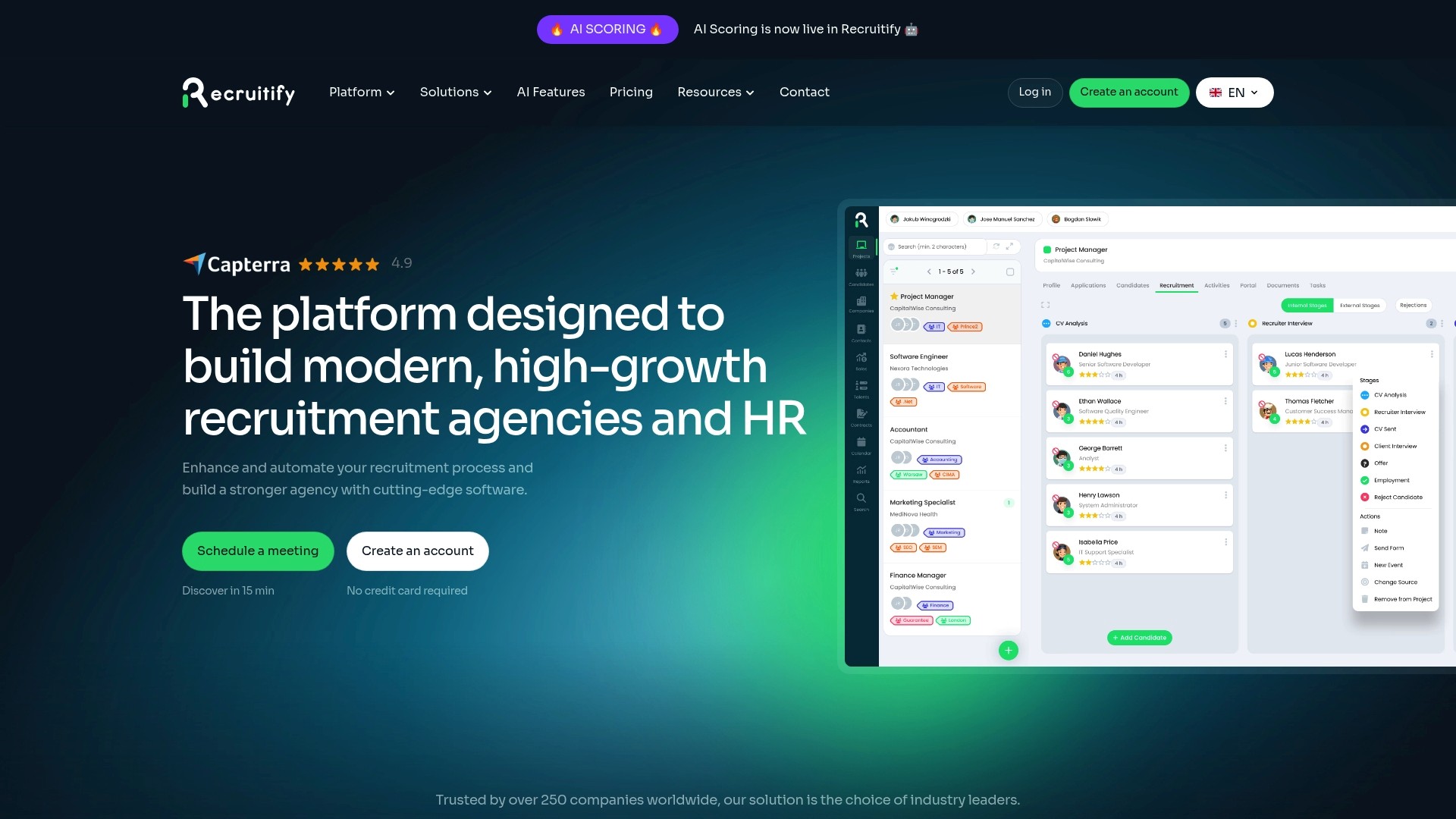
If your agency generates many client agreements and contractor documents, our platform brings the ATS, sales CRM and contracting and body leasing module into one system, with workflow automation covering steps from lead contact to final contract generation. Plans are published on the pricing page: HR Team at €61 per month per user, Agency at €67 per month per user, and Enterprise on request.
Agencies that also run a temporary or contract workforce can look at our temporary staffing agency solution, and teams that want to link deals to placements can review the agency CRM.
FAQ
Can you fully automate B2B contracts without a lawyer?
You can automate drafting, routing, signature and storage for standard agreements, but a lawyer should approve the templates and clause library once, and review any non-standard terms. Automation handles repeatable assembly and standard language, while people keep responsibility for legal judgment.
What is the best first contract to automate?
Start with a high-volume, low-risk document, typically an NDA or a standard client or vendor agreement. These have few variables, so you get quick wins and learn how your approval rules behave before moving to complex agreements.
Are electronically signed B2B contracts legally valid?
Generally yes. International law holds that a contract cannot be denied validity solely because it is electronic, provided the signature method identifies the signer and is reliable. Some document types and jurisdictions have exceptions, so confirm with counsel for your case.
How does contract automation work for staffing agencies?
The agency keeps a master client agreement and generates a statement of work or contractor agreement for each placement from CRM data, such as client, rate and dates. Compliance checks, such as identity and certification verification and local labor rules, are added to the workflow.
How do I handle clients who want to change my terms?
Use a clause library with preferred, fallback and no-go positions. Fallbacks can be accepted without review, while anything outside them is routed to legal or finance automatically, with version history showing every change.
Sources
Contract automation: software, processes and benefits (Juro)
Automated contract generation from approved templates (Sirion)
Supplier agreement referencing the Waadi act (HiringDeskAction)
UN Convention on the Use of Electronic Communications in International Contracts
AI agents and the future of contract lifecycle management (PwC)
Recommended
Contracting: When candidates, clients, contracts and compliance need to be in one place
From Manual Processes to Automation: Transitioning to a Modern Recruitment Workflow


News & Updates
Stay up-to-date with the latest innovations, features, and tips about Recruitify!
By providing your email address within the newsletter sign-up form, you confirm its processing to send marketing information regarding the Administrator’s products and services. The Administrator of your personal data processed for the abovementioned purposes is Recruitify Spółka z o.o., based in Warsaw, Poland (KRS 0000709889). For more information on the principles of personal data processing and the rights of data subjects, please check the Privacy Policy.

Last updated:
How to Automate B2B Contracts for Staffing Agencies
Recruitment Process
The Recruitify Team
To automate B2B contracts, you replace copy-and-paste drafting with a controlled workflow: a request or deal triggers a pre-approved template, client and rate data fill in automatically, nonstandard terms are routed to a reviewer, and the signed agreement is stored where renewals and obligations can be tracked. For a staffing or IT contracting agency, the strongest results come when that workflow sits next to the CRM and candidate records, because the contract is built from the same data.
This guide explains what can be automated, how to set up automated contract generation, how to handle client terms that deviate from your standard, which checks must remain human, and how to measure results.
Key Takeaways
Contract automation connects requests, approved templates, rule-based routing, e-signature and post-signature tracking into one workflow, rather than just producing a PDF faster.
Start with high-volume, low-risk documents such as NDAs and standard client agreements, and keep legal judgment on high-stakes or negotiated clauses with people.
The biggest gains come from integration: contracts populated from CRM and candidate data are faster to produce and carry fewer copy errors.
Electronic contracts are broadly recognized in law, but signature method, privacy and local labor rules still need to be checked per jurisdiction.
Track baseline metrics such as cycle time, template usage and missed renewals before you switch anything on.
Table of Contents
B2B contracts for staffing and IT contracting: what is different
Our perspective: contracts belong inside the recruitment record
What B2B contract automation actually means
B2B contract automation is the use of technology to streamline the contract lifecycle from end to end, replacing manual steps with automated workflows, as Zoho’s overview of contract automation software describes it. In practice, the workflow connects a request to an approved template, routes the agreement along rule-based paths to the right reviewers, tracks negotiation and execution, and then manages obligations after signature.
The industry term for the full discipline is contract lifecycle management (CLM). One guide to CLM defines it as proactive, automated management of the contract process from generation through negotiation, signature, ongoing management and storage.
It helps to separate three things that are often confused:
Document assembly: generating a contract from a template and structured data.
E-signature: collecting a legally valid signature electronically.
Workflow and tracking: approvals, version history, alerts and a searchable repository.
Tools that cover only one of these save a little time. A workflow that starts with a guided request, generates the agreement from pre-approved clauses, routes it for approval and signature, stores it in a searchable repository and alerts you to renewals delivers the full effect.
Which stages of the contract lifecycle can you automate?
Most organizations can automate intake through digital forms, template-based drafting, approval routing by value or risk, e-signature execution, obligation tracking and renewal notifications. A broader lifecycle view also includes amendments, audit and reporting, which is where many agencies still rely on spreadsheets and inbox searches.
The table below maps each stage to what can be automated and what should stay with a person.
Stage | What automation handles | What stays human |
|---|---|---|
Request and intake | Guided form capturing client, role, rate, term | Deciding whether to take the deal |
Drafting | Template selection, clause insertion, data merge | Approving new template language |
Negotiation | Version history, redline tracking, routing | Judging risk in changed clauses |
Approval | Routing by value, margin or clause deviation | Final sign-off on exceptions |
Execution | E-signature requests and reminders | Confirming signatory authority |
Post-signature | Obligation tracking, renewal alerts, storage | Handling disputes and relationship issues |
The limitation worth stating plainly: automation is deliberately limited to repetitive, rule-based tasks and does not replace human judgment on high-stakes risk, legal strategy or sensitive client relationships. Likewise, AI can assemble and format a draft, but a knowledgeable person must assess its legal implications and business context.
How automated contract generation works step by step
Automated contract generation is not magic; it is a template, a set of rules and a data source. The setup below applies whether you use a dedicated contract tool or a recruitment platform with a contracting module.
Step 1: Standardize the templates
Before you automate, decide which agreements you actually sign. A staffing or IT contracting agency typically has a small set:
A master services agreement or client terms of business
A statement of work or order form per placement or contractor
A contractor or consultant agreement
A mutual NDA
Amendments and extensions
Write one approved version of each, with named variable fields (client legal name, rate, start date, notice period) and a clause library of approved alternatives, for example two payment-term options or three liability caps.
Step 2: Add conditional logic
Conditional logic lets the template change with the deal. In a typical setup, conditional logic can insert or remove clauses based on circumstances such as contract-value thresholds, while integrations pull data from another system into the template. In a staffing context, rules might add a conversion-fee clause when the role is contract-to-hire, or an extended payment-terms clause that always triggers finance approval.
Step 3: Connect your data
When the template reads from your CRM rather than from someone retyping figures, party, pricing, payment and term data populate documents automatically, and executed metadata can flow back for forecasting and compliance. This is the part that removes duplicated-document errors. One published case reports that errors from duplicating previous documents were eliminated and turnaround fell by 80%; treat that as one vendor-reported example, not a benchmark you should expect.
Integration matters beyond the first draft. Contract automation creates the most value when it is connected to sales, sourcing and finance systems rather than used as an isolated repository or signature tool. The same source notes that connecting CLM to CRM flows customer details into contracts before signature, and that connecting to financial systems lets you compare invoices with contractual commitments afterward.
Step 4: Define routing and approvals
Decide in advance who approves what. A simple rule set for an agency could look like this:
Standard template, no edits: auto-send for signature after the account owner confirms.
Rate below your minimum margin: route to the sales director.
Any change to liability, indemnity or IP clauses: route to legal counsel.
Payment terms beyond your standard window: route to finance.
Step 5: Execute and store
Send for e-signature, then store the executed agreement with its metadata (client, rate, end date, notice period) so renewals and extensions are driven by data rather than memory.
B2B contracts for staffing and IT contracting: what is different
Staffing contracts have a particular shape: one master agreement with a client, many short-lived orders beneath it, and a parallel agreement with each contractor or placed worker. The volume of linked documents is what makes manual handling painful.
Typical staffing client agreements cover the services and scope, bill rates or markup, invoicing and payment terms, responsibilities between agency and client, insurance, and fees such as conversion or cancellation charges. Each of these is a field or clause that can be templated, and each is a place where a retyped number causes a billing dispute later.
Compliance is the second difference. Staffing agreements carry checks that generic contract tools do not know about: verifying identity, checking certifications and aligning with local labor rules. One example from the Netherlands is the Waadi act for intermediaries, referenced in a staffing supplier agreement. Other countries and US states have their own rules on worker classification, co-employment and agency obligations, so your clause library should be reviewed by counsel for each jurisdiction in which you place people.
For IT contracting and body leasing in particular, the practical requirement is to keep candidate, client, contract and documents in one record. We cover this in more detail in our article on keeping candidates, clients, contracts and compliance in one place.
Automating client terms while routing nonstandard clauses
Clients rarely accept your paper unchanged, and a good workflow expects that. The principle is to automate the standard path and make deviations visible, not to forbid them.
Use pre-approved templates and clause libraries, then route contracts through automated workflows for review.
Keep version history, so drafters can identify the latest version and see who changed what.
Define fallback positions. For each negotiable clause, list the preferred wording, an acceptable fallback and a no-go. Fallbacks can be selected without legal review; no-gos always route to counsel.
Flag deviations automatically. If a client sends a marked-up document, compare it against the template and send only the changed clauses for review.
This keeps the account manager’s job simple: pick the client, confirm the commercial terms and send. Lawyers see only what truly needs their attention.
Security, privacy and legal checks to build in
Automation moves sensitive information, such as rates, margins and personal data, through more systems, so controls should be designed in rather than added later.
Legal validity of electronic contracts
At the international level, the UN Convention on the Use of Electronic Communications in International Contracts says a contract cannot be denied validity or enforceability solely because it is electronic. Where a signature is required, the method must identify the party, indicate their intention and be reliable for its purpose. In the United States, federal and state e-signature laws take a comparable approach, but certain document types are excluded, so confirm with counsel what applies to your agreements.
Data protection and access
Protect contract data with encryption, access controls, audit trails, backups and data-retention policies, while observing privacy requirements such as GDPR where you handle data of people in the EU. If you place candidates across borders, audit trails and consent records are not optional extras. Our overview of data security in the platform and of GDPR consent and CV anonymization shows how we approach this.
AI and your own contracts
If your contract tool uses AI, ask the provider how your documents are used. Law firm guidance warns that organizations should be cautious about data ownership and privacy when providers use their proprietary contracts to enhance models for other customers. Put the answer in your vendor agreement.
A rollout plan that works for small and mid-sized agencies
Implementation guidance from PwC’s contract lifecycle research points to the same order: align the business units affected, clarify ownership, prepare contract data and repositories, and only then introduce AI with governance and oversight. For an agency, that translates into five steps.
Inventory: collect every contract type and the last 20 signed examples of each.
Pick the first target: start with high-volume, low-risk documents such as NDAs or standard agreements to secure quick wins.
Build templates and rules: one template per document, a clause library and a routing table.
Connect the CRM: so deal data feeds the contract and signed terms feed reporting.
Review after 60 to 90 days: compare against your baseline and widen the scope.
Metrics to track
Record baselines first. Cycle time, contract volume, template usage, missed renewals and response times are the standard measures. For an agency, add two of your own: days from client verbal agreement to signed contract (which is days of unbilled work you risk), and the share of contractors starting with a fully signed agreement on day one.
Be realistic about the ceiling. Benefits may plateau if the contract system does not connect to the finance systems where commercial terms affect profit and loss. Automation can reduce contract-related administrative costs by 25% to 30%, according to one vendor’s guide, which is a useful planning range rather than a promise.
Our perspective: contracts belong inside the recruitment record
We built Recruitify for IT recruitment agencies, headhunters and body leasing companies, and the pattern we see is consistent: contract problems are rarely legal problems. They are data problems. The rate in the offer, the rate in the CRM and the rate in the contract differ by a few euros, or the end date lives in an email.
That is why we do not treat contracts as a separate tool. When the ATS, the sales CRM and the contracting module share one record, the client’s terms, the candidate’s details and the final B2B agreement come from the same source, and the generation of final B2B contracts becomes one step in an automated workflow instead of a separate chore. We also believe automation should stay modest in what it claims: it removes repetitive assembly and retyping, and it does not replace a lawyer’s judgment on liability, classification or negotiated risk.
Our advice is to automate the standard 80% of your agreements first, keep a clear escalation path for the rest, and make sure every document leaves an audit trail.
— Recruitify Team
Where Recruitify fits
If your agency generates many client agreements and contractor documents, our platform brings the ATS, sales CRM and contracting and body leasing module into one system, with workflow automation covering steps from lead contact to final contract generation. Plans are published on the pricing page: HR Team at €61 per month per user, Agency at €67 per month per user, and Enterprise on request.
Agencies that also run a temporary or contract workforce can look at our temporary staffing agency solution, and teams that want to link deals to placements can review the agency CRM.
FAQ
Can you fully automate B2B contracts without a lawyer?
You can automate drafting, routing, signature and storage for standard agreements, but a lawyer should approve the templates and clause library once, and review any non-standard terms. Automation handles repeatable assembly and standard language, while people keep responsibility for legal judgment.
What is the best first contract to automate?
Start with a high-volume, low-risk document, typically an NDA or a standard client or vendor agreement. These have few variables, so you get quick wins and learn how your approval rules behave before moving to complex agreements.
Are electronically signed B2B contracts legally valid?
Generally yes. International law holds that a contract cannot be denied validity solely because it is electronic, provided the signature method identifies the signer and is reliable. Some document types and jurisdictions have exceptions, so confirm with counsel for your case.
How does contract automation work for staffing agencies?
The agency keeps a master client agreement and generates a statement of work or contractor agreement for each placement from CRM data, such as client, rate and dates. Compliance checks, such as identity and certification verification and local labor rules, are added to the workflow.
How do I handle clients who want to change my terms?
Use a clause library with preferred, fallback and no-go positions. Fallbacks can be accepted without review, while anything outside them is routed to legal or finance automatically, with version history showing every change.
Sources
Contract automation: software, processes and benefits (Juro)
Automated contract generation from approved templates (Sirion)
Supplier agreement referencing the Waadi act (HiringDeskAction)
UN Convention on the Use of Electronic Communications in International Contracts
AI agents and the future of contract lifecycle management (PwC)
Recommended
Contracting: When candidates, clients, contracts and compliance need to be in one place
From Manual Processes to Automation: Transitioning to a Modern Recruitment Workflow
News & Updates
Stay up-to-date with the latest innovations, features, and tips about Recruitify!
By providing your email address within the newsletter sign-up form, you confirm its processing to send marketing information regarding the Administrator’s products and services. The Administrator of your personal data processed for the abovementioned purposes is Recruitify Spółka z o.o., based in Warsaw, Poland (KRS 0000709889). For more information on the principles of personal data processing and the rights of data subjects, please check the Privacy Policy.
Last updated:
How to Automate B2B Contracts for Staffing Agencies
Recruitment Process
The Recruitify Team
To automate B2B contracts, you replace copy-and-paste drafting with a controlled workflow: a request or deal triggers a pre-approved template, client and rate data fill in automatically, nonstandard terms are routed to a reviewer, and the signed agreement is stored where renewals and obligations can be tracked. For a staffing or IT contracting agency, the strongest results come when that workflow sits next to the CRM and candidate records, because the contract is built from the same data.
This guide explains what can be automated, how to set up automated contract generation, how to handle client terms that deviate from your standard, which checks must remain human, and how to measure results.
Key Takeaways
Contract automation connects requests, approved templates, rule-based routing, e-signature and post-signature tracking into one workflow, rather than just producing a PDF faster.
Start with high-volume, low-risk documents such as NDAs and standard client agreements, and keep legal judgment on high-stakes or negotiated clauses with people.
The biggest gains come from integration: contracts populated from CRM and candidate data are faster to produce and carry fewer copy errors.
Electronic contracts are broadly recognized in law, but signature method, privacy and local labor rules still need to be checked per jurisdiction.
Track baseline metrics such as cycle time, template usage and missed renewals before you switch anything on.
Table of Contents
B2B contracts for staffing and IT contracting: what is different
Our perspective: contracts belong inside the recruitment record
What B2B contract automation actually means
B2B contract automation is the use of technology to streamline the contract lifecycle from end to end, replacing manual steps with automated workflows, as Zoho’s overview of contract automation software describes it. In practice, the workflow connects a request to an approved template, routes the agreement along rule-based paths to the right reviewers, tracks negotiation and execution, and then manages obligations after signature.
The industry term for the full discipline is contract lifecycle management (CLM). One guide to CLM defines it as proactive, automated management of the contract process from generation through negotiation, signature, ongoing management and storage.
It helps to separate three things that are often confused:
Document assembly: generating a contract from a template and structured data.
E-signature: collecting a legally valid signature electronically.
Workflow and tracking: approvals, version history, alerts and a searchable repository.
Tools that cover only one of these save a little time. A workflow that starts with a guided request, generates the agreement from pre-approved clauses, routes it for approval and signature, stores it in a searchable repository and alerts you to renewals delivers the full effect.
Which stages of the contract lifecycle can you automate?
Most organizations can automate intake through digital forms, template-based drafting, approval routing by value or risk, e-signature execution, obligation tracking and renewal notifications. A broader lifecycle view also includes amendments, audit and reporting, which is where many agencies still rely on spreadsheets and inbox searches.
The table below maps each stage to what can be automated and what should stay with a person.
Stage | What automation handles | What stays human |
|---|---|---|
Request and intake | Guided form capturing client, role, rate, term | Deciding whether to take the deal |
Drafting | Template selection, clause insertion, data merge | Approving new template language |
Negotiation | Version history, redline tracking, routing | Judging risk in changed clauses |
Approval | Routing by value, margin or clause deviation | Final sign-off on exceptions |
Execution | E-signature requests and reminders | Confirming signatory authority |
Post-signature | Obligation tracking, renewal alerts, storage | Handling disputes and relationship issues |
The limitation worth stating plainly: automation is deliberately limited to repetitive, rule-based tasks and does not replace human judgment on high-stakes risk, legal strategy or sensitive client relationships. Likewise, AI can assemble and format a draft, but a knowledgeable person must assess its legal implications and business context.
How automated contract generation works step by step
Automated contract generation is not magic; it is a template, a set of rules and a data source. The setup below applies whether you use a dedicated contract tool or a recruitment platform with a contracting module.
Step 1: Standardize the templates
Before you automate, decide which agreements you actually sign. A staffing or IT contracting agency typically has a small set:
A master services agreement or client terms of business
A statement of work or order form per placement or contractor
A contractor or consultant agreement
A mutual NDA
Amendments and extensions
Write one approved version of each, with named variable fields (client legal name, rate, start date, notice period) and a clause library of approved alternatives, for example two payment-term options or three liability caps.
Step 2: Add conditional logic
Conditional logic lets the template change with the deal. In a typical setup, conditional logic can insert or remove clauses based on circumstances such as contract-value thresholds, while integrations pull data from another system into the template. In a staffing context, rules might add a conversion-fee clause when the role is contract-to-hire, or an extended payment-terms clause that always triggers finance approval.
Step 3: Connect your data
When the template reads from your CRM rather than from someone retyping figures, party, pricing, payment and term data populate documents automatically, and executed metadata can flow back for forecasting and compliance. This is the part that removes duplicated-document errors. One published case reports that errors from duplicating previous documents were eliminated and turnaround fell by 80%; treat that as one vendor-reported example, not a benchmark you should expect.
Integration matters beyond the first draft. Contract automation creates the most value when it is connected to sales, sourcing and finance systems rather than used as an isolated repository or signature tool. The same source notes that connecting CLM to CRM flows customer details into contracts before signature, and that connecting to financial systems lets you compare invoices with contractual commitments afterward.
Step 4: Define routing and approvals
Decide in advance who approves what. A simple rule set for an agency could look like this:
Standard template, no edits: auto-send for signature after the account owner confirms.
Rate below your minimum margin: route to the sales director.
Any change to liability, indemnity or IP clauses: route to legal counsel.
Payment terms beyond your standard window: route to finance.
Step 5: Execute and store
Send for e-signature, then store the executed agreement with its metadata (client, rate, end date, notice period) so renewals and extensions are driven by data rather than memory.
B2B contracts for staffing and IT contracting: what is different
Staffing contracts have a particular shape: one master agreement with a client, many short-lived orders beneath it, and a parallel agreement with each contractor or placed worker. The volume of linked documents is what makes manual handling painful.
Typical staffing client agreements cover the services and scope, bill rates or markup, invoicing and payment terms, responsibilities between agency and client, insurance, and fees such as conversion or cancellation charges. Each of these is a field or clause that can be templated, and each is a place where a retyped number causes a billing dispute later.
Compliance is the second difference. Staffing agreements carry checks that generic contract tools do not know about: verifying identity, checking certifications and aligning with local labor rules. One example from the Netherlands is the Waadi act for intermediaries, referenced in a staffing supplier agreement. Other countries and US states have their own rules on worker classification, co-employment and agency obligations, so your clause library should be reviewed by counsel for each jurisdiction in which you place people.
For IT contracting and body leasing in particular, the practical requirement is to keep candidate, client, contract and documents in one record. We cover this in more detail in our article on keeping candidates, clients, contracts and compliance in one place.
Automating client terms while routing nonstandard clauses
Clients rarely accept your paper unchanged, and a good workflow expects that. The principle is to automate the standard path and make deviations visible, not to forbid them.
Use pre-approved templates and clause libraries, then route contracts through automated workflows for review.
Keep version history, so drafters can identify the latest version and see who changed what.
Define fallback positions. For each negotiable clause, list the preferred wording, an acceptable fallback and a no-go. Fallbacks can be selected without legal review; no-gos always route to counsel.
Flag deviations automatically. If a client sends a marked-up document, compare it against the template and send only the changed clauses for review.
This keeps the account manager’s job simple: pick the client, confirm the commercial terms and send. Lawyers see only what truly needs their attention.
Security, privacy and legal checks to build in
Automation moves sensitive information, such as rates, margins and personal data, through more systems, so controls should be designed in rather than added later.
Legal validity of electronic contracts
At the international level, the UN Convention on the Use of Electronic Communications in International Contracts says a contract cannot be denied validity or enforceability solely because it is electronic. Where a signature is required, the method must identify the party, indicate their intention and be reliable for its purpose. In the United States, federal and state e-signature laws take a comparable approach, but certain document types are excluded, so confirm with counsel what applies to your agreements.
Data protection and access
Protect contract data with encryption, access controls, audit trails, backups and data-retention policies, while observing privacy requirements such as GDPR where you handle data of people in the EU. If you place candidates across borders, audit trails and consent records are not optional extras. Our overview of data security in the platform and of GDPR consent and CV anonymization shows how we approach this.
AI and your own contracts
If your contract tool uses AI, ask the provider how your documents are used. Law firm guidance warns that organizations should be cautious about data ownership and privacy when providers use their proprietary contracts to enhance models for other customers. Put the answer in your vendor agreement.
A rollout plan that works for small and mid-sized agencies
Implementation guidance from PwC’s contract lifecycle research points to the same order: align the business units affected, clarify ownership, prepare contract data and repositories, and only then introduce AI with governance and oversight. For an agency, that translates into five steps.
Inventory: collect every contract type and the last 20 signed examples of each.
Pick the first target: start with high-volume, low-risk documents such as NDAs or standard agreements to secure quick wins.
Build templates and rules: one template per document, a clause library and a routing table.
Connect the CRM: so deal data feeds the contract and signed terms feed reporting.
Review after 60 to 90 days: compare against your baseline and widen the scope.
Metrics to track
Record baselines first. Cycle time, contract volume, template usage, missed renewals and response times are the standard measures. For an agency, add two of your own: days from client verbal agreement to signed contract (which is days of unbilled work you risk), and the share of contractors starting with a fully signed agreement on day one.
Be realistic about the ceiling. Benefits may plateau if the contract system does not connect to the finance systems where commercial terms affect profit and loss. Automation can reduce contract-related administrative costs by 25% to 30%, according to one vendor’s guide, which is a useful planning range rather than a promise.
Our perspective: contracts belong inside the recruitment record
We built Recruitify for IT recruitment agencies, headhunters and body leasing companies, and the pattern we see is consistent: contract problems are rarely legal problems. They are data problems. The rate in the offer, the rate in the CRM and the rate in the contract differ by a few euros, or the end date lives in an email.
That is why we do not treat contracts as a separate tool. When the ATS, the sales CRM and the contracting module share one record, the client’s terms, the candidate’s details and the final B2B agreement come from the same source, and the generation of final B2B contracts becomes one step in an automated workflow instead of a separate chore. We also believe automation should stay modest in what it claims: it removes repetitive assembly and retyping, and it does not replace a lawyer’s judgment on liability, classification or negotiated risk.
Our advice is to automate the standard 80% of your agreements first, keep a clear escalation path for the rest, and make sure every document leaves an audit trail.
— Recruitify Team
Where Recruitify fits
If your agency generates many client agreements and contractor documents, our platform brings the ATS, sales CRM and contracting and body leasing module into one system, with workflow automation covering steps from lead contact to final contract generation. Plans are published on the pricing page: HR Team at €61 per month per user, Agency at €67 per month per user, and Enterprise on request.
Agencies that also run a temporary or contract workforce can look at our temporary staffing agency solution, and teams that want to link deals to placements can review the agency CRM.
FAQ
Can you fully automate B2B contracts without a lawyer?
You can automate drafting, routing, signature and storage for standard agreements, but a lawyer should approve the templates and clause library once, and review any non-standard terms. Automation handles repeatable assembly and standard language, while people keep responsibility for legal judgment.
What is the best first contract to automate?
Start with a high-volume, low-risk document, typically an NDA or a standard client or vendor agreement. These have few variables, so you get quick wins and learn how your approval rules behave before moving to complex agreements.
Are electronically signed B2B contracts legally valid?
Generally yes. International law holds that a contract cannot be denied validity solely because it is electronic, provided the signature method identifies the signer and is reliable. Some document types and jurisdictions have exceptions, so confirm with counsel for your case.
How does contract automation work for staffing agencies?
The agency keeps a master client agreement and generates a statement of work or contractor agreement for each placement from CRM data, such as client, rate and dates. Compliance checks, such as identity and certification verification and local labor rules, are added to the workflow.
How do I handle clients who want to change my terms?
Use a clause library with preferred, fallback and no-go positions. Fallbacks can be accepted without review, while anything outside them is routed to legal or finance automatically, with version history showing every change.
Sources
Contract automation: software, processes and benefits (Juro)
Automated contract generation from approved templates (Sirion)
Supplier agreement referencing the Waadi act (HiringDeskAction)
UN Convention on the Use of Electronic Communications in International Contracts
AI agents and the future of contract lifecycle management (PwC)
Recommended
Contracting: When candidates, clients, contracts and compliance need to be in one place
From Manual Processes to Automation: Transitioning to a Modern Recruitment Workflow
News & Updates
Stay up-to-date with the latest innovations, features, and tips about Recruitify!
By providing your email address within the newsletter sign-up form, you confirm its processing to send marketing information regarding the Administrator’s products and services. The Administrator of your personal data processed for the abovementioned purposes is Recruitify Spółka z o.o., based in Warsaw, Poland (KRS 0000709889). For more information on the principles of personal data processing and the rights of data subjects, please check the Privacy Policy.

Discover More

Applicant Tracking System
Intake Meeting in Recruiting: How to Run One That Works
How to run a recruiting intake meeting: preparation, the questions to ask a hiring manager, red flags and the follow-up that keeps the search on track.
1 Nov 2026
Discover More

Applicant Tracking System
Body Leasing Explained: Model, Contracts and Risks
Body leasing explained: how the IT staffing model works, how it differs from outsourcing, what contracts should cover, and where legal risks appear by country.
30 Oct 2026
Discover More

Recruitment Process
Shortlisting Criteria in Recruiting: How to Build a Fair Shortlist
Learn which shortlisting criteria to define before you review applications, how to score candidates consistently, and how many to put forward for interview.
29 Oct 2026
Discover More
Applicant Tracking System
Intake Meeting in Recruiting: How to Run One That Works
How to run a recruiting intake meeting: preparation, the questions to ask a hiring manager, red flags and the follow-up that keeps the search on track.
1 Nov 2026
Discover More
Applicant Tracking System
Body Leasing Explained: Model, Contracts and Risks
Body leasing explained: how the IT staffing model works, how it differs from outsourcing, what contracts should cover, and where legal risks appear by country.
30 Oct 2026
Discover More