
Last updated:
LinkedIn ATS Integration for Recruiters: Avoid Months of RSC

Acquiring Talent

The Recruitify Team
LinkedIn does not sell a standalone applicant tracking system. It connects to whatever ATS you already run through Recruiter System Connect (RSC), a middleware framework that syncs candidates, jobs, and application statuses between your system and LinkedIn Recruiter. Enabling it gives your team bi-directional sync, the In-ATS indicator, and One-Click Export. Organizations placing enough volume through LinkedIn to justify the setup work should pursue it; smaller teams may find the lift outweighs the payoff.
TL;DR:
Recruiter System Connect requires certification from LinkedIn and approval from your ATS vendor, which can take several months to complete.
Data synchronization relies on specific fields such as email, phone, LinkedIn profile URL, current company, and name, with limits on batch size and request volume.
RSC+ enhances day-to-day recruiting workflows by linking projects, syncing job stages, automating document attachments, and improving reporting accuracy.
Proper legal, technical, and operational preparations are crucial before launch to avoid issues like incomplete data sync or configuration failures.
For faster integration, agencies can consider Recruitify.ai, which consolidates sourcing, scoring, and management on a single platform, bypassing the lengthy certification process.
Table of Contents
What Recruiter System Connect Is (And Why It Isn’t a Native ATS)
How to Connect LinkedIn to Your ATS: The Enablement Workflow
Data Mapping and Throttling Limits That Affect Match Quality
What RSC+ Changes for Recruiting Teams Day to Day
Compliance Checklist and Common Launch Mistakes
Where Recruitify.ai Fits Alongside a LinkedIn Integration
Best Practices for Keeping the Integration Running
Getting Recruiter Teams to Actually Use It
LinkedIn RSC vs. Other ATS Integration Approaches
Author Perspective: What a Realistic RSC Timeline Looks Like
A More Direct Route: Recruitify.ai for Teams Ready to Consolidate
Where to Go for the Technical Details
Sources
FAQ
What Recruiter System Connect Is (And Why It Isn’t a Native ATS)
Recruiter System Connect is LinkedIn’s middleware framework for moving candidate records, job postings, and application statuses between your ATS and LinkedIn Recruiter. LinkedIn never stores your pipeline as a system of record. It reads and writes through your ATS’s own database, which is why the company markets RSC as a connector rather than a competing platform.
The base version handles core capabilities: Rediscovered Candidates surfaces people already in your talent pool who match new roles, and the In-ATS indicator flags on a LinkedIn profile whether that person already exists in your ATS.
RSC+ builds on top of that foundation. It adds Connected Projects, job-stage synchronization, and attachment sync, but none of it works until base RSC is live. Your ATS partner builds and maintains the technical connection; you, as the customer, authorize it, supply legal sign-off, and manage which recruiters get access. Outside of interview notes, the integration ships as a largely fixed bundle. Partners don’t get to pick and choose which modules to support.
How to Connect LinkedIn to Your ATS: The Enablement Workflow
Getting from zero to a live LinkedIn ATS integration follows a fairly linear path, but each stage has its own owner.
Request access. Your ATS vendor applies for RSC partner status with LinkedIn and works through the certification modules covering candidate sync, application sync, and required data fields.
Partner readiness. The vendor builds and tests API applications, then persists client IDs, client secrets, and organization URNs for each customer contract. This step exists on the partner’s side, not yours, but delays here stall your rollout.
Enable the customer integration. Once your vendor is certified, someone with admin rights on your ATS authorizes the connection, usually through a configuration widget inside the ATS itself or the LinkedIn Recruiter dashboard. This call has to happen server-side using your organization’s client credentials.
Connect individual recruiter accounts. Each recruiter links their personal LinkedIn Recruiter seat to the ATS profile that represents them.
Your obligations as the customer: confirm data-sharing terms with legal, assign the right admin seats, and get internal approval before flipping the switch, since disabling the connection later isn’t a simple API call.
Your ATS partner’s obligations: build certified API applications, store credentials securely per customer, and pass LinkedIn’s certification modules before onboarding status can move from Requested to Partner Ready to Enabled. You can check that status directly inside your ATS admin panel or by asking your vendor for the current onboardingStatus value.
Data Mapping and Throttling Limits That Affect Match Quality
Two endpoints carry the weight of this integration: /v2/atsCandidates for candidate records and /v2/atsApplications for application status. Both require the API version header 202603 in every call, and skipping it is one of the more common setup mistakes.
Match quality depends on which fields you actually sync. LinkedIn’s own guidance points to a specific set:
Candidate ID (your ATS’s internal identifier)
emailAddressesandphoneNumberslinkedInProfileUrlcurrentCompanyNameandcurrentJobTitleFirst and last name fields
Pro Tip: When you patch an existing candidate record, include every field you want retained. Partial updates that omit a field will set that field to null rather than leaving it untouched.
On volume: LinkedIn caps requests per day and records per minute, and recommends batch sizes no larger than 100 records per call. For bulk lookups, query tunneling avoids hitting URL-length limits when you’re passing large batches of URNs. A typical attach flow pulls a candidate’s Person URN from the sync response, then references that URN in the follow-up application call rather than re-sending full candidate details.
What RSC+ Changes for Recruiting Teams Day to Day
Base RSC gets you visibility. RSC+ gets you a workflow recruiters actually feel.
Connected Projects link a LinkedIn Recruiter project directly to your ATS job requisition, creating one pipeline instead of two.
Job stage changes made in your ATS reflect back in LinkedIn Recruiter, so recruiters stop toggling between tabs to check where a candidate sits.
Attachment sync moves resumes and supporting documents between systems automatically, cutting the manual re-upload step.
Application evaluations sync into LinkedIn Hiring Assistant, which can incorporate ATS screening data alongside member and non-member sourcing signals.
Reporting improves because pipeline data doesn’t fragment across two systems with two different stage names.
Pro Tip: If your team runs high volume through LinkedIn sourcing, prioritize attachment sync first during rollout. It’s the RSC+ feature recruiters notice fastest, since it removes the most repetitive manual task in their day.
The net effect is fewer status mismatches between recruiter and hiring manager views, and faster follow-up on candidates who are actually moving through stages.
Compliance Checklist and Common Launch Mistakes
RSC ships as an all-or-nothing package for most modules, so treat legal review as a gating step, not an afterthought. Confirm with legal before activation that sharing ATS candidate data with LinkedIn fits your privacy obligations, and reflect any consent requirements in the onboarding widget your recruiters see.
Common pitfalls worth flagging before launch:
Incomplete field sync, especially missing
linkedInProfileUrl, weakens match accuracy across the board.Missing Person URNs in the application payload break the attach-to-candidate flow.
Some legacy browsers don’t fully support the configuration widget, which stalls admin setup.
Stakeholder | Question to answer before go-live |
|---|---|
IT/Dev | Who owns the client secret and token rotation? |
Legal | Has candidate data-sharing consent been documented? |
Recruiting | Who trains the team on In-ATS and One-Click Export? |
Support | What’s the rollback plan if sync breaks mid-cycle? |
Where Recruitify.ai Fits Alongside a LinkedIn Integration
RSC solves one job: keeping LinkedIn and your ATS in sync. It doesn’t solve the job of unifying sourcing, sales, and contracting data that many IT recruitment agencies juggle across separate tools. That’s where a consolidated platform earns its place.
Recruitify’s contextual matching AI scores candidates against project requirements automatically, generating shortlists without a recruiter re-reading every résumé LinkedIn sync brings in. Agencies using automation across intake, categorization, and contract generation report roughly a 70% cut in administrative workload, which matters most once LinkedIn sync starts adding volume rather than reducing it. The platform’s GDPR consent module and audit trail also cover the data-governance work legal teams need before any external sync goes live.
If your integration goal is narrowly “keep LinkedIn and my ATS talking,” RSC alone is enough. If the goal is “stop losing candidates between sourcing, sales, and placement,” that’s a broader platform decision.
Best Practices for Keeping the Integration Running
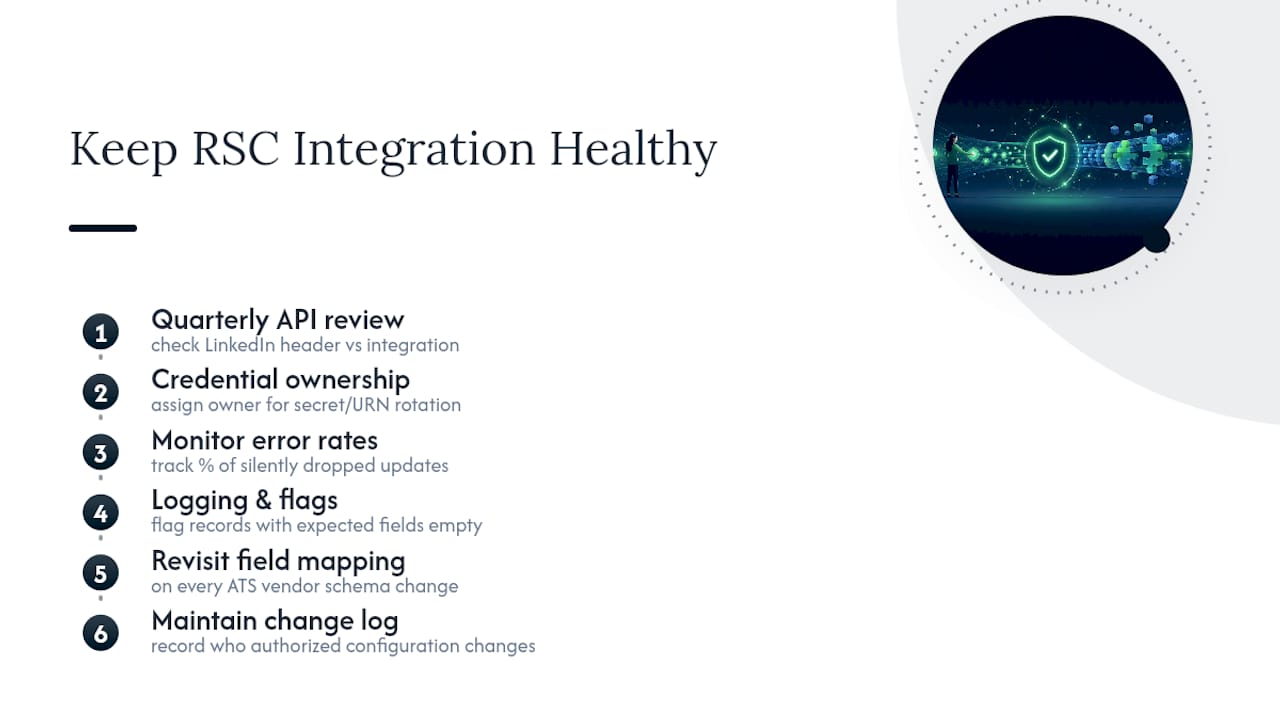
An RSC connection isn’t a one-time setup. LinkedIn updates API versions periodically, and each header version bump can deprecate fields or add new ones your ATS partner needs to adopt. Build a recurring review, quarterly at minimum, where someone checks the current API version header against what your integration actually sends.
Assign clear ownership for credential rotation. Client secrets and org URNs don’t expire on a fixed schedule, but a departing developer or a security audit can force an unplanned rotation, and you don’t want that discovery happening during a live sync failure.
Monitor sync error rates, not just sync volume. A connection that’s “working” but silently dropping 5% of candidate updates because of null fields from partial patches is worse than one that fails loudly. Set up basic logging on your ATS side that flags records where expected fields (linkedInProfileUrl, emailAddresses) came back empty after a sync cycle.
Revisit your field mapping whenever your ATS vendor ships a schema change. It’s common for a vendor update to rename an internal field without warning the customer, which silently breaks the mapping to LinkedIn’s expected payload structure.
Finally, keep a change log of who authorized what. Because disabling RSC isn’t a simple toggle, and re-enabling after a mistake requires partner involvement, a clear record of who approved which configuration change saves real time during troubleshooting.
Getting Recruiter Teams to Actually Use It
The technical integration can be flawless and still fail if recruiters don’t change how they work. The most common adoption gap: recruiters keep manually cross-checking LinkedIn against the ATS out of habit, ignoring the In-ATS indicator that’s supposed to make that check unnecessary.
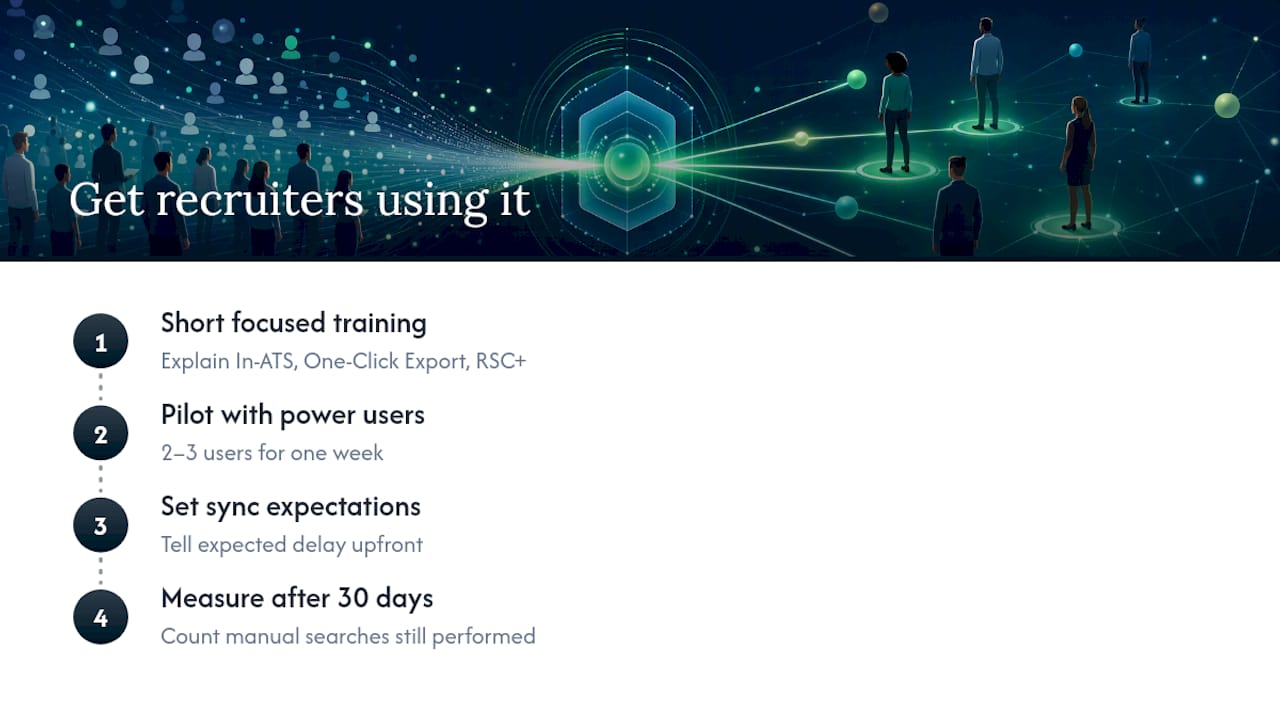
Run a short, focused training session rather than a long onboarding deck. Recruiters need to know three things: what the In-ATS indicator means when they see it, how One-Click Export changes their sourcing-to-application step, and where job stage updates now appear if you’ve enabled RSC+.
Pick two or three power users to pilot the workflow for a week before rolling it out to the full team. Their friction points, a confusing stage label, a sync delay they notice, become your training material for everyone else, and it’s far more convincing coming from a peer than from a policy memo.
Set expectations about sync timing. If candidates or stage updates don’t appear instantly, recruiters will assume the integration is broken and revert to manual checking within days. Tell them upfront what the expected delay looks like so they don’t lose confidence in week one.
Revisit usage after 30 days. Pull a simple count of how often recruiters are still manually searching for candidates that the In-ATS indicator should have already flagged. That number tells you whether the training stuck or needs a repeat session.
LinkedIn RSC vs. Other ATS Integration Approaches
RSC isn’t the only way to connect sourcing data to your pipeline, and it’s worth knowing where it sits relative to other approaches before you commit engineering time to it.
Job board integrations that push postings out and pull applications back tend to be simpler to build than RSC, but they don’t offer bi-directional candidate sync or anything like the In-ATS indicator. You get applications; you don’t get pipeline visibility on people who haven’t applied yet.
Generic CRM-to-ATS integrations, often built through iPaaS tools like Zapier or Workato, move data between systems but require you to build and maintain the field mapping yourself. RSC’s advantage is that LinkedIn defines the schema and your ATS partner handles certification, which shifts maintenance burden away from your internal team.
Consolidated platforms that combine ATS, CRM, and sourcing in one system sidestep the sync problem entirely, since there’s no second system to keep in step. The tradeoff is migration effort upfront versus ongoing integration maintenance over time. For agencies running multiple disconnected tools, that tradeoff increasingly favors consolidation, particularly once LinkedIn sync volume starts exposing how fragmented the rest of the stack really is.
Author Perspective: What a Realistic RSC Timeline Looks Like
Expect months, not weeks: partner certification alone often takes longer than the actual sync build. Budget for a dev lead, a partner project manager, legal, and a talent operations owner from day one. Start with a pilot group of recruiters before rolling out organization-wide. Pilots surface mapping problems, missing Person URNs, mismatched stage labels, that a full launch would otherwise expose to your entire recruiting team at once.
- Recruitify Team
A More Direct Route: Recruitify.ai for Teams Ready to Consolidate
Recruitify.ai gives IT recruitment agencies a single system where sourcing, candidate scoring, and client-facing sales already live together, so there’s no second platform to keep synchronized in the first place. Where an RSC project asks you to coordinate a dev lead, a partner PM, and legal for months before go-live, Recruitify’s ATS and CRM run on one database from day one, with contextual matching AI generating scored shortlists and a GDPR audit trail already built into every candidate record.

Agencies report cutting administrative work by roughly 70% once intake, categorization, and contract generation run through Recruitify’s automation layer instead of manual handoffs between disconnected tools. If your team is weighing months of RSC certification against a faster path to the same outcome, unified visibility across sourcing and placement, schedule a demo of Recruitify’s recruitment project management tools and see how the shortlist scoring works against your own open roles.
Where to Go for the Technical Details
Start with the Recruiter System Connect overview for the architecture, then move to the development tools page for the Postman collection and project plan. Partner teams evaluating enablement should also check LinkedIn’s hiring integrations directory for current partner listings.
FAQ
How do I integrate my ATS with LinkedIn?
Your ATS vendor applies for Recruiter System Connect partner status, completes certification modules, and then your organization authorizes the connection through a configuration widget or the LinkedIn Recruiter dashboard using admin credentials.
Does LinkedIn have its own ATS system?
No. LinkedIn does not offer a standalone applicant tracking system; it connects to your existing ATS through Recruiter System Connect, a middleware framework that syncs candidates and application data.
What is an ATS integration, exactly?
An ATS integration is a technical connection that lets your applicant tracking system exchange candidate, job, and application data automatically with an outside platform, in this case LinkedIn Recruiter, instead of requiring manual data entry in both places.
Does LinkedIn Recruiter include an ATS?
LinkedIn Recruiter is a sourcing and candidate management tool, not an ATS. It’s designed to connect to your ATS through RSC rather than replace it, and features like Rediscovered Candidates and the In-ATS indicator only work once that connection is live.
What’s the difference between RSC and RSC+?
Base RSC handles candidate sync and the In-ATS indicator; RSC+ adds Connected Projects, job-stage synchronization, and attachment sync, but it requires base RSC to already be enabled first.
Recommended


News & Updates
Stay up-to-date with the latest innovations, features, and tips about Recruitify!
By providing your email address within the newsletter sign-up form, you confirm its processing to send marketing information regarding the Administrator’s products and services. The Administrator of your personal data processed for the abovementioned purposes is Recruitify Spółka z o.o., based in Warsaw, Poland (KRS 0000709889). For more information on the principles of personal data processing and the rights of data subjects, please check the Privacy Policy.

Last updated:
LinkedIn ATS Integration for Recruiters: Avoid Months of RSC
Acquiring Talent
The Recruitify Team
LinkedIn does not sell a standalone applicant tracking system. It connects to whatever ATS you already run through Recruiter System Connect (RSC), a middleware framework that syncs candidates, jobs, and application statuses between your system and LinkedIn Recruiter. Enabling it gives your team bi-directional sync, the In-ATS indicator, and One-Click Export. Organizations placing enough volume through LinkedIn to justify the setup work should pursue it; smaller teams may find the lift outweighs the payoff.
TL;DR:
Recruiter System Connect requires certification from LinkedIn and approval from your ATS vendor, which can take several months to complete.
Data synchronization relies on specific fields such as email, phone, LinkedIn profile URL, current company, and name, with limits on batch size and request volume.
RSC+ enhances day-to-day recruiting workflows by linking projects, syncing job stages, automating document attachments, and improving reporting accuracy.
Proper legal, technical, and operational preparations are crucial before launch to avoid issues like incomplete data sync or configuration failures.
For faster integration, agencies can consider Recruitify.ai, which consolidates sourcing, scoring, and management on a single platform, bypassing the lengthy certification process.
Table of Contents
What Recruiter System Connect Is (And Why It Isn’t a Native ATS)
How to Connect LinkedIn to Your ATS: The Enablement Workflow
Data Mapping and Throttling Limits That Affect Match Quality
What RSC+ Changes for Recruiting Teams Day to Day
Compliance Checklist and Common Launch Mistakes
Where Recruitify.ai Fits Alongside a LinkedIn Integration
Best Practices for Keeping the Integration Running
Getting Recruiter Teams to Actually Use It
LinkedIn RSC vs. Other ATS Integration Approaches
Author Perspective: What a Realistic RSC Timeline Looks Like
A More Direct Route: Recruitify.ai for Teams Ready to Consolidate
Where to Go for the Technical Details
Sources
FAQ
What Recruiter System Connect Is (And Why It Isn’t a Native ATS)
Recruiter System Connect is LinkedIn’s middleware framework for moving candidate records, job postings, and application statuses between your ATS and LinkedIn Recruiter. LinkedIn never stores your pipeline as a system of record. It reads and writes through your ATS’s own database, which is why the company markets RSC as a connector rather than a competing platform.
The base version handles core capabilities: Rediscovered Candidates surfaces people already in your talent pool who match new roles, and the In-ATS indicator flags on a LinkedIn profile whether that person already exists in your ATS.
RSC+ builds on top of that foundation. It adds Connected Projects, job-stage synchronization, and attachment sync, but none of it works until base RSC is live. Your ATS partner builds and maintains the technical connection; you, as the customer, authorize it, supply legal sign-off, and manage which recruiters get access. Outside of interview notes, the integration ships as a largely fixed bundle. Partners don’t get to pick and choose which modules to support.
How to Connect LinkedIn to Your ATS: The Enablement Workflow
Getting from zero to a live LinkedIn ATS integration follows a fairly linear path, but each stage has its own owner.
Request access. Your ATS vendor applies for RSC partner status with LinkedIn and works through the certification modules covering candidate sync, application sync, and required data fields.
Partner readiness. The vendor builds and tests API applications, then persists client IDs, client secrets, and organization URNs for each customer contract. This step exists on the partner’s side, not yours, but delays here stall your rollout.
Enable the customer integration. Once your vendor is certified, someone with admin rights on your ATS authorizes the connection, usually through a configuration widget inside the ATS itself or the LinkedIn Recruiter dashboard. This call has to happen server-side using your organization’s client credentials.
Connect individual recruiter accounts. Each recruiter links their personal LinkedIn Recruiter seat to the ATS profile that represents them.
Your obligations as the customer: confirm data-sharing terms with legal, assign the right admin seats, and get internal approval before flipping the switch, since disabling the connection later isn’t a simple API call.
Your ATS partner’s obligations: build certified API applications, store credentials securely per customer, and pass LinkedIn’s certification modules before onboarding status can move from Requested to Partner Ready to Enabled. You can check that status directly inside your ATS admin panel or by asking your vendor for the current onboardingStatus value.
Data Mapping and Throttling Limits That Affect Match Quality
Two endpoints carry the weight of this integration: /v2/atsCandidates for candidate records and /v2/atsApplications for application status. Both require the API version header 202603 in every call, and skipping it is one of the more common setup mistakes.
Match quality depends on which fields you actually sync. LinkedIn’s own guidance points to a specific set:
Candidate ID (your ATS’s internal identifier)
emailAddressesandphoneNumberslinkedInProfileUrlcurrentCompanyNameandcurrentJobTitleFirst and last name fields
Pro Tip: When you patch an existing candidate record, include every field you want retained. Partial updates that omit a field will set that field to null rather than leaving it untouched.
On volume: LinkedIn caps requests per day and records per minute, and recommends batch sizes no larger than 100 records per call. For bulk lookups, query tunneling avoids hitting URL-length limits when you’re passing large batches of URNs. A typical attach flow pulls a candidate’s Person URN from the sync response, then references that URN in the follow-up application call rather than re-sending full candidate details.
What RSC+ Changes for Recruiting Teams Day to Day
Base RSC gets you visibility. RSC+ gets you a workflow recruiters actually feel.
Connected Projects link a LinkedIn Recruiter project directly to your ATS job requisition, creating one pipeline instead of two.
Job stage changes made in your ATS reflect back in LinkedIn Recruiter, so recruiters stop toggling between tabs to check where a candidate sits.
Attachment sync moves resumes and supporting documents between systems automatically, cutting the manual re-upload step.
Application evaluations sync into LinkedIn Hiring Assistant, which can incorporate ATS screening data alongside member and non-member sourcing signals.
Reporting improves because pipeline data doesn’t fragment across two systems with two different stage names.
Pro Tip: If your team runs high volume through LinkedIn sourcing, prioritize attachment sync first during rollout. It’s the RSC+ feature recruiters notice fastest, since it removes the most repetitive manual task in their day.
The net effect is fewer status mismatches between recruiter and hiring manager views, and faster follow-up on candidates who are actually moving through stages.
Compliance Checklist and Common Launch Mistakes
RSC ships as an all-or-nothing package for most modules, so treat legal review as a gating step, not an afterthought. Confirm with legal before activation that sharing ATS candidate data with LinkedIn fits your privacy obligations, and reflect any consent requirements in the onboarding widget your recruiters see.
Common pitfalls worth flagging before launch:
Incomplete field sync, especially missing
linkedInProfileUrl, weakens match accuracy across the board.Missing Person URNs in the application payload break the attach-to-candidate flow.
Some legacy browsers don’t fully support the configuration widget, which stalls admin setup.
Stakeholder | Question to answer before go-live |
|---|---|
IT/Dev | Who owns the client secret and token rotation? |
Legal | Has candidate data-sharing consent been documented? |
Recruiting | Who trains the team on In-ATS and One-Click Export? |
Support | What’s the rollback plan if sync breaks mid-cycle? |
Where Recruitify.ai Fits Alongside a LinkedIn Integration
RSC solves one job: keeping LinkedIn and your ATS in sync. It doesn’t solve the job of unifying sourcing, sales, and contracting data that many IT recruitment agencies juggle across separate tools. That’s where a consolidated platform earns its place.
Recruitify’s contextual matching AI scores candidates against project requirements automatically, generating shortlists without a recruiter re-reading every résumé LinkedIn sync brings in. Agencies using automation across intake, categorization, and contract generation report roughly a 70% cut in administrative workload, which matters most once LinkedIn sync starts adding volume rather than reducing it. The platform’s GDPR consent module and audit trail also cover the data-governance work legal teams need before any external sync goes live.
If your integration goal is narrowly “keep LinkedIn and my ATS talking,” RSC alone is enough. If the goal is “stop losing candidates between sourcing, sales, and placement,” that’s a broader platform decision.
Best Practices for Keeping the Integration Running
An RSC connection isn’t a one-time setup. LinkedIn updates API versions periodically, and each header version bump can deprecate fields or add new ones your ATS partner needs to adopt. Build a recurring review, quarterly at minimum, where someone checks the current API version header against what your integration actually sends.
Assign clear ownership for credential rotation. Client secrets and org URNs don’t expire on a fixed schedule, but a departing developer or a security audit can force an unplanned rotation, and you don’t want that discovery happening during a live sync failure.
Monitor sync error rates, not just sync volume. A connection that’s “working” but silently dropping 5% of candidate updates because of null fields from partial patches is worse than one that fails loudly. Set up basic logging on your ATS side that flags records where expected fields (linkedInProfileUrl, emailAddresses) came back empty after a sync cycle.
Revisit your field mapping whenever your ATS vendor ships a schema change. It’s common for a vendor update to rename an internal field without warning the customer, which silently breaks the mapping to LinkedIn’s expected payload structure.
Finally, keep a change log of who authorized what. Because disabling RSC isn’t a simple toggle, and re-enabling after a mistake requires partner involvement, a clear record of who approved which configuration change saves real time during troubleshooting.
Getting Recruiter Teams to Actually Use It
The technical integration can be flawless and still fail if recruiters don’t change how they work. The most common adoption gap: recruiters keep manually cross-checking LinkedIn against the ATS out of habit, ignoring the In-ATS indicator that’s supposed to make that check unnecessary.
Run a short, focused training session rather than a long onboarding deck. Recruiters need to know three things: what the In-ATS indicator means when they see it, how One-Click Export changes their sourcing-to-application step, and where job stage updates now appear if you’ve enabled RSC+.
Pick two or three power users to pilot the workflow for a week before rolling it out to the full team. Their friction points, a confusing stage label, a sync delay they notice, become your training material for everyone else, and it’s far more convincing coming from a peer than from a policy memo.
Set expectations about sync timing. If candidates or stage updates don’t appear instantly, recruiters will assume the integration is broken and revert to manual checking within days. Tell them upfront what the expected delay looks like so they don’t lose confidence in week one.
Revisit usage after 30 days. Pull a simple count of how often recruiters are still manually searching for candidates that the In-ATS indicator should have already flagged. That number tells you whether the training stuck or needs a repeat session.
LinkedIn RSC vs. Other ATS Integration Approaches
RSC isn’t the only way to connect sourcing data to your pipeline, and it’s worth knowing where it sits relative to other approaches before you commit engineering time to it.
Job board integrations that push postings out and pull applications back tend to be simpler to build than RSC, but they don’t offer bi-directional candidate sync or anything like the In-ATS indicator. You get applications; you don’t get pipeline visibility on people who haven’t applied yet.
Generic CRM-to-ATS integrations, often built through iPaaS tools like Zapier or Workato, move data between systems but require you to build and maintain the field mapping yourself. RSC’s advantage is that LinkedIn defines the schema and your ATS partner handles certification, which shifts maintenance burden away from your internal team.
Consolidated platforms that combine ATS, CRM, and sourcing in one system sidestep the sync problem entirely, since there’s no second system to keep in step. The tradeoff is migration effort upfront versus ongoing integration maintenance over time. For agencies running multiple disconnected tools, that tradeoff increasingly favors consolidation, particularly once LinkedIn sync volume starts exposing how fragmented the rest of the stack really is.
Author Perspective: What a Realistic RSC Timeline Looks Like
Expect months, not weeks: partner certification alone often takes longer than the actual sync build. Budget for a dev lead, a partner project manager, legal, and a talent operations owner from day one. Start with a pilot group of recruiters before rolling out organization-wide. Pilots surface mapping problems, missing Person URNs, mismatched stage labels, that a full launch would otherwise expose to your entire recruiting team at once.
- Recruitify Team
A More Direct Route: Recruitify.ai for Teams Ready to Consolidate
Recruitify.ai gives IT recruitment agencies a single system where sourcing, candidate scoring, and client-facing sales already live together, so there’s no second platform to keep synchronized in the first place. Where an RSC project asks you to coordinate a dev lead, a partner PM, and legal for months before go-live, Recruitify’s ATS and CRM run on one database from day one, with contextual matching AI generating scored shortlists and a GDPR audit trail already built into every candidate record.
Agencies report cutting administrative work by roughly 70% once intake, categorization, and contract generation run through Recruitify’s automation layer instead of manual handoffs between disconnected tools. If your team is weighing months of RSC certification against a faster path to the same outcome, unified visibility across sourcing and placement, schedule a demo of Recruitify’s recruitment project management tools and see how the shortlist scoring works against your own open roles.
Where to Go for the Technical Details
Start with the Recruiter System Connect overview for the architecture, then move to the development tools page for the Postman collection and project plan. Partner teams evaluating enablement should also check LinkedIn’s hiring integrations directory for current partner listings.
FAQ
How do I integrate my ATS with LinkedIn?
Your ATS vendor applies for Recruiter System Connect partner status, completes certification modules, and then your organization authorizes the connection through a configuration widget or the LinkedIn Recruiter dashboard using admin credentials.
Does LinkedIn have its own ATS system?
No. LinkedIn does not offer a standalone applicant tracking system; it connects to your existing ATS through Recruiter System Connect, a middleware framework that syncs candidates and application data.
What is an ATS integration, exactly?
An ATS integration is a technical connection that lets your applicant tracking system exchange candidate, job, and application data automatically with an outside platform, in this case LinkedIn Recruiter, instead of requiring manual data entry in both places.
Does LinkedIn Recruiter include an ATS?
LinkedIn Recruiter is a sourcing and candidate management tool, not an ATS. It’s designed to connect to your ATS through RSC rather than replace it, and features like Rediscovered Candidates and the In-ATS indicator only work once that connection is live.
What’s the difference between RSC and RSC+?
Base RSC handles candidate sync and the In-ATS indicator; RSC+ adds Connected Projects, job-stage synchronization, and attachment sync, but it requires base RSC to already be enabled first.
Recommended
News & Updates
Stay up-to-date with the latest innovations, features, and tips about Recruitify!
By providing your email address within the newsletter sign-up form, you confirm its processing to send marketing information regarding the Administrator’s products and services. The Administrator of your personal data processed for the abovementioned purposes is Recruitify Spółka z o.o., based in Warsaw, Poland (KRS 0000709889). For more information on the principles of personal data processing and the rights of data subjects, please check the Privacy Policy.
Last updated:
LinkedIn ATS Integration for Recruiters: Avoid Months of RSC
Acquiring Talent
The Recruitify Team
LinkedIn does not sell a standalone applicant tracking system. It connects to whatever ATS you already run through Recruiter System Connect (RSC), a middleware framework that syncs candidates, jobs, and application statuses between your system and LinkedIn Recruiter. Enabling it gives your team bi-directional sync, the In-ATS indicator, and One-Click Export. Organizations placing enough volume through LinkedIn to justify the setup work should pursue it; smaller teams may find the lift outweighs the payoff.
TL;DR:
Recruiter System Connect requires certification from LinkedIn and approval from your ATS vendor, which can take several months to complete.
Data synchronization relies on specific fields such as email, phone, LinkedIn profile URL, current company, and name, with limits on batch size and request volume.
RSC+ enhances day-to-day recruiting workflows by linking projects, syncing job stages, automating document attachments, and improving reporting accuracy.
Proper legal, technical, and operational preparations are crucial before launch to avoid issues like incomplete data sync or configuration failures.
For faster integration, agencies can consider Recruitify.ai, which consolidates sourcing, scoring, and management on a single platform, bypassing the lengthy certification process.
Table of Contents
What Recruiter System Connect Is (And Why It Isn’t a Native ATS)
How to Connect LinkedIn to Your ATS: The Enablement Workflow
Data Mapping and Throttling Limits That Affect Match Quality
What RSC+ Changes for Recruiting Teams Day to Day
Compliance Checklist and Common Launch Mistakes
Where Recruitify.ai Fits Alongside a LinkedIn Integration
Best Practices for Keeping the Integration Running
Getting Recruiter Teams to Actually Use It
LinkedIn RSC vs. Other ATS Integration Approaches
Author Perspective: What a Realistic RSC Timeline Looks Like
A More Direct Route: Recruitify.ai for Teams Ready to Consolidate
Where to Go for the Technical Details
Sources
FAQ
What Recruiter System Connect Is (And Why It Isn’t a Native ATS)
Recruiter System Connect is LinkedIn’s middleware framework for moving candidate records, job postings, and application statuses between your ATS and LinkedIn Recruiter. LinkedIn never stores your pipeline as a system of record. It reads and writes through your ATS’s own database, which is why the company markets RSC as a connector rather than a competing platform.
The base version handles core capabilities: Rediscovered Candidates surfaces people already in your talent pool who match new roles, and the In-ATS indicator flags on a LinkedIn profile whether that person already exists in your ATS.
RSC+ builds on top of that foundation. It adds Connected Projects, job-stage synchronization, and attachment sync, but none of it works until base RSC is live. Your ATS partner builds and maintains the technical connection; you, as the customer, authorize it, supply legal sign-off, and manage which recruiters get access. Outside of interview notes, the integration ships as a largely fixed bundle. Partners don’t get to pick and choose which modules to support.
How to Connect LinkedIn to Your ATS: The Enablement Workflow
Getting from zero to a live LinkedIn ATS integration follows a fairly linear path, but each stage has its own owner.
Request access. Your ATS vendor applies for RSC partner status with LinkedIn and works through the certification modules covering candidate sync, application sync, and required data fields.
Partner readiness. The vendor builds and tests API applications, then persists client IDs, client secrets, and organization URNs for each customer contract. This step exists on the partner’s side, not yours, but delays here stall your rollout.
Enable the customer integration. Once your vendor is certified, someone with admin rights on your ATS authorizes the connection, usually through a configuration widget inside the ATS itself or the LinkedIn Recruiter dashboard. This call has to happen server-side using your organization’s client credentials.
Connect individual recruiter accounts. Each recruiter links their personal LinkedIn Recruiter seat to the ATS profile that represents them.
Your obligations as the customer: confirm data-sharing terms with legal, assign the right admin seats, and get internal approval before flipping the switch, since disabling the connection later isn’t a simple API call.
Your ATS partner’s obligations: build certified API applications, store credentials securely per customer, and pass LinkedIn’s certification modules before onboarding status can move from Requested to Partner Ready to Enabled. You can check that status directly inside your ATS admin panel or by asking your vendor for the current onboardingStatus value.
Data Mapping and Throttling Limits That Affect Match Quality
Two endpoints carry the weight of this integration: /v2/atsCandidates for candidate records and /v2/atsApplications for application status. Both require the API version header 202603 in every call, and skipping it is one of the more common setup mistakes.
Match quality depends on which fields you actually sync. LinkedIn’s own guidance points to a specific set:
Candidate ID (your ATS’s internal identifier)
emailAddressesandphoneNumberslinkedInProfileUrlcurrentCompanyNameandcurrentJobTitleFirst and last name fields
Pro Tip: When you patch an existing candidate record, include every field you want retained. Partial updates that omit a field will set that field to null rather than leaving it untouched.
On volume: LinkedIn caps requests per day and records per minute, and recommends batch sizes no larger than 100 records per call. For bulk lookups, query tunneling avoids hitting URL-length limits when you’re passing large batches of URNs. A typical attach flow pulls a candidate’s Person URN from the sync response, then references that URN in the follow-up application call rather than re-sending full candidate details.
What RSC+ Changes for Recruiting Teams Day to Day
Base RSC gets you visibility. RSC+ gets you a workflow recruiters actually feel.
Connected Projects link a LinkedIn Recruiter project directly to your ATS job requisition, creating one pipeline instead of two.
Job stage changes made in your ATS reflect back in LinkedIn Recruiter, so recruiters stop toggling between tabs to check where a candidate sits.
Attachment sync moves resumes and supporting documents between systems automatically, cutting the manual re-upload step.
Application evaluations sync into LinkedIn Hiring Assistant, which can incorporate ATS screening data alongside member and non-member sourcing signals.
Reporting improves because pipeline data doesn’t fragment across two systems with two different stage names.
Pro Tip: If your team runs high volume through LinkedIn sourcing, prioritize attachment sync first during rollout. It’s the RSC+ feature recruiters notice fastest, since it removes the most repetitive manual task in their day.
The net effect is fewer status mismatches between recruiter and hiring manager views, and faster follow-up on candidates who are actually moving through stages.
Compliance Checklist and Common Launch Mistakes
RSC ships as an all-or-nothing package for most modules, so treat legal review as a gating step, not an afterthought. Confirm with legal before activation that sharing ATS candidate data with LinkedIn fits your privacy obligations, and reflect any consent requirements in the onboarding widget your recruiters see.
Common pitfalls worth flagging before launch:
Incomplete field sync, especially missing
linkedInProfileUrl, weakens match accuracy across the board.Missing Person URNs in the application payload break the attach-to-candidate flow.
Some legacy browsers don’t fully support the configuration widget, which stalls admin setup.
Stakeholder | Question to answer before go-live |
|---|---|
IT/Dev | Who owns the client secret and token rotation? |
Legal | Has candidate data-sharing consent been documented? |
Recruiting | Who trains the team on In-ATS and One-Click Export? |
Support | What’s the rollback plan if sync breaks mid-cycle? |
Where Recruitify.ai Fits Alongside a LinkedIn Integration
RSC solves one job: keeping LinkedIn and your ATS in sync. It doesn’t solve the job of unifying sourcing, sales, and contracting data that many IT recruitment agencies juggle across separate tools. That’s where a consolidated platform earns its place.
Recruitify’s contextual matching AI scores candidates against project requirements automatically, generating shortlists without a recruiter re-reading every résumé LinkedIn sync brings in. Agencies using automation across intake, categorization, and contract generation report roughly a 70% cut in administrative workload, which matters most once LinkedIn sync starts adding volume rather than reducing it. The platform’s GDPR consent module and audit trail also cover the data-governance work legal teams need before any external sync goes live.
If your integration goal is narrowly “keep LinkedIn and my ATS talking,” RSC alone is enough. If the goal is “stop losing candidates between sourcing, sales, and placement,” that’s a broader platform decision.
Best Practices for Keeping the Integration Running
An RSC connection isn’t a one-time setup. LinkedIn updates API versions periodically, and each header version bump can deprecate fields or add new ones your ATS partner needs to adopt. Build a recurring review, quarterly at minimum, where someone checks the current API version header against what your integration actually sends.
Assign clear ownership for credential rotation. Client secrets and org URNs don’t expire on a fixed schedule, but a departing developer or a security audit can force an unplanned rotation, and you don’t want that discovery happening during a live sync failure.
Monitor sync error rates, not just sync volume. A connection that’s “working” but silently dropping 5% of candidate updates because of null fields from partial patches is worse than one that fails loudly. Set up basic logging on your ATS side that flags records where expected fields (linkedInProfileUrl, emailAddresses) came back empty after a sync cycle.
Revisit your field mapping whenever your ATS vendor ships a schema change. It’s common for a vendor update to rename an internal field without warning the customer, which silently breaks the mapping to LinkedIn’s expected payload structure.
Finally, keep a change log of who authorized what. Because disabling RSC isn’t a simple toggle, and re-enabling after a mistake requires partner involvement, a clear record of who approved which configuration change saves real time during troubleshooting.
Getting Recruiter Teams to Actually Use It
The technical integration can be flawless and still fail if recruiters don’t change how they work. The most common adoption gap: recruiters keep manually cross-checking LinkedIn against the ATS out of habit, ignoring the In-ATS indicator that’s supposed to make that check unnecessary.
Run a short, focused training session rather than a long onboarding deck. Recruiters need to know three things: what the In-ATS indicator means when they see it, how One-Click Export changes their sourcing-to-application step, and where job stage updates now appear if you’ve enabled RSC+.
Pick two or three power users to pilot the workflow for a week before rolling it out to the full team. Their friction points, a confusing stage label, a sync delay they notice, become your training material for everyone else, and it’s far more convincing coming from a peer than from a policy memo.
Set expectations about sync timing. If candidates or stage updates don’t appear instantly, recruiters will assume the integration is broken and revert to manual checking within days. Tell them upfront what the expected delay looks like so they don’t lose confidence in week one.
Revisit usage after 30 days. Pull a simple count of how often recruiters are still manually searching for candidates that the In-ATS indicator should have already flagged. That number tells you whether the training stuck or needs a repeat session.
LinkedIn RSC vs. Other ATS Integration Approaches
RSC isn’t the only way to connect sourcing data to your pipeline, and it’s worth knowing where it sits relative to other approaches before you commit engineering time to it.
Job board integrations that push postings out and pull applications back tend to be simpler to build than RSC, but they don’t offer bi-directional candidate sync or anything like the In-ATS indicator. You get applications; you don’t get pipeline visibility on people who haven’t applied yet.
Generic CRM-to-ATS integrations, often built through iPaaS tools like Zapier or Workato, move data between systems but require you to build and maintain the field mapping yourself. RSC’s advantage is that LinkedIn defines the schema and your ATS partner handles certification, which shifts maintenance burden away from your internal team.
Consolidated platforms that combine ATS, CRM, and sourcing in one system sidestep the sync problem entirely, since there’s no second system to keep in step. The tradeoff is migration effort upfront versus ongoing integration maintenance over time. For agencies running multiple disconnected tools, that tradeoff increasingly favors consolidation, particularly once LinkedIn sync volume starts exposing how fragmented the rest of the stack really is.
Author Perspective: What a Realistic RSC Timeline Looks Like
Expect months, not weeks: partner certification alone often takes longer than the actual sync build. Budget for a dev lead, a partner project manager, legal, and a talent operations owner from day one. Start with a pilot group of recruiters before rolling out organization-wide. Pilots surface mapping problems, missing Person URNs, mismatched stage labels, that a full launch would otherwise expose to your entire recruiting team at once.
- Recruitify Team
A More Direct Route: Recruitify.ai for Teams Ready to Consolidate
Recruitify.ai gives IT recruitment agencies a single system where sourcing, candidate scoring, and client-facing sales already live together, so there’s no second platform to keep synchronized in the first place. Where an RSC project asks you to coordinate a dev lead, a partner PM, and legal for months before go-live, Recruitify’s ATS and CRM run on one database from day one, with contextual matching AI generating scored shortlists and a GDPR audit trail already built into every candidate record.
Agencies report cutting administrative work by roughly 70% once intake, categorization, and contract generation run through Recruitify’s automation layer instead of manual handoffs between disconnected tools. If your team is weighing months of RSC certification against a faster path to the same outcome, unified visibility across sourcing and placement, schedule a demo of Recruitify’s recruitment project management tools and see how the shortlist scoring works against your own open roles.
Where to Go for the Technical Details
Start with the Recruiter System Connect overview for the architecture, then move to the development tools page for the Postman collection and project plan. Partner teams evaluating enablement should also check LinkedIn’s hiring integrations directory for current partner listings.
FAQ
How do I integrate my ATS with LinkedIn?
Your ATS vendor applies for Recruiter System Connect partner status, completes certification modules, and then your organization authorizes the connection through a configuration widget or the LinkedIn Recruiter dashboard using admin credentials.
Does LinkedIn have its own ATS system?
No. LinkedIn does not offer a standalone applicant tracking system; it connects to your existing ATS through Recruiter System Connect, a middleware framework that syncs candidates and application data.
What is an ATS integration, exactly?
An ATS integration is a technical connection that lets your applicant tracking system exchange candidate, job, and application data automatically with an outside platform, in this case LinkedIn Recruiter, instead of requiring manual data entry in both places.
Does LinkedIn Recruiter include an ATS?
LinkedIn Recruiter is a sourcing and candidate management tool, not an ATS. It’s designed to connect to your ATS through RSC rather than replace it, and features like Rediscovered Candidates and the In-ATS indicator only work once that connection is live.
What’s the difference between RSC and RSC+?
Base RSC handles candidate sync and the In-ATS indicator; RSC+ adds Connected Projects, job-stage synchronization, and attachment sync, but it requires base RSC to already be enabled first.
Recommended
News & Updates
Stay up-to-date with the latest innovations, features, and tips about Recruitify!
By providing your email address within the newsletter sign-up form, you confirm its processing to send marketing information regarding the Administrator’s products and services. The Administrator of your personal data processed for the abovementioned purposes is Recruitify Spółka z o.o., based in Warsaw, Poland (KRS 0000709889). For more information on the principles of personal data processing and the rights of data subjects, please check the Privacy Policy.

Discover More

Applicant Tracking System
Contractor Onboarding Checklist for IT Staffing Agencies
A contractor onboarding checklist for agencies and HR teams: classification, US tax forms, GDPR, least-privilege access and gates that stop work before approval.
20 Oct 2026
Discover More

Acquiring Talent
Boolean Search Strings: Operators, Examples and Templates
Learn how to write Boolean search strings for recruiting: operators, LinkedIn and Google X-ray examples, developer templates and mistakes to avoid.
19 Oct 2026
Discover More

Recruitment Process
Recruiter Productivity Metrics: 3 Measures That Expose Funnel Leaks
Choose recruiter productivity metrics that expose funnel leaks, track hiring quality and candidate experience, and show where stage delays hurt results.
18 Oct 2026
Discover More
Applicant Tracking System
Contractor Onboarding Checklist for IT Staffing Agencies
A contractor onboarding checklist for agencies and HR teams: classification, US tax forms, GDPR, least-privilege access and gates that stop work before approval.
20 Oct 2026
Discover More
Acquiring Talent
Boolean Search Strings: Operators, Examples and Templates
Learn how to write Boolean search strings for recruiting: operators, LinkedIn and Google X-ray examples, developer templates and mistakes to avoid.
19 Oct 2026
Discover More

