Last updated:
Audit Trail in Recruiting: What to Log, Keep and Prove

Innovations

The Recruitify Team
A recruiting audit trail is a chronological, tamper-resistant record of who did what to which candidate or requisition record, when they did it and, for decisions, why. It is what lets an agency or HR team reconstruct a hiring decision months later, answer a candidate’s data request, or respond to a discrimination charge without relying on memory or scattered spreadsheets. This guide explains what to record, how long to keep it, what US and European rules imply, and how to build a trail that is useful rather than merely large.
Key Takeaways
A useful audit trail links four things for every action: the person, the record, the timestamp and the reasoning behind the outcome.
In the US, EEOC rules require employers to keep hiring records for at least one year, and federal contractors must keep them for at least two years under OFCCP rules. A pending charge extends the period.
GDPR does not use the phrase “audit trail”, but its accountability principle and Article 30 records of processing make one the practical way to demonstrate compliance for candidate data.
Logging more is not the goal. Retention limits still apply, so the trail itself needs access control, a retention schedule and a deletion routine.
If AI scores or ranks candidates, the trail should show who reviewed the output and whether that review was genuine.
Table of Contents
What a recruiting audit trail is
In general terms, an audit trail is a record of actions taken inside a system: who did what, to which record, and when. In recruiting, that definition widens slightly, because the evidence of a hiring decision includes more than system clicks. It also includes the approved requisition, the role criteria, sourcing records, screening notes, interview evidence, the rationale for the decision, consent records, and the offer or rejection message.
There are two layers worth separating:
The activity log. System-generated, automatic and not editable by users. It captures events such as a record being opened, a stage being changed, a document being downloaded or a consent flag being altered.
The decision record. Human-entered or human-confirmed. It captures the criteria applied, the interview scorecards and the reason a candidate advanced or was rejected.
The activity log tells you what happened. The decision record tells you why. A defensible trail needs both, and the two should be tied to the same candidate and requisition identifiers so they can be read together.
What to record: a practical field list
The right level of detail depends on your volume and your risk, but the following events cover the points where disputes and data requests usually arise.
Stage | Events to log | Why it matters |
|---|---|---|
Requisition | Who opened it, who approved it, the role criteria as approved, any later change to criteria | Shows the criteria existed before candidates were assessed |
Sourcing and import | Source of each profile, who imported it, when, and by which method (upload, parser, web search) | Answers where a candidate’s data came from |
Consent and notice | Consent given or withdrawn, wording version, date, channel | Proves the lawful basis for holding the data |
Screening | Who reviewed, outcome, score or ranking shown, any override of that score | Shows whether review was real and on what basis |
Interviews | Interviewer, date, structured scorecard, notes | Ties the decision to evidence rather than impressions |
Data access | Who viewed, exported, shared or downloaded a profile | Detects unauthorized access and supports subject access requests |
Edits and merges | Field changed, old value, new value, user, time; duplicate merges | Preserves integrity of the candidate record |
Client submission | Which profile version was sent, to whom, whether anonymized | Matters for agencies presenting candidates to clients |
Decision and communication | Final outcome, rationale, offer or rejection message and date | Closes the loop for any later challenge |
Deletion and anonymization | What was deleted, when, under which retention rule | Shows retention limits are actually applied |
Two design points make this table work in practice. First, store old and new values for edits, not only the fact that an edit happened. Second, treat the log as append-only: corrections are new entries, never overwrites.
An example of an audit trail in a hiring process
Consider a mid-sized IT recruitment agency filling a backend developer role for a client. A usable trail for a single candidate might read like this:
Day 1, 09:12. A recruiter opens the requisition and records the approved criteria: five years of experience, a named tech stack, and a work-authorization requirement.
Day 2, 14:40. A CV is uploaded by a sourcer. The log records the source (a direct application), the uploader and the parser run, and the system flags a possible duplicate, which is merged with the earlier profile. The merge is logged with both record IDs.
Day 2, 14:41. The candidate’s consent status and the notice version shown to them are attached to the record.
Day 3, 10:05. A recruiter reviews a ranked shortlist. The log notes the match score displayed, the reviewer, and that the reviewer moved a lower-ranked candidate up with a short written reason.
Day 6, 16:30. An anonymized profile is generated and sent to the client contact. The log records which version was sent and when.
Day 9, 11:15. The client rejects the candidate. The recruiter records the reason and sends the rejection message, which is stored.
Month 6. Under the agency’s retention rule, the profile is anonymized or deleted, and the action is logged.
With that sequence, a question such as “why was this person not progressed, and who saw their data?” takes minutes to answer.
What US rules require you to keep
There is no single US statute that mandates “an audit trail” as such. The obligation comes from record preservation rules, and the trail is how you meet them.
EEOC. Under 29 C.F.R. § 1602.14, any personnel or employment record an employer makes or keeps, including records related to hiring, must be preserved for one year from the date the record was made or the personnel action taken, whichever is later. If a charge of discrimination has been filed, relevant records must be kept until the charge or action is finally resolved.
Federal contractors. The OFCCP rule at 41 CFR § 60-1.12 sets a minimum of two years for personnel and employment records, and it explicitly reaches job postings, applications, resumes and expressions of interest submitted through online systems, including internal resume databases.
The practical consequence: a trail that records screening and rejection decisions has to survive at least that long, and your deletion routine must be able to pause for any record under a legal hold. Check your state and local rules as well, since some are stricter, and confirm the applicable period with employment counsel.
What GDPR implies for audit logs
If you recruit candidates in the EU or UK, or your clients do, GDPR shapes the trail even though it never names it.
Accountability. Article 5(2) requires a controller to be able to demonstrate compliance with the data protection principles. A UK professional guide on GDPR for HR notes that in practice this means documented policies, retention schedules, records of processing and evidence of decision-making where a balancing test is relied on. A decision record and activity log are the natural evidence.
Records of processing. Article 30 requires controllers to keep a written record, electronic form included, of processing activities: the purposes, the categories of data subjects and data, the recipients, any third-country transfers, planned erasure time limits and, where possible, a description of security measures. Organizations with fewer than 250 employees are exempt only in limited cases, and the exemption falls away if processing is not occasional or is likely to risk individuals’ rights, which routine recruitment often is. Note that this record describes your processing; it is not the same as the per-candidate activity log, but the two support each other.
Retention. The French regulator’s recruitment guide says candidate data must be kept only as long as strictly necessary, and treats keeping rejected candidates’ CVs for five years to feed a talent pool as excessive, suggesting a period of no more than two years from last contact. In the UK, the ICO’s guidance on recruitment and selection walks through obligations from advertising a vacancy through to deleting candidate information.
Access monitoring. The UK employment practices code published by Derbyshire County Council tells organizations to use the audit trail features of automated systems to track who accesses and amends personal information, to check those features are switched on, and to set up procedures for investigating unusual or unauthorized access. This is the clearest statement of why an access log matters.
The tension is worth stating plainly: the audit trail exists to prove what you did, while data minimization asks you not to hold personal data longer than needed. The answer is a retention schedule that applies to the trail as well. Many teams keep the decision record and a minimal event history after the candidate profile is anonymized.

Audit trails when AI helps screen candidates
When software scores, ranks or filters candidates, the trail has an additional job: showing that a person, not just a model, shaped the outcome.
The ICO’s AI in Recruitment Outcomes Report recommends completing a data protection impact assessment early and before processing likely to be high risk. Its audit found that many assessments lacked detail, often missing a map of data flows through the AI system and a meaningful analysis of necessity and proportionality.
Law firm Ropes & Gray, in an analysis of AI in recruitment in the EU and UK, advises auditing reality rather than documentation: who reviews the tool’s output, what discretion they exercise, and whether the human involvement is genuine or nominal. It also describes how the UK’s reformed rules on automated decisions require safeguards such as information about the decision, the chance to make representations, human intervention and a way to contest.
For your log, this translates into concrete fields:
the score or rank the reviewer saw;
whether the reviewer accepted, changed or overrode it;
the reviewer’s written reason when they overrode it;
the model or configuration version in use at the time;
any candidate request for human review, and the response given.
A log showing that reviewers approve every recommendation without a single override is itself a signal worth examining. For more on this subject, see our guides to responsible AI candidate scoring, the EU AI Act and recruitment and auditing AI recruiting bias.
How to build and maintain a trail that works
Define the events before you buy or configure anything. Use the table above as a starting list and cut what you will never read.
Make system logging automatic. Anything that depends on a recruiter remembering to note an action will have gaps. Keep human-written entries for reasons and rationale only.
Standardize the reasons. A short list of rejection reasons tied to the approved criteria is easier to audit and compare than free text, though a free-text field can supplement it.
Restrict and review access. Allow only authorized staff to open candidate records, and give the log itself narrower permissions than the records it describes. Schedule a periodic review for unusual access patterns.
Set a retention schedule by data type. Distinguish applications, interview notes, consent records and the activity log. Include a legal-hold switch so deletion pauses when a charge or claim is pending.
Test a retrieval. Pick a candidate at random and see how fast you can answer: where did the data come from, who saw it, why was the decision made, and has it been deleted on schedule?
Review it with each change. A new AI feature, a new source of candidates or a new client region should trigger an update to the events logged and to your impact assessment.
Our perspective
Most agencies we speak to do not lack data about their hiring decisions. They lack one place where that data lives. When the sourcing is in one tool, the pipeline in a spreadsheet and the client communication in an inbox, an audit trail has to be reassembled by hand, which is slow when a candidate sends a data request and worse when a client asks a hard question.
That is why we built Recruitify as a single environment for ATS, CRM and contracting. When a candidate moves through the pipeline, the same record carries the profile, the consent status and the history. Our architecture includes a GDPR consent management module designed to provide a total audit trail, and our anonymized candidate profiles are designed so that what reaches a client is a controlled version of the record.
We also think an audit trail should be an everyday work tool and not only a defense file. Our contextual matching produces a percentage score against project requirements, and a clear record of how that score was used by the recruiter is what turns automation into accountable hiring.
Recruitify Team
See the trail in a working system
If you are comparing systems, the question to ask is whether consent, candidate history and client submissions sit in one record. Recruitify combines an ATS, a sales CRM and a contracting module, with GDPR consent management and anonymized CV generation built in. Plans are published on the pricing page: HR Team is €61 per month per user, Agency is €67 per month per user, and Enterprise is priced on request.
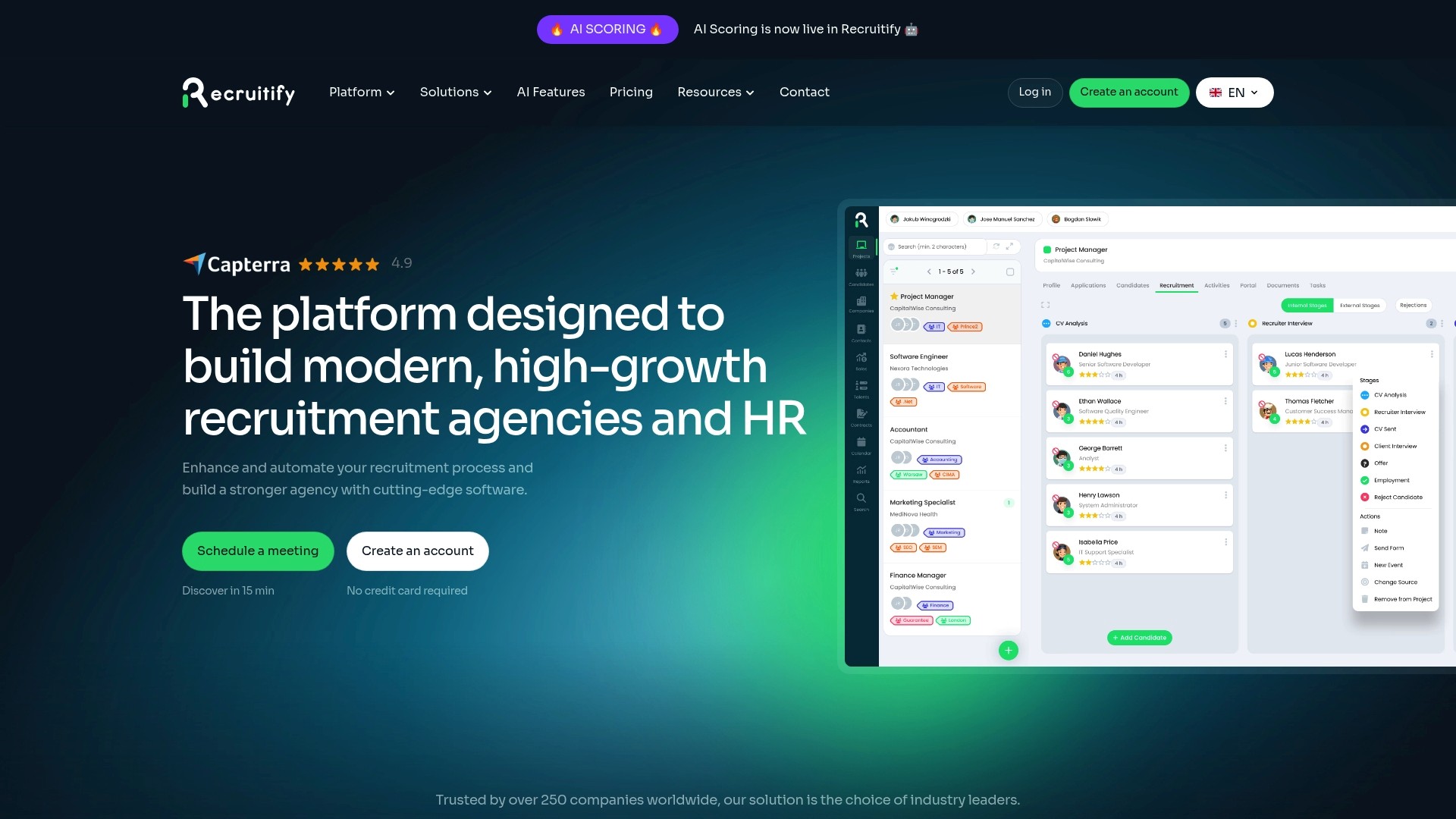
You can read how consent and anonymization work on our GDPR and CV anonymization page, or explore the ATS and CRM platform as a whole. In-house teams can start with the ATS for HR departments.
FAQ
What is the purpose of an audit trail in recruiting?
Its purpose is to let you show, after the fact, how and why a hiring decision was made and who handled candidate data. It supports compliance with record-keeping and data protection rules, helps resolve disputes and candidate requests, and makes it easier to spot inconsistent or unauthorized handling.
Does GDPR require audit logs?
GDPR does not prescribe audit logs by name. It does require controllers to demonstrate compliance under Article 5(2) and to keep written records of processing under Article 30. In practice, logs of access, consent and deletion are the usual way to produce that evidence for candidate data.
How long should recruiting records be kept?
It depends on where you hire. US employers must keep hiring records for at least one year under EEOC rules, and federal contractors for at least two years under OFCCP rules. European regulators expect candidate data to be kept no longer than necessary, so set a retention schedule by data type and confirm periods with counsel.
Can the audit trail itself contain personal data?
Yes, it usually does, since it names candidates and staff. That means the log needs restricted access, a retention rule and a deletion or anonymization step like any other personal data, with a pause for legal holds.
Sources
Recommended
7 Steps to a Recruiting Source of Truth for HR: Centralize or Federate
Recruitment Software ROI: How to Calculate It and What to Count
Stop Syncing Files: ATS and HRIS Integration for HR Teams & Agencies


News & Updates
Stay up-to-date with the latest innovations, features, and tips about Recruitify!
By providing your email address within the newsletter sign-up form, you confirm its processing to send marketing information regarding the Administrator’s products and services. The Administrator of your personal data processed for the abovementioned purposes is Recruitify Spółka z o.o., based in Warsaw, Poland (KRS 0000709889). For more information on the principles of personal data processing and the rights of data subjects, please check the Privacy Policy.

Last updated:
Audit Trail in Recruiting: What to Log, Keep and Prove
Innovations
The Recruitify Team
A recruiting audit trail is a chronological, tamper-resistant record of who did what to which candidate or requisition record, when they did it and, for decisions, why. It is what lets an agency or HR team reconstruct a hiring decision months later, answer a candidate’s data request, or respond to a discrimination charge without relying on memory or scattered spreadsheets. This guide explains what to record, how long to keep it, what US and European rules imply, and how to build a trail that is useful rather than merely large.
Key Takeaways
A useful audit trail links four things for every action: the person, the record, the timestamp and the reasoning behind the outcome.
In the US, EEOC rules require employers to keep hiring records for at least one year, and federal contractors must keep them for at least two years under OFCCP rules. A pending charge extends the period.
GDPR does not use the phrase “audit trail”, but its accountability principle and Article 30 records of processing make one the practical way to demonstrate compliance for candidate data.
Logging more is not the goal. Retention limits still apply, so the trail itself needs access control, a retention schedule and a deletion routine.
If AI scores or ranks candidates, the trail should show who reviewed the output and whether that review was genuine.
Table of Contents
What a recruiting audit trail is
In general terms, an audit trail is a record of actions taken inside a system: who did what, to which record, and when. In recruiting, that definition widens slightly, because the evidence of a hiring decision includes more than system clicks. It also includes the approved requisition, the role criteria, sourcing records, screening notes, interview evidence, the rationale for the decision, consent records, and the offer or rejection message.
There are two layers worth separating:
The activity log. System-generated, automatic and not editable by users. It captures events such as a record being opened, a stage being changed, a document being downloaded or a consent flag being altered.
The decision record. Human-entered or human-confirmed. It captures the criteria applied, the interview scorecards and the reason a candidate advanced or was rejected.
The activity log tells you what happened. The decision record tells you why. A defensible trail needs both, and the two should be tied to the same candidate and requisition identifiers so they can be read together.
What to record: a practical field list
The right level of detail depends on your volume and your risk, but the following events cover the points where disputes and data requests usually arise.
Stage | Events to log | Why it matters |
|---|---|---|
Requisition | Who opened it, who approved it, the role criteria as approved, any later change to criteria | Shows the criteria existed before candidates were assessed |
Sourcing and import | Source of each profile, who imported it, when, and by which method (upload, parser, web search) | Answers where a candidate’s data came from |
Consent and notice | Consent given or withdrawn, wording version, date, channel | Proves the lawful basis for holding the data |
Screening | Who reviewed, outcome, score or ranking shown, any override of that score | Shows whether review was real and on what basis |
Interviews | Interviewer, date, structured scorecard, notes | Ties the decision to evidence rather than impressions |
Data access | Who viewed, exported, shared or downloaded a profile | Detects unauthorized access and supports subject access requests |
Edits and merges | Field changed, old value, new value, user, time; duplicate merges | Preserves integrity of the candidate record |
Client submission | Which profile version was sent, to whom, whether anonymized | Matters for agencies presenting candidates to clients |
Decision and communication | Final outcome, rationale, offer or rejection message and date | Closes the loop for any later challenge |
Deletion and anonymization | What was deleted, when, under which retention rule | Shows retention limits are actually applied |
Two design points make this table work in practice. First, store old and new values for edits, not only the fact that an edit happened. Second, treat the log as append-only: corrections are new entries, never overwrites.
An example of an audit trail in a hiring process
Consider a mid-sized IT recruitment agency filling a backend developer role for a client. A usable trail for a single candidate might read like this:
Day 1, 09:12. A recruiter opens the requisition and records the approved criteria: five years of experience, a named tech stack, and a work-authorization requirement.
Day 2, 14:40. A CV is uploaded by a sourcer. The log records the source (a direct application), the uploader and the parser run, and the system flags a possible duplicate, which is merged with the earlier profile. The merge is logged with both record IDs.
Day 2, 14:41. The candidate’s consent status and the notice version shown to them are attached to the record.
Day 3, 10:05. A recruiter reviews a ranked shortlist. The log notes the match score displayed, the reviewer, and that the reviewer moved a lower-ranked candidate up with a short written reason.
Day 6, 16:30. An anonymized profile is generated and sent to the client contact. The log records which version was sent and when.
Day 9, 11:15. The client rejects the candidate. The recruiter records the reason and sends the rejection message, which is stored.
Month 6. Under the agency’s retention rule, the profile is anonymized or deleted, and the action is logged.
With that sequence, a question such as “why was this person not progressed, and who saw their data?” takes minutes to answer.
What US rules require you to keep
There is no single US statute that mandates “an audit trail” as such. The obligation comes from record preservation rules, and the trail is how you meet them.
EEOC. Under 29 C.F.R. § 1602.14, any personnel or employment record an employer makes or keeps, including records related to hiring, must be preserved for one year from the date the record was made or the personnel action taken, whichever is later. If a charge of discrimination has been filed, relevant records must be kept until the charge or action is finally resolved.
Federal contractors. The OFCCP rule at 41 CFR § 60-1.12 sets a minimum of two years for personnel and employment records, and it explicitly reaches job postings, applications, resumes and expressions of interest submitted through online systems, including internal resume databases.
The practical consequence: a trail that records screening and rejection decisions has to survive at least that long, and your deletion routine must be able to pause for any record under a legal hold. Check your state and local rules as well, since some are stricter, and confirm the applicable period with employment counsel.
What GDPR implies for audit logs
If you recruit candidates in the EU or UK, or your clients do, GDPR shapes the trail even though it never names it.
Accountability. Article 5(2) requires a controller to be able to demonstrate compliance with the data protection principles. A UK professional guide on GDPR for HR notes that in practice this means documented policies, retention schedules, records of processing and evidence of decision-making where a balancing test is relied on. A decision record and activity log are the natural evidence.
Records of processing. Article 30 requires controllers to keep a written record, electronic form included, of processing activities: the purposes, the categories of data subjects and data, the recipients, any third-country transfers, planned erasure time limits and, where possible, a description of security measures. Organizations with fewer than 250 employees are exempt only in limited cases, and the exemption falls away if processing is not occasional or is likely to risk individuals’ rights, which routine recruitment often is. Note that this record describes your processing; it is not the same as the per-candidate activity log, but the two support each other.
Retention. The French regulator’s recruitment guide says candidate data must be kept only as long as strictly necessary, and treats keeping rejected candidates’ CVs for five years to feed a talent pool as excessive, suggesting a period of no more than two years from last contact. In the UK, the ICO’s guidance on recruitment and selection walks through obligations from advertising a vacancy through to deleting candidate information.
Access monitoring. The UK employment practices code published by Derbyshire County Council tells organizations to use the audit trail features of automated systems to track who accesses and amends personal information, to check those features are switched on, and to set up procedures for investigating unusual or unauthorized access. This is the clearest statement of why an access log matters.
The tension is worth stating plainly: the audit trail exists to prove what you did, while data minimization asks you not to hold personal data longer than needed. The answer is a retention schedule that applies to the trail as well. Many teams keep the decision record and a minimal event history after the candidate profile is anonymized.
Audit trails when AI helps screen candidates
When software scores, ranks or filters candidates, the trail has an additional job: showing that a person, not just a model, shaped the outcome.
The ICO’s AI in Recruitment Outcomes Report recommends completing a data protection impact assessment early and before processing likely to be high risk. Its audit found that many assessments lacked detail, often missing a map of data flows through the AI system and a meaningful analysis of necessity and proportionality.
Law firm Ropes & Gray, in an analysis of AI in recruitment in the EU and UK, advises auditing reality rather than documentation: who reviews the tool’s output, what discretion they exercise, and whether the human involvement is genuine or nominal. It also describes how the UK’s reformed rules on automated decisions require safeguards such as information about the decision, the chance to make representations, human intervention and a way to contest.
For your log, this translates into concrete fields:
the score or rank the reviewer saw;
whether the reviewer accepted, changed or overrode it;
the reviewer’s written reason when they overrode it;
the model or configuration version in use at the time;
any candidate request for human review, and the response given.
A log showing that reviewers approve every recommendation without a single override is itself a signal worth examining. For more on this subject, see our guides to responsible AI candidate scoring, the EU AI Act and recruitment and auditing AI recruiting bias.
How to build and maintain a trail that works
Define the events before you buy or configure anything. Use the table above as a starting list and cut what you will never read.
Make system logging automatic. Anything that depends on a recruiter remembering to note an action will have gaps. Keep human-written entries for reasons and rationale only.
Standardize the reasons. A short list of rejection reasons tied to the approved criteria is easier to audit and compare than free text, though a free-text field can supplement it.
Restrict and review access. Allow only authorized staff to open candidate records, and give the log itself narrower permissions than the records it describes. Schedule a periodic review for unusual access patterns.
Set a retention schedule by data type. Distinguish applications, interview notes, consent records and the activity log. Include a legal-hold switch so deletion pauses when a charge or claim is pending.
Test a retrieval. Pick a candidate at random and see how fast you can answer: where did the data come from, who saw it, why was the decision made, and has it been deleted on schedule?
Review it with each change. A new AI feature, a new source of candidates or a new client region should trigger an update to the events logged and to your impact assessment.
Our perspective
Most agencies we speak to do not lack data about their hiring decisions. They lack one place where that data lives. When the sourcing is in one tool, the pipeline in a spreadsheet and the client communication in an inbox, an audit trail has to be reassembled by hand, which is slow when a candidate sends a data request and worse when a client asks a hard question.
That is why we built Recruitify as a single environment for ATS, CRM and contracting. When a candidate moves through the pipeline, the same record carries the profile, the consent status and the history. Our architecture includes a GDPR consent management module designed to provide a total audit trail, and our anonymized candidate profiles are designed so that what reaches a client is a controlled version of the record.
We also think an audit trail should be an everyday work tool and not only a defense file. Our contextual matching produces a percentage score against project requirements, and a clear record of how that score was used by the recruiter is what turns automation into accountable hiring.
Recruitify Team
See the trail in a working system
If you are comparing systems, the question to ask is whether consent, candidate history and client submissions sit in one record. Recruitify combines an ATS, a sales CRM and a contracting module, with GDPR consent management and anonymized CV generation built in. Plans are published on the pricing page: HR Team is €61 per month per user, Agency is €67 per month per user, and Enterprise is priced on request.
You can read how consent and anonymization work on our GDPR and CV anonymization page, or explore the ATS and CRM platform as a whole. In-house teams can start with the ATS for HR departments.
FAQ
What is the purpose of an audit trail in recruiting?
Its purpose is to let you show, after the fact, how and why a hiring decision was made and who handled candidate data. It supports compliance with record-keeping and data protection rules, helps resolve disputes and candidate requests, and makes it easier to spot inconsistent or unauthorized handling.
Does GDPR require audit logs?
GDPR does not prescribe audit logs by name. It does require controllers to demonstrate compliance under Article 5(2) and to keep written records of processing under Article 30. In practice, logs of access, consent and deletion are the usual way to produce that evidence for candidate data.
How long should recruiting records be kept?
It depends on where you hire. US employers must keep hiring records for at least one year under EEOC rules, and federal contractors for at least two years under OFCCP rules. European regulators expect candidate data to be kept no longer than necessary, so set a retention schedule by data type and confirm periods with counsel.
Can the audit trail itself contain personal data?
Yes, it usually does, since it names candidates and staff. That means the log needs restricted access, a retention rule and a deletion or anonymization step like any other personal data, with a pause for legal holds.
Sources
Recommended
7 Steps to a Recruiting Source of Truth for HR: Centralize or Federate
Recruitment Software ROI: How to Calculate It and What to Count
Stop Syncing Files: ATS and HRIS Integration for HR Teams & Agencies
News & Updates
Stay up-to-date with the latest innovations, features, and tips about Recruitify!
By providing your email address within the newsletter sign-up form, you confirm its processing to send marketing information regarding the Administrator’s products and services. The Administrator of your personal data processed for the abovementioned purposes is Recruitify Spółka z o.o., based in Warsaw, Poland (KRS 0000709889). For more information on the principles of personal data processing and the rights of data subjects, please check the Privacy Policy.
Last updated:
Audit Trail in Recruiting: What to Log, Keep and Prove
Innovations
The Recruitify Team
A recruiting audit trail is a chronological, tamper-resistant record of who did what to which candidate or requisition record, when they did it and, for decisions, why. It is what lets an agency or HR team reconstruct a hiring decision months later, answer a candidate’s data request, or respond to a discrimination charge without relying on memory or scattered spreadsheets. This guide explains what to record, how long to keep it, what US and European rules imply, and how to build a trail that is useful rather than merely large.
Key Takeaways
A useful audit trail links four things for every action: the person, the record, the timestamp and the reasoning behind the outcome.
In the US, EEOC rules require employers to keep hiring records for at least one year, and federal contractors must keep them for at least two years under OFCCP rules. A pending charge extends the period.
GDPR does not use the phrase “audit trail”, but its accountability principle and Article 30 records of processing make one the practical way to demonstrate compliance for candidate data.
Logging more is not the goal. Retention limits still apply, so the trail itself needs access control, a retention schedule and a deletion routine.
If AI scores or ranks candidates, the trail should show who reviewed the output and whether that review was genuine.
Table of Contents
What a recruiting audit trail is
In general terms, an audit trail is a record of actions taken inside a system: who did what, to which record, and when. In recruiting, that definition widens slightly, because the evidence of a hiring decision includes more than system clicks. It also includes the approved requisition, the role criteria, sourcing records, screening notes, interview evidence, the rationale for the decision, consent records, and the offer or rejection message.
There are two layers worth separating:
The activity log. System-generated, automatic and not editable by users. It captures events such as a record being opened, a stage being changed, a document being downloaded or a consent flag being altered.
The decision record. Human-entered or human-confirmed. It captures the criteria applied, the interview scorecards and the reason a candidate advanced or was rejected.
The activity log tells you what happened. The decision record tells you why. A defensible trail needs both, and the two should be tied to the same candidate and requisition identifiers so they can be read together.
What to record: a practical field list
The right level of detail depends on your volume and your risk, but the following events cover the points where disputes and data requests usually arise.
Stage | Events to log | Why it matters |
|---|---|---|
Requisition | Who opened it, who approved it, the role criteria as approved, any later change to criteria | Shows the criteria existed before candidates were assessed |
Sourcing and import | Source of each profile, who imported it, when, and by which method (upload, parser, web search) | Answers where a candidate’s data came from |
Consent and notice | Consent given or withdrawn, wording version, date, channel | Proves the lawful basis for holding the data |
Screening | Who reviewed, outcome, score or ranking shown, any override of that score | Shows whether review was real and on what basis |
Interviews | Interviewer, date, structured scorecard, notes | Ties the decision to evidence rather than impressions |
Data access | Who viewed, exported, shared or downloaded a profile | Detects unauthorized access and supports subject access requests |
Edits and merges | Field changed, old value, new value, user, time; duplicate merges | Preserves integrity of the candidate record |
Client submission | Which profile version was sent, to whom, whether anonymized | Matters for agencies presenting candidates to clients |
Decision and communication | Final outcome, rationale, offer or rejection message and date | Closes the loop for any later challenge |
Deletion and anonymization | What was deleted, when, under which retention rule | Shows retention limits are actually applied |
Two design points make this table work in practice. First, store old and new values for edits, not only the fact that an edit happened. Second, treat the log as append-only: corrections are new entries, never overwrites.
An example of an audit trail in a hiring process
Consider a mid-sized IT recruitment agency filling a backend developer role for a client. A usable trail for a single candidate might read like this:
Day 1, 09:12. A recruiter opens the requisition and records the approved criteria: five years of experience, a named tech stack, and a work-authorization requirement.
Day 2, 14:40. A CV is uploaded by a sourcer. The log records the source (a direct application), the uploader and the parser run, and the system flags a possible duplicate, which is merged with the earlier profile. The merge is logged with both record IDs.
Day 2, 14:41. The candidate’s consent status and the notice version shown to them are attached to the record.
Day 3, 10:05. A recruiter reviews a ranked shortlist. The log notes the match score displayed, the reviewer, and that the reviewer moved a lower-ranked candidate up with a short written reason.
Day 6, 16:30. An anonymized profile is generated and sent to the client contact. The log records which version was sent and when.
Day 9, 11:15. The client rejects the candidate. The recruiter records the reason and sends the rejection message, which is stored.
Month 6. Under the agency’s retention rule, the profile is anonymized or deleted, and the action is logged.
With that sequence, a question such as “why was this person not progressed, and who saw their data?” takes minutes to answer.
What US rules require you to keep
There is no single US statute that mandates “an audit trail” as such. The obligation comes from record preservation rules, and the trail is how you meet them.
EEOC. Under 29 C.F.R. § 1602.14, any personnel or employment record an employer makes or keeps, including records related to hiring, must be preserved for one year from the date the record was made or the personnel action taken, whichever is later. If a charge of discrimination has been filed, relevant records must be kept until the charge or action is finally resolved.
Federal contractors. The OFCCP rule at 41 CFR § 60-1.12 sets a minimum of two years for personnel and employment records, and it explicitly reaches job postings, applications, resumes and expressions of interest submitted through online systems, including internal resume databases.
The practical consequence: a trail that records screening and rejection decisions has to survive at least that long, and your deletion routine must be able to pause for any record under a legal hold. Check your state and local rules as well, since some are stricter, and confirm the applicable period with employment counsel.
What GDPR implies for audit logs
If you recruit candidates in the EU or UK, or your clients do, GDPR shapes the trail even though it never names it.
Accountability. Article 5(2) requires a controller to be able to demonstrate compliance with the data protection principles. A UK professional guide on GDPR for HR notes that in practice this means documented policies, retention schedules, records of processing and evidence of decision-making where a balancing test is relied on. A decision record and activity log are the natural evidence.
Records of processing. Article 30 requires controllers to keep a written record, electronic form included, of processing activities: the purposes, the categories of data subjects and data, the recipients, any third-country transfers, planned erasure time limits and, where possible, a description of security measures. Organizations with fewer than 250 employees are exempt only in limited cases, and the exemption falls away if processing is not occasional or is likely to risk individuals’ rights, which routine recruitment often is. Note that this record describes your processing; it is not the same as the per-candidate activity log, but the two support each other.
Retention. The French regulator’s recruitment guide says candidate data must be kept only as long as strictly necessary, and treats keeping rejected candidates’ CVs for five years to feed a talent pool as excessive, suggesting a period of no more than two years from last contact. In the UK, the ICO’s guidance on recruitment and selection walks through obligations from advertising a vacancy through to deleting candidate information.
Access monitoring. The UK employment practices code published by Derbyshire County Council tells organizations to use the audit trail features of automated systems to track who accesses and amends personal information, to check those features are switched on, and to set up procedures for investigating unusual or unauthorized access. This is the clearest statement of why an access log matters.
The tension is worth stating plainly: the audit trail exists to prove what you did, while data minimization asks you not to hold personal data longer than needed. The answer is a retention schedule that applies to the trail as well. Many teams keep the decision record and a minimal event history after the candidate profile is anonymized.
Audit trails when AI helps screen candidates
When software scores, ranks or filters candidates, the trail has an additional job: showing that a person, not just a model, shaped the outcome.
The ICO’s AI in Recruitment Outcomes Report recommends completing a data protection impact assessment early and before processing likely to be high risk. Its audit found that many assessments lacked detail, often missing a map of data flows through the AI system and a meaningful analysis of necessity and proportionality.
Law firm Ropes & Gray, in an analysis of AI in recruitment in the EU and UK, advises auditing reality rather than documentation: who reviews the tool’s output, what discretion they exercise, and whether the human involvement is genuine or nominal. It also describes how the UK’s reformed rules on automated decisions require safeguards such as information about the decision, the chance to make representations, human intervention and a way to contest.
For your log, this translates into concrete fields:
the score or rank the reviewer saw;
whether the reviewer accepted, changed or overrode it;
the reviewer’s written reason when they overrode it;
the model or configuration version in use at the time;
any candidate request for human review, and the response given.
A log showing that reviewers approve every recommendation without a single override is itself a signal worth examining. For more on this subject, see our guides to responsible AI candidate scoring, the EU AI Act and recruitment and auditing AI recruiting bias.
How to build and maintain a trail that works
Define the events before you buy or configure anything. Use the table above as a starting list and cut what you will never read.
Make system logging automatic. Anything that depends on a recruiter remembering to note an action will have gaps. Keep human-written entries for reasons and rationale only.
Standardize the reasons. A short list of rejection reasons tied to the approved criteria is easier to audit and compare than free text, though a free-text field can supplement it.
Restrict and review access. Allow only authorized staff to open candidate records, and give the log itself narrower permissions than the records it describes. Schedule a periodic review for unusual access patterns.
Set a retention schedule by data type. Distinguish applications, interview notes, consent records and the activity log. Include a legal-hold switch so deletion pauses when a charge or claim is pending.
Test a retrieval. Pick a candidate at random and see how fast you can answer: where did the data come from, who saw it, why was the decision made, and has it been deleted on schedule?
Review it with each change. A new AI feature, a new source of candidates or a new client region should trigger an update to the events logged and to your impact assessment.
Our perspective
Most agencies we speak to do not lack data about their hiring decisions. They lack one place where that data lives. When the sourcing is in one tool, the pipeline in a spreadsheet and the client communication in an inbox, an audit trail has to be reassembled by hand, which is slow when a candidate sends a data request and worse when a client asks a hard question.
That is why we built Recruitify as a single environment for ATS, CRM and contracting. When a candidate moves through the pipeline, the same record carries the profile, the consent status and the history. Our architecture includes a GDPR consent management module designed to provide a total audit trail, and our anonymized candidate profiles are designed so that what reaches a client is a controlled version of the record.
We also think an audit trail should be an everyday work tool and not only a defense file. Our contextual matching produces a percentage score against project requirements, and a clear record of how that score was used by the recruiter is what turns automation into accountable hiring.
Recruitify Team
See the trail in a working system
If you are comparing systems, the question to ask is whether consent, candidate history and client submissions sit in one record. Recruitify combines an ATS, a sales CRM and a contracting module, with GDPR consent management and anonymized CV generation built in. Plans are published on the pricing page: HR Team is €61 per month per user, Agency is €67 per month per user, and Enterprise is priced on request.
You can read how consent and anonymization work on our GDPR and CV anonymization page, or explore the ATS and CRM platform as a whole. In-house teams can start with the ATS for HR departments.
FAQ
What is the purpose of an audit trail in recruiting?
Its purpose is to let you show, after the fact, how and why a hiring decision was made and who handled candidate data. It supports compliance with record-keeping and data protection rules, helps resolve disputes and candidate requests, and makes it easier to spot inconsistent or unauthorized handling.
Does GDPR require audit logs?
GDPR does not prescribe audit logs by name. It does require controllers to demonstrate compliance under Article 5(2) and to keep written records of processing under Article 30. In practice, logs of access, consent and deletion are the usual way to produce that evidence for candidate data.
How long should recruiting records be kept?
It depends on where you hire. US employers must keep hiring records for at least one year under EEOC rules, and federal contractors for at least two years under OFCCP rules. European regulators expect candidate data to be kept no longer than necessary, so set a retention schedule by data type and confirm periods with counsel.
Can the audit trail itself contain personal data?
Yes, it usually does, since it names candidates and staff. That means the log needs restricted access, a retention rule and a deletion or anonymization step like any other personal data, with a pause for legal holds.
Sources
Recommended
7 Steps to a Recruiting Source of Truth for HR: Centralize or Federate
Recruitment Software ROI: How to Calculate It and What to Count
Stop Syncing Files: ATS and HRIS Integration for HR Teams & Agencies
News & Updates
Stay up-to-date with the latest innovations, features, and tips about Recruitify!
By providing your email address within the newsletter sign-up form, you confirm its processing to send marketing information regarding the Administrator’s products and services. The Administrator of your personal data processed for the abovementioned purposes is Recruitify Spółka z o.o., based in Warsaw, Poland (KRS 0000709889). For more information on the principles of personal data processing and the rights of data subjects, please check the Privacy Policy.

Discover More

Recruitment Process
Submittal to Interview Ratio: Formula, Benchmarks, Fixes
Learn how to calculate your submittal to interview ratio, what counts as a good number by role type, and how to improve it without lowering candidate quality.
9 Nov 2026
Discover More

Applicant Tracking System
Staffing Sales Pipeline: Stages, Metrics and Automation
Build a staffing sales pipeline that turns target accounts into active job orders: stages, entry rules, metrics and how ATS and CRM automation keep it moving.
8 Nov 2026
Discover More

Recruitment Process
Recruitment Kanban: Build a Pipeline Board That Keeps Candidates Moving
How to build a recruitment Kanban board: pipeline stages, WIP limits, ownership, pipeline velocity and health metrics, plus how automation keeps the data reliable.
7 Nov 2026
Discover More
Recruitment Process
Submittal to Interview Ratio: Formula, Benchmarks, Fixes
Learn how to calculate your submittal to interview ratio, what counts as a good number by role type, and how to improve it without lowering candidate quality.
9 Nov 2026
Discover More
Applicant Tracking System
Staffing Sales Pipeline: Stages, Metrics and Automation
Build a staffing sales pipeline that turns target accounts into active job orders: stages, entry rules, metrics and how ATS and CRM automation keep it moving.
8 Nov 2026
Discover More