Last updated:
Recruitment Kanban: Build a Pipeline Board That Keeps Candidates Moving

Recruitment Process

The Recruitify Team
A recruitment Kanban board shows your hiring pipeline as columns, one per stage, with each candidate as a card that moves from left to right until the person is hired or leaves the process. Its value is visibility: you see who is waiting, where cards pile up and which stage needs attention. This guide covers how to choose stages, assign ownership, limit work in progress, measure pipeline velocity and keep the board’s data trustworthy.
Key Takeaways
A recruitment Kanban board turns the pipeline into a visual flow: columns are stages, cards are candidates, and the shape of the board shows where hiring stalls.
Seven to ten stages with a named owner for each is a workable starting point. Stages without ownership are where candidates get stuck.
Strict WIP limits are hard to enforce with real candidates, so many teams watch volume in the early columns to predict the workload in later ones.
Pipeline velocity measures how fast candidates move, conversion measures how many make it through, and time-to-hire is only one end-to-end number. Track all three.
A board is only as useful as its data. Automation that updates stages, parses CVs and removes duplicates keeps it current without manual upkeep.
Table of Contents
What a recruitment Kanban board is
Kanban is a method for visualizing and managing work so that it flows smoothly, with each item and its status visible on a board. Applied to hiring, each candidate is represented by a card that moves through columns representing the stages of the recruitment process.
The board answers questions that a spreadsheet or a long list of applicants hides:
How many candidates are in each stage right now?
Which cards have not moved for a week?
Who is responsible for the next step?
Is the problem at the top of the funnel (too few candidates) or in the middle (too many waiting for interviews)?
There is a practical reason Kanban suits recruiting better than sprint-based methods. One team that adopted it explained that candidates can appear at any time and cannot reliably be processed within a fixed sprint. Hiring is a continuous flow, and Kanban is a flow method.
Board, pipeline and funnel: how they relate
The pipeline is the sequence of stages a candidate passes through. The Kanban board is the visual representation of that pipeline. A funnel describes the same process in terms of attrition, meaning how many candidates drop out at each step. The board shows the current state, and the funnel numbers show what happened over a period. You need both to manage hiring well.

Choosing recruiting pipeline stages
There is no universal stage list, and the right one depends on your role types and who is involved in the decision. A useful reference point comes from a 2026 glossary entry that defines a typical pipeline with seven core stages: Sourced, Contacted or applied, Recruiter screen, Hiring manager interview, Onsite or loop, Offer and Hired.
Other teams build much longer boards. A software startup treated its hiring as a Kanban-style project with eight stages: Sourcing, Intro Email, Phone Screen, Tech Screen (Prompt), Tech Screen (Discussion), Group Screen, Decision, and Offer or Rejection. An in-house team that began with a test-based process used a board starting with Test Sent and running through eleven further stages.
A starting template
For most agencies and in-house teams, the following stages cover the process without becoming unmanageable:
Sourced: the candidate is identified but has not been contacted.
Contacted: outreach is sent, or the application is received.
Screened: a recruiter has checked fit, availability and expectations.
Submitted or hiring manager review: the profile is with the client or hiring manager.
Interview: one or more interview rounds, optionally split into technical and cultural.
Offer: the offer or contract terms are with the candidate.
Hired: accepted and moving to onboarding.
Closed: rejected, withdrawn or gave up, with a reason recorded.
The last column matters more than it looks. Recording why a candidate left gives you the data to improve sourcing and screening, and it makes the candidate searchable for future roles.
Adapting stages to your type of hiring
Agencies often need two connected flows. One practitioner describing an agency board split the process in two parts: finding candidates and offering them to customers, with the flow divided between candidates offered and those rejected so the difference was explicit on the board. If you also manage client demand, a CRM view for the sales side next to the recruiting board prevents the two from drifting apart.
In-house teams usually add stages before sourcing, such as raising the need for a position and writing the description, and after the offer, such as onboarding and a three-month check. One consultant recommends a workflow that runs from raising the need through to a three-month successful hire.
High-volume hiring benefits from fewer, broader stages and automated screening, so recruiters spend their time on the candidates who passed. Our guide to high volume recruiting goes deeper.
IT contracting adds stages for contract preparation and availability dates, since a contractor’s start date drives the whole timeline.
How to set up and run the board
1. Map the real process first
Draw the steps your team actually follows, not the ones in the handbook. Handoffs between people are where candidates are lost, so mark each one. Our article on recruitment process mapping shows how to define handoffs with clear service levels.
2. Assign an owner to every stage
This is the single most useful rule in the whole setup. The same 2026 glossary entry warns that stages without explicit ownership produce candidates who sit at boundaries because nobody owns the movement. Write one name or role next to each column, and define what “done” means for that stage, such as “screen notes added and decision recorded.”
3. Decide what goes on a card
Keep cards short enough to scan. A good card carries:
candidate name and role applied for;
source and date entered the stage;
owner and next action;
a match score or shortlist rating, if you use one;
flags such as consent status, availability and salary expectations.
Everything else belongs in the candidate profile one click away.
4. Set WIP limits, and be realistic about them
Work-in-progress limits cap how many items can sit in each stage at once, and they can be set per person, per stage or for the whole system. The idea is to finish work before starting more. One consultant suggests limiting a lane to no more than three cards to create a pull system, where downstream capacity decides when new work starts.
With candidates, a hard cap raises a real difficulty. One team found it quite difficult to ask a candidate to wait because a limit had been reached. Their solution was to watch the volume in the first columns to anticipate future work: the number of technical exercises sent drove the number to review, which in turn drove the number of interviews to plan.
A practical approach is to apply firm limits to the stages your own team controls, such as screening reviews and interview scheduling, and to use volume watching for the stages where a candidate is waiting on you.

5. Hold a short daily or twice-weekly review
The same glossary entry notes that stages updated only in a weekly batch review are not operationally useful. Cards should move when the work happens. Use the review only to look at the oldest cards and the fullest columns, and to agree who unblocks what.
Pipeline velocity, time-to-hire and candidate pipeline health
These three terms are often mixed up, so it helps to separate them.
Measure | What it tells you | Typical use |
|---|---|---|
Stage conversion | The share of candidates who move from one stage to the next | Finding the stage where quality or interest drops |
Pipeline velocity | How fast candidates move through the funnel | Finding slow handoffs and stalled stages |
Time-to-hire | Total elapsed time from a defined start point to acceptance | Reporting to clients and leadership |
Pipeline velocity is the throughput-focused counterpart of pipeline conversion: conversion measures how many candidates make it through each stage, and velocity measures how fast they move. Time-to-hire is a single number for the end-to-end process, while velocity can be examined stage by stage. For a deeper look at the end-to-end figure, see our piece on how to reduce time-to-hire.
Metrics that expose bottlenecks
The team that ran hiring as a Kanban-style project reported that tracking cycle time and wait time helped it identify bottlenecks early. You can apply the same two measures to any board:
Cycle time per stage: how long a card is in a column from entry to exit. A column with a long average is a bottleneck candidate.
Wait time: the time a card sits idle between actions. This often reveals more than total duration, because candidates lose interest while waiting, not while being interviewed.
Aging cards: any card older than your agreed threshold for its stage. Set the threshold per stage, for example two working days for a screening call to be booked.
Stage conversion: the percentage that advance. A sharp drop between screen and hiring manager interview suggests the screen criteria and the manager’s expectations differ.
Column volume over time: a growing column means inflow exceeds the stage’s capacity.
Reading candidate pipeline health
A healthy pipeline has enough candidates in early stages to feed the later ones, no column that keeps growing, few aging cards, and a closed column with recorded reasons. Check it per role, not only in aggregate, because a strong pipeline for one role can hide an empty one for another.
Segmenting the pipeline
One board for everything becomes unreadable quickly. Common ways to segment a candidate pipeline:
by role or project, so each vacancy has its own view;
by seniority or skill family, since a senior engineer’s process differs from a junior’s;
by source, to compare outreach, referrals and inbound applications;
by client or business unit, which is essential for agencies;
by candidate status, such as active, passive or in a talent pool for later.
Swimlanes or filters achieve this without creating separate boards.
Using the flow data to improve hiring
Kanban’s central mechanism is that showing each item’s status and applying WIP limits lets teams focus on unblocking flow instead of letting work pile up. Another practitioner argues that the pull effect makes everyone care about delivering value, not just doing their own job. When a stage stalls, the team redirects spare capacity to help the work flow now, then looks for ways to raise the capacity of the bottleneck.
In practice that looks like this:
Notice a column that is fuller than its neighbors.
Ask whether the cause is capacity (too few reviewers), policy (a rule that forces extra approvals) or dependency (waiting on a hiring manager).
Move people or time to the blocked stage temporarily.
Change the process so the same jam does not recur, for instance by agreeing interview slots in advance.
Common mistakes
Too many stages. Each column adds an update step. If recruiters stop moving cards, the board becomes fiction.
Vague stage definitions. If two recruiters disagree on what “screened” means, conversion figures are meaningless.
No closed reasons. Without them you cannot learn from rejections or reuse good candidates.
Batch updates. A board refreshed once a week describes the past.
Ignoring the client side. For agencies, candidate flow and client demand need to be read together.
Duplicate candidate records. The same person appearing in two columns distorts every count.
Keeping the board reliable with an ATS and automation
A manual board, whether on a wall or in a general task tool, depends on people remembering to update it. An applicant tracking system with a Kanban view keeps the board tied to the underlying candidate record, so the card, the profile, the notes and the history are the same thing. Automation then handles the repetitive parts:
creating profiles from incoming CVs without retyping;
detecting duplicates before they enter the pipeline;
moving or flagging cards when an action happens, such as a completed screen or a sent offer;
reminding owners when a card exceeds the agreed age for its stage;
recording consent and keeping an audit trail of who did what.
For a deeper explanation of orchestrating stages this way, read our article on recruitment workflow automation, and if your team is still on spreadsheets, our guide to moving from manual to automated workflows outlines the transition. Clear shortlisting criteria also keep the move from screen to submission consistent between recruiters.
Our perspective
A Kanban board is a good idea that fails for a simple reason: someone has to keep it true. In the agencies and recruiting teams we build for, the board rarely breaks because of the wrong columns. It breaks because updating it is extra work on top of the real work.
That is why we design Recruitify so that the pipeline is a view of the work and not a separate record of it. Our AI CV parser is built to create a structured candidate profile in about 3 seconds from PDFs, DOCX files, scans and photos, and to detect duplicates, so the cards entering your board are already clean. Our contextual matching is designed to score applications against project requirements and deliver shortlists with a percentage match, so the move from sourced to screened rests on consistent criteria.
We also believe the sales pipeline and the recruitment pipeline belong in one place. When client demand and candidate flow sit side by side, an agency can see whether a slow stage is a recruiting problem or a client problem. Our platform brings an ATS, a CRM and a contracting module together for this reason, and our workflow automation is designed to cut administrative tasks by up to 70%, which frees recruiters to focus on the stages where people make the difference.
Finally, a pipeline built on candidate data needs a record of consent. Our GDPR consent management and audit trail are there so that speed never comes at the cost of control.
Recruitify Team
Run your pipeline in one system
If you want the board, the candidate records, the CRM and the automation in one place, Recruitify combines an ATS, a sales CRM and a contracting module for IT recruitment agencies and in-house teams. You can see how recruitment projects organize each hiring process, or review the all-in-one ATS and CRM.
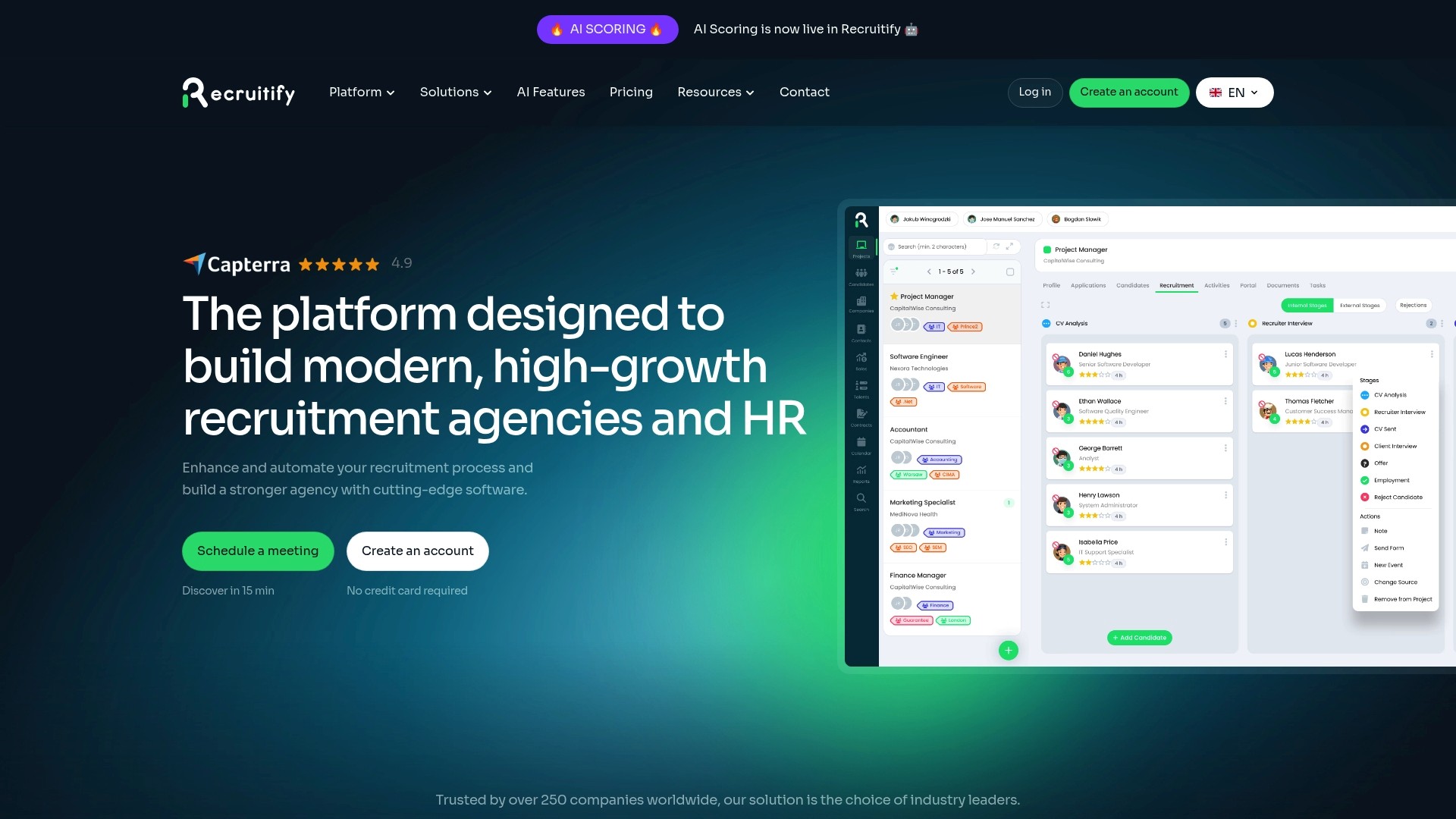
Plans are priced per user per month: HR Team is €61 and Agency is €67, and Enterprise is priced on request. Full details are on the pricing page.
FAQ
What is a recruitment Kanban board?
It is a visual board where each column is a stage of your hiring process and each card is a candidate. Cards move across as the candidate progresses. The board shows at a glance how many people are in each stage and where they are waiting.
How many stages should a recruiting pipeline have?
A common reference point is seven core stages, from sourced to hired, though teams run anywhere from about seven to a dozen. Choose the number that your team will keep up to date. Add stages only where a handoff or a decision needs its own owner.
Should I use WIP limits for candidates?
Yes for the stages your team controls, such as review and scheduling, because limits stop work from piling up. For stages where a candidate waits on you, many teams prefer to watch the volume in early columns to forecast later workload. Start with a limit of three cards per lane and adjust.
How is pipeline velocity different from time-to-hire?
Time-to-hire is one end-to-end figure for how long a hire took. Pipeline velocity looks at how fast candidates move through the funnel and can be read stage by stage, so it shows where time is lost. Use it alongside stage conversion for a complete picture.
Can an ATS replace a manual Kanban board?
An ATS with a Kanban view keeps the board connected to candidate records, so cards update when work happens and duplicates are caught early. It removes the double entry that makes manual boards go stale.
Sources
Recommended
For Agencies: Orchestrate Stages with Recruitment Workflow Automation
Pipeline Forecasting for Recruiting: 8 Steps to Trust the Numbers
Recruitment Process Mapping for Recruiters: Fix Handoffs With SLAs
7 Tactics to Optimize the Recruitment Process for TA Leaders


News & Updates
Stay up-to-date with the latest innovations, features, and tips about Recruitify!
By providing your email address within the newsletter sign-up form, you confirm its processing to send marketing information regarding the Administrator’s products and services. The Administrator of your personal data processed for the abovementioned purposes is Recruitify Spółka z o.o., based in Warsaw, Poland (KRS 0000709889). For more information on the principles of personal data processing and the rights of data subjects, please check the Privacy Policy.

Last updated:
Recruitment Kanban: Build a Pipeline Board That Keeps Candidates Moving
Recruitment Process
The Recruitify Team
A recruitment Kanban board shows your hiring pipeline as columns, one per stage, with each candidate as a card that moves from left to right until the person is hired or leaves the process. Its value is visibility: you see who is waiting, where cards pile up and which stage needs attention. This guide covers how to choose stages, assign ownership, limit work in progress, measure pipeline velocity and keep the board’s data trustworthy.
Key Takeaways
A recruitment Kanban board turns the pipeline into a visual flow: columns are stages, cards are candidates, and the shape of the board shows where hiring stalls.
Seven to ten stages with a named owner for each is a workable starting point. Stages without ownership are where candidates get stuck.
Strict WIP limits are hard to enforce with real candidates, so many teams watch volume in the early columns to predict the workload in later ones.
Pipeline velocity measures how fast candidates move, conversion measures how many make it through, and time-to-hire is only one end-to-end number. Track all three.
A board is only as useful as its data. Automation that updates stages, parses CVs and removes duplicates keeps it current without manual upkeep.
Table of Contents
What a recruitment Kanban board is
Kanban is a method for visualizing and managing work so that it flows smoothly, with each item and its status visible on a board. Applied to hiring, each candidate is represented by a card that moves through columns representing the stages of the recruitment process.
The board answers questions that a spreadsheet or a long list of applicants hides:
How many candidates are in each stage right now?
Which cards have not moved for a week?
Who is responsible for the next step?
Is the problem at the top of the funnel (too few candidates) or in the middle (too many waiting for interviews)?
There is a practical reason Kanban suits recruiting better than sprint-based methods. One team that adopted it explained that candidates can appear at any time and cannot reliably be processed within a fixed sprint. Hiring is a continuous flow, and Kanban is a flow method.
Board, pipeline and funnel: how they relate
The pipeline is the sequence of stages a candidate passes through. The Kanban board is the visual representation of that pipeline. A funnel describes the same process in terms of attrition, meaning how many candidates drop out at each step. The board shows the current state, and the funnel numbers show what happened over a period. You need both to manage hiring well.
Choosing recruiting pipeline stages
There is no universal stage list, and the right one depends on your role types and who is involved in the decision. A useful reference point comes from a 2026 glossary entry that defines a typical pipeline with seven core stages: Sourced, Contacted or applied, Recruiter screen, Hiring manager interview, Onsite or loop, Offer and Hired.
Other teams build much longer boards. A software startup treated its hiring as a Kanban-style project with eight stages: Sourcing, Intro Email, Phone Screen, Tech Screen (Prompt), Tech Screen (Discussion), Group Screen, Decision, and Offer or Rejection. An in-house team that began with a test-based process used a board starting with Test Sent and running through eleven further stages.
A starting template
For most agencies and in-house teams, the following stages cover the process without becoming unmanageable:
Sourced: the candidate is identified but has not been contacted.
Contacted: outreach is sent, or the application is received.
Screened: a recruiter has checked fit, availability and expectations.
Submitted or hiring manager review: the profile is with the client or hiring manager.
Interview: one or more interview rounds, optionally split into technical and cultural.
Offer: the offer or contract terms are with the candidate.
Hired: accepted and moving to onboarding.
Closed: rejected, withdrawn or gave up, with a reason recorded.
The last column matters more than it looks. Recording why a candidate left gives you the data to improve sourcing and screening, and it makes the candidate searchable for future roles.
Adapting stages to your type of hiring
Agencies often need two connected flows. One practitioner describing an agency board split the process in two parts: finding candidates and offering them to customers, with the flow divided between candidates offered and those rejected so the difference was explicit on the board. If you also manage client demand, a CRM view for the sales side next to the recruiting board prevents the two from drifting apart.
In-house teams usually add stages before sourcing, such as raising the need for a position and writing the description, and after the offer, such as onboarding and a three-month check. One consultant recommends a workflow that runs from raising the need through to a three-month successful hire.
High-volume hiring benefits from fewer, broader stages and automated screening, so recruiters spend their time on the candidates who passed. Our guide to high volume recruiting goes deeper.
IT contracting adds stages for contract preparation and availability dates, since a contractor’s start date drives the whole timeline.
How to set up and run the board
1. Map the real process first
Draw the steps your team actually follows, not the ones in the handbook. Handoffs between people are where candidates are lost, so mark each one. Our article on recruitment process mapping shows how to define handoffs with clear service levels.
2. Assign an owner to every stage
This is the single most useful rule in the whole setup. The same 2026 glossary entry warns that stages without explicit ownership produce candidates who sit at boundaries because nobody owns the movement. Write one name or role next to each column, and define what “done” means for that stage, such as “screen notes added and decision recorded.”
3. Decide what goes on a card
Keep cards short enough to scan. A good card carries:
candidate name and role applied for;
source and date entered the stage;
owner and next action;
a match score or shortlist rating, if you use one;
flags such as consent status, availability and salary expectations.
Everything else belongs in the candidate profile one click away.
4. Set WIP limits, and be realistic about them
Work-in-progress limits cap how many items can sit in each stage at once, and they can be set per person, per stage or for the whole system. The idea is to finish work before starting more. One consultant suggests limiting a lane to no more than three cards to create a pull system, where downstream capacity decides when new work starts.
With candidates, a hard cap raises a real difficulty. One team found it quite difficult to ask a candidate to wait because a limit had been reached. Their solution was to watch the volume in the first columns to anticipate future work: the number of technical exercises sent drove the number to review, which in turn drove the number of interviews to plan.
A practical approach is to apply firm limits to the stages your own team controls, such as screening reviews and interview scheduling, and to use volume watching for the stages where a candidate is waiting on you.
5. Hold a short daily or twice-weekly review
The same glossary entry notes that stages updated only in a weekly batch review are not operationally useful. Cards should move when the work happens. Use the review only to look at the oldest cards and the fullest columns, and to agree who unblocks what.
Pipeline velocity, time-to-hire and candidate pipeline health
These three terms are often mixed up, so it helps to separate them.
Measure | What it tells you | Typical use |
|---|---|---|
Stage conversion | The share of candidates who move from one stage to the next | Finding the stage where quality or interest drops |
Pipeline velocity | How fast candidates move through the funnel | Finding slow handoffs and stalled stages |
Time-to-hire | Total elapsed time from a defined start point to acceptance | Reporting to clients and leadership |
Pipeline velocity is the throughput-focused counterpart of pipeline conversion: conversion measures how many candidates make it through each stage, and velocity measures how fast they move. Time-to-hire is a single number for the end-to-end process, while velocity can be examined stage by stage. For a deeper look at the end-to-end figure, see our piece on how to reduce time-to-hire.
Metrics that expose bottlenecks
The team that ran hiring as a Kanban-style project reported that tracking cycle time and wait time helped it identify bottlenecks early. You can apply the same two measures to any board:
Cycle time per stage: how long a card is in a column from entry to exit. A column with a long average is a bottleneck candidate.
Wait time: the time a card sits idle between actions. This often reveals more than total duration, because candidates lose interest while waiting, not while being interviewed.
Aging cards: any card older than your agreed threshold for its stage. Set the threshold per stage, for example two working days for a screening call to be booked.
Stage conversion: the percentage that advance. A sharp drop between screen and hiring manager interview suggests the screen criteria and the manager’s expectations differ.
Column volume over time: a growing column means inflow exceeds the stage’s capacity.
Reading candidate pipeline health
A healthy pipeline has enough candidates in early stages to feed the later ones, no column that keeps growing, few aging cards, and a closed column with recorded reasons. Check it per role, not only in aggregate, because a strong pipeline for one role can hide an empty one for another.
Segmenting the pipeline
One board for everything becomes unreadable quickly. Common ways to segment a candidate pipeline:
by role or project, so each vacancy has its own view;
by seniority or skill family, since a senior engineer’s process differs from a junior’s;
by source, to compare outreach, referrals and inbound applications;
by client or business unit, which is essential for agencies;
by candidate status, such as active, passive or in a talent pool for later.
Swimlanes or filters achieve this without creating separate boards.
Using the flow data to improve hiring
Kanban’s central mechanism is that showing each item’s status and applying WIP limits lets teams focus on unblocking flow instead of letting work pile up. Another practitioner argues that the pull effect makes everyone care about delivering value, not just doing their own job. When a stage stalls, the team redirects spare capacity to help the work flow now, then looks for ways to raise the capacity of the bottleneck.
In practice that looks like this:
Notice a column that is fuller than its neighbors.
Ask whether the cause is capacity (too few reviewers), policy (a rule that forces extra approvals) or dependency (waiting on a hiring manager).
Move people or time to the blocked stage temporarily.
Change the process so the same jam does not recur, for instance by agreeing interview slots in advance.
Common mistakes
Too many stages. Each column adds an update step. If recruiters stop moving cards, the board becomes fiction.
Vague stage definitions. If two recruiters disagree on what “screened” means, conversion figures are meaningless.
No closed reasons. Without them you cannot learn from rejections or reuse good candidates.
Batch updates. A board refreshed once a week describes the past.
Ignoring the client side. For agencies, candidate flow and client demand need to be read together.
Duplicate candidate records. The same person appearing in two columns distorts every count.
Keeping the board reliable with an ATS and automation
A manual board, whether on a wall or in a general task tool, depends on people remembering to update it. An applicant tracking system with a Kanban view keeps the board tied to the underlying candidate record, so the card, the profile, the notes and the history are the same thing. Automation then handles the repetitive parts:
creating profiles from incoming CVs without retyping;
detecting duplicates before they enter the pipeline;
moving or flagging cards when an action happens, such as a completed screen or a sent offer;
reminding owners when a card exceeds the agreed age for its stage;
recording consent and keeping an audit trail of who did what.
For a deeper explanation of orchestrating stages this way, read our article on recruitment workflow automation, and if your team is still on spreadsheets, our guide to moving from manual to automated workflows outlines the transition. Clear shortlisting criteria also keep the move from screen to submission consistent between recruiters.
Our perspective
A Kanban board is a good idea that fails for a simple reason: someone has to keep it true. In the agencies and recruiting teams we build for, the board rarely breaks because of the wrong columns. It breaks because updating it is extra work on top of the real work.
That is why we design Recruitify so that the pipeline is a view of the work and not a separate record of it. Our AI CV parser is built to create a structured candidate profile in about 3 seconds from PDFs, DOCX files, scans and photos, and to detect duplicates, so the cards entering your board are already clean. Our contextual matching is designed to score applications against project requirements and deliver shortlists with a percentage match, so the move from sourced to screened rests on consistent criteria.
We also believe the sales pipeline and the recruitment pipeline belong in one place. When client demand and candidate flow sit side by side, an agency can see whether a slow stage is a recruiting problem or a client problem. Our platform brings an ATS, a CRM and a contracting module together for this reason, and our workflow automation is designed to cut administrative tasks by up to 70%, which frees recruiters to focus on the stages where people make the difference.
Finally, a pipeline built on candidate data needs a record of consent. Our GDPR consent management and audit trail are there so that speed never comes at the cost of control.
Recruitify Team
Run your pipeline in one system
If you want the board, the candidate records, the CRM and the automation in one place, Recruitify combines an ATS, a sales CRM and a contracting module for IT recruitment agencies and in-house teams. You can see how recruitment projects organize each hiring process, or review the all-in-one ATS and CRM.
Plans are priced per user per month: HR Team is €61 and Agency is €67, and Enterprise is priced on request. Full details are on the pricing page.
FAQ
What is a recruitment Kanban board?
It is a visual board where each column is a stage of your hiring process and each card is a candidate. Cards move across as the candidate progresses. The board shows at a glance how many people are in each stage and where they are waiting.
How many stages should a recruiting pipeline have?
A common reference point is seven core stages, from sourced to hired, though teams run anywhere from about seven to a dozen. Choose the number that your team will keep up to date. Add stages only where a handoff or a decision needs its own owner.
Should I use WIP limits for candidates?
Yes for the stages your team controls, such as review and scheduling, because limits stop work from piling up. For stages where a candidate waits on you, many teams prefer to watch the volume in early columns to forecast later workload. Start with a limit of three cards per lane and adjust.
How is pipeline velocity different from time-to-hire?
Time-to-hire is one end-to-end figure for how long a hire took. Pipeline velocity looks at how fast candidates move through the funnel and can be read stage by stage, so it shows where time is lost. Use it alongside stage conversion for a complete picture.
Can an ATS replace a manual Kanban board?
An ATS with a Kanban view keeps the board connected to candidate records, so cards update when work happens and duplicates are caught early. It removes the double entry that makes manual boards go stale.
Sources
Recommended
For Agencies: Orchestrate Stages with Recruitment Workflow Automation
Pipeline Forecasting for Recruiting: 8 Steps to Trust the Numbers
Recruitment Process Mapping for Recruiters: Fix Handoffs With SLAs
7 Tactics to Optimize the Recruitment Process for TA Leaders
News & Updates
Stay up-to-date with the latest innovations, features, and tips about Recruitify!
By providing your email address within the newsletter sign-up form, you confirm its processing to send marketing information regarding the Administrator’s products and services. The Administrator of your personal data processed for the abovementioned purposes is Recruitify Spółka z o.o., based in Warsaw, Poland (KRS 0000709889). For more information on the principles of personal data processing and the rights of data subjects, please check the Privacy Policy.
Last updated:
Recruitment Kanban: Build a Pipeline Board That Keeps Candidates Moving
Recruitment Process
The Recruitify Team
A recruitment Kanban board shows your hiring pipeline as columns, one per stage, with each candidate as a card that moves from left to right until the person is hired or leaves the process. Its value is visibility: you see who is waiting, where cards pile up and which stage needs attention. This guide covers how to choose stages, assign ownership, limit work in progress, measure pipeline velocity and keep the board’s data trustworthy.
Key Takeaways
A recruitment Kanban board turns the pipeline into a visual flow: columns are stages, cards are candidates, and the shape of the board shows where hiring stalls.
Seven to ten stages with a named owner for each is a workable starting point. Stages without ownership are where candidates get stuck.
Strict WIP limits are hard to enforce with real candidates, so many teams watch volume in the early columns to predict the workload in later ones.
Pipeline velocity measures how fast candidates move, conversion measures how many make it through, and time-to-hire is only one end-to-end number. Track all three.
A board is only as useful as its data. Automation that updates stages, parses CVs and removes duplicates keeps it current without manual upkeep.
Table of Contents
What a recruitment Kanban board is
Kanban is a method for visualizing and managing work so that it flows smoothly, with each item and its status visible on a board. Applied to hiring, each candidate is represented by a card that moves through columns representing the stages of the recruitment process.
The board answers questions that a spreadsheet or a long list of applicants hides:
How many candidates are in each stage right now?
Which cards have not moved for a week?
Who is responsible for the next step?
Is the problem at the top of the funnel (too few candidates) or in the middle (too many waiting for interviews)?
There is a practical reason Kanban suits recruiting better than sprint-based methods. One team that adopted it explained that candidates can appear at any time and cannot reliably be processed within a fixed sprint. Hiring is a continuous flow, and Kanban is a flow method.
Board, pipeline and funnel: how they relate
The pipeline is the sequence of stages a candidate passes through. The Kanban board is the visual representation of that pipeline. A funnel describes the same process in terms of attrition, meaning how many candidates drop out at each step. The board shows the current state, and the funnel numbers show what happened over a period. You need both to manage hiring well.
Choosing recruiting pipeline stages
There is no universal stage list, and the right one depends on your role types and who is involved in the decision. A useful reference point comes from a 2026 glossary entry that defines a typical pipeline with seven core stages: Sourced, Contacted or applied, Recruiter screen, Hiring manager interview, Onsite or loop, Offer and Hired.
Other teams build much longer boards. A software startup treated its hiring as a Kanban-style project with eight stages: Sourcing, Intro Email, Phone Screen, Tech Screen (Prompt), Tech Screen (Discussion), Group Screen, Decision, and Offer or Rejection. An in-house team that began with a test-based process used a board starting with Test Sent and running through eleven further stages.
A starting template
For most agencies and in-house teams, the following stages cover the process without becoming unmanageable:
Sourced: the candidate is identified but has not been contacted.
Contacted: outreach is sent, or the application is received.
Screened: a recruiter has checked fit, availability and expectations.
Submitted or hiring manager review: the profile is with the client or hiring manager.
Interview: one or more interview rounds, optionally split into technical and cultural.
Offer: the offer or contract terms are with the candidate.
Hired: accepted and moving to onboarding.
Closed: rejected, withdrawn or gave up, with a reason recorded.
The last column matters more than it looks. Recording why a candidate left gives you the data to improve sourcing and screening, and it makes the candidate searchable for future roles.
Adapting stages to your type of hiring
Agencies often need two connected flows. One practitioner describing an agency board split the process in two parts: finding candidates and offering them to customers, with the flow divided between candidates offered and those rejected so the difference was explicit on the board. If you also manage client demand, a CRM view for the sales side next to the recruiting board prevents the two from drifting apart.
In-house teams usually add stages before sourcing, such as raising the need for a position and writing the description, and after the offer, such as onboarding and a three-month check. One consultant recommends a workflow that runs from raising the need through to a three-month successful hire.
High-volume hiring benefits from fewer, broader stages and automated screening, so recruiters spend their time on the candidates who passed. Our guide to high volume recruiting goes deeper.
IT contracting adds stages for contract preparation and availability dates, since a contractor’s start date drives the whole timeline.
How to set up and run the board
1. Map the real process first
Draw the steps your team actually follows, not the ones in the handbook. Handoffs between people are where candidates are lost, so mark each one. Our article on recruitment process mapping shows how to define handoffs with clear service levels.
2. Assign an owner to every stage
This is the single most useful rule in the whole setup. The same 2026 glossary entry warns that stages without explicit ownership produce candidates who sit at boundaries because nobody owns the movement. Write one name or role next to each column, and define what “done” means for that stage, such as “screen notes added and decision recorded.”
3. Decide what goes on a card
Keep cards short enough to scan. A good card carries:
candidate name and role applied for;
source and date entered the stage;
owner and next action;
a match score or shortlist rating, if you use one;
flags such as consent status, availability and salary expectations.
Everything else belongs in the candidate profile one click away.
4. Set WIP limits, and be realistic about them
Work-in-progress limits cap how many items can sit in each stage at once, and they can be set per person, per stage or for the whole system. The idea is to finish work before starting more. One consultant suggests limiting a lane to no more than three cards to create a pull system, where downstream capacity decides when new work starts.
With candidates, a hard cap raises a real difficulty. One team found it quite difficult to ask a candidate to wait because a limit had been reached. Their solution was to watch the volume in the first columns to anticipate future work: the number of technical exercises sent drove the number to review, which in turn drove the number of interviews to plan.
A practical approach is to apply firm limits to the stages your own team controls, such as screening reviews and interview scheduling, and to use volume watching for the stages where a candidate is waiting on you.
5. Hold a short daily or twice-weekly review
The same glossary entry notes that stages updated only in a weekly batch review are not operationally useful. Cards should move when the work happens. Use the review only to look at the oldest cards and the fullest columns, and to agree who unblocks what.
Pipeline velocity, time-to-hire and candidate pipeline health
These three terms are often mixed up, so it helps to separate them.
Measure | What it tells you | Typical use |
|---|---|---|
Stage conversion | The share of candidates who move from one stage to the next | Finding the stage where quality or interest drops |
Pipeline velocity | How fast candidates move through the funnel | Finding slow handoffs and stalled stages |
Time-to-hire | Total elapsed time from a defined start point to acceptance | Reporting to clients and leadership |
Pipeline velocity is the throughput-focused counterpart of pipeline conversion: conversion measures how many candidates make it through each stage, and velocity measures how fast they move. Time-to-hire is a single number for the end-to-end process, while velocity can be examined stage by stage. For a deeper look at the end-to-end figure, see our piece on how to reduce time-to-hire.
Metrics that expose bottlenecks
The team that ran hiring as a Kanban-style project reported that tracking cycle time and wait time helped it identify bottlenecks early. You can apply the same two measures to any board:
Cycle time per stage: how long a card is in a column from entry to exit. A column with a long average is a bottleneck candidate.
Wait time: the time a card sits idle between actions. This often reveals more than total duration, because candidates lose interest while waiting, not while being interviewed.
Aging cards: any card older than your agreed threshold for its stage. Set the threshold per stage, for example two working days for a screening call to be booked.
Stage conversion: the percentage that advance. A sharp drop between screen and hiring manager interview suggests the screen criteria and the manager’s expectations differ.
Column volume over time: a growing column means inflow exceeds the stage’s capacity.
Reading candidate pipeline health
A healthy pipeline has enough candidates in early stages to feed the later ones, no column that keeps growing, few aging cards, and a closed column with recorded reasons. Check it per role, not only in aggregate, because a strong pipeline for one role can hide an empty one for another.
Segmenting the pipeline
One board for everything becomes unreadable quickly. Common ways to segment a candidate pipeline:
by role or project, so each vacancy has its own view;
by seniority or skill family, since a senior engineer’s process differs from a junior’s;
by source, to compare outreach, referrals and inbound applications;
by client or business unit, which is essential for agencies;
by candidate status, such as active, passive or in a talent pool for later.
Swimlanes or filters achieve this without creating separate boards.
Using the flow data to improve hiring
Kanban’s central mechanism is that showing each item’s status and applying WIP limits lets teams focus on unblocking flow instead of letting work pile up. Another practitioner argues that the pull effect makes everyone care about delivering value, not just doing their own job. When a stage stalls, the team redirects spare capacity to help the work flow now, then looks for ways to raise the capacity of the bottleneck.
In practice that looks like this:
Notice a column that is fuller than its neighbors.
Ask whether the cause is capacity (too few reviewers), policy (a rule that forces extra approvals) or dependency (waiting on a hiring manager).
Move people or time to the blocked stage temporarily.
Change the process so the same jam does not recur, for instance by agreeing interview slots in advance.
Common mistakes
Too many stages. Each column adds an update step. If recruiters stop moving cards, the board becomes fiction.
Vague stage definitions. If two recruiters disagree on what “screened” means, conversion figures are meaningless.
No closed reasons. Without them you cannot learn from rejections or reuse good candidates.
Batch updates. A board refreshed once a week describes the past.
Ignoring the client side. For agencies, candidate flow and client demand need to be read together.
Duplicate candidate records. The same person appearing in two columns distorts every count.
Keeping the board reliable with an ATS and automation
A manual board, whether on a wall or in a general task tool, depends on people remembering to update it. An applicant tracking system with a Kanban view keeps the board tied to the underlying candidate record, so the card, the profile, the notes and the history are the same thing. Automation then handles the repetitive parts:
creating profiles from incoming CVs without retyping;
detecting duplicates before they enter the pipeline;
moving or flagging cards when an action happens, such as a completed screen or a sent offer;
reminding owners when a card exceeds the agreed age for its stage;
recording consent and keeping an audit trail of who did what.
For a deeper explanation of orchestrating stages this way, read our article on recruitment workflow automation, and if your team is still on spreadsheets, our guide to moving from manual to automated workflows outlines the transition. Clear shortlisting criteria also keep the move from screen to submission consistent between recruiters.
Our perspective
A Kanban board is a good idea that fails for a simple reason: someone has to keep it true. In the agencies and recruiting teams we build for, the board rarely breaks because of the wrong columns. It breaks because updating it is extra work on top of the real work.
That is why we design Recruitify so that the pipeline is a view of the work and not a separate record of it. Our AI CV parser is built to create a structured candidate profile in about 3 seconds from PDFs, DOCX files, scans and photos, and to detect duplicates, so the cards entering your board are already clean. Our contextual matching is designed to score applications against project requirements and deliver shortlists with a percentage match, so the move from sourced to screened rests on consistent criteria.
We also believe the sales pipeline and the recruitment pipeline belong in one place. When client demand and candidate flow sit side by side, an agency can see whether a slow stage is a recruiting problem or a client problem. Our platform brings an ATS, a CRM and a contracting module together for this reason, and our workflow automation is designed to cut administrative tasks by up to 70%, which frees recruiters to focus on the stages where people make the difference.
Finally, a pipeline built on candidate data needs a record of consent. Our GDPR consent management and audit trail are there so that speed never comes at the cost of control.
Recruitify Team
Run your pipeline in one system
If you want the board, the candidate records, the CRM and the automation in one place, Recruitify combines an ATS, a sales CRM and a contracting module for IT recruitment agencies and in-house teams. You can see how recruitment projects organize each hiring process, or review the all-in-one ATS and CRM.
Plans are priced per user per month: HR Team is €61 and Agency is €67, and Enterprise is priced on request. Full details are on the pricing page.
FAQ
What is a recruitment Kanban board?
It is a visual board where each column is a stage of your hiring process and each card is a candidate. Cards move across as the candidate progresses. The board shows at a glance how many people are in each stage and where they are waiting.
How many stages should a recruiting pipeline have?
A common reference point is seven core stages, from sourced to hired, though teams run anywhere from about seven to a dozen. Choose the number that your team will keep up to date. Add stages only where a handoff or a decision needs its own owner.
Should I use WIP limits for candidates?
Yes for the stages your team controls, such as review and scheduling, because limits stop work from piling up. For stages where a candidate waits on you, many teams prefer to watch the volume in early columns to forecast later workload. Start with a limit of three cards per lane and adjust.
How is pipeline velocity different from time-to-hire?
Time-to-hire is one end-to-end figure for how long a hire took. Pipeline velocity looks at how fast candidates move through the funnel and can be read stage by stage, so it shows where time is lost. Use it alongside stage conversion for a complete picture.
Can an ATS replace a manual Kanban board?
An ATS with a Kanban view keeps the board connected to candidate records, so cards update when work happens and duplicates are caught early. It removes the double entry that makes manual boards go stale.
Sources
Recommended
For Agencies: Orchestrate Stages with Recruitment Workflow Automation
Pipeline Forecasting for Recruiting: 8 Steps to Trust the Numbers
Recruitment Process Mapping for Recruiters: Fix Handoffs With SLAs
7 Tactics to Optimize the Recruitment Process for TA Leaders
News & Updates
Stay up-to-date with the latest innovations, features, and tips about Recruitify!
By providing your email address within the newsletter sign-up form, you confirm its processing to send marketing information regarding the Administrator’s products and services. The Administrator of your personal data processed for the abovementioned purposes is Recruitify Spółka z o.o., based in Warsaw, Poland (KRS 0000709889). For more information on the principles of personal data processing and the rights of data subjects, please check the Privacy Policy.

Discover More

Recruitment Process
Submittal to Interview Ratio: Formula, Benchmarks, Fixes
Learn how to calculate your submittal to interview ratio, what counts as a good number by role type, and how to improve it without lowering candidate quality.
9 Nov 2026
Discover More

Applicant Tracking System
Staffing Sales Pipeline: Stages, Metrics and Automation
Build a staffing sales pipeline that turns target accounts into active job orders: stages, entry rules, metrics and how ATS and CRM automation keep it moving.
8 Nov 2026
Discover More

Innovations
Audit Trail in Recruiting: What to Log, Keep and Prove
A recruiting audit trail records who did what to which candidate record, and when. See what to log, how long to keep it, and what GDPR and US rules expect.
6 Nov 2026
Discover More
Recruitment Process
Submittal to Interview Ratio: Formula, Benchmarks, Fixes
Learn how to calculate your submittal to interview ratio, what counts as a good number by role type, and how to improve it without lowering candidate quality.
9 Nov 2026
Discover More
Applicant Tracking System
Staffing Sales Pipeline: Stages, Metrics and Automation
Build a staffing sales pipeline that turns target accounts into active job orders: stages, entry rules, metrics and how ATS and CRM automation keep it moving.
8 Nov 2026
Discover More