Last updated:
Staffing Sales Pipeline: Stages, Metrics and Automation

Applicant Tracking System

The Recruitify Team
A staffing sales pipeline is a visual, staged system that tracks employer prospects from the first identification of a hiring company to a signed agreement and active job orders. It works when every stage has a clear entry rule, an owner and a dated next action, and when it sits in the same system as your candidate pipeline. This guide covers the stages to use, the metrics to watch and the parts of the process that automation can take over.
Key Takeaways
A staffing sales pipeline tracks employers (your buyers), while a candidate pipeline tracks talent. Both feed the same placement, so they should be managed in one view.
Six to eight stages are enough for most agencies. Each stage needs an entry rule, an exit rule, an owner, required data and a next action.
Measure qualified account progress, job-order quality and margin potential, not lead volume alone.
Separate ATS and CRM tools leave each side with half the data. Consolidating them removes duplicate records and duplicate outreach.
Automation is most valuable at the handoffs: lead contact, candidate categorization, shortlist creation and contract generation.
Table of Contents
What a staffing sales pipeline is, and what it is not
The term covers two different things, and mixing them is a common source of confusion in agencies.
The sales pipeline follows potential employer clients. According to Righteo’s guide to recruitment agency sales pipelines, it starts when a potential hiring company is identified and ends when a contract is signed and active job orders arrive.
The candidate pipeline is different. OneUp Sales describes it as a group of pre-vetted, qualified potential candidates a recruiter can contact when a suitable role appears. It also separates this from the recruitment pipeline, the way recruiters organize their hiring process, which typically has at least five stages: jobs added, CVs sent, first interviews, placements filled and revenue.
In staffing you bill the match, not the lead. A firm that markets hard to employers but cannot surface candidates quickly wastes the requisition, and a firm with a deep talent pool but no orders has nothing to fill. Moonsauce Agency’s staffing marketing analysis makes this point and reports that temporary roles fill in about 6 days, contract roles in 8 and permanent placements in roughly 32. Demand has to be present on the day each side starts looking. That is the practical reason to run the sales pipeline and the candidate pipeline as one system.

The stages of a staffing sales pipeline
Published templates differ in naming but agree on the logic: move an account forward only when something verifiable has happened.
A six-stage funnel for new accounts
AllThingsStaffing defines six stages: priority account, engaged account, qualified buying situation, sales-accepted account, active opportunity and activated client. It separates fit from engagement, engagement from a verified buying situation, and signed agreements from active revenue. The first job order, launch quality and early service experience decide whether the account becomes real business.
A practical version for an IT staffing or contracting agency looks like this:
Stage | What is true | Exit evidence |
|---|---|---|
1. Priority account | The company fits your ideal client profile | Named decision-maker identified |
2. Engaged account | A real conversation has happened | Contact agrees to a discovery call |
3. Qualified buying situation | An active hiring need exists | Roles, volume and timeline confirmed |
4. Sales-accepted account | You can deliver on the need | Delivery feasibility checked internally |
5. Active opportunity | Proposal or terms are in discussion | Terms of business agreed |
6. Activated client | A job order has been received | First brief taken and candidates in motion |
A deal-level view tied to placements
If you prefer to forecast by vacancy, a template from Dalil uses eight stages with probability weights: vacancy identified (5%), terms of business agreed (15%), role briefed (25%), shortlist submitted (35%), client interviews (55%), offer (75%), placed and invoiced (90%) and rebate period cleared (100%). The weights are a starting point. Replace them with your own close rates once you have a few months of data.
The Righteo guide uses a simpler sequence: prospecting, initial outreach, discovery meeting, service proposal, terms of business agreement and job requisition received. It cites expected conversion from 20-30% at initial contact up to 80-90% at agreement.
Rules that keep stages honest
Whatever you choose, write down for each stage:
The entry rule: what must be true for a record to appear here.
The exit rule: the testable thing that moves it on.
The owner: one named person.
The required data: fields that must be filled in the CRM.
The next action, with a date.
An account without a dated next action is not in the pipeline. It is in a list.
Define your ideal client and prioritize accounts
Stages only help if the right companies enter at the top. Three steps are enough to start.
Define the profile. Specify the roles you place, the geography, the hiring model (permanent, contract, body leasing) and your delivery capacity. A profile that ignores what you can actually deliver fills the pipeline with deals you cannot close.
Map the market from the role outward. Instalent describes a people-first method: search for the role first, group the employers of the people who hold it, then find the decision-makers at each company. For IT agencies this is natural. If you place Java or DevOps engineers, the companies employing them are your map.
Prioritize by signals. A direct employer with an active, unresolved hiring need is the strongest lead. eGrabber’s staffing leads guide points to job boards as a real-time source, with reposts and multi-role openings as strong urgency signals. Add these signals to the account record so your team sees why it ranked high.
Outreach and qualification
Most lost deals in staffing are lost at qualification, not at the pitch. The outbound approach described in the Staffing and Recruiting Outbound Sales Playbook is to call the person who owns the workforce outcome and qualify demand, urgency, current channels, job requirements, compliance boundaries, commercial terms and the purpose of the next meeting.
Turn that into a short discovery checklist your recruiters and sales staff both use:
Which roles are open, and how many?
Who else is already working on them (internal team, other agencies, job ads)?
When must the first candidates be in front of the client?
What is the budget or rate range, and what is the vendor approval process?
Are there compliance requirements, such as contractor classification or data handling?
Who else signs off?
Capture the answers as structured fields, not free-text notes. Structured data is what lets a pipeline report mean something later.
Metrics that show pipeline health
Lead volume is the easiest number to report and the least useful. AllThingsStaffing recommends measuring qualified account progress, job-order quality and gross-margin potential, and reviewing metrics in three layers: coverage and timing, stage conversion and velocity, and economics and activation.
On the delivery side, Staffing Hub lists time-to-submit, time-to-fill, submittals per hire, interview-to-offer ratio, redeployment rate, gross margin percentage, cost-to-place and recruiter productivity as key indicators. It also advises mapping the client journey from lead generation through qualification, job intake, delivery and account growth.
A workable weekly dashboard has five numbers:
Qualified accounts added this week.
Conversion rate from each stage to the next.
Average days an account spends in each stage.
Job orders received per activated client.
Expected gross margin of the open pipeline.
Watch the offer stage and the aftercare
The Pipeline Fixer argues that the offer stage is where agencies lose the most: candidates are weighing the offer, the client is waiting and the consultant has moved on to the next brief. Its suggested fix is an owner and a dated next touch on every live offer, with a cadence at day 0, 1, 2 and 5. The same source reports that two in five clients do not return to the same agency for a second job, often because nobody kept the relationship going after the order closed. Add a post-placement check-in as a pipeline stage, so repeat business is managed rather than hoped for.
Why a split ATS and CRM weakens the pipeline
In many firms, recruiting lives in the ATS while sales lives in a separate CRM. CRM Experts Online notes that the same hiring manager then exists as a record in both systems, and the same company is a “client” on one side and an “account” on the other. Any AI tool can see only half of the data.
The daily consequences are familiar:
Two people contact the same hiring manager in the same week.
A job order is received but the sales owner never sees which candidates were submitted.
A dormant client is not flagged even though a strong candidate has just become available.
Reports on revenue by account need manual spreadsheets.
If you are comparing the two tool types, our article on ATS versus CRM questions that prevent duplicate outreach goes through the decision in detail, and why the client is part of the hiring process explains the CRM side.
What ATS automation can take over
Automation should remove repeated manual steps at the points where a record changes hands. In a combined system, these are the most useful places:
Candidate intake. CV parsing with OCR builds a structured profile from PDFs, DOCX files, scans and photos and flags duplicates.
Matching and shortlists. Scoring a candidate against a role’s requirements produces a ranked shortlist, which shortens time-to-submit.
Status-driven messages. When a record moves to a new stage, a template message or task is triggered, so no next touch is forgotten.
Client-facing documents. Anonymized candidate profiles and B2B contracts are generated from data already in the record.
Pipeline hygiene. Stage changes create tasks, and stalled records are surfaced to the owner.
The connection to the sales pipeline is the key point. When a client’s job order becomes a recruitment project, the project, the candidates and the account should share one record. The sales stage then reflects delivery reality: shortlist sent, interview scheduled, offer made, placement invoiced. The Recruitify guide to recruitment projects shows how that connection is organized in practice.
Our perspective
Most agencies we speak with do not have a lead problem. They have a handoff problem. A business developer wins a conversation, a recruiter takes the brief, and the information lives in two tools that rarely agree.
We built Recruitify to put the ATS, the sales CRM and the IT contracting (body leasing) module in one ecosystem. The sales pipeline and the recruitment pipeline are then two views of the same data, which is how the work happens in an agency. Our goal is to help agencies close more placements without enlarging the team, and our product is designed to reduce administrative work by up to 70% through workflow automation, from the first lead contact to the final B2B contract.
We also design for the asset many agencies already own: the candidate database. Contextual matching with percentage scores and duplicate detection is intended to bring forgotten candidates back into play, so existing data generates revenue before an expensive external license is needed.
Security matters as much as speed. Our GDPR consent management is designed to give a full audit trail, so a faster pipeline stays defensible.
Recruitify Team
Run the pipeline in one place
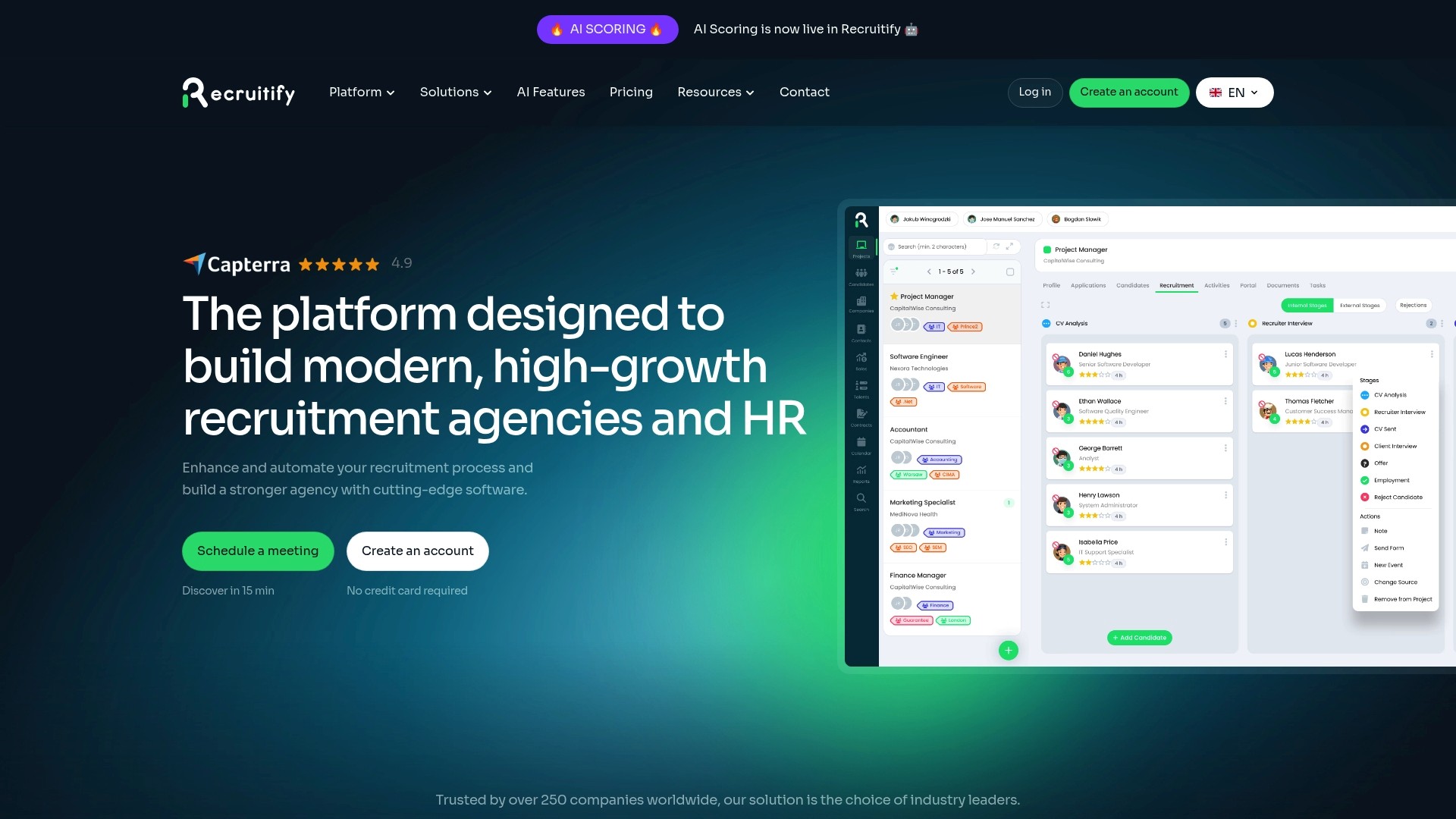
Recruitify combines an ATS, an agency CRM and a contracting module, so accounts, job orders and candidates sit in a single tab. Agencies can use business development tools to manage prospecting and follow-up, and IT firms can look at the contracting and body leasing module for talent pools and contracts.
Plans are priced per user per month: HR Team is €61 and Agency is €67, and Enterprise is priced on request. See the pricing page for what each plan includes.
Putting it together: a 30-day setup
Week 1. Write your ideal client profile and choose six to eight stages. Document entry rule, exit rule, owner, required data and next action for each.
Week 2. Consolidate records. Merge duplicate companies and contacts, and decide which system is the single source of truth for client data.
Week 3. Add automation at the handoffs: intake parsing, stage-based tasks and templated follow-ups, including a post-placement check-in.
Week 4. Launch the weekly dashboard of five numbers, review the first stalled accounts and adjust stage rules where records pile up.
Revisit the stage definitions each quarter. If a stage has a large pile of records and few exits, its exit rule is probably too vague or the owner is overloaded.
FAQ
What is the difference between a staffing sales pipeline and a recruitment pipeline?
The sales pipeline tracks employer prospects from identification to a signed agreement and active job orders. The recruitment pipeline tracks jobs and candidates through steps such as CVs sent, interviews, placement and revenue. Both lead to the same placement, so they work best in one system.
How many stages should a staffing sales pipeline have?
Published models range from six to eight stages, and some break the deal into ten with won, lost and nurture states. Choose the number that lets you state a testable exit rule for each stage. If you cannot define the exit rule, merge the stage with its neighbor.
Which metrics matter most?
Start with qualified account progress, stage-to-stage conversion, days in stage, job orders per activated client and gross margin potential. Add delivery measures such as time-to-submit and time-to-fill once the sales side is stable.
Can an ATS automate the sales pipeline?
An ATS alone mostly covers candidates, which is why many agencies add a CRM. A platform that combines both can trigger tasks and messages when a client or job order changes stage, and keep one record for each hiring manager. Recruitify is built on that single-ecosystem approach.
Sources
Staffing Hub: A Digital Transformation Roadmap for Staffing Firms
The Pipeline Fixer: Recruitment Agency Sales Process and Pipeline Fixes
Recommended
Track 5 Recruitment Funnel Metrics That Predict Hires for TA Teams
For Agencies: Orchestrate Stages with Recruitment Workflow Automation
Pipeline Forecasting for Recruiting: 8 Steps to Trust the Numbers
7 Tactics to Optimize the Recruitment Process for TA Leaders


News & Updates
Stay up-to-date with the latest innovations, features, and tips about Recruitify!
By providing your email address within the newsletter sign-up form, you confirm its processing to send marketing information regarding the Administrator’s products and services. The Administrator of your personal data processed for the abovementioned purposes is Recruitify Spółka z o.o., based in Warsaw, Poland (KRS 0000709889). For more information on the principles of personal data processing and the rights of data subjects, please check the Privacy Policy.

Last updated:
Staffing Sales Pipeline: Stages, Metrics and Automation
Applicant Tracking System
The Recruitify Team
A staffing sales pipeline is a visual, staged system that tracks employer prospects from the first identification of a hiring company to a signed agreement and active job orders. It works when every stage has a clear entry rule, an owner and a dated next action, and when it sits in the same system as your candidate pipeline. This guide covers the stages to use, the metrics to watch and the parts of the process that automation can take over.
Key Takeaways
A staffing sales pipeline tracks employers (your buyers), while a candidate pipeline tracks talent. Both feed the same placement, so they should be managed in one view.
Six to eight stages are enough for most agencies. Each stage needs an entry rule, an exit rule, an owner, required data and a next action.
Measure qualified account progress, job-order quality and margin potential, not lead volume alone.
Separate ATS and CRM tools leave each side with half the data. Consolidating them removes duplicate records and duplicate outreach.
Automation is most valuable at the handoffs: lead contact, candidate categorization, shortlist creation and contract generation.
Table of Contents
What a staffing sales pipeline is, and what it is not
The term covers two different things, and mixing them is a common source of confusion in agencies.
The sales pipeline follows potential employer clients. According to Righteo’s guide to recruitment agency sales pipelines, it starts when a potential hiring company is identified and ends when a contract is signed and active job orders arrive.
The candidate pipeline is different. OneUp Sales describes it as a group of pre-vetted, qualified potential candidates a recruiter can contact when a suitable role appears. It also separates this from the recruitment pipeline, the way recruiters organize their hiring process, which typically has at least five stages: jobs added, CVs sent, first interviews, placements filled and revenue.
In staffing you bill the match, not the lead. A firm that markets hard to employers but cannot surface candidates quickly wastes the requisition, and a firm with a deep talent pool but no orders has nothing to fill. Moonsauce Agency’s staffing marketing analysis makes this point and reports that temporary roles fill in about 6 days, contract roles in 8 and permanent placements in roughly 32. Demand has to be present on the day each side starts looking. That is the practical reason to run the sales pipeline and the candidate pipeline as one system.
The stages of a staffing sales pipeline
Published templates differ in naming but agree on the logic: move an account forward only when something verifiable has happened.
A six-stage funnel for new accounts
AllThingsStaffing defines six stages: priority account, engaged account, qualified buying situation, sales-accepted account, active opportunity and activated client. It separates fit from engagement, engagement from a verified buying situation, and signed agreements from active revenue. The first job order, launch quality and early service experience decide whether the account becomes real business.
A practical version for an IT staffing or contracting agency looks like this:
Stage | What is true | Exit evidence |
|---|---|---|
1. Priority account | The company fits your ideal client profile | Named decision-maker identified |
2. Engaged account | A real conversation has happened | Contact agrees to a discovery call |
3. Qualified buying situation | An active hiring need exists | Roles, volume and timeline confirmed |
4. Sales-accepted account | You can deliver on the need | Delivery feasibility checked internally |
5. Active opportunity | Proposal or terms are in discussion | Terms of business agreed |
6. Activated client | A job order has been received | First brief taken and candidates in motion |
A deal-level view tied to placements
If you prefer to forecast by vacancy, a template from Dalil uses eight stages with probability weights: vacancy identified (5%), terms of business agreed (15%), role briefed (25%), shortlist submitted (35%), client interviews (55%), offer (75%), placed and invoiced (90%) and rebate period cleared (100%). The weights are a starting point. Replace them with your own close rates once you have a few months of data.
The Righteo guide uses a simpler sequence: prospecting, initial outreach, discovery meeting, service proposal, terms of business agreement and job requisition received. It cites expected conversion from 20-30% at initial contact up to 80-90% at agreement.
Rules that keep stages honest
Whatever you choose, write down for each stage:
The entry rule: what must be true for a record to appear here.
The exit rule: the testable thing that moves it on.
The owner: one named person.
The required data: fields that must be filled in the CRM.
The next action, with a date.
An account without a dated next action is not in the pipeline. It is in a list.
Define your ideal client and prioritize accounts
Stages only help if the right companies enter at the top. Three steps are enough to start.
Define the profile. Specify the roles you place, the geography, the hiring model (permanent, contract, body leasing) and your delivery capacity. A profile that ignores what you can actually deliver fills the pipeline with deals you cannot close.
Map the market from the role outward. Instalent describes a people-first method: search for the role first, group the employers of the people who hold it, then find the decision-makers at each company. For IT agencies this is natural. If you place Java or DevOps engineers, the companies employing them are your map.
Prioritize by signals. A direct employer with an active, unresolved hiring need is the strongest lead. eGrabber’s staffing leads guide points to job boards as a real-time source, with reposts and multi-role openings as strong urgency signals. Add these signals to the account record so your team sees why it ranked high.
Outreach and qualification
Most lost deals in staffing are lost at qualification, not at the pitch. The outbound approach described in the Staffing and Recruiting Outbound Sales Playbook is to call the person who owns the workforce outcome and qualify demand, urgency, current channels, job requirements, compliance boundaries, commercial terms and the purpose of the next meeting.
Turn that into a short discovery checklist your recruiters and sales staff both use:
Which roles are open, and how many?
Who else is already working on them (internal team, other agencies, job ads)?
When must the first candidates be in front of the client?
What is the budget or rate range, and what is the vendor approval process?
Are there compliance requirements, such as contractor classification or data handling?
Who else signs off?
Capture the answers as structured fields, not free-text notes. Structured data is what lets a pipeline report mean something later.
Metrics that show pipeline health
Lead volume is the easiest number to report and the least useful. AllThingsStaffing recommends measuring qualified account progress, job-order quality and gross-margin potential, and reviewing metrics in three layers: coverage and timing, stage conversion and velocity, and economics and activation.
On the delivery side, Staffing Hub lists time-to-submit, time-to-fill, submittals per hire, interview-to-offer ratio, redeployment rate, gross margin percentage, cost-to-place and recruiter productivity as key indicators. It also advises mapping the client journey from lead generation through qualification, job intake, delivery and account growth.
A workable weekly dashboard has five numbers:
Qualified accounts added this week.
Conversion rate from each stage to the next.
Average days an account spends in each stage.
Job orders received per activated client.
Expected gross margin of the open pipeline.
Watch the offer stage and the aftercare
The Pipeline Fixer argues that the offer stage is where agencies lose the most: candidates are weighing the offer, the client is waiting and the consultant has moved on to the next brief. Its suggested fix is an owner and a dated next touch on every live offer, with a cadence at day 0, 1, 2 and 5. The same source reports that two in five clients do not return to the same agency for a second job, often because nobody kept the relationship going after the order closed. Add a post-placement check-in as a pipeline stage, so repeat business is managed rather than hoped for.
Why a split ATS and CRM weakens the pipeline
In many firms, recruiting lives in the ATS while sales lives in a separate CRM. CRM Experts Online notes that the same hiring manager then exists as a record in both systems, and the same company is a “client” on one side and an “account” on the other. Any AI tool can see only half of the data.
The daily consequences are familiar:
Two people contact the same hiring manager in the same week.
A job order is received but the sales owner never sees which candidates were submitted.
A dormant client is not flagged even though a strong candidate has just become available.
Reports on revenue by account need manual spreadsheets.
If you are comparing the two tool types, our article on ATS versus CRM questions that prevent duplicate outreach goes through the decision in detail, and why the client is part of the hiring process explains the CRM side.
What ATS automation can take over
Automation should remove repeated manual steps at the points where a record changes hands. In a combined system, these are the most useful places:
Candidate intake. CV parsing with OCR builds a structured profile from PDFs, DOCX files, scans and photos and flags duplicates.
Matching and shortlists. Scoring a candidate against a role’s requirements produces a ranked shortlist, which shortens time-to-submit.
Status-driven messages. When a record moves to a new stage, a template message or task is triggered, so no next touch is forgotten.
Client-facing documents. Anonymized candidate profiles and B2B contracts are generated from data already in the record.
Pipeline hygiene. Stage changes create tasks, and stalled records are surfaced to the owner.
The connection to the sales pipeline is the key point. When a client’s job order becomes a recruitment project, the project, the candidates and the account should share one record. The sales stage then reflects delivery reality: shortlist sent, interview scheduled, offer made, placement invoiced. The Recruitify guide to recruitment projects shows how that connection is organized in practice.
Our perspective
Most agencies we speak with do not have a lead problem. They have a handoff problem. A business developer wins a conversation, a recruiter takes the brief, and the information lives in two tools that rarely agree.
We built Recruitify to put the ATS, the sales CRM and the IT contracting (body leasing) module in one ecosystem. The sales pipeline and the recruitment pipeline are then two views of the same data, which is how the work happens in an agency. Our goal is to help agencies close more placements without enlarging the team, and our product is designed to reduce administrative work by up to 70% through workflow automation, from the first lead contact to the final B2B contract.
We also design for the asset many agencies already own: the candidate database. Contextual matching with percentage scores and duplicate detection is intended to bring forgotten candidates back into play, so existing data generates revenue before an expensive external license is needed.
Security matters as much as speed. Our GDPR consent management is designed to give a full audit trail, so a faster pipeline stays defensible.
Recruitify Team
Run the pipeline in one place
Recruitify combines an ATS, an agency CRM and a contracting module, so accounts, job orders and candidates sit in a single tab. Agencies can use business development tools to manage prospecting and follow-up, and IT firms can look at the contracting and body leasing module for talent pools and contracts.
Plans are priced per user per month: HR Team is €61 and Agency is €67, and Enterprise is priced on request. See the pricing page for what each plan includes.
Putting it together: a 30-day setup
Week 1. Write your ideal client profile and choose six to eight stages. Document entry rule, exit rule, owner, required data and next action for each.
Week 2. Consolidate records. Merge duplicate companies and contacts, and decide which system is the single source of truth for client data.
Week 3. Add automation at the handoffs: intake parsing, stage-based tasks and templated follow-ups, including a post-placement check-in.
Week 4. Launch the weekly dashboard of five numbers, review the first stalled accounts and adjust stage rules where records pile up.
Revisit the stage definitions each quarter. If a stage has a large pile of records and few exits, its exit rule is probably too vague or the owner is overloaded.
FAQ
What is the difference between a staffing sales pipeline and a recruitment pipeline?
The sales pipeline tracks employer prospects from identification to a signed agreement and active job orders. The recruitment pipeline tracks jobs and candidates through steps such as CVs sent, interviews, placement and revenue. Both lead to the same placement, so they work best in one system.
How many stages should a staffing sales pipeline have?
Published models range from six to eight stages, and some break the deal into ten with won, lost and nurture states. Choose the number that lets you state a testable exit rule for each stage. If you cannot define the exit rule, merge the stage with its neighbor.
Which metrics matter most?
Start with qualified account progress, stage-to-stage conversion, days in stage, job orders per activated client and gross margin potential. Add delivery measures such as time-to-submit and time-to-fill once the sales side is stable.
Can an ATS automate the sales pipeline?
An ATS alone mostly covers candidates, which is why many agencies add a CRM. A platform that combines both can trigger tasks and messages when a client or job order changes stage, and keep one record for each hiring manager. Recruitify is built on that single-ecosystem approach.
Sources
Staffing Hub: A Digital Transformation Roadmap for Staffing Firms
The Pipeline Fixer: Recruitment Agency Sales Process and Pipeline Fixes
Recommended
Track 5 Recruitment Funnel Metrics That Predict Hires for TA Teams
For Agencies: Orchestrate Stages with Recruitment Workflow Automation
Pipeline Forecasting for Recruiting: 8 Steps to Trust the Numbers
7 Tactics to Optimize the Recruitment Process for TA Leaders
News & Updates
Stay up-to-date with the latest innovations, features, and tips about Recruitify!
By providing your email address within the newsletter sign-up form, you confirm its processing to send marketing information regarding the Administrator’s products and services. The Administrator of your personal data processed for the abovementioned purposes is Recruitify Spółka z o.o., based in Warsaw, Poland (KRS 0000709889). For more information on the principles of personal data processing and the rights of data subjects, please check the Privacy Policy.
Last updated:
Staffing Sales Pipeline: Stages, Metrics and Automation
Applicant Tracking System
The Recruitify Team
A staffing sales pipeline is a visual, staged system that tracks employer prospects from the first identification of a hiring company to a signed agreement and active job orders. It works when every stage has a clear entry rule, an owner and a dated next action, and when it sits in the same system as your candidate pipeline. This guide covers the stages to use, the metrics to watch and the parts of the process that automation can take over.
Key Takeaways
A staffing sales pipeline tracks employers (your buyers), while a candidate pipeline tracks talent. Both feed the same placement, so they should be managed in one view.
Six to eight stages are enough for most agencies. Each stage needs an entry rule, an exit rule, an owner, required data and a next action.
Measure qualified account progress, job-order quality and margin potential, not lead volume alone.
Separate ATS and CRM tools leave each side with half the data. Consolidating them removes duplicate records and duplicate outreach.
Automation is most valuable at the handoffs: lead contact, candidate categorization, shortlist creation and contract generation.
Table of Contents
What a staffing sales pipeline is, and what it is not
The term covers two different things, and mixing them is a common source of confusion in agencies.
The sales pipeline follows potential employer clients. According to Righteo’s guide to recruitment agency sales pipelines, it starts when a potential hiring company is identified and ends when a contract is signed and active job orders arrive.
The candidate pipeline is different. OneUp Sales describes it as a group of pre-vetted, qualified potential candidates a recruiter can contact when a suitable role appears. It also separates this from the recruitment pipeline, the way recruiters organize their hiring process, which typically has at least five stages: jobs added, CVs sent, first interviews, placements filled and revenue.
In staffing you bill the match, not the lead. A firm that markets hard to employers but cannot surface candidates quickly wastes the requisition, and a firm with a deep talent pool but no orders has nothing to fill. Moonsauce Agency’s staffing marketing analysis makes this point and reports that temporary roles fill in about 6 days, contract roles in 8 and permanent placements in roughly 32. Demand has to be present on the day each side starts looking. That is the practical reason to run the sales pipeline and the candidate pipeline as one system.
The stages of a staffing sales pipeline
Published templates differ in naming but agree on the logic: move an account forward only when something verifiable has happened.
A six-stage funnel for new accounts
AllThingsStaffing defines six stages: priority account, engaged account, qualified buying situation, sales-accepted account, active opportunity and activated client. It separates fit from engagement, engagement from a verified buying situation, and signed agreements from active revenue. The first job order, launch quality and early service experience decide whether the account becomes real business.
A practical version for an IT staffing or contracting agency looks like this:
Stage | What is true | Exit evidence |
|---|---|---|
1. Priority account | The company fits your ideal client profile | Named decision-maker identified |
2. Engaged account | A real conversation has happened | Contact agrees to a discovery call |
3. Qualified buying situation | An active hiring need exists | Roles, volume and timeline confirmed |
4. Sales-accepted account | You can deliver on the need | Delivery feasibility checked internally |
5. Active opportunity | Proposal or terms are in discussion | Terms of business agreed |
6. Activated client | A job order has been received | First brief taken and candidates in motion |
A deal-level view tied to placements
If you prefer to forecast by vacancy, a template from Dalil uses eight stages with probability weights: vacancy identified (5%), terms of business agreed (15%), role briefed (25%), shortlist submitted (35%), client interviews (55%), offer (75%), placed and invoiced (90%) and rebate period cleared (100%). The weights are a starting point. Replace them with your own close rates once you have a few months of data.
The Righteo guide uses a simpler sequence: prospecting, initial outreach, discovery meeting, service proposal, terms of business agreement and job requisition received. It cites expected conversion from 20-30% at initial contact up to 80-90% at agreement.
Rules that keep stages honest
Whatever you choose, write down for each stage:
The entry rule: what must be true for a record to appear here.
The exit rule: the testable thing that moves it on.
The owner: one named person.
The required data: fields that must be filled in the CRM.
The next action, with a date.
An account without a dated next action is not in the pipeline. It is in a list.
Define your ideal client and prioritize accounts
Stages only help if the right companies enter at the top. Three steps are enough to start.
Define the profile. Specify the roles you place, the geography, the hiring model (permanent, contract, body leasing) and your delivery capacity. A profile that ignores what you can actually deliver fills the pipeline with deals you cannot close.
Map the market from the role outward. Instalent describes a people-first method: search for the role first, group the employers of the people who hold it, then find the decision-makers at each company. For IT agencies this is natural. If you place Java or DevOps engineers, the companies employing them are your map.
Prioritize by signals. A direct employer with an active, unresolved hiring need is the strongest lead. eGrabber’s staffing leads guide points to job boards as a real-time source, with reposts and multi-role openings as strong urgency signals. Add these signals to the account record so your team sees why it ranked high.
Outreach and qualification
Most lost deals in staffing are lost at qualification, not at the pitch. The outbound approach described in the Staffing and Recruiting Outbound Sales Playbook is to call the person who owns the workforce outcome and qualify demand, urgency, current channels, job requirements, compliance boundaries, commercial terms and the purpose of the next meeting.
Turn that into a short discovery checklist your recruiters and sales staff both use:
Which roles are open, and how many?
Who else is already working on them (internal team, other agencies, job ads)?
When must the first candidates be in front of the client?
What is the budget or rate range, and what is the vendor approval process?
Are there compliance requirements, such as contractor classification or data handling?
Who else signs off?
Capture the answers as structured fields, not free-text notes. Structured data is what lets a pipeline report mean something later.
Metrics that show pipeline health
Lead volume is the easiest number to report and the least useful. AllThingsStaffing recommends measuring qualified account progress, job-order quality and gross-margin potential, and reviewing metrics in three layers: coverage and timing, stage conversion and velocity, and economics and activation.
On the delivery side, Staffing Hub lists time-to-submit, time-to-fill, submittals per hire, interview-to-offer ratio, redeployment rate, gross margin percentage, cost-to-place and recruiter productivity as key indicators. It also advises mapping the client journey from lead generation through qualification, job intake, delivery and account growth.
A workable weekly dashboard has five numbers:
Qualified accounts added this week.
Conversion rate from each stage to the next.
Average days an account spends in each stage.
Job orders received per activated client.
Expected gross margin of the open pipeline.
Watch the offer stage and the aftercare
The Pipeline Fixer argues that the offer stage is where agencies lose the most: candidates are weighing the offer, the client is waiting and the consultant has moved on to the next brief. Its suggested fix is an owner and a dated next touch on every live offer, with a cadence at day 0, 1, 2 and 5. The same source reports that two in five clients do not return to the same agency for a second job, often because nobody kept the relationship going after the order closed. Add a post-placement check-in as a pipeline stage, so repeat business is managed rather than hoped for.
Why a split ATS and CRM weakens the pipeline
In many firms, recruiting lives in the ATS while sales lives in a separate CRM. CRM Experts Online notes that the same hiring manager then exists as a record in both systems, and the same company is a “client” on one side and an “account” on the other. Any AI tool can see only half of the data.
The daily consequences are familiar:
Two people contact the same hiring manager in the same week.
A job order is received but the sales owner never sees which candidates were submitted.
A dormant client is not flagged even though a strong candidate has just become available.
Reports on revenue by account need manual spreadsheets.
If you are comparing the two tool types, our article on ATS versus CRM questions that prevent duplicate outreach goes through the decision in detail, and why the client is part of the hiring process explains the CRM side.
What ATS automation can take over
Automation should remove repeated manual steps at the points where a record changes hands. In a combined system, these are the most useful places:
Candidate intake. CV parsing with OCR builds a structured profile from PDFs, DOCX files, scans and photos and flags duplicates.
Matching and shortlists. Scoring a candidate against a role’s requirements produces a ranked shortlist, which shortens time-to-submit.
Status-driven messages. When a record moves to a new stage, a template message or task is triggered, so no next touch is forgotten.
Client-facing documents. Anonymized candidate profiles and B2B contracts are generated from data already in the record.
Pipeline hygiene. Stage changes create tasks, and stalled records are surfaced to the owner.
The connection to the sales pipeline is the key point. When a client’s job order becomes a recruitment project, the project, the candidates and the account should share one record. The sales stage then reflects delivery reality: shortlist sent, interview scheduled, offer made, placement invoiced. The Recruitify guide to recruitment projects shows how that connection is organized in practice.
Our perspective
Most agencies we speak with do not have a lead problem. They have a handoff problem. A business developer wins a conversation, a recruiter takes the brief, and the information lives in two tools that rarely agree.
We built Recruitify to put the ATS, the sales CRM and the IT contracting (body leasing) module in one ecosystem. The sales pipeline and the recruitment pipeline are then two views of the same data, which is how the work happens in an agency. Our goal is to help agencies close more placements without enlarging the team, and our product is designed to reduce administrative work by up to 70% through workflow automation, from the first lead contact to the final B2B contract.
We also design for the asset many agencies already own: the candidate database. Contextual matching with percentage scores and duplicate detection is intended to bring forgotten candidates back into play, so existing data generates revenue before an expensive external license is needed.
Security matters as much as speed. Our GDPR consent management is designed to give a full audit trail, so a faster pipeline stays defensible.
Recruitify Team
Run the pipeline in one place
Recruitify combines an ATS, an agency CRM and a contracting module, so accounts, job orders and candidates sit in a single tab. Agencies can use business development tools to manage prospecting and follow-up, and IT firms can look at the contracting and body leasing module for talent pools and contracts.
Plans are priced per user per month: HR Team is €61 and Agency is €67, and Enterprise is priced on request. See the pricing page for what each plan includes.
Putting it together: a 30-day setup
Week 1. Write your ideal client profile and choose six to eight stages. Document entry rule, exit rule, owner, required data and next action for each.
Week 2. Consolidate records. Merge duplicate companies and contacts, and decide which system is the single source of truth for client data.
Week 3. Add automation at the handoffs: intake parsing, stage-based tasks and templated follow-ups, including a post-placement check-in.
Week 4. Launch the weekly dashboard of five numbers, review the first stalled accounts and adjust stage rules where records pile up.
Revisit the stage definitions each quarter. If a stage has a large pile of records and few exits, its exit rule is probably too vague or the owner is overloaded.
FAQ
What is the difference between a staffing sales pipeline and a recruitment pipeline?
The sales pipeline tracks employer prospects from identification to a signed agreement and active job orders. The recruitment pipeline tracks jobs and candidates through steps such as CVs sent, interviews, placement and revenue. Both lead to the same placement, so they work best in one system.
How many stages should a staffing sales pipeline have?
Published models range from six to eight stages, and some break the deal into ten with won, lost and nurture states. Choose the number that lets you state a testable exit rule for each stage. If you cannot define the exit rule, merge the stage with its neighbor.
Which metrics matter most?
Start with qualified account progress, stage-to-stage conversion, days in stage, job orders per activated client and gross margin potential. Add delivery measures such as time-to-submit and time-to-fill once the sales side is stable.
Can an ATS automate the sales pipeline?
An ATS alone mostly covers candidates, which is why many agencies add a CRM. A platform that combines both can trigger tasks and messages when a client or job order changes stage, and keep one record for each hiring manager. Recruitify is built on that single-ecosystem approach.
Sources
Staffing Hub: A Digital Transformation Roadmap for Staffing Firms
The Pipeline Fixer: Recruitment Agency Sales Process and Pipeline Fixes
Recommended
Track 5 Recruitment Funnel Metrics That Predict Hires for TA Teams
For Agencies: Orchestrate Stages with Recruitment Workflow Automation
Pipeline Forecasting for Recruiting: 8 Steps to Trust the Numbers
7 Tactics to Optimize the Recruitment Process for TA Leaders
News & Updates
Stay up-to-date with the latest innovations, features, and tips about Recruitify!
By providing your email address within the newsletter sign-up form, you confirm its processing to send marketing information regarding the Administrator’s products and services. The Administrator of your personal data processed for the abovementioned purposes is Recruitify Spółka z o.o., based in Warsaw, Poland (KRS 0000709889). For more information on the principles of personal data processing and the rights of data subjects, please check the Privacy Policy.

Discover More

Recruitment Process
Submittal to Interview Ratio: Formula, Benchmarks, Fixes
Learn how to calculate your submittal to interview ratio, what counts as a good number by role type, and how to improve it without lowering candidate quality.
9 Nov 2026
Discover More

Recruitment Process
Recruitment Kanban: Build a Pipeline Board That Keeps Candidates Moving
How to build a recruitment Kanban board: pipeline stages, WIP limits, ownership, pipeline velocity and health metrics, plus how automation keeps the data reliable.
7 Nov 2026
Discover More

Innovations
Audit Trail in Recruiting: What to Log, Keep and Prove
A recruiting audit trail records who did what to which candidate record, and when. See what to log, how long to keep it, and what GDPR and US rules expect.
6 Nov 2026
Discover More
Recruitment Process
Submittal to Interview Ratio: Formula, Benchmarks, Fixes
Learn how to calculate your submittal to interview ratio, what counts as a good number by role type, and how to improve it without lowering candidate quality.
9 Nov 2026
Discover More
Recruitment Process
Recruitment Kanban: Build a Pipeline Board That Keeps Candidates Moving
How to build a recruitment Kanban board: pipeline stages, WIP limits, ownership, pipeline velocity and health metrics, plus how automation keeps the data reliable.
7 Nov 2026
Discover More