
Last updated:
Copy These Interview Feedback Forms Recruiters Can Use in Their ATS

Applicant Tracking System

The Recruitify Team
An interview feedback form is a structured document interviewers complete after every candidate meeting to score job-relevant criteria and justify a hiring decision. The single best-practice approach combines fixed competencies, required evidence for each rating, and a forced recommendation—hire, hold, or no hire—so decisions become comparable across interviewers instead of resting on gut feeling. Any hiring team, from a two-person startup panel to an enterprise talent acquisition group, benefits from this structure.
Using a standardized feedback form with clear competencies and required evidence ensures consistent and justified hiring decisions across interviewers.
Short calibration sessions and immediate post-interview documentation improve evaluator agreement and reduce bias in candidate assessment.
Automating the feedback process with tools like Recruitify enforces evidence collection, streamlines workflows, and maintains an audit trail for compliance.
Customizing templates by interview stage and role-specific competencies prevents form fatigue and makes evaluation more relevant and thorough.
Implementing structured, evidence-based feedback shortens decision times and enhances fairness in comparing candidates.
RecruitifyBring Structured Feedback Into One SystemRecruitify connects recruitment workflows, candidate data, and compliance records in one operational ecosystem for modern IT recruitment teams.Explore Recruitify
Table of Contents
What Should an Interview Feedback Form Include?
How Do You Score and Force a Hiring Recommendation?
Copyable Templates for Screening, Panel, and Final Rounds
Timing, Calibration, and Reducing Bias in Feedback
Customizing the Form by Role and Interview Stage
Setting Up an Online Interview Feedback Form
Where Automation Fits Into Structured Feedback
What Adoption Actually Looks Like
Get Started With Recruitify’s Feedback Automation
Sources
FAQ
What Should an Interview Feedback Form Include?
A usable interview feedback template splits into two layers: the administrative header and the evaluation body. Skip either one and the form stops being useful for comparing candidates later.
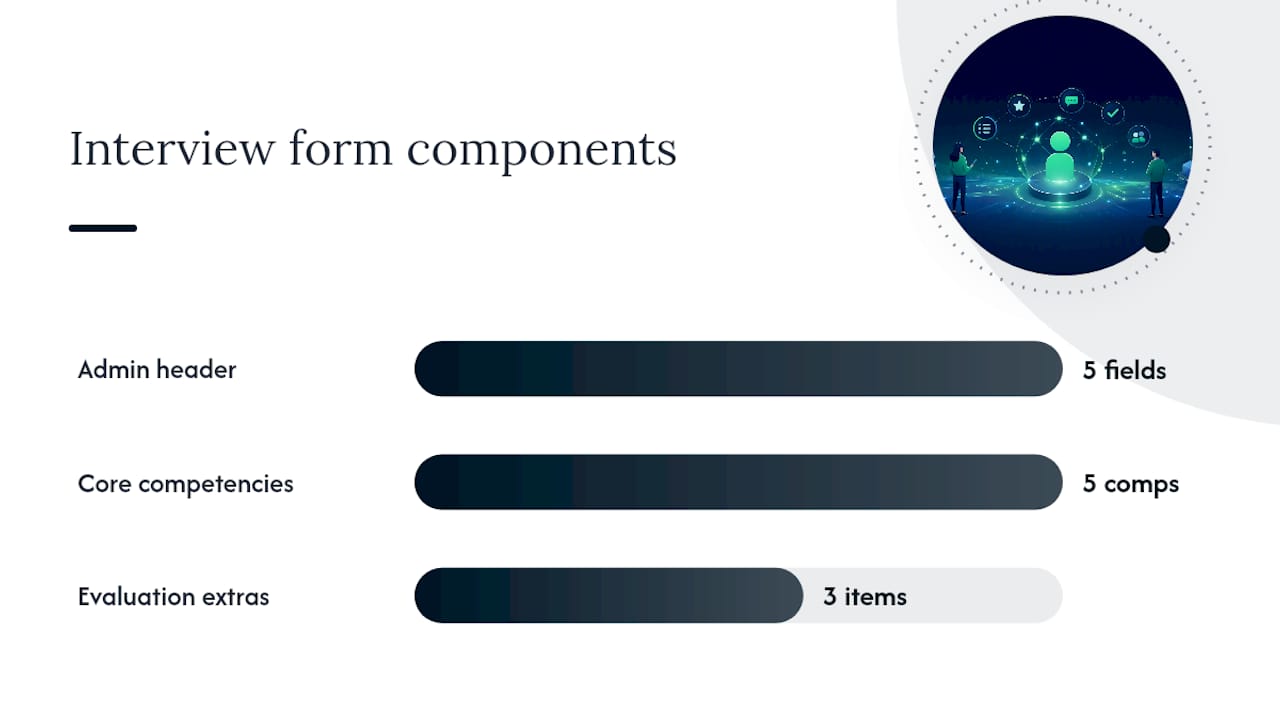
The header needs five fields every time: candidate name, role or requisition, interview stage (screen, panel, final), interview date, and interviewer name. This sounds obvious until you try to pull six weeks of feedback out of a shared drive and realize half the forms never noted which round they belonged to.
The evaluation body is where the real work happens. A solid job candidate evaluation includes:
4 to 6 core competencies tied directly to the role (communication, technical depth, problem-solving, culture fit, leadership potential, or whatever the job actually demands)
A rating field for each competency, paired with a required evidence field where the interviewer writes what the candidate actually said or did
A strengths summary in two or three sentences
A concerns summary, phrased around specific behavior, not personality
A suggested next step, whether that is advancing the candidate or closing the loop
The University of Maryland’s engineering interview evaluation form is a clean public example of this exact structure: competency ratings, brief comments, and a forced recommendation, nothing decorative, nothing optional.
How Do You Score and Force a Hiring Recommendation?
Pick a scale before you pick a form template, because the scale shapes everything downstream. A 1 to 5 numeric scale works well for calibration meetings since scores average cleanly across a panel. A categorical scale (Poor, Fair, Good, Great) reads faster on a page and suits managers reviewing feedback quickly rather than running statistical rollups, a pattern common in manager and supervisor evaluation templates that tally categorical ratings into an overall recommendation.
Whichever scale you choose, one rule matters more than the scale itself: a rating without evidence is just a feeling wearing a number. Experienced recruiters treat unsupported scores as noise, since a “4 out of 5” tells a hiring manager nothing about what actually happened in the room, according to Indeed’s guidance on interview evaluations.
Require a short evidence line for any score below the top rating, or for all non-neutral scores if your team wants stricter discipline
Aggregate competency scores into one of four outcomes: strong hire, hire, hold, no hire
Never leave “maybe” as a standing option on the form itself
Pro Tip: Cap evidence fields at 7 to 20 words. A one-word note (“Good”) is useless, and a three-paragraph essay slows down calibration meetings without adding clarity.
Copyable Templates for Screening, Panel, and Final Rounds
The right post-interview assessment depends on the stage. A 45-minute phone screen doesn’t need the same document as a four-person final-round panel, and forcing one template onto every stage is how forms end up half-completed.
Screening template (3 fields). Candidate name and role, a single “advance or reject” recommendation, and one evidence line explaining why. Use this immediately after recruiter screens, when the goal is filtering volume, not deep evaluation.
Panel or final-round template (4 to 6 competencies). Full header, competency ratings with evidence for each, a strengths and concerns summary, and a forced recommendation field. This is the workhorse candidate feedback survey for any interview that involves a real decision.
Role-specific add-ons. For technical roles, attach a coding or system-design prompt with its own pass/fail note. For creative or client-facing roles, add a portfolio or presentation checklist scored the same way as other competencies.
Printable or digital version. Keep the layout to one page for print, or build it as a form with dropdowns for ratings and a required text field for evidence, so nobody submits a score with the comment box left blank.
Copy the panel template first.
Timing, Calibration, and Reducing Bias in Feedback
An interview review questionnaire is only as good as the habits around it. Three habits separate forms that shape real decisions from forms that sit unread in a folder.
Complete the form within 30 to 60 minutes of the interview ending. Indeed’s research on evaluation timing notes that memory degrades fast, and interviewers who wait until end of day produce vaguer, less useful evidence than those who write immediately.
Run short calibration sessions where the panel scores 2 to 3 sample answers together before the hiring cycle starts, a practice that measurably improves agreement between interviewers
Write competency prompts around observable behavior (“describe a time you…”), not traits (“is this person a good communicator?”)
Require evidence for every rating, not just low ones, so interviewers can’t hide behind a number
Store completed forms centrally, and strip identifying details like name or photo when auditing for consistency across interviewers
Pro Tip: If two interviewers score the same candidate three points apart on the same competency, that’s not a candidate problem. That’s a calibration problem, and it means your next panel session needs sample-answer scoring before real interviews resume.
Customizing the Form by Role and Interview Stage
Build one core skeleton, then adapt it instead of designing a new employment feedback form for every job requisition. Start with three universal competencies that apply to nearly any role: communication, problem-solving, and role motivation. Add two or three role-specific competencies on top.
Sales roles: add objection handling and pipeline reasoning
Engineering roles: add code quality and system-design thinking
Management roles: add delegation and conflict-resolution examples
Use conditional logic so the form only displays stage-specific questions, a technical prompt at final round rather than at phone screen. Templates that follow this pattern, as Typeform’s interview evaluation template recommends, cap total competencies under eight to avoid evaluator fatigue, since interviewers rushing through a twelve-item form produce shallower evidence than one working through six.
Setting Up an Online Interview Feedback Form
You don’t need custom software to start. Google Forms or Jotform’s interview evaluation checklist both support conditional logic, letting you show a technical-prompt field only at final round and hide it at screening stage.
Build the panel template first in whichever form builder your team already uses, then clone and trim it for screening
Route submissions automatically to the hiring manager and set a completion deadline, ideally same-day
Map fields into your ATS-driven recruitment workflow so feedback attaches to the candidate record instead of living in a separate spreadsheet
Set a retention policy for feedback data, and strip personal identifiers when reporting on interviewer patterns rather than individual candidates
Mapping fields into an ATS also unlocks trend reporting on time-to-hire and quality-of-hire, and it creates an audit trail that matters if a hiring decision ever gets questioned internally or externally.
Where Automation Fits Into Structured Feedback
Manual forms still leak. Fields go blank, evidence gets skipped, and nobody notices until a hiring manager questions a “strong hire” with no supporting notes. Recruitment automation closes that gap by auto-populating administrative fields (candidate, role, stage, date) and blocking submission until evidence fields are filled.
Automation enforces the evidence-for-rating rule instead of relying on interviewer discipline
AI scoring flags inconsistent or missing evidence before a calibration meeting, saving reviewers from spotting gaps manually
A GDPR audit trail timestamps every submission, which matters when a hiring decision faces later scrutiny
What Adoption Actually Looks Like
Structured feedback shortens decision cycles and makes candidate comparisons genuinely fair, not just faster. Pilot one template with a single hiring panel this week: pick the panel version, run one calibration session, then review results after five candidates.
— Recruitify Team
Get Started With Recruitify’s Feedback Automation
Recruitify is the practical next step once your team outgrows spreadsheets and half-completed forms. Instead of chasing interviewers for missing evidence fields, Recruitify’s platform automatically populates administrative data, enforces required fields before submission, and layers AI scoring on top of human ratings to flag inconsistencies before they reach a calibration meeting. Every submission lands in a GDPR-compliant audit trail, so a hiring decision from six months ago is still fully traceable.

This setup suits recruitment agencies running high interview volume as much as internal HR teams trying to standardize panels across departments. The Recruitment Agencies plan runs $79 EUR per month per user, while the HR Team plan runs $69 EUR per month per user; Enterprise pricing is available on request. Check current plans and request a demo on the Recruitify pricing page to see how automated feedback fits your hiring workflow.
Sources
The University of Maryland form offers a public competency template. Jotform’s checklist shows conditional-logic setup for digital forms.
Interview Evaluation Form - University of Maryland A. James Clark School of Engineering
Manager/Supervisor Interview Evaluation Form Template - Fit Small Business
FAQ
How Do You Write Good Feedback for an Interview?
Write feedback tied to specific competencies, with one short line of evidence for each rating, rather than a general impression. State what the candidate said or did, then rate it. Skip adjectives like “great” or “weak” unless a concrete example backs them up.
What Is the 30-60-90 Rule in an Interview?
The 30-60 rule usually refers to a candidate’s onboarding plan (goals for their first 30 and 60 days on the job), not the feedback form itself. It’s a common prompt in final-round interviews to test how a candidate thinks about ramping up in a new role.
What Is a Good Template for a Candidate Feedback Form?
A good template includes candidate, role, and interview stage in the header, 4 to 6 competency ratings with required evidence, and a forced recommendation field (strong hire, hire, hold, no hire). The University of Maryland’s evaluation form is a solid public reference for this structure. Recruitify’s platform can auto-populate and enforce these fields directly inside an ATS workflow.
How Do I Politely Ask for Feedback After an Interview?
Send a short, direct email to your recruiter or hiring contact asking whether there’s an update on timeline and whether they can share feedback on your interview performance. Keep it to two or three sentences, and frame it as wanting to improve rather than demanding an explanation.
Recommended


News & Updates
Stay up-to-date with the latest innovations, features, and tips about Recruitify!
By providing your email address within the newsletter sign-up form, you confirm its processing to send marketing information regarding the Administrator’s products and services. The Administrator of your personal data processed for the abovementioned purposes is Recruitify Spółka z o.o., based in Warsaw, Poland (KRS 0000709889). For more information on the principles of personal data processing and the rights of data subjects, please check the Privacy Policy.

Last updated:
Copy These Interview Feedback Forms Recruiters Can Use in Their ATS
Applicant Tracking System
The Recruitify Team
An interview feedback form is a structured document interviewers complete after every candidate meeting to score job-relevant criteria and justify a hiring decision. The single best-practice approach combines fixed competencies, required evidence for each rating, and a forced recommendation—hire, hold, or no hire—so decisions become comparable across interviewers instead of resting on gut feeling. Any hiring team, from a two-person startup panel to an enterprise talent acquisition group, benefits from this structure.
Using a standardized feedback form with clear competencies and required evidence ensures consistent and justified hiring decisions across interviewers.
Short calibration sessions and immediate post-interview documentation improve evaluator agreement and reduce bias in candidate assessment.
Automating the feedback process with tools like Recruitify enforces evidence collection, streamlines workflows, and maintains an audit trail for compliance.
Customizing templates by interview stage and role-specific competencies prevents form fatigue and makes evaluation more relevant and thorough.
Implementing structured, evidence-based feedback shortens decision times and enhances fairness in comparing candidates.
RecruitifyBring Structured Feedback Into One SystemRecruitify connects recruitment workflows, candidate data, and compliance records in one operational ecosystem for modern IT recruitment teams.Explore Recruitify
Table of Contents
What Should an Interview Feedback Form Include?
How Do You Score and Force a Hiring Recommendation?
Copyable Templates for Screening, Panel, and Final Rounds
Timing, Calibration, and Reducing Bias in Feedback
Customizing the Form by Role and Interview Stage
Setting Up an Online Interview Feedback Form
Where Automation Fits Into Structured Feedback
What Adoption Actually Looks Like
Get Started With Recruitify’s Feedback Automation
Sources
FAQ
What Should an Interview Feedback Form Include?
A usable interview feedback template splits into two layers: the administrative header and the evaluation body. Skip either one and the form stops being useful for comparing candidates later.
The header needs five fields every time: candidate name, role or requisition, interview stage (screen, panel, final), interview date, and interviewer name. This sounds obvious until you try to pull six weeks of feedback out of a shared drive and realize half the forms never noted which round they belonged to.
The evaluation body is where the real work happens. A solid job candidate evaluation includes:
4 to 6 core competencies tied directly to the role (communication, technical depth, problem-solving, culture fit, leadership potential, or whatever the job actually demands)
A rating field for each competency, paired with a required evidence field where the interviewer writes what the candidate actually said or did
A strengths summary in two or three sentences
A concerns summary, phrased around specific behavior, not personality
A suggested next step, whether that is advancing the candidate or closing the loop
The University of Maryland’s engineering interview evaluation form is a clean public example of this exact structure: competency ratings, brief comments, and a forced recommendation, nothing decorative, nothing optional.
How Do You Score and Force a Hiring Recommendation?
Pick a scale before you pick a form template, because the scale shapes everything downstream. A 1 to 5 numeric scale works well for calibration meetings since scores average cleanly across a panel. A categorical scale (Poor, Fair, Good, Great) reads faster on a page and suits managers reviewing feedback quickly rather than running statistical rollups, a pattern common in manager and supervisor evaluation templates that tally categorical ratings into an overall recommendation.
Whichever scale you choose, one rule matters more than the scale itself: a rating without evidence is just a feeling wearing a number. Experienced recruiters treat unsupported scores as noise, since a “4 out of 5” tells a hiring manager nothing about what actually happened in the room, according to Indeed’s guidance on interview evaluations.
Require a short evidence line for any score below the top rating, or for all non-neutral scores if your team wants stricter discipline
Aggregate competency scores into one of four outcomes: strong hire, hire, hold, no hire
Never leave “maybe” as a standing option on the form itself
Pro Tip: Cap evidence fields at 7 to 20 words. A one-word note (“Good”) is useless, and a three-paragraph essay slows down calibration meetings without adding clarity.
Copyable Templates for Screening, Panel, and Final Rounds
The right post-interview assessment depends on the stage. A 45-minute phone screen doesn’t need the same document as a four-person final-round panel, and forcing one template onto every stage is how forms end up half-completed.
Screening template (3 fields). Candidate name and role, a single “advance or reject” recommendation, and one evidence line explaining why. Use this immediately after recruiter screens, when the goal is filtering volume, not deep evaluation.
Panel or final-round template (4 to 6 competencies). Full header, competency ratings with evidence for each, a strengths and concerns summary, and a forced recommendation field. This is the workhorse candidate feedback survey for any interview that involves a real decision.
Role-specific add-ons. For technical roles, attach a coding or system-design prompt with its own pass/fail note. For creative or client-facing roles, add a portfolio or presentation checklist scored the same way as other competencies.
Printable or digital version. Keep the layout to one page for print, or build it as a form with dropdowns for ratings and a required text field for evidence, so nobody submits a score with the comment box left blank.
Copy the panel template first.
Timing, Calibration, and Reducing Bias in Feedback
An interview review questionnaire is only as good as the habits around it. Three habits separate forms that shape real decisions from forms that sit unread in a folder.
Complete the form within 30 to 60 minutes of the interview ending. Indeed’s research on evaluation timing notes that memory degrades fast, and interviewers who wait until end of day produce vaguer, less useful evidence than those who write immediately.
Run short calibration sessions where the panel scores 2 to 3 sample answers together before the hiring cycle starts, a practice that measurably improves agreement between interviewers
Write competency prompts around observable behavior (“describe a time you…”), not traits (“is this person a good communicator?”)
Require evidence for every rating, not just low ones, so interviewers can’t hide behind a number
Store completed forms centrally, and strip identifying details like name or photo when auditing for consistency across interviewers
Pro Tip: If two interviewers score the same candidate three points apart on the same competency, that’s not a candidate problem. That’s a calibration problem, and it means your next panel session needs sample-answer scoring before real interviews resume.
Customizing the Form by Role and Interview Stage
Build one core skeleton, then adapt it instead of designing a new employment feedback form for every job requisition. Start with three universal competencies that apply to nearly any role: communication, problem-solving, and role motivation. Add two or three role-specific competencies on top.
Sales roles: add objection handling and pipeline reasoning
Engineering roles: add code quality and system-design thinking
Management roles: add delegation and conflict-resolution examples
Use conditional logic so the form only displays stage-specific questions, a technical prompt at final round rather than at phone screen. Templates that follow this pattern, as Typeform’s interview evaluation template recommends, cap total competencies under eight to avoid evaluator fatigue, since interviewers rushing through a twelve-item form produce shallower evidence than one working through six.
Setting Up an Online Interview Feedback Form
You don’t need custom software to start. Google Forms or Jotform’s interview evaluation checklist both support conditional logic, letting you show a technical-prompt field only at final round and hide it at screening stage.
Build the panel template first in whichever form builder your team already uses, then clone and trim it for screening
Route submissions automatically to the hiring manager and set a completion deadline, ideally same-day
Map fields into your ATS-driven recruitment workflow so feedback attaches to the candidate record instead of living in a separate spreadsheet
Set a retention policy for feedback data, and strip personal identifiers when reporting on interviewer patterns rather than individual candidates
Mapping fields into an ATS also unlocks trend reporting on time-to-hire and quality-of-hire, and it creates an audit trail that matters if a hiring decision ever gets questioned internally or externally.
Where Automation Fits Into Structured Feedback
Manual forms still leak. Fields go blank, evidence gets skipped, and nobody notices until a hiring manager questions a “strong hire” with no supporting notes. Recruitment automation closes that gap by auto-populating administrative fields (candidate, role, stage, date) and blocking submission until evidence fields are filled.
Automation enforces the evidence-for-rating rule instead of relying on interviewer discipline
AI scoring flags inconsistent or missing evidence before a calibration meeting, saving reviewers from spotting gaps manually
A GDPR audit trail timestamps every submission, which matters when a hiring decision faces later scrutiny
What Adoption Actually Looks Like
Structured feedback shortens decision cycles and makes candidate comparisons genuinely fair, not just faster. Pilot one template with a single hiring panel this week: pick the panel version, run one calibration session, then review results after five candidates.
— Recruitify Team
Get Started With Recruitify’s Feedback Automation
Recruitify is the practical next step once your team outgrows spreadsheets and half-completed forms. Instead of chasing interviewers for missing evidence fields, Recruitify’s platform automatically populates administrative data, enforces required fields before submission, and layers AI scoring on top of human ratings to flag inconsistencies before they reach a calibration meeting. Every submission lands in a GDPR-compliant audit trail, so a hiring decision from six months ago is still fully traceable.
This setup suits recruitment agencies running high interview volume as much as internal HR teams trying to standardize panels across departments. The Recruitment Agencies plan runs $79 EUR per month per user, while the HR Team plan runs $69 EUR per month per user; Enterprise pricing is available on request. Check current plans and request a demo on the Recruitify pricing page to see how automated feedback fits your hiring workflow.
Sources
The University of Maryland form offers a public competency template. Jotform’s checklist shows conditional-logic setup for digital forms.
Interview Evaluation Form - University of Maryland A. James Clark School of Engineering
Manager/Supervisor Interview Evaluation Form Template - Fit Small Business
FAQ
How Do You Write Good Feedback for an Interview?
Write feedback tied to specific competencies, with one short line of evidence for each rating, rather than a general impression. State what the candidate said or did, then rate it. Skip adjectives like “great” or “weak” unless a concrete example backs them up.
What Is the 30-60-90 Rule in an Interview?
The 30-60 rule usually refers to a candidate’s onboarding plan (goals for their first 30 and 60 days on the job), not the feedback form itself. It’s a common prompt in final-round interviews to test how a candidate thinks about ramping up in a new role.
What Is a Good Template for a Candidate Feedback Form?
A good template includes candidate, role, and interview stage in the header, 4 to 6 competency ratings with required evidence, and a forced recommendation field (strong hire, hire, hold, no hire). The University of Maryland’s evaluation form is a solid public reference for this structure. Recruitify’s platform can auto-populate and enforce these fields directly inside an ATS workflow.
How Do I Politely Ask for Feedback After an Interview?
Send a short, direct email to your recruiter or hiring contact asking whether there’s an update on timeline and whether they can share feedback on your interview performance. Keep it to two or three sentences, and frame it as wanting to improve rather than demanding an explanation.
Recommended
News & Updates
Stay up-to-date with the latest innovations, features, and tips about Recruitify!
By providing your email address within the newsletter sign-up form, you confirm its processing to send marketing information regarding the Administrator’s products and services. The Administrator of your personal data processed for the abovementioned purposes is Recruitify Spółka z o.o., based in Warsaw, Poland (KRS 0000709889). For more information on the principles of personal data processing and the rights of data subjects, please check the Privacy Policy.
Last updated:
Copy These Interview Feedback Forms Recruiters Can Use in Their ATS
Applicant Tracking System
The Recruitify Team
An interview feedback form is a structured document interviewers complete after every candidate meeting to score job-relevant criteria and justify a hiring decision. The single best-practice approach combines fixed competencies, required evidence for each rating, and a forced recommendation—hire, hold, or no hire—so decisions become comparable across interviewers instead of resting on gut feeling. Any hiring team, from a two-person startup panel to an enterprise talent acquisition group, benefits from this structure.
Using a standardized feedback form with clear competencies and required evidence ensures consistent and justified hiring decisions across interviewers.
Short calibration sessions and immediate post-interview documentation improve evaluator agreement and reduce bias in candidate assessment.
Automating the feedback process with tools like Recruitify enforces evidence collection, streamlines workflows, and maintains an audit trail for compliance.
Customizing templates by interview stage and role-specific competencies prevents form fatigue and makes evaluation more relevant and thorough.
Implementing structured, evidence-based feedback shortens decision times and enhances fairness in comparing candidates.
RecruitifyBring Structured Feedback Into One SystemRecruitify connects recruitment workflows, candidate data, and compliance records in one operational ecosystem for modern IT recruitment teams.Explore Recruitify
Table of Contents
What Should an Interview Feedback Form Include?
How Do You Score and Force a Hiring Recommendation?
Copyable Templates for Screening, Panel, and Final Rounds
Timing, Calibration, and Reducing Bias in Feedback
Customizing the Form by Role and Interview Stage
Setting Up an Online Interview Feedback Form
Where Automation Fits Into Structured Feedback
What Adoption Actually Looks Like
Get Started With Recruitify’s Feedback Automation
Sources
FAQ
What Should an Interview Feedback Form Include?
A usable interview feedback template splits into two layers: the administrative header and the evaluation body. Skip either one and the form stops being useful for comparing candidates later.
The header needs five fields every time: candidate name, role or requisition, interview stage (screen, panel, final), interview date, and interviewer name. This sounds obvious until you try to pull six weeks of feedback out of a shared drive and realize half the forms never noted which round they belonged to.
The evaluation body is where the real work happens. A solid job candidate evaluation includes:
4 to 6 core competencies tied directly to the role (communication, technical depth, problem-solving, culture fit, leadership potential, or whatever the job actually demands)
A rating field for each competency, paired with a required evidence field where the interviewer writes what the candidate actually said or did
A strengths summary in two or three sentences
A concerns summary, phrased around specific behavior, not personality
A suggested next step, whether that is advancing the candidate or closing the loop
The University of Maryland’s engineering interview evaluation form is a clean public example of this exact structure: competency ratings, brief comments, and a forced recommendation, nothing decorative, nothing optional.
How Do You Score and Force a Hiring Recommendation?
Pick a scale before you pick a form template, because the scale shapes everything downstream. A 1 to 5 numeric scale works well for calibration meetings since scores average cleanly across a panel. A categorical scale (Poor, Fair, Good, Great) reads faster on a page and suits managers reviewing feedback quickly rather than running statistical rollups, a pattern common in manager and supervisor evaluation templates that tally categorical ratings into an overall recommendation.
Whichever scale you choose, one rule matters more than the scale itself: a rating without evidence is just a feeling wearing a number. Experienced recruiters treat unsupported scores as noise, since a “4 out of 5” tells a hiring manager nothing about what actually happened in the room, according to Indeed’s guidance on interview evaluations.
Require a short evidence line for any score below the top rating, or for all non-neutral scores if your team wants stricter discipline
Aggregate competency scores into one of four outcomes: strong hire, hire, hold, no hire
Never leave “maybe” as a standing option on the form itself
Pro Tip: Cap evidence fields at 7 to 20 words. A one-word note (“Good”) is useless, and a three-paragraph essay slows down calibration meetings without adding clarity.
Copyable Templates for Screening, Panel, and Final Rounds
The right post-interview assessment depends on the stage. A 45-minute phone screen doesn’t need the same document as a four-person final-round panel, and forcing one template onto every stage is how forms end up half-completed.
Screening template (3 fields). Candidate name and role, a single “advance or reject” recommendation, and one evidence line explaining why. Use this immediately after recruiter screens, when the goal is filtering volume, not deep evaluation.
Panel or final-round template (4 to 6 competencies). Full header, competency ratings with evidence for each, a strengths and concerns summary, and a forced recommendation field. This is the workhorse candidate feedback survey for any interview that involves a real decision.
Role-specific add-ons. For technical roles, attach a coding or system-design prompt with its own pass/fail note. For creative or client-facing roles, add a portfolio or presentation checklist scored the same way as other competencies.
Printable or digital version. Keep the layout to one page for print, or build it as a form with dropdowns for ratings and a required text field for evidence, so nobody submits a score with the comment box left blank.
Copy the panel template first.
Timing, Calibration, and Reducing Bias in Feedback
An interview review questionnaire is only as good as the habits around it. Three habits separate forms that shape real decisions from forms that sit unread in a folder.
Complete the form within 30 to 60 minutes of the interview ending. Indeed’s research on evaluation timing notes that memory degrades fast, and interviewers who wait until end of day produce vaguer, less useful evidence than those who write immediately.
Run short calibration sessions where the panel scores 2 to 3 sample answers together before the hiring cycle starts, a practice that measurably improves agreement between interviewers
Write competency prompts around observable behavior (“describe a time you…”), not traits (“is this person a good communicator?”)
Require evidence for every rating, not just low ones, so interviewers can’t hide behind a number
Store completed forms centrally, and strip identifying details like name or photo when auditing for consistency across interviewers
Pro Tip: If two interviewers score the same candidate three points apart on the same competency, that’s not a candidate problem. That’s a calibration problem, and it means your next panel session needs sample-answer scoring before real interviews resume.
Customizing the Form by Role and Interview Stage
Build one core skeleton, then adapt it instead of designing a new employment feedback form for every job requisition. Start with three universal competencies that apply to nearly any role: communication, problem-solving, and role motivation. Add two or three role-specific competencies on top.
Sales roles: add objection handling and pipeline reasoning
Engineering roles: add code quality and system-design thinking
Management roles: add delegation and conflict-resolution examples
Use conditional logic so the form only displays stage-specific questions, a technical prompt at final round rather than at phone screen. Templates that follow this pattern, as Typeform’s interview evaluation template recommends, cap total competencies under eight to avoid evaluator fatigue, since interviewers rushing through a twelve-item form produce shallower evidence than one working through six.
Setting Up an Online Interview Feedback Form
You don’t need custom software to start. Google Forms or Jotform’s interview evaluation checklist both support conditional logic, letting you show a technical-prompt field only at final round and hide it at screening stage.
Build the panel template first in whichever form builder your team already uses, then clone and trim it for screening
Route submissions automatically to the hiring manager and set a completion deadline, ideally same-day
Map fields into your ATS-driven recruitment workflow so feedback attaches to the candidate record instead of living in a separate spreadsheet
Set a retention policy for feedback data, and strip personal identifiers when reporting on interviewer patterns rather than individual candidates
Mapping fields into an ATS also unlocks trend reporting on time-to-hire and quality-of-hire, and it creates an audit trail that matters if a hiring decision ever gets questioned internally or externally.
Where Automation Fits Into Structured Feedback
Manual forms still leak. Fields go blank, evidence gets skipped, and nobody notices until a hiring manager questions a “strong hire” with no supporting notes. Recruitment automation closes that gap by auto-populating administrative fields (candidate, role, stage, date) and blocking submission until evidence fields are filled.
Automation enforces the evidence-for-rating rule instead of relying on interviewer discipline
AI scoring flags inconsistent or missing evidence before a calibration meeting, saving reviewers from spotting gaps manually
A GDPR audit trail timestamps every submission, which matters when a hiring decision faces later scrutiny
What Adoption Actually Looks Like
Structured feedback shortens decision cycles and makes candidate comparisons genuinely fair, not just faster. Pilot one template with a single hiring panel this week: pick the panel version, run one calibration session, then review results after five candidates.
— Recruitify Team
Get Started With Recruitify’s Feedback Automation
Recruitify is the practical next step once your team outgrows spreadsheets and half-completed forms. Instead of chasing interviewers for missing evidence fields, Recruitify’s platform automatically populates administrative data, enforces required fields before submission, and layers AI scoring on top of human ratings to flag inconsistencies before they reach a calibration meeting. Every submission lands in a GDPR-compliant audit trail, so a hiring decision from six months ago is still fully traceable.
This setup suits recruitment agencies running high interview volume as much as internal HR teams trying to standardize panels across departments. The Recruitment Agencies plan runs $79 EUR per month per user, while the HR Team plan runs $69 EUR per month per user; Enterprise pricing is available on request. Check current plans and request a demo on the Recruitify pricing page to see how automated feedback fits your hiring workflow.
Sources
The University of Maryland form offers a public competency template. Jotform’s checklist shows conditional-logic setup for digital forms.
Interview Evaluation Form - University of Maryland A. James Clark School of Engineering
Manager/Supervisor Interview Evaluation Form Template - Fit Small Business
FAQ
How Do You Write Good Feedback for an Interview?
Write feedback tied to specific competencies, with one short line of evidence for each rating, rather than a general impression. State what the candidate said or did, then rate it. Skip adjectives like “great” or “weak” unless a concrete example backs them up.
What Is the 30-60-90 Rule in an Interview?
The 30-60 rule usually refers to a candidate’s onboarding plan (goals for their first 30 and 60 days on the job), not the feedback form itself. It’s a common prompt in final-round interviews to test how a candidate thinks about ramping up in a new role.
What Is a Good Template for a Candidate Feedback Form?
A good template includes candidate, role, and interview stage in the header, 4 to 6 competency ratings with required evidence, and a forced recommendation field (strong hire, hire, hold, no hire). The University of Maryland’s evaluation form is a solid public reference for this structure. Recruitify’s platform can auto-populate and enforce these fields directly inside an ATS workflow.
How Do I Politely Ask for Feedback After an Interview?
Send a short, direct email to your recruiter or hiring contact asking whether there’s an update on timeline and whether they can share feedback on your interview performance. Keep it to two or three sentences, and frame it as wanting to improve rather than demanding an explanation.
Recommended
News & Updates
Stay up-to-date with the latest innovations, features, and tips about Recruitify!
By providing your email address within the newsletter sign-up form, you confirm its processing to send marketing information regarding the Administrator’s products and services. The Administrator of your personal data processed for the abovementioned purposes is Recruitify Spółka z o.o., based in Warsaw, Poland (KRS 0000709889). For more information on the principles of personal data processing and the rights of data subjects, please check the Privacy Policy.

Discover More

HR Analytics
3 Guardrails for Recruiters Using Automated Rejection Emails
Stop ghosting and protect your employer brand with stage-based templates, research-backed timing SLAs, and a rollout plan recruiters can implement fast.
20 Sept 2026
Discover More

Recruitment Process
Recruiters: Job Posting Automation, Safe Pilot and No Duplicate Posts
Guide for recruiters and agencies to implement job posting automation, get 60–90 day payback, prevent duplicate posts, and run a safe pilot.
19 Sept 2026
Discover More

Recruitment Process
Win Renewals With 7–10 KPIs: Client Reporting for Agencies
Automate client reporting for agencies around a focused 7 to 10 KPI set, white labeled dashboards, and a vendor agnostic checklist that proves ROI and...
18 Sept 2026
Discover More
HR Analytics
3 Guardrails for Recruiters Using Automated Rejection Emails
Stop ghosting and protect your employer brand with stage-based templates, research-backed timing SLAs, and a rollout plan recruiters can implement fast.
20 Sept 2026
Discover More
Recruitment Process
Recruiters: Job Posting Automation, Safe Pilot and No Duplicate Posts
Guide for recruiters and agencies to implement job posting automation, get 60–90 day payback, prevent duplicate posts, and run a safe pilot.
19 Sept 2026
Discover More

