
Last updated:
Cut Apply Time to 90 Seconds: Mobile Recruiting Strategy for TA Teams

Recruitment Process

The Recruitify Team
A mobile recruiting strategy means designing the entire candidate journey, from job discovery through offer signing, around a phone screen rather than retrofitting a desktop process to fit one. The single highest-impact move you can make right now is cutting application friction: get the apply flow under 90 seconds, down to eight fields or fewer, with no mandatory account creation. Everything else in this guide, from SMS communication to async screening, builds on that one fix.
Shortening application forms to under eight fields and removing mandatory login steps can increase mobile application completion rates by 10 to 20 percentage points.
Using SMS for interview confirmations, reminders, and status updates results in faster candidate responses compared to email, improving engagement.
Implementing async video or audio screening lifts screening completion rates to 75-90 percent by eliminating scheduling conflicts and time zone issues.
Tracking candidate funnel metrics separately for mobile and desktop devices helps identify specific bottlenecks, such as screening or interview stages, for targeted improvements.
Designing fully mobile-compatible workflows, including e-signatures and clear on-screen content, prevents drop-offs at the final stages of the hiring process.
RecruitifyStreamline Your Recruiting WorkflowRecruitify brings ATS, Sales CRM, and IT contracting together, helping recruitment teams reduce administrative work and manage the full process in one system.Explore Recruitify
Table of Contents
What Mobile-First Recruiting Means and Why It Matters
Core Mobile Recruiting Strategies You Can Implement Now
Building Mobile Accessibility Into the Funnel
Measuring the Funnel That Actually Predicts Hires
A Sprint-Ready Mobile Recruiting Roadmap
How Recruitify Maps to a Mobile-First Strategy
Connecting Mobile Recruiting to Your ATS and CRM
Handling Data Security and Privacy on Mobile Devices
Personalizing the Mobile Candidate Experience
Recruiting Effectively in Low-Connectivity Environments
Using Mobile Analytics to Keep Improving
Where Mobile Recruiting Technology Is Headed
Recruitify Team Perspective: What Most Teams Get Wrong
Pilot Recruitify for Your Mobile Hiring Funnel
Sources
FAQ
What Mobile-First Recruiting Means and Why It Matters
Mobile-friendly and mobile-first are distinct strategies. Mobile-friendly means the career site adjusts for a phone screen, while mobile-first means designing the entire application, screening, and communication process specifically for mobile device use.
Smartphone adoption keeps climbing worldwide, and Statista’s tracking of global smartphone users shows why treating mobile as a secondary channel no longer holds up. Most jobseekers browse listings on a commute, during a break, or between shifts. They are not sitting at a desktop with a saved resume file ready to upload.
Mobile application completion rates are significantly lower than desktop rates, largely due to long forms and mandatory login steps, according to research on mobile recruiting behavior. That gap shows up hardest in hourly and frontline roles, where candidates apply almost exclusively from a phone, versus salaried knowledge-work roles where desktop applications still hold share. If your channel mix and screening cadence assume desktop behavior across the board, you are misreading a large share of your applicant pool.
Core Mobile Recruiting Strategies You Can Implement Now
This is the tactical core of any mobile recruiting strategy. Five techniques, each with concrete implementation notes, cover the candidate journey from job post to signed offer.
Rebuild career pages and job posts for mobile scanning. Job titles should read clearly in a notification-sized text block. Lead with salary range, location, and schedule in the first two lines, then use short bullets instead of paragraphs. A candidate scrolling a job board on a five-inch screen decides in seconds whether to tap further.
Cut the application to one-tap or short-form. Eight fields or fewer, optional resume upload instead of mandatory, and autofill pulled from a LinkedIn or Indeed profile where the candidate already granted access. Removing the mandatory login step alone recovers candidates who would otherwise abandon at account creation. Mobile-first design changes like these, fewer fields, optional uploads, no forced login, frequently produce 10 to 20 percentage point gains in completion rates per change, which is a large enough swing that most teams see it within the first testing cycle.
Move confirmations, scheduling, and nudges to SMS and messaging apps. Email gets buried; texts get read within minutes. SHRM’s tracking of HR technology adoption documents rapid growth in text-based recruiting communication, driven by how much faster candidates respond to a text than an email thread. Use SMS for interview confirmations, reminders the morning of an interview, and status nudges when a candidate has gone quiet.
Replace scheduled phone screens with async video, audio, or text responses. Candidates record short answers on their own time instead of coordinating a live call across time zones and shift schedules. Hirevire’s analysis of mobile-first hiring found async screening can lift completion rates for the screening stage to the 75 to 90 percent range in pilot programs, largely because it eliminates the back-and-forth of finding a mutual time slot.
Make interview, offer, and onboarding flows work end to end on a phone. That means mobile e-signature for offer letters, PDF onboarding packets that render cleanly on a small screen, and interview scheduling links that open a calendar without forcing a desktop redirect. A candidate who applied on a phone and screened on a phone should never hit a wall at the finish line because the offer letter only opens correctly on a laptop.
Pro Tip: Keep each async screening response capped at 90 seconds and skip any app download requirement. Longer prompts and app friction quietly kill completion rates even when the format itself is working.
Building Mobile Accessibility Into the Funnel
Accessibility is not a separate compliance checkbox bolted onto your mobile recruiting strategy. It is part of the same design work, and it expands your applicant pool rather than shrinking your options.
The W3C’s WCAG 2.2 mobile guidance lays out specific practices tuned for small screens and touch interaction, not just desktop screen readers. Following it tends to improve completion rates for every candidate, not just those using assistive technology, because the same fixes that help a screen-reader user also help someone applying one-handed on a crowded train.
Run these checks on your live apply flow:
Add captions to every screening or job-preview video; many candidates watch with sound off in public spaces.
Make tap targets large enough for a thumb, not a stylus. Buttons under 44 pixels square cause frequent mis-taps on smaller phones.
Offer an alternative to video-only submission, such as a written or audio response, for candidates who cannot or prefer not to record video.
Test the full apply flow with a screen reader like VoiceOver or TalkBack at least once per quarter.
Write instructions in plain, direct language rather than dense legal or HR phrasing.
Measuring the Funnel That Actually Predicts Hires
Mobile applicant tracking only tells you something useful if you split every stage of your funnel by device. Track visits, application starts, completes, screens, interviews, and hires separately for mobile versus desktop traffic, then compare the drop-off points side by side.
Cost-per-click looks attractive on some channels while quietly delivering poor hire quality further down the funnel. The Appcast 2026 Recruitment Marketing Benchmark Report found apply rates rose in 2025 even as cost-per-application and cost-per-hire both climbed, which means the channels driving volume are not automatically the channels driving efficient hires. That is the argument for tracking disposition data, not just top-of-funnel clicks.
A few practical rules for structuring this reporting:
Tag every candidate record with device type at the moment of application, not after the fact.
Track disposition timestamps at each stage so you can calculate device-specific conversion rates rather than a single blended number.
Run one change at a time (shorten the form, then remove login, then add SMS confirmation) so you know which fix actually moved the number.
Compare quality-of-hire signals, like offer-accept rate and 90-day retention, against the channel and device that sourced the candidate, not just the volume that channel produced.
A Sprint-Ready Mobile Recruiting Roadmap
You do not need a quarter-long project to see movement. Three sprints, run in sequence, cover the full rebuild.
Sprint 0, audit. Test your live apply flow on three representative phones across two network conditions, including a slow connection. Record every point where a tester hesitates, backs out, or gets stuck. This single exercise usually surfaces the two or three fixes worth prioritizing.
Sprint 1, quick wins. Shorten the application, remove mandatory login, and turn on SMS confirmations for interviews. These are configuration changes on most platforms, not engineering projects.
Sprint 2, pilot and instrument. Roll out async screening for one role family and enable mobile offer signing. Add device-level disposition tracking so you can measure the pilot against a control group.
Assign one owner per sprint, define a success threshold before you start (for example, a 10-point completion lift), and agree on a rollback plan if a change hurts conversion instead of helping it.
Pro Tip: Run Sprint 0 before touching anything else. Teams that skip the audit and jump straight to redesign often fix a problem that was not actually costing them candidates.
How Recruitify Maps to a Mobile-First Strategy
This platform was purpose-built to eliminate technological bottlenecks that keep recruitment agencies and IT-focused talent teams from scaling placements without scaling headcount. Several of its modules line up directly with the tactics above.
AI CV Parser with OCR builds a structured candidate profile from a PDF, photo, or scan in about three seconds, which supports the short-form, low-friction apply flow candidates expect on a phone.
Contextual Matching AI & Scoring goes beyond keyword search to evaluate applications against project requirements and return a ready shortlist with a match score, which is what keeps down-funnel quality high even as async screening volume grows.
The GDPR consent management module provides a full audit trail and digital proof for every record, which matters when you are collecting candidate data through mobile channels at higher volume.
Mobile access to the platform lets recruiters review shortlists, respond to candidates, and move records through the pipeline without waiting for desktop access.
A reasonable pilot scope: pick one high-volume role family, run it through Recruitify for three months, and track application completion rate, screen-to-interview ratio, and time-to-shortlist as your core KPIs.
Connecting Mobile Recruiting to Your ATS and CRM
A mobile-optimized apply form is only half the job if the data behind it still lands in a disconnected system. Mobile applicant tracking needs to write directly into the same ATS record that your recruiters already work from, not into a separate mobile-only queue that someone has to manually reconcile later.
The integration problem shows up in three common places. First, candidate data captured on mobile (device type, application timestamp, screening responses recorded on a phone) needs to flow into the same profile a recruiter sees on desktop, with no duplicate records created by the different entry points. Second, SMS and messaging threads need to log against the candidate’s ATS record automatically, so a recruiter picking up a conversation midstream has the full history rather than starting from a blank slate. Third, sales and recruiting pipelines often live in separate tools entirely, which means a contract detail or client requirement captured in a CRM never reaches the recruiter working the mobile screening step for that same role.
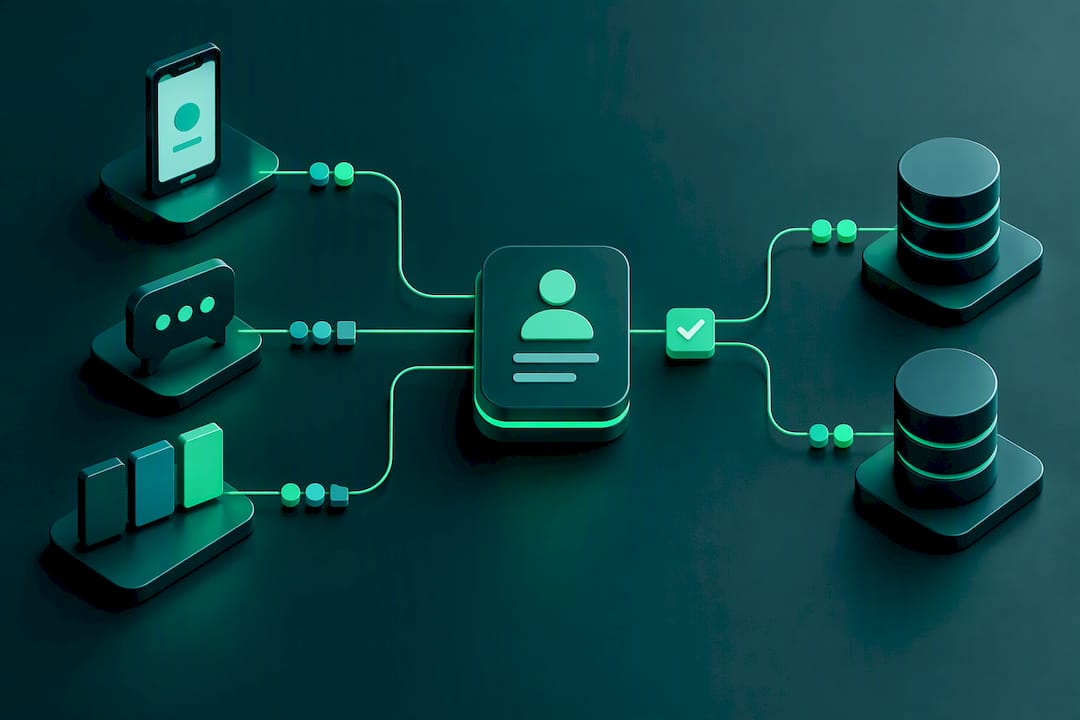
Platforms that combine ATS and CRM functionality with project-based recruitment workflows close that gap by keeping the sales pipeline and the candidate pipeline in the same operational view instead of two disconnected spreadsheets. That matters more for mobile specifically because mobile interactions tend to be shorter and more frequent, a text reply here, a screening video there, and each one needs to land in the right record automatically or your team spends its time reconciling instead of recruiting.
Handling Data Security and Privacy on Mobile Devices
Mobile recruiting collects sensitive candidate data through channels that desktop recruiting never touched: SMS threads, recorded video screenings, and document uploads from personal phones with unknown security postures. That expands your attack surface in ways worth planning for deliberately.
A few specific risks deserve attention. Candidates often apply and complete screening steps on public Wi-Fi, which means the encryption on your apply form and screening portal has to hold up on networks you do not control. Recorded video and audio screenings contain biometric-adjacent data (a candidate’s voice, face, and speech patterns), which some jurisdictions regulate more strictly than a resume PDF. And SMS messages, unlike email, are rarely encrypted end to end by default, so confirmation texts and scheduling nudges should avoid including sensitive personal details beyond what is strictly necessary for the logistics at hand.
Build consent into the flow itself rather than treating it as a one-time checkbox at the bottom of a long form. A candidate recording a video screening should see, in plain language, what happens to that recording, how long it is retained, and who reviews it. A system with a GDPR-style consent management module that logs a digital audit trail for every record gives your team a defensible answer when a candidate asks what happened to their data, and it gives compliance teams the paper trail regulators expect. Anonymizing sensitive fields while retaining the metadata needed for reporting is a reasonable middle ground between candidate privacy and the analytics your team needs to run.

Personalizing the Mobile Candidate Experience
Personalization on mobile has to work within tighter constraints than a desktop email campaign. A phone screen shows less text at once, and candidates are more likely to abandon anything that feels like a generic mass blast.
Start with role-relevant content over generic branding. A candidate who taps into a job post for a specific opening should see details about that role and team, not a general company overview they have to scroll past to find what they actually came for. Segment your SMS and messaging cadence by where the candidate sits in the funnel: a first-touch text after application looks different from a nudge to a candidate who started an application and abandoned it halfway through, and both look different from a scheduling confirmation once an interview is set.
Use the data you already have rather than asking candidates to repeat themselves. If a candidate applied through a LinkedIn autofill, referencing their current role or a skill from their profile in a follow-up message reads as attentive rather than generic. Timing matters as much as content: a message that lands at 7 a.m. on a Saturday reads very differently from the same message at 6 p.m. on a Tuesday.
Contextual matching tools that score candidates against specific project requirements also support personalization on the recruiter side, since a recruiter working from a match score and a structured profile summary can reference specifics quickly instead of sending a form message. The goal is not more automation for its own sake. It is fewer generic touches and more messages that feel like they came from someone who actually read the application.
Recruiting Effectively in Low-Connectivity Environments
Not every candidate applies from a strong LTE or Wi-Fi connection, and a mobile recruiting strategy built and tested only in an office with fast Wi-Fi will fail candidates in rural areas, on job sites, or in regions with inconsistent mobile coverage.
The most common failure point is a heavy career page or apply form that times out or fails to load fully on a slow connection, which candidates experience as the application simply not working rather than as a slow load. Video-heavy job postings and video-only async screening compound the problem, since video files consume far more bandwidth than text or a compressed audio clip.
A few practical adjustments address this directly. Build your apply form to work with minimal image and script weight, so it loads fully even on a throttled connection. Offer audio or text response options alongside video for async screening, since a 60-second audio clip uploads far faster than the equivalent video and still lets a candidate answer in their own words. Design forms to autosave progress locally so a dropped connection mid-application does not force a candidate to start over, which is one of the fastest ways to lose someone who was genuinely trying to apply. And where possible, allow an application to be started on mobile and finished later on any device, since a candidate who loses signal partway through should not lose their progress entirely.
Running your Sprint 0 audit under a deliberately throttled network connection, not just on strong office Wi-Fi, is the fastest way to catch these failures before candidates do.
Using Mobile Analytics to Keep Improving
A mobile recruiting strategy is never a one-time build. The device-split funnel data described earlier in this guide becomes the input for a continuous improvement cycle, not just a quarterly report that sits in a slide deck.
Set a recurring review, monthly is reasonable for most teams, where you compare device-specific completion rates and disposition metrics against the previous period. Look specifically for regressions: a completion rate that quietly dropped after a career page redesign, or a screening stage that suddenly takes longer to convert after a form change nobody flagged as risky. Catching these early is far cheaper than discovering three months later that a well-intentioned update quietly cost you candidates.
Use the same data to prioritize what to test next. If mobile completion is strong but mobile-to-interview conversion lags desktop, the problem likely sits in your screening step rather than your application form, which points you toward async screening changes rather than more form-shortening work that would not address the real bottleneck. If a specific job family shows unusually high mobile abandonment, audit that job post specifically rather than assuming the fix that worked for one role family applies everywhere.
Treat every sprint from the roadmap earlier in this guide as a hypothesis with a measurable outcome, not a one-off project. The teams that keep improving are the ones that never stop instrumenting the funnel, because candidate behavior and device usage both keep shifting, and a strategy tuned for last year’s phones and networks quietly drifts out of date.
Where Mobile Recruiting Technology Is Headed
A few trends are already reshaping what a mobile recruiting strategy looks like beyond the tactics covered so far in this guide.
AI-assisted screening and scoring are moving from a nice-to-have into a baseline expectation, particularly as async video and audio screening volume grows faster than reviewer headcount can scale. Tools that transcribe and score responses automatically let a recruiter review a screening summary in seconds rather than watching every video end to end, which becomes necessary once async screening adoption climbs past a handful of roles.
Conversational interfaces, chat-based application assistants and SMS-driven Q&A bots that answer candidate questions in real time, are extending past confirmations and reminders into full pre-screening conversations. Expect the line between “messaging as communication channel” and “messaging as screening tool” to blur further over the next few years.
Voice and audio are also gaining ground as an alternative to video, partly for accessibility reasons and partly because audio files are lighter, faster to upload on weak connections, and less intimidating for candidates uncomfortable being on camera. And as disposition-based measurement becomes more standard practice, expect more platforms to build device-level funnel tracking as a default feature rather than something teams have to instrument manually.
None of these trends replace the fundamentals in this guide. They extend them. A shorter form, no forced login, and async screening still form the foundation everything else builds on.
Recruitify Team Perspective: What Most Teams Get Wrong
Most teams treat a responsive career site as their mobile strategy and stop there. Responsive design is table stakes, not a strategy. The actual leverage sits in the flow: form length, login requirements, and screening format.
Measure completion rates split by device before you redesign anything, and fix the single biggest drop-off point first rather than rebuilding everything at once. Early wins, a shorter form, a removed login step, fund the credibility to pursue larger automation investments later. Sequence matters more than ambition here.
- Recruitify Team
Pilot Recruitify for Your Mobile Hiring Funnel
Recruitify consolidates the pieces this guide recommends measuring separately, ATS, CRM, and contracting workflows, into one system, so a mobile applicant’s data flows straight from parsing to scoring to shortlist without a recruiter reconciling three disconnected tools. For agencies specifically, that means less time spent on administrative handoffs and more time acting on the disposition data that actually predicts hires.

A reasonable way to test this: pick one high-volume role, run applications through Recruitify’s AI Scoring and CV parsing for 90 days, and track completion rate, screen-to-interview ratio, and time-to-shortlist against your current baseline. The Recruitment Agencies plan runs 79 EUR per month per user, and the HR Team plan runs 69 EUR per month per user, both billed monthly, with Enterprise pricing available on request. If your team is buried in manual CV screening and disconnected spreadsheets, request a demo and see how the automation module fits into the sprint plan you just read.
Sources
FAQ
What Is a Mobile-First Recruiting Strategy?
It means redesigning the entire hiring flow, application, screening, communication, and offer signing, around a phone as the primary device rather than adapting a desktop process afterward. The priority is removing friction: short forms, no mandatory login, and async screening options.
What Are the 5 C’s of Recruitment?
Definitions vary across sources, but a common version covers Candidate experience, Communication, Consistency, Compliance, and Cost-efficiency. Mobile recruiting touches all five directly, since a slow or confusing mobile apply flow damages candidate experience and consistency at the same time.
What Is the 80/20 Rule in Recruiting?
It generally refers to the idea that a small share of your sourcing channels or process fixes drive most of your hiring results. In mobile recruiting, that often plays out as a handful of changes, shorter forms, removed login steps, SMS confirmations, accounting for most of the completion-rate gains a team sees.
How Do I Measure Mobile Recruiting Performance?
Track your funnel (visits, application starts, completes, screens, interviews, hires) separately for mobile and desktop traffic. Prioritize down-funnel disposition metrics like offer-accept rate and time-to-hire over top-of-funnel cost-per-click, since the Appcast 2026 benchmark found rising apply rates alongside rising cost-per-hire, which shows volume alone does not guarantee efficient hiring.
Does Recruitify Support Mobile Recruiting Workflows?
Recruitify offers mobile access to its ATS and CRM platform, letting recruiters review AI-generated shortlists and candidate profiles from a phone. Pricing starts at 69 EUR per month per user for the HR Team plan and 79 EUR per month per user for the Recruitment Agencies plan.
Recommended


News & Updates
Stay up-to-date with the latest innovations, features, and tips about Recruitify!
By providing your email address within the newsletter sign-up form, you confirm its processing to send marketing information regarding the Administrator’s products and services. The Administrator of your personal data processed for the abovementioned purposes is Recruitify Spółka z o.o., based in Warsaw, Poland (KRS 0000709889). For more information on the principles of personal data processing and the rights of data subjects, please check the Privacy Policy.

Last updated:
Cut Apply Time to 90 Seconds: Mobile Recruiting Strategy for TA Teams
Recruitment Process
The Recruitify Team
A mobile recruiting strategy means designing the entire candidate journey, from job discovery through offer signing, around a phone screen rather than retrofitting a desktop process to fit one. The single highest-impact move you can make right now is cutting application friction: get the apply flow under 90 seconds, down to eight fields or fewer, with no mandatory account creation. Everything else in this guide, from SMS communication to async screening, builds on that one fix.
Shortening application forms to under eight fields and removing mandatory login steps can increase mobile application completion rates by 10 to 20 percentage points.
Using SMS for interview confirmations, reminders, and status updates results in faster candidate responses compared to email, improving engagement.
Implementing async video or audio screening lifts screening completion rates to 75-90 percent by eliminating scheduling conflicts and time zone issues.
Tracking candidate funnel metrics separately for mobile and desktop devices helps identify specific bottlenecks, such as screening or interview stages, for targeted improvements.
Designing fully mobile-compatible workflows, including e-signatures and clear on-screen content, prevents drop-offs at the final stages of the hiring process.
RecruitifyStreamline Your Recruiting WorkflowRecruitify brings ATS, Sales CRM, and IT contracting together, helping recruitment teams reduce administrative work and manage the full process in one system.Explore Recruitify
Table of Contents
What Mobile-First Recruiting Means and Why It Matters
Core Mobile Recruiting Strategies You Can Implement Now
Building Mobile Accessibility Into the Funnel
Measuring the Funnel That Actually Predicts Hires
A Sprint-Ready Mobile Recruiting Roadmap
How Recruitify Maps to a Mobile-First Strategy
Connecting Mobile Recruiting to Your ATS and CRM
Handling Data Security and Privacy on Mobile Devices
Personalizing the Mobile Candidate Experience
Recruiting Effectively in Low-Connectivity Environments
Using Mobile Analytics to Keep Improving
Where Mobile Recruiting Technology Is Headed
Recruitify Team Perspective: What Most Teams Get Wrong
Pilot Recruitify for Your Mobile Hiring Funnel
Sources
FAQ
What Mobile-First Recruiting Means and Why It Matters
Mobile-friendly and mobile-first are distinct strategies. Mobile-friendly means the career site adjusts for a phone screen, while mobile-first means designing the entire application, screening, and communication process specifically for mobile device use.
Smartphone adoption keeps climbing worldwide, and Statista’s tracking of global smartphone users shows why treating mobile as a secondary channel no longer holds up. Most jobseekers browse listings on a commute, during a break, or between shifts. They are not sitting at a desktop with a saved resume file ready to upload.
Mobile application completion rates are significantly lower than desktop rates, largely due to long forms and mandatory login steps, according to research on mobile recruiting behavior. That gap shows up hardest in hourly and frontline roles, where candidates apply almost exclusively from a phone, versus salaried knowledge-work roles where desktop applications still hold share. If your channel mix and screening cadence assume desktop behavior across the board, you are misreading a large share of your applicant pool.
Core Mobile Recruiting Strategies You Can Implement Now
This is the tactical core of any mobile recruiting strategy. Five techniques, each with concrete implementation notes, cover the candidate journey from job post to signed offer.
Rebuild career pages and job posts for mobile scanning. Job titles should read clearly in a notification-sized text block. Lead with salary range, location, and schedule in the first two lines, then use short bullets instead of paragraphs. A candidate scrolling a job board on a five-inch screen decides in seconds whether to tap further.
Cut the application to one-tap or short-form. Eight fields or fewer, optional resume upload instead of mandatory, and autofill pulled from a LinkedIn or Indeed profile where the candidate already granted access. Removing the mandatory login step alone recovers candidates who would otherwise abandon at account creation. Mobile-first design changes like these, fewer fields, optional uploads, no forced login, frequently produce 10 to 20 percentage point gains in completion rates per change, which is a large enough swing that most teams see it within the first testing cycle.
Move confirmations, scheduling, and nudges to SMS and messaging apps. Email gets buried; texts get read within minutes. SHRM’s tracking of HR technology adoption documents rapid growth in text-based recruiting communication, driven by how much faster candidates respond to a text than an email thread. Use SMS for interview confirmations, reminders the morning of an interview, and status nudges when a candidate has gone quiet.
Replace scheduled phone screens with async video, audio, or text responses. Candidates record short answers on their own time instead of coordinating a live call across time zones and shift schedules. Hirevire’s analysis of mobile-first hiring found async screening can lift completion rates for the screening stage to the 75 to 90 percent range in pilot programs, largely because it eliminates the back-and-forth of finding a mutual time slot.
Make interview, offer, and onboarding flows work end to end on a phone. That means mobile e-signature for offer letters, PDF onboarding packets that render cleanly on a small screen, and interview scheduling links that open a calendar without forcing a desktop redirect. A candidate who applied on a phone and screened on a phone should never hit a wall at the finish line because the offer letter only opens correctly on a laptop.
Pro Tip: Keep each async screening response capped at 90 seconds and skip any app download requirement. Longer prompts and app friction quietly kill completion rates even when the format itself is working.
Building Mobile Accessibility Into the Funnel
Accessibility is not a separate compliance checkbox bolted onto your mobile recruiting strategy. It is part of the same design work, and it expands your applicant pool rather than shrinking your options.
The W3C’s WCAG 2.2 mobile guidance lays out specific practices tuned for small screens and touch interaction, not just desktop screen readers. Following it tends to improve completion rates for every candidate, not just those using assistive technology, because the same fixes that help a screen-reader user also help someone applying one-handed on a crowded train.
Run these checks on your live apply flow:
Add captions to every screening or job-preview video; many candidates watch with sound off in public spaces.
Make tap targets large enough for a thumb, not a stylus. Buttons under 44 pixels square cause frequent mis-taps on smaller phones.
Offer an alternative to video-only submission, such as a written or audio response, for candidates who cannot or prefer not to record video.
Test the full apply flow with a screen reader like VoiceOver or TalkBack at least once per quarter.
Write instructions in plain, direct language rather than dense legal or HR phrasing.
Measuring the Funnel That Actually Predicts Hires
Mobile applicant tracking only tells you something useful if you split every stage of your funnel by device. Track visits, application starts, completes, screens, interviews, and hires separately for mobile versus desktop traffic, then compare the drop-off points side by side.
Cost-per-click looks attractive on some channels while quietly delivering poor hire quality further down the funnel. The Appcast 2026 Recruitment Marketing Benchmark Report found apply rates rose in 2025 even as cost-per-application and cost-per-hire both climbed, which means the channels driving volume are not automatically the channels driving efficient hires. That is the argument for tracking disposition data, not just top-of-funnel clicks.
A few practical rules for structuring this reporting:
Tag every candidate record with device type at the moment of application, not after the fact.
Track disposition timestamps at each stage so you can calculate device-specific conversion rates rather than a single blended number.
Run one change at a time (shorten the form, then remove login, then add SMS confirmation) so you know which fix actually moved the number.
Compare quality-of-hire signals, like offer-accept rate and 90-day retention, against the channel and device that sourced the candidate, not just the volume that channel produced.
A Sprint-Ready Mobile Recruiting Roadmap
You do not need a quarter-long project to see movement. Three sprints, run in sequence, cover the full rebuild.
Sprint 0, audit. Test your live apply flow on three representative phones across two network conditions, including a slow connection. Record every point where a tester hesitates, backs out, or gets stuck. This single exercise usually surfaces the two or three fixes worth prioritizing.
Sprint 1, quick wins. Shorten the application, remove mandatory login, and turn on SMS confirmations for interviews. These are configuration changes on most platforms, not engineering projects.
Sprint 2, pilot and instrument. Roll out async screening for one role family and enable mobile offer signing. Add device-level disposition tracking so you can measure the pilot against a control group.
Assign one owner per sprint, define a success threshold before you start (for example, a 10-point completion lift), and agree on a rollback plan if a change hurts conversion instead of helping it.
Pro Tip: Run Sprint 0 before touching anything else. Teams that skip the audit and jump straight to redesign often fix a problem that was not actually costing them candidates.
How Recruitify Maps to a Mobile-First Strategy
This platform was purpose-built to eliminate technological bottlenecks that keep recruitment agencies and IT-focused talent teams from scaling placements without scaling headcount. Several of its modules line up directly with the tactics above.
AI CV Parser with OCR builds a structured candidate profile from a PDF, photo, or scan in about three seconds, which supports the short-form, low-friction apply flow candidates expect on a phone.
Contextual Matching AI & Scoring goes beyond keyword search to evaluate applications against project requirements and return a ready shortlist with a match score, which is what keeps down-funnel quality high even as async screening volume grows.
The GDPR consent management module provides a full audit trail and digital proof for every record, which matters when you are collecting candidate data through mobile channels at higher volume.
Mobile access to the platform lets recruiters review shortlists, respond to candidates, and move records through the pipeline without waiting for desktop access.
A reasonable pilot scope: pick one high-volume role family, run it through Recruitify for three months, and track application completion rate, screen-to-interview ratio, and time-to-shortlist as your core KPIs.
Connecting Mobile Recruiting to Your ATS and CRM
A mobile-optimized apply form is only half the job if the data behind it still lands in a disconnected system. Mobile applicant tracking needs to write directly into the same ATS record that your recruiters already work from, not into a separate mobile-only queue that someone has to manually reconcile later.
The integration problem shows up in three common places. First, candidate data captured on mobile (device type, application timestamp, screening responses recorded on a phone) needs to flow into the same profile a recruiter sees on desktop, with no duplicate records created by the different entry points. Second, SMS and messaging threads need to log against the candidate’s ATS record automatically, so a recruiter picking up a conversation midstream has the full history rather than starting from a blank slate. Third, sales and recruiting pipelines often live in separate tools entirely, which means a contract detail or client requirement captured in a CRM never reaches the recruiter working the mobile screening step for that same role.
Platforms that combine ATS and CRM functionality with project-based recruitment workflows close that gap by keeping the sales pipeline and the candidate pipeline in the same operational view instead of two disconnected spreadsheets. That matters more for mobile specifically because mobile interactions tend to be shorter and more frequent, a text reply here, a screening video there, and each one needs to land in the right record automatically or your team spends its time reconciling instead of recruiting.
Handling Data Security and Privacy on Mobile Devices
Mobile recruiting collects sensitive candidate data through channels that desktop recruiting never touched: SMS threads, recorded video screenings, and document uploads from personal phones with unknown security postures. That expands your attack surface in ways worth planning for deliberately.
A few specific risks deserve attention. Candidates often apply and complete screening steps on public Wi-Fi, which means the encryption on your apply form and screening portal has to hold up on networks you do not control. Recorded video and audio screenings contain biometric-adjacent data (a candidate’s voice, face, and speech patterns), which some jurisdictions regulate more strictly than a resume PDF. And SMS messages, unlike email, are rarely encrypted end to end by default, so confirmation texts and scheduling nudges should avoid including sensitive personal details beyond what is strictly necessary for the logistics at hand.
Build consent into the flow itself rather than treating it as a one-time checkbox at the bottom of a long form. A candidate recording a video screening should see, in plain language, what happens to that recording, how long it is retained, and who reviews it. A system with a GDPR-style consent management module that logs a digital audit trail for every record gives your team a defensible answer when a candidate asks what happened to their data, and it gives compliance teams the paper trail regulators expect. Anonymizing sensitive fields while retaining the metadata needed for reporting is a reasonable middle ground between candidate privacy and the analytics your team needs to run.
Personalizing the Mobile Candidate Experience
Personalization on mobile has to work within tighter constraints than a desktop email campaign. A phone screen shows less text at once, and candidates are more likely to abandon anything that feels like a generic mass blast.
Start with role-relevant content over generic branding. A candidate who taps into a job post for a specific opening should see details about that role and team, not a general company overview they have to scroll past to find what they actually came for. Segment your SMS and messaging cadence by where the candidate sits in the funnel: a first-touch text after application looks different from a nudge to a candidate who started an application and abandoned it halfway through, and both look different from a scheduling confirmation once an interview is set.
Use the data you already have rather than asking candidates to repeat themselves. If a candidate applied through a LinkedIn autofill, referencing their current role or a skill from their profile in a follow-up message reads as attentive rather than generic. Timing matters as much as content: a message that lands at 7 a.m. on a Saturday reads very differently from the same message at 6 p.m. on a Tuesday.
Contextual matching tools that score candidates against specific project requirements also support personalization on the recruiter side, since a recruiter working from a match score and a structured profile summary can reference specifics quickly instead of sending a form message. The goal is not more automation for its own sake. It is fewer generic touches and more messages that feel like they came from someone who actually read the application.
Recruiting Effectively in Low-Connectivity Environments
Not every candidate applies from a strong LTE or Wi-Fi connection, and a mobile recruiting strategy built and tested only in an office with fast Wi-Fi will fail candidates in rural areas, on job sites, or in regions with inconsistent mobile coverage.
The most common failure point is a heavy career page or apply form that times out or fails to load fully on a slow connection, which candidates experience as the application simply not working rather than as a slow load. Video-heavy job postings and video-only async screening compound the problem, since video files consume far more bandwidth than text or a compressed audio clip.
A few practical adjustments address this directly. Build your apply form to work with minimal image and script weight, so it loads fully even on a throttled connection. Offer audio or text response options alongside video for async screening, since a 60-second audio clip uploads far faster than the equivalent video and still lets a candidate answer in their own words. Design forms to autosave progress locally so a dropped connection mid-application does not force a candidate to start over, which is one of the fastest ways to lose someone who was genuinely trying to apply. And where possible, allow an application to be started on mobile and finished later on any device, since a candidate who loses signal partway through should not lose their progress entirely.
Running your Sprint 0 audit under a deliberately throttled network connection, not just on strong office Wi-Fi, is the fastest way to catch these failures before candidates do.
Using Mobile Analytics to Keep Improving
A mobile recruiting strategy is never a one-time build. The device-split funnel data described earlier in this guide becomes the input for a continuous improvement cycle, not just a quarterly report that sits in a slide deck.
Set a recurring review, monthly is reasonable for most teams, where you compare device-specific completion rates and disposition metrics against the previous period. Look specifically for regressions: a completion rate that quietly dropped after a career page redesign, or a screening stage that suddenly takes longer to convert after a form change nobody flagged as risky. Catching these early is far cheaper than discovering three months later that a well-intentioned update quietly cost you candidates.
Use the same data to prioritize what to test next. If mobile completion is strong but mobile-to-interview conversion lags desktop, the problem likely sits in your screening step rather than your application form, which points you toward async screening changes rather than more form-shortening work that would not address the real bottleneck. If a specific job family shows unusually high mobile abandonment, audit that job post specifically rather than assuming the fix that worked for one role family applies everywhere.
Treat every sprint from the roadmap earlier in this guide as a hypothesis with a measurable outcome, not a one-off project. The teams that keep improving are the ones that never stop instrumenting the funnel, because candidate behavior and device usage both keep shifting, and a strategy tuned for last year’s phones and networks quietly drifts out of date.
Where Mobile Recruiting Technology Is Headed
A few trends are already reshaping what a mobile recruiting strategy looks like beyond the tactics covered so far in this guide.
AI-assisted screening and scoring are moving from a nice-to-have into a baseline expectation, particularly as async video and audio screening volume grows faster than reviewer headcount can scale. Tools that transcribe and score responses automatically let a recruiter review a screening summary in seconds rather than watching every video end to end, which becomes necessary once async screening adoption climbs past a handful of roles.
Conversational interfaces, chat-based application assistants and SMS-driven Q&A bots that answer candidate questions in real time, are extending past confirmations and reminders into full pre-screening conversations. Expect the line between “messaging as communication channel” and “messaging as screening tool” to blur further over the next few years.
Voice and audio are also gaining ground as an alternative to video, partly for accessibility reasons and partly because audio files are lighter, faster to upload on weak connections, and less intimidating for candidates uncomfortable being on camera. And as disposition-based measurement becomes more standard practice, expect more platforms to build device-level funnel tracking as a default feature rather than something teams have to instrument manually.
None of these trends replace the fundamentals in this guide. They extend them. A shorter form, no forced login, and async screening still form the foundation everything else builds on.
Recruitify Team Perspective: What Most Teams Get Wrong
Most teams treat a responsive career site as their mobile strategy and stop there. Responsive design is table stakes, not a strategy. The actual leverage sits in the flow: form length, login requirements, and screening format.
Measure completion rates split by device before you redesign anything, and fix the single biggest drop-off point first rather than rebuilding everything at once. Early wins, a shorter form, a removed login step, fund the credibility to pursue larger automation investments later. Sequence matters more than ambition here.
- Recruitify Team
Pilot Recruitify for Your Mobile Hiring Funnel
Recruitify consolidates the pieces this guide recommends measuring separately, ATS, CRM, and contracting workflows, into one system, so a mobile applicant’s data flows straight from parsing to scoring to shortlist without a recruiter reconciling three disconnected tools. For agencies specifically, that means less time spent on administrative handoffs and more time acting on the disposition data that actually predicts hires.
A reasonable way to test this: pick one high-volume role, run applications through Recruitify’s AI Scoring and CV parsing for 90 days, and track completion rate, screen-to-interview ratio, and time-to-shortlist against your current baseline. The Recruitment Agencies plan runs 79 EUR per month per user, and the HR Team plan runs 69 EUR per month per user, both billed monthly, with Enterprise pricing available on request. If your team is buried in manual CV screening and disconnected spreadsheets, request a demo and see how the automation module fits into the sprint plan you just read.
Sources
FAQ
What Is a Mobile-First Recruiting Strategy?
It means redesigning the entire hiring flow, application, screening, communication, and offer signing, around a phone as the primary device rather than adapting a desktop process afterward. The priority is removing friction: short forms, no mandatory login, and async screening options.
What Are the 5 C’s of Recruitment?
Definitions vary across sources, but a common version covers Candidate experience, Communication, Consistency, Compliance, and Cost-efficiency. Mobile recruiting touches all five directly, since a slow or confusing mobile apply flow damages candidate experience and consistency at the same time.
What Is the 80/20 Rule in Recruiting?
It generally refers to the idea that a small share of your sourcing channels or process fixes drive most of your hiring results. In mobile recruiting, that often plays out as a handful of changes, shorter forms, removed login steps, SMS confirmations, accounting for most of the completion-rate gains a team sees.
How Do I Measure Mobile Recruiting Performance?
Track your funnel (visits, application starts, completes, screens, interviews, hires) separately for mobile and desktop traffic. Prioritize down-funnel disposition metrics like offer-accept rate and time-to-hire over top-of-funnel cost-per-click, since the Appcast 2026 benchmark found rising apply rates alongside rising cost-per-hire, which shows volume alone does not guarantee efficient hiring.
Does Recruitify Support Mobile Recruiting Workflows?
Recruitify offers mobile access to its ATS and CRM platform, letting recruiters review AI-generated shortlists and candidate profiles from a phone. Pricing starts at 69 EUR per month per user for the HR Team plan and 79 EUR per month per user for the Recruitment Agencies plan.
Recommended
News & Updates
Stay up-to-date with the latest innovations, features, and tips about Recruitify!
By providing your email address within the newsletter sign-up form, you confirm its processing to send marketing information regarding the Administrator’s products and services. The Administrator of your personal data processed for the abovementioned purposes is Recruitify Spółka z o.o., based in Warsaw, Poland (KRS 0000709889). For more information on the principles of personal data processing and the rights of data subjects, please check the Privacy Policy.
Last updated:
Cut Apply Time to 90 Seconds: Mobile Recruiting Strategy for TA Teams
Recruitment Process
The Recruitify Team
A mobile recruiting strategy means designing the entire candidate journey, from job discovery through offer signing, around a phone screen rather than retrofitting a desktop process to fit one. The single highest-impact move you can make right now is cutting application friction: get the apply flow under 90 seconds, down to eight fields or fewer, with no mandatory account creation. Everything else in this guide, from SMS communication to async screening, builds on that one fix.
Shortening application forms to under eight fields and removing mandatory login steps can increase mobile application completion rates by 10 to 20 percentage points.
Using SMS for interview confirmations, reminders, and status updates results in faster candidate responses compared to email, improving engagement.
Implementing async video or audio screening lifts screening completion rates to 75-90 percent by eliminating scheduling conflicts and time zone issues.
Tracking candidate funnel metrics separately for mobile and desktop devices helps identify specific bottlenecks, such as screening or interview stages, for targeted improvements.
Designing fully mobile-compatible workflows, including e-signatures and clear on-screen content, prevents drop-offs at the final stages of the hiring process.
RecruitifyStreamline Your Recruiting WorkflowRecruitify brings ATS, Sales CRM, and IT contracting together, helping recruitment teams reduce administrative work and manage the full process in one system.Explore Recruitify
Table of Contents
What Mobile-First Recruiting Means and Why It Matters
Core Mobile Recruiting Strategies You Can Implement Now
Building Mobile Accessibility Into the Funnel
Measuring the Funnel That Actually Predicts Hires
A Sprint-Ready Mobile Recruiting Roadmap
How Recruitify Maps to a Mobile-First Strategy
Connecting Mobile Recruiting to Your ATS and CRM
Handling Data Security and Privacy on Mobile Devices
Personalizing the Mobile Candidate Experience
Recruiting Effectively in Low-Connectivity Environments
Using Mobile Analytics to Keep Improving
Where Mobile Recruiting Technology Is Headed
Recruitify Team Perspective: What Most Teams Get Wrong
Pilot Recruitify for Your Mobile Hiring Funnel
Sources
FAQ
What Mobile-First Recruiting Means and Why It Matters
Mobile-friendly and mobile-first are distinct strategies. Mobile-friendly means the career site adjusts for a phone screen, while mobile-first means designing the entire application, screening, and communication process specifically for mobile device use.
Smartphone adoption keeps climbing worldwide, and Statista’s tracking of global smartphone users shows why treating mobile as a secondary channel no longer holds up. Most jobseekers browse listings on a commute, during a break, or between shifts. They are not sitting at a desktop with a saved resume file ready to upload.
Mobile application completion rates are significantly lower than desktop rates, largely due to long forms and mandatory login steps, according to research on mobile recruiting behavior. That gap shows up hardest in hourly and frontline roles, where candidates apply almost exclusively from a phone, versus salaried knowledge-work roles where desktop applications still hold share. If your channel mix and screening cadence assume desktop behavior across the board, you are misreading a large share of your applicant pool.
Core Mobile Recruiting Strategies You Can Implement Now
This is the tactical core of any mobile recruiting strategy. Five techniques, each with concrete implementation notes, cover the candidate journey from job post to signed offer.
Rebuild career pages and job posts for mobile scanning. Job titles should read clearly in a notification-sized text block. Lead with salary range, location, and schedule in the first two lines, then use short bullets instead of paragraphs. A candidate scrolling a job board on a five-inch screen decides in seconds whether to tap further.
Cut the application to one-tap or short-form. Eight fields or fewer, optional resume upload instead of mandatory, and autofill pulled from a LinkedIn or Indeed profile where the candidate already granted access. Removing the mandatory login step alone recovers candidates who would otherwise abandon at account creation. Mobile-first design changes like these, fewer fields, optional uploads, no forced login, frequently produce 10 to 20 percentage point gains in completion rates per change, which is a large enough swing that most teams see it within the first testing cycle.
Move confirmations, scheduling, and nudges to SMS and messaging apps. Email gets buried; texts get read within minutes. SHRM’s tracking of HR technology adoption documents rapid growth in text-based recruiting communication, driven by how much faster candidates respond to a text than an email thread. Use SMS for interview confirmations, reminders the morning of an interview, and status nudges when a candidate has gone quiet.
Replace scheduled phone screens with async video, audio, or text responses. Candidates record short answers on their own time instead of coordinating a live call across time zones and shift schedules. Hirevire’s analysis of mobile-first hiring found async screening can lift completion rates for the screening stage to the 75 to 90 percent range in pilot programs, largely because it eliminates the back-and-forth of finding a mutual time slot.
Make interview, offer, and onboarding flows work end to end on a phone. That means mobile e-signature for offer letters, PDF onboarding packets that render cleanly on a small screen, and interview scheduling links that open a calendar without forcing a desktop redirect. A candidate who applied on a phone and screened on a phone should never hit a wall at the finish line because the offer letter only opens correctly on a laptop.
Pro Tip: Keep each async screening response capped at 90 seconds and skip any app download requirement. Longer prompts and app friction quietly kill completion rates even when the format itself is working.
Building Mobile Accessibility Into the Funnel
Accessibility is not a separate compliance checkbox bolted onto your mobile recruiting strategy. It is part of the same design work, and it expands your applicant pool rather than shrinking your options.
The W3C’s WCAG 2.2 mobile guidance lays out specific practices tuned for small screens and touch interaction, not just desktop screen readers. Following it tends to improve completion rates for every candidate, not just those using assistive technology, because the same fixes that help a screen-reader user also help someone applying one-handed on a crowded train.
Run these checks on your live apply flow:
Add captions to every screening or job-preview video; many candidates watch with sound off in public spaces.
Make tap targets large enough for a thumb, not a stylus. Buttons under 44 pixels square cause frequent mis-taps on smaller phones.
Offer an alternative to video-only submission, such as a written or audio response, for candidates who cannot or prefer not to record video.
Test the full apply flow with a screen reader like VoiceOver or TalkBack at least once per quarter.
Write instructions in plain, direct language rather than dense legal or HR phrasing.
Measuring the Funnel That Actually Predicts Hires
Mobile applicant tracking only tells you something useful if you split every stage of your funnel by device. Track visits, application starts, completes, screens, interviews, and hires separately for mobile versus desktop traffic, then compare the drop-off points side by side.
Cost-per-click looks attractive on some channels while quietly delivering poor hire quality further down the funnel. The Appcast 2026 Recruitment Marketing Benchmark Report found apply rates rose in 2025 even as cost-per-application and cost-per-hire both climbed, which means the channels driving volume are not automatically the channels driving efficient hires. That is the argument for tracking disposition data, not just top-of-funnel clicks.
A few practical rules for structuring this reporting:
Tag every candidate record with device type at the moment of application, not after the fact.
Track disposition timestamps at each stage so you can calculate device-specific conversion rates rather than a single blended number.
Run one change at a time (shorten the form, then remove login, then add SMS confirmation) so you know which fix actually moved the number.
Compare quality-of-hire signals, like offer-accept rate and 90-day retention, against the channel and device that sourced the candidate, not just the volume that channel produced.
A Sprint-Ready Mobile Recruiting Roadmap
You do not need a quarter-long project to see movement. Three sprints, run in sequence, cover the full rebuild.
Sprint 0, audit. Test your live apply flow on three representative phones across two network conditions, including a slow connection. Record every point where a tester hesitates, backs out, or gets stuck. This single exercise usually surfaces the two or three fixes worth prioritizing.
Sprint 1, quick wins. Shorten the application, remove mandatory login, and turn on SMS confirmations for interviews. These are configuration changes on most platforms, not engineering projects.
Sprint 2, pilot and instrument. Roll out async screening for one role family and enable mobile offer signing. Add device-level disposition tracking so you can measure the pilot against a control group.
Assign one owner per sprint, define a success threshold before you start (for example, a 10-point completion lift), and agree on a rollback plan if a change hurts conversion instead of helping it.
Pro Tip: Run Sprint 0 before touching anything else. Teams that skip the audit and jump straight to redesign often fix a problem that was not actually costing them candidates.
How Recruitify Maps to a Mobile-First Strategy
This platform was purpose-built to eliminate technological bottlenecks that keep recruitment agencies and IT-focused talent teams from scaling placements without scaling headcount. Several of its modules line up directly with the tactics above.
AI CV Parser with OCR builds a structured candidate profile from a PDF, photo, or scan in about three seconds, which supports the short-form, low-friction apply flow candidates expect on a phone.
Contextual Matching AI & Scoring goes beyond keyword search to evaluate applications against project requirements and return a ready shortlist with a match score, which is what keeps down-funnel quality high even as async screening volume grows.
The GDPR consent management module provides a full audit trail and digital proof for every record, which matters when you are collecting candidate data through mobile channels at higher volume.
Mobile access to the platform lets recruiters review shortlists, respond to candidates, and move records through the pipeline without waiting for desktop access.
A reasonable pilot scope: pick one high-volume role family, run it through Recruitify for three months, and track application completion rate, screen-to-interview ratio, and time-to-shortlist as your core KPIs.
Connecting Mobile Recruiting to Your ATS and CRM
A mobile-optimized apply form is only half the job if the data behind it still lands in a disconnected system. Mobile applicant tracking needs to write directly into the same ATS record that your recruiters already work from, not into a separate mobile-only queue that someone has to manually reconcile later.
The integration problem shows up in three common places. First, candidate data captured on mobile (device type, application timestamp, screening responses recorded on a phone) needs to flow into the same profile a recruiter sees on desktop, with no duplicate records created by the different entry points. Second, SMS and messaging threads need to log against the candidate’s ATS record automatically, so a recruiter picking up a conversation midstream has the full history rather than starting from a blank slate. Third, sales and recruiting pipelines often live in separate tools entirely, which means a contract detail or client requirement captured in a CRM never reaches the recruiter working the mobile screening step for that same role.
Platforms that combine ATS and CRM functionality with project-based recruitment workflows close that gap by keeping the sales pipeline and the candidate pipeline in the same operational view instead of two disconnected spreadsheets. That matters more for mobile specifically because mobile interactions tend to be shorter and more frequent, a text reply here, a screening video there, and each one needs to land in the right record automatically or your team spends its time reconciling instead of recruiting.
Handling Data Security and Privacy on Mobile Devices
Mobile recruiting collects sensitive candidate data through channels that desktop recruiting never touched: SMS threads, recorded video screenings, and document uploads from personal phones with unknown security postures. That expands your attack surface in ways worth planning for deliberately.
A few specific risks deserve attention. Candidates often apply and complete screening steps on public Wi-Fi, which means the encryption on your apply form and screening portal has to hold up on networks you do not control. Recorded video and audio screenings contain biometric-adjacent data (a candidate’s voice, face, and speech patterns), which some jurisdictions regulate more strictly than a resume PDF. And SMS messages, unlike email, are rarely encrypted end to end by default, so confirmation texts and scheduling nudges should avoid including sensitive personal details beyond what is strictly necessary for the logistics at hand.
Build consent into the flow itself rather than treating it as a one-time checkbox at the bottom of a long form. A candidate recording a video screening should see, in plain language, what happens to that recording, how long it is retained, and who reviews it. A system with a GDPR-style consent management module that logs a digital audit trail for every record gives your team a defensible answer when a candidate asks what happened to their data, and it gives compliance teams the paper trail regulators expect. Anonymizing sensitive fields while retaining the metadata needed for reporting is a reasonable middle ground between candidate privacy and the analytics your team needs to run.
Personalizing the Mobile Candidate Experience
Personalization on mobile has to work within tighter constraints than a desktop email campaign. A phone screen shows less text at once, and candidates are more likely to abandon anything that feels like a generic mass blast.
Start with role-relevant content over generic branding. A candidate who taps into a job post for a specific opening should see details about that role and team, not a general company overview they have to scroll past to find what they actually came for. Segment your SMS and messaging cadence by where the candidate sits in the funnel: a first-touch text after application looks different from a nudge to a candidate who started an application and abandoned it halfway through, and both look different from a scheduling confirmation once an interview is set.
Use the data you already have rather than asking candidates to repeat themselves. If a candidate applied through a LinkedIn autofill, referencing their current role or a skill from their profile in a follow-up message reads as attentive rather than generic. Timing matters as much as content: a message that lands at 7 a.m. on a Saturday reads very differently from the same message at 6 p.m. on a Tuesday.
Contextual matching tools that score candidates against specific project requirements also support personalization on the recruiter side, since a recruiter working from a match score and a structured profile summary can reference specifics quickly instead of sending a form message. The goal is not more automation for its own sake. It is fewer generic touches and more messages that feel like they came from someone who actually read the application.
Recruiting Effectively in Low-Connectivity Environments
Not every candidate applies from a strong LTE or Wi-Fi connection, and a mobile recruiting strategy built and tested only in an office with fast Wi-Fi will fail candidates in rural areas, on job sites, or in regions with inconsistent mobile coverage.
The most common failure point is a heavy career page or apply form that times out or fails to load fully on a slow connection, which candidates experience as the application simply not working rather than as a slow load. Video-heavy job postings and video-only async screening compound the problem, since video files consume far more bandwidth than text or a compressed audio clip.
A few practical adjustments address this directly. Build your apply form to work with minimal image and script weight, so it loads fully even on a throttled connection. Offer audio or text response options alongside video for async screening, since a 60-second audio clip uploads far faster than the equivalent video and still lets a candidate answer in their own words. Design forms to autosave progress locally so a dropped connection mid-application does not force a candidate to start over, which is one of the fastest ways to lose someone who was genuinely trying to apply. And where possible, allow an application to be started on mobile and finished later on any device, since a candidate who loses signal partway through should not lose their progress entirely.
Running your Sprint 0 audit under a deliberately throttled network connection, not just on strong office Wi-Fi, is the fastest way to catch these failures before candidates do.
Using Mobile Analytics to Keep Improving
A mobile recruiting strategy is never a one-time build. The device-split funnel data described earlier in this guide becomes the input for a continuous improvement cycle, not just a quarterly report that sits in a slide deck.
Set a recurring review, monthly is reasonable for most teams, where you compare device-specific completion rates and disposition metrics against the previous period. Look specifically for regressions: a completion rate that quietly dropped after a career page redesign, or a screening stage that suddenly takes longer to convert after a form change nobody flagged as risky. Catching these early is far cheaper than discovering three months later that a well-intentioned update quietly cost you candidates.
Use the same data to prioritize what to test next. If mobile completion is strong but mobile-to-interview conversion lags desktop, the problem likely sits in your screening step rather than your application form, which points you toward async screening changes rather than more form-shortening work that would not address the real bottleneck. If a specific job family shows unusually high mobile abandonment, audit that job post specifically rather than assuming the fix that worked for one role family applies everywhere.
Treat every sprint from the roadmap earlier in this guide as a hypothesis with a measurable outcome, not a one-off project. The teams that keep improving are the ones that never stop instrumenting the funnel, because candidate behavior and device usage both keep shifting, and a strategy tuned for last year’s phones and networks quietly drifts out of date.
Where Mobile Recruiting Technology Is Headed
A few trends are already reshaping what a mobile recruiting strategy looks like beyond the tactics covered so far in this guide.
AI-assisted screening and scoring are moving from a nice-to-have into a baseline expectation, particularly as async video and audio screening volume grows faster than reviewer headcount can scale. Tools that transcribe and score responses automatically let a recruiter review a screening summary in seconds rather than watching every video end to end, which becomes necessary once async screening adoption climbs past a handful of roles.
Conversational interfaces, chat-based application assistants and SMS-driven Q&A bots that answer candidate questions in real time, are extending past confirmations and reminders into full pre-screening conversations. Expect the line between “messaging as communication channel” and “messaging as screening tool” to blur further over the next few years.
Voice and audio are also gaining ground as an alternative to video, partly for accessibility reasons and partly because audio files are lighter, faster to upload on weak connections, and less intimidating for candidates uncomfortable being on camera. And as disposition-based measurement becomes more standard practice, expect more platforms to build device-level funnel tracking as a default feature rather than something teams have to instrument manually.
None of these trends replace the fundamentals in this guide. They extend them. A shorter form, no forced login, and async screening still form the foundation everything else builds on.
Recruitify Team Perspective: What Most Teams Get Wrong
Most teams treat a responsive career site as their mobile strategy and stop there. Responsive design is table stakes, not a strategy. The actual leverage sits in the flow: form length, login requirements, and screening format.
Measure completion rates split by device before you redesign anything, and fix the single biggest drop-off point first rather than rebuilding everything at once. Early wins, a shorter form, a removed login step, fund the credibility to pursue larger automation investments later. Sequence matters more than ambition here.
- Recruitify Team
Pilot Recruitify for Your Mobile Hiring Funnel
Recruitify consolidates the pieces this guide recommends measuring separately, ATS, CRM, and contracting workflows, into one system, so a mobile applicant’s data flows straight from parsing to scoring to shortlist without a recruiter reconciling three disconnected tools. For agencies specifically, that means less time spent on administrative handoffs and more time acting on the disposition data that actually predicts hires.
A reasonable way to test this: pick one high-volume role, run applications through Recruitify’s AI Scoring and CV parsing for 90 days, and track completion rate, screen-to-interview ratio, and time-to-shortlist against your current baseline. The Recruitment Agencies plan runs 79 EUR per month per user, and the HR Team plan runs 69 EUR per month per user, both billed monthly, with Enterprise pricing available on request. If your team is buried in manual CV screening and disconnected spreadsheets, request a demo and see how the automation module fits into the sprint plan you just read.
Sources
FAQ
What Is a Mobile-First Recruiting Strategy?
It means redesigning the entire hiring flow, application, screening, communication, and offer signing, around a phone as the primary device rather than adapting a desktop process afterward. The priority is removing friction: short forms, no mandatory login, and async screening options.
What Are the 5 C’s of Recruitment?
Definitions vary across sources, but a common version covers Candidate experience, Communication, Consistency, Compliance, and Cost-efficiency. Mobile recruiting touches all five directly, since a slow or confusing mobile apply flow damages candidate experience and consistency at the same time.
What Is the 80/20 Rule in Recruiting?
It generally refers to the idea that a small share of your sourcing channels or process fixes drive most of your hiring results. In mobile recruiting, that often plays out as a handful of changes, shorter forms, removed login steps, SMS confirmations, accounting for most of the completion-rate gains a team sees.
How Do I Measure Mobile Recruiting Performance?
Track your funnel (visits, application starts, completes, screens, interviews, hires) separately for mobile and desktop traffic. Prioritize down-funnel disposition metrics like offer-accept rate and time-to-hire over top-of-funnel cost-per-click, since the Appcast 2026 benchmark found rising apply rates alongside rising cost-per-hire, which shows volume alone does not guarantee efficient hiring.
Does Recruitify Support Mobile Recruiting Workflows?
Recruitify offers mobile access to its ATS and CRM platform, letting recruiters review AI-generated shortlists and candidate profiles from a phone. Pricing starts at 69 EUR per month per user for the HR Team plan and 79 EUR per month per user for the Recruitment Agencies plan.
Recommended
News & Updates
Stay up-to-date with the latest innovations, features, and tips about Recruitify!
By providing your email address within the newsletter sign-up form, you confirm its processing to send marketing information regarding the Administrator’s products and services. The Administrator of your personal data processed for the abovementioned purposes is Recruitify Spółka z o.o., based in Warsaw, Poland (KRS 0000709889). For more information on the principles of personal data processing and the rights of data subjects, please check the Privacy Policy.

Discover More

Recruitment Process
Shortlists in Days With Signal Driven Talent Pools for Recruiters
A signal first playbook for recruiters to build GDPR compliant talent pools that deliver shortlists in days. Includes five practical steps, tagging, and...
24 Sept 2026
Discover More

Applicant Tracking System
Cut Screening Time 70%: Six Phase Remote Hiring Process for HR Teams
Redesign your remote hiring process with an async first six phase workflow, practical templates, and automation that can cut screening time 70%.
23 Sept 2026
Discover More

Recruitment Process
Recruiters: Build a Talent Pool That Fills Roles in 90 Days
Build a skills first talent pool in 90 days: assign an owner, set searchable fields, track consent, and nurture candidates from one ATS+CRM.
22 Sept 2026
Discover More
Recruitment Process
Shortlists in Days With Signal Driven Talent Pools for Recruiters
A signal first playbook for recruiters to build GDPR compliant talent pools that deliver shortlists in days. Includes five practical steps, tagging, and...
24 Sept 2026
Discover More
Applicant Tracking System
Cut Screening Time 70%: Six Phase Remote Hiring Process for HR Teams
Redesign your remote hiring process with an async first six phase workflow, practical templates, and automation that can cut screening time 70%.
23 Sept 2026
Discover More

