Last updated:
Recruiter Workload Planning: A Practical Capacity Guide

Acquiring Talent

The Recruitify Team
Recruiter workload planning means comparing the hiring work your company or agency has to deliver with the productive hours your recruiters actually have, then closing the gap before quality drops. The most reliable method has four steps: count requisitions by weight rather than by number, convert them into hours, subtract the time recruiters spend on non-hiring work, and add a buffer for peaks and absences. This guide walks through each step with a worked example you can copy into a spreadsheet.
Key Takeaways
A raw count of open requisitions is a weak planning number, because a single executive search and a batch of identical entry-level seats are very different amounts of work.
Weight each requisition by complexity, then convert the weighted load into hours and compare it with the productive hours your team really has.
Plan on roughly 70 to 80 percent of a recruiter’s week being available for hiring, since meetings, reporting and administration take the rest.
Add a buffer for hiring surges and absences, and review the gap monthly or quarterly instead of waiting for burnout or slow time-to-fill to signal the problem.
Reduce the administrative share first: automation of parsing, scheduling and candidate communication returns hours to every recruiter without lowering the quality bar.
Table of Contents
Why requisition counts alone fail
Most teams begin with a simple ratio: open requisitions divided by recruiters. It is quick, and it is a useful early signal, but it hides almost everything that determines how hard the work really is.
Benchmarks vary widely. SHRM reports national averages of 30 to 40 open requisitions per recruiter, with a median of 15 to 20, and the same article stresses that such generalized figures do not replace a workload range set for your own organization. The gap between 15 and 40 is exactly the point: the number depends on what kind of roles the recruiter handles.
The SHRM article quotes an HR executive who names the complexity of the assignments as the biggest factor in workload. A hospital recruiter, for example, may be searching for a Ph.D. research scientist and, in the same week, for hourly kitchen and housekeeping staff. Both are “one req,” yet they demand very different sourcing effort, screening depth and hiring-manager time.
The cost of getting the number wrong runs in both directions. According to the same SHRM piece, overloaded recruiters bring longer time-to-fill, burnout, a poorer candidate experience and lower quality of hire, while a workload that is too thin can leave recruiters under-challenged and raise turnover. Planning is therefore about finding a sustainable range, not about maximizing the load.
Weight requisitions by complexity
The practical fix is to turn requisitions into “units” of effort. A recruiter-training provider’s glossary on recruiter capacity describes a common scheme: junior and mid-level roles count as 1 unit, senior roles as 2 to 3 units, and executive searches as 4 to 5 units. Teams then express capacity as a target number of units per recruiter, often 10 to 15 in mid-market organizations, which avoids unrealistic expectations built on raw counts.
The same source defines recruiter capacity as the maximum number of active requisitions a recruiter can manage at one time without quality degrading. It adds that the figure depends on role mix and difficulty, sourcing intensity, the quality of the partnership with hiring managers, and whether you count active requisitions or everything assigned. That last point matters in practice: a requisition on hold costs far less effort than one in full sourcing.
A weighting table for your own team might look like this:
Requisition type | Suggested weight | What drives the effort |
|---|---|---|
High-volume batch of identical seats | Under 1 unit per seat | Shared sourcing and screening |
Standard individual contributor | 1 unit | Normal sourcing and 2 to 3 interviews |
Specialist or scarce-skill role | 1.5 to 2 units | Thin talent market, deep technical screening |
Senior or leadership role | 2 to 3 units | Headhunting, more stakeholders, longer cycle |
Executive search | 4 to 5 units | Confidential outreach, extended assessment |
The weights are a starting point, not a standard. Calibrate them against your own history: if specialist roles consistently take twice the recruiter hours of standard ones, give them a weight of 2. A role-complexity index on a 1 to 5 scale, built from market scarcity, skill depth and seniority, works well for IT recruitment, where two roles with the same title can differ enormously depending on the technology stack.
Adjust for hiring managers and experience
Two more factors deserve a column in your plan. The first is hiring-manager load: a recruiter supporting a few responsive managers carries less coordination work than one supporting many who are slow to give feedback. The second is recruiter experience. A newer recruiter needs a ramp period before reaching full productivity, so count that person at a reduced capacity for the first months instead of a full unit of supply.
Convert workload into hours
Units tell you how work compares across roles; hours tell you whether the team can finish it. The starting point is available time, and it is lower than most plans assume. CHRO Strategy notes that most teams find 20 to 30 percent of a recruiter’s weekly hours go to non-hiring work, leaving 70 to 80 percent as productive recruiting time.
Their example is easy to reproduce. A recruiter with 160 hours in a month who spends 30 percent on meetings and reporting has 112 capacity hours left. If a technical hire takes about 20 hours and a standard hire about 10, that recruiter can sustainably handle a mix such as three technical and five standard hires in the month.
The hours-per-hire figures are the part you should replace with your own data. Pull the last four quarters from your applicant tracking system, split by role family, and measure recruiter time per stage: intake, sourcing, screening, interview coordination, offer and close. If you do not track time, even a two-week sample from each recruiter gives a usable estimate.
Compare demand with capacity: a worked example
Here is the whole method on an illustrative team. The numbers are examples, not benchmarks.
Step 1: Supply. A team has five recruiters, each with 160 hours per month. Assuming 30 percent goes to non-hiring work, each has 112 productive hours, so the team supply is 560 hours.
Step 2: Demand. The team expects 12 technical hires at 20 hours each (240 hours) and 30 standard hires at 10 hours each (300 hours). Demand is 540 hours.
Step 3: Apply a buffer. A plan that uses 100 percent of capacity has no room for sick days, urgent searches or a manager who changes requirements. Interview Signal’s capacity template builds in a 10 percent buffer, expressed as a factor of 0.9, along with adjustments for ramp time and long leave. Applying 0.9 to 560 hours gives usable supply of 504 hours.
Step 4: Find the gap. Demand of 540 hours minus supply of 504 hours leaves a shortfall of 36 hours, roughly two technical hires. That is the number to take to leadership: not “we feel stretched,” but “we are about 36 hours per month short, which equals about two technical placements.”

The same template structure separates the plan into four views: demand (planned hires plus backfills), productivity (hires per recruiter per quarter, from your own history), supply (each recruiter’s effective capacity after ramp and leave) and gap (demand minus supply). Keeping them apart makes it clear which input to challenge when the result looks wrong.
Your options when the gap is negative
A shortfall gives you four levers, and they work best in this order:
Remove administrative hours from recruiters’ weeks (covered below).
Re-prioritize requisitions so that scarce time goes to the roles with the most business value.
Move timelines, where hiring managers can accept a later start for lower-priority roles.
Add capacity through contractors, sourcers or a new hire, with the ramp time included in the plan.
Prioritize instead of spreading work evenly
When demand exceeds capacity, dividing requisitions equally among recruiters is rarely the best choice. A recruiter-training provider’s podcast on prioritization describes an uneven allocation model: with 100 roles and 10 recruiters, one recruiter takes 40 high-value roles, another takes 30 medium-value roles, and the other eight share 30 low-value roles. The logic is that the roles that matter most to the business get focused attention, while lower-value roles are handled through more standardized processes.
The same discussion offers a tactic for peaks: a temporary group of 6 to 10 sourcers works in two-day sprints, rotates off as the pipeline builds, and restarts for the next search. You do not need a team that large for the idea to work. Even two recruiters pausing their own searches for a day to build a shared pipeline can shorten the start of a priority role.
To decide what counts as high-value, agree on criteria with hiring managers before the crunch, not during it. Common criteria include revenue impact, how long the seat has been open, how scarce the skill is and whether a client contract depends on it.

Forecast peaks and build in buffers
Peaks are predictable more often than they feel. Budget cycles, seasonal demand, new client contracts and project launches all create waves. A forecast needs three inputs: planned hires, expected backfills based on past attrition, and known absences such as parental leave or vacation seasons.
A useful habit is to track a short list of weekly figures per recruiter: active requisitions by role family, candidates in active stages, interviews scheduled, offers pending, hours worked and planned time off. At team level, add weighted load, utilization, available buffer and the stages where candidates wait longest. When the buffer shrinks week after week, you have an early warning well before time-to-fill moves.
For IT recruitment agencies, the forecast also depends on the sales pipeline: a signed contract with ten open positions arrives as a surge. Keeping the sales view and the recruitment view in one place allows the delivery team to see demand before it lands, which is the reason we built the CRM and recruitment pipeline into a single system.
Metrics worth reviewing every month
A capacity plan stays honest only if you measure it against what happens. These measures cover most of what a manager needs:
Weighted requisitions per recruiter: your unit-based load, compared with the target range.
Aging requisitions: the share of open roles past your expected time-to-fill.
Response backlog: candidates and hiring managers waiting longer than your service standard for an answer.
Administrative share of the week: the percentage of recruiter time spent on data entry, scheduling and reporting.
Conversion by stage: where candidates drop out, which tells you where time is being wasted.
On funnel conversion in particular, our article on recruiter productivity metrics explains three measures that expose leaks in the funnel. If you want to see where the cost of a slow process comes from, why hiring slows down even with AI covers the structural causes.
Reduce the workload without lowering quality
The cheapest capacity is the capacity you recover. Since 20 to 30 percent of a recruiter’s week goes to work that is not hiring, even a modest cut in administration changes the plan. The usual sources of lost hours are these:
Manual data entry. Retyping candidate details from CVs into a database. Automated parsing of PDFs, DOCX files and scans removes most of it, and our CV parser builds a structured profile and flags duplicates in about three seconds.
Scheduling. Back-and-forth emails to find interview slots. Self-scheduling options and templates shorten this.
Candidate status updates. A consistent communication standard prevents a flood of “any news?” messages. One example standard from an HR playbook: an automated acknowledgment within 24 hours of an application and a decision within seven business days after the final interview.
Shortlisting. Reading every application to find the few that match. Scoring candidates against project requirements delivers a ranked shortlist, and our AI recruitment features are designed to do exactly that, with a percentage match score.
Scattered tools. Switching between a spreadsheet, an inbox and a database costs more attention than any single task. Our piece on why having an ATS is not the same as having a recruitment system explains what a connected process looks like.
These changes protect quality because they take away the repetitive work, not the judgment. Recruiters keep the conversations, the intake calls and the closing, which is where placements are won.
Our perspective: plan around hours, then give the hours back
We see the same pattern in agencies and HR teams of every size: workload is discussed as a feeling, and capacity is discussed as a headcount. Neither is a plan. A plan starts from the productive hours your recruiters really have and the weighted effort of the roles you have promised to fill.
That is why we designed Recruitify as one system for the ATS, the sales CRM and the contracting module. When the sales pipeline and the recruitment pipeline sit in a single tab, the delivery team sees incoming demand early and can plan for it, instead of discovering it when a client asks for status.
The second half of our view is that the plan improves when the administrative share falls. Our platform is designed to automate workflows from first contact and candidate categorization to the generation of B2B contracts, and we position it to reduce administrative tasks by up to 70 percent. Every hour recovered is an hour that appears on the supply side of your capacity calculation, with no extra recruiter on the payroll.
Finally, we believe an existing database is capacity too. Intelligent indexing helps agencies resurface candidates they already hold, so a new requisition can start from a ranked shortlist rather than from an empty search.
Recruitify Team
Put the plan into practice with Recruitify
If you manage an agency or an in-house team and want the plan above to run inside your daily tools rather than a separate spreadsheet, Recruitify combines applicant tracking, CRM, AI candidate scoring and CV parsing in one platform. You can see how the modules fit together on our ATS and CRM page.
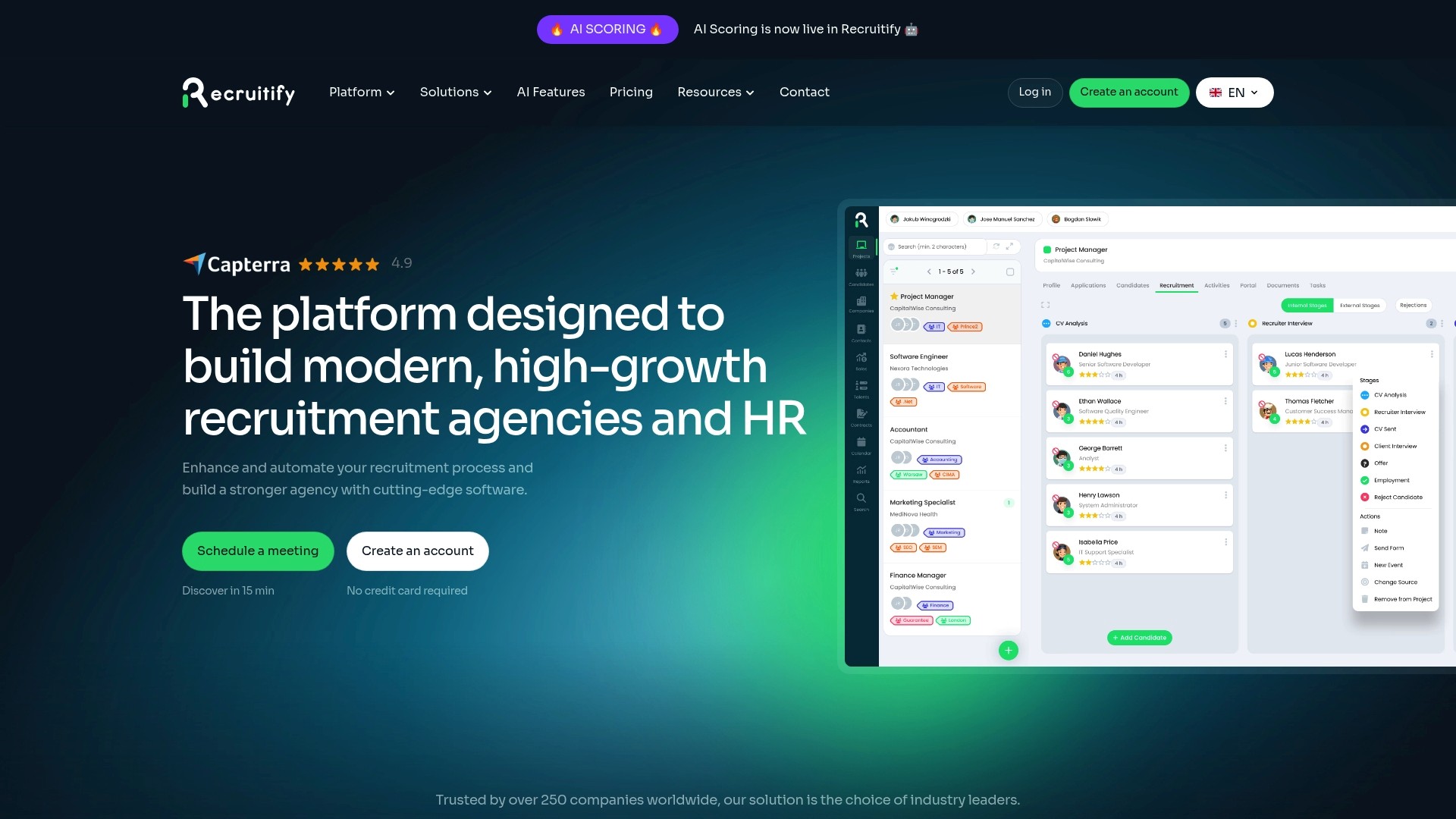
Pricing is per user per month: the HR Team plan is €61 and the Agency plan is €67, while Enterprise pricing is arranged individually. Details for each plan are on the pricing page. For teams that want to see recruiting work organized by project, our recruitment projects view shows each hiring effort in one place, and a case study from a service company’s HR department shows how a team shortened time-to-hire.
A simple cadence for keeping the plan current
A plan that is built once and filed away stops being useful within a quarter. A light routine is enough:
Weekly: each recruiter’s active weighted load, pending offers and planned time off. Managers rebalance when anyone passes the agreed range.
Monthly: the demand-versus-supply gap, updated with new requisitions and real hours per hire.
Quarterly: recalibrate the weights, the hours-per-hire figures and the buffer using actual results, and review the forecast for the next quarter.
Write the range down. A statement such as “a full-cycle recruiter carries 10 to 15 units” gives everyone, including hiring managers, a shared basis for saying yes, later or no to a new requisition.
FAQ
How many open requisitions can one recruiter handle?
It depends on role mix. SHRM cites national averages of 30 to 40 open requisitions per recruiter and a median of 15 to 20, but warns that these figures should not replace a range set for your own organization. Weighting requisitions by complexity gives a more realistic limit than any raw count.
How do I calculate recruiter capacity?
Start with the hours per month, subtract the 20 to 30 percent that typically goes to non-hiring work, and divide the remaining hours by the average hours per hire for each role type. Then apply a buffer for absences and surges. Use your own historical data for the hours per hire.
What should I do when hiring demand exceeds capacity?
First recover administrative time through automation, then prioritize requisitions by business value, and finally add capacity or move timelines for lower-priority roles. Showing the gap in hours, such as 36 hours short per month, makes the decision with leadership far easier than describing a general feeling of overload.
How often should recruiter workload be reviewed?
Check weighted load weekly, the demand-versus-supply gap monthly, and the underlying assumptions quarterly. More frequent reviews are useful during hiring peaks, when a few new requisitions can change the picture within days.
Sources
Recommended
Full Desk Recruiting: How the 360 Model Works and What It Takes
HR Leaders: Predictive Recruitment Forecasts That Turn Plans Into Hires
Recruiter Productivity Metrics: 3 Measures That Expose Funnel Leaks
Pipeline Forecasting for Recruiting: 8 Steps to Trust the Numbers


News & Updates
Stay up-to-date with the latest innovations, features, and tips about Recruitify!
By providing your email address within the newsletter sign-up form, you confirm its processing to send marketing information regarding the Administrator’s products and services. The Administrator of your personal data processed for the abovementioned purposes is Recruitify Spółka z o.o., based in Warsaw, Poland (KRS 0000709889). For more information on the principles of personal data processing and the rights of data subjects, please check the Privacy Policy.

Last updated:
Recruiter Workload Planning: A Practical Capacity Guide
Acquiring Talent
The Recruitify Team
Recruiter workload planning means comparing the hiring work your company or agency has to deliver with the productive hours your recruiters actually have, then closing the gap before quality drops. The most reliable method has four steps: count requisitions by weight rather than by number, convert them into hours, subtract the time recruiters spend on non-hiring work, and add a buffer for peaks and absences. This guide walks through each step with a worked example you can copy into a spreadsheet.
Key Takeaways
A raw count of open requisitions is a weak planning number, because a single executive search and a batch of identical entry-level seats are very different amounts of work.
Weight each requisition by complexity, then convert the weighted load into hours and compare it with the productive hours your team really has.
Plan on roughly 70 to 80 percent of a recruiter’s week being available for hiring, since meetings, reporting and administration take the rest.
Add a buffer for hiring surges and absences, and review the gap monthly or quarterly instead of waiting for burnout or slow time-to-fill to signal the problem.
Reduce the administrative share first: automation of parsing, scheduling and candidate communication returns hours to every recruiter without lowering the quality bar.
Table of Contents
Why requisition counts alone fail
Most teams begin with a simple ratio: open requisitions divided by recruiters. It is quick, and it is a useful early signal, but it hides almost everything that determines how hard the work really is.
Benchmarks vary widely. SHRM reports national averages of 30 to 40 open requisitions per recruiter, with a median of 15 to 20, and the same article stresses that such generalized figures do not replace a workload range set for your own organization. The gap between 15 and 40 is exactly the point: the number depends on what kind of roles the recruiter handles.
The SHRM article quotes an HR executive who names the complexity of the assignments as the biggest factor in workload. A hospital recruiter, for example, may be searching for a Ph.D. research scientist and, in the same week, for hourly kitchen and housekeeping staff. Both are “one req,” yet they demand very different sourcing effort, screening depth and hiring-manager time.
The cost of getting the number wrong runs in both directions. According to the same SHRM piece, overloaded recruiters bring longer time-to-fill, burnout, a poorer candidate experience and lower quality of hire, while a workload that is too thin can leave recruiters under-challenged and raise turnover. Planning is therefore about finding a sustainable range, not about maximizing the load.
Weight requisitions by complexity
The practical fix is to turn requisitions into “units” of effort. A recruiter-training provider’s glossary on recruiter capacity describes a common scheme: junior and mid-level roles count as 1 unit, senior roles as 2 to 3 units, and executive searches as 4 to 5 units. Teams then express capacity as a target number of units per recruiter, often 10 to 15 in mid-market organizations, which avoids unrealistic expectations built on raw counts.
The same source defines recruiter capacity as the maximum number of active requisitions a recruiter can manage at one time without quality degrading. It adds that the figure depends on role mix and difficulty, sourcing intensity, the quality of the partnership with hiring managers, and whether you count active requisitions or everything assigned. That last point matters in practice: a requisition on hold costs far less effort than one in full sourcing.
A weighting table for your own team might look like this:
Requisition type | Suggested weight | What drives the effort |
|---|---|---|
High-volume batch of identical seats | Under 1 unit per seat | Shared sourcing and screening |
Standard individual contributor | 1 unit | Normal sourcing and 2 to 3 interviews |
Specialist or scarce-skill role | 1.5 to 2 units | Thin talent market, deep technical screening |
Senior or leadership role | 2 to 3 units | Headhunting, more stakeholders, longer cycle |
Executive search | 4 to 5 units | Confidential outreach, extended assessment |
The weights are a starting point, not a standard. Calibrate them against your own history: if specialist roles consistently take twice the recruiter hours of standard ones, give them a weight of 2. A role-complexity index on a 1 to 5 scale, built from market scarcity, skill depth and seniority, works well for IT recruitment, where two roles with the same title can differ enormously depending on the technology stack.
Adjust for hiring managers and experience
Two more factors deserve a column in your plan. The first is hiring-manager load: a recruiter supporting a few responsive managers carries less coordination work than one supporting many who are slow to give feedback. The second is recruiter experience. A newer recruiter needs a ramp period before reaching full productivity, so count that person at a reduced capacity for the first months instead of a full unit of supply.
Convert workload into hours
Units tell you how work compares across roles; hours tell you whether the team can finish it. The starting point is available time, and it is lower than most plans assume. CHRO Strategy notes that most teams find 20 to 30 percent of a recruiter’s weekly hours go to non-hiring work, leaving 70 to 80 percent as productive recruiting time.
Their example is easy to reproduce. A recruiter with 160 hours in a month who spends 30 percent on meetings and reporting has 112 capacity hours left. If a technical hire takes about 20 hours and a standard hire about 10, that recruiter can sustainably handle a mix such as three technical and five standard hires in the month.
The hours-per-hire figures are the part you should replace with your own data. Pull the last four quarters from your applicant tracking system, split by role family, and measure recruiter time per stage: intake, sourcing, screening, interview coordination, offer and close. If you do not track time, even a two-week sample from each recruiter gives a usable estimate.
Compare demand with capacity: a worked example
Here is the whole method on an illustrative team. The numbers are examples, not benchmarks.
Step 1: Supply. A team has five recruiters, each with 160 hours per month. Assuming 30 percent goes to non-hiring work, each has 112 productive hours, so the team supply is 560 hours.
Step 2: Demand. The team expects 12 technical hires at 20 hours each (240 hours) and 30 standard hires at 10 hours each (300 hours). Demand is 540 hours.
Step 3: Apply a buffer. A plan that uses 100 percent of capacity has no room for sick days, urgent searches or a manager who changes requirements. Interview Signal’s capacity template builds in a 10 percent buffer, expressed as a factor of 0.9, along with adjustments for ramp time and long leave. Applying 0.9 to 560 hours gives usable supply of 504 hours.
Step 4: Find the gap. Demand of 540 hours minus supply of 504 hours leaves a shortfall of 36 hours, roughly two technical hires. That is the number to take to leadership: not “we feel stretched,” but “we are about 36 hours per month short, which equals about two technical placements.”
The same template structure separates the plan into four views: demand (planned hires plus backfills), productivity (hires per recruiter per quarter, from your own history), supply (each recruiter’s effective capacity after ramp and leave) and gap (demand minus supply). Keeping them apart makes it clear which input to challenge when the result looks wrong.
Your options when the gap is negative
A shortfall gives you four levers, and they work best in this order:
Remove administrative hours from recruiters’ weeks (covered below).
Re-prioritize requisitions so that scarce time goes to the roles with the most business value.
Move timelines, where hiring managers can accept a later start for lower-priority roles.
Add capacity through contractors, sourcers or a new hire, with the ramp time included in the plan.
Prioritize instead of spreading work evenly
When demand exceeds capacity, dividing requisitions equally among recruiters is rarely the best choice. A recruiter-training provider’s podcast on prioritization describes an uneven allocation model: with 100 roles and 10 recruiters, one recruiter takes 40 high-value roles, another takes 30 medium-value roles, and the other eight share 30 low-value roles. The logic is that the roles that matter most to the business get focused attention, while lower-value roles are handled through more standardized processes.
The same discussion offers a tactic for peaks: a temporary group of 6 to 10 sourcers works in two-day sprints, rotates off as the pipeline builds, and restarts for the next search. You do not need a team that large for the idea to work. Even two recruiters pausing their own searches for a day to build a shared pipeline can shorten the start of a priority role.
To decide what counts as high-value, agree on criteria with hiring managers before the crunch, not during it. Common criteria include revenue impact, how long the seat has been open, how scarce the skill is and whether a client contract depends on it.
Forecast peaks and build in buffers
Peaks are predictable more often than they feel. Budget cycles, seasonal demand, new client contracts and project launches all create waves. A forecast needs three inputs: planned hires, expected backfills based on past attrition, and known absences such as parental leave or vacation seasons.
A useful habit is to track a short list of weekly figures per recruiter: active requisitions by role family, candidates in active stages, interviews scheduled, offers pending, hours worked and planned time off. At team level, add weighted load, utilization, available buffer and the stages where candidates wait longest. When the buffer shrinks week after week, you have an early warning well before time-to-fill moves.
For IT recruitment agencies, the forecast also depends on the sales pipeline: a signed contract with ten open positions arrives as a surge. Keeping the sales view and the recruitment view in one place allows the delivery team to see demand before it lands, which is the reason we built the CRM and recruitment pipeline into a single system.
Metrics worth reviewing every month
A capacity plan stays honest only if you measure it against what happens. These measures cover most of what a manager needs:
Weighted requisitions per recruiter: your unit-based load, compared with the target range.
Aging requisitions: the share of open roles past your expected time-to-fill.
Response backlog: candidates and hiring managers waiting longer than your service standard for an answer.
Administrative share of the week: the percentage of recruiter time spent on data entry, scheduling and reporting.
Conversion by stage: where candidates drop out, which tells you where time is being wasted.
On funnel conversion in particular, our article on recruiter productivity metrics explains three measures that expose leaks in the funnel. If you want to see where the cost of a slow process comes from, why hiring slows down even with AI covers the structural causes.
Reduce the workload without lowering quality
The cheapest capacity is the capacity you recover. Since 20 to 30 percent of a recruiter’s week goes to work that is not hiring, even a modest cut in administration changes the plan. The usual sources of lost hours are these:
Manual data entry. Retyping candidate details from CVs into a database. Automated parsing of PDFs, DOCX files and scans removes most of it, and our CV parser builds a structured profile and flags duplicates in about three seconds.
Scheduling. Back-and-forth emails to find interview slots. Self-scheduling options and templates shorten this.
Candidate status updates. A consistent communication standard prevents a flood of “any news?” messages. One example standard from an HR playbook: an automated acknowledgment within 24 hours of an application and a decision within seven business days after the final interview.
Shortlisting. Reading every application to find the few that match. Scoring candidates against project requirements delivers a ranked shortlist, and our AI recruitment features are designed to do exactly that, with a percentage match score.
Scattered tools. Switching between a spreadsheet, an inbox and a database costs more attention than any single task. Our piece on why having an ATS is not the same as having a recruitment system explains what a connected process looks like.
These changes protect quality because they take away the repetitive work, not the judgment. Recruiters keep the conversations, the intake calls and the closing, which is where placements are won.
Our perspective: plan around hours, then give the hours back
We see the same pattern in agencies and HR teams of every size: workload is discussed as a feeling, and capacity is discussed as a headcount. Neither is a plan. A plan starts from the productive hours your recruiters really have and the weighted effort of the roles you have promised to fill.
That is why we designed Recruitify as one system for the ATS, the sales CRM and the contracting module. When the sales pipeline and the recruitment pipeline sit in a single tab, the delivery team sees incoming demand early and can plan for it, instead of discovering it when a client asks for status.
The second half of our view is that the plan improves when the administrative share falls. Our platform is designed to automate workflows from first contact and candidate categorization to the generation of B2B contracts, and we position it to reduce administrative tasks by up to 70 percent. Every hour recovered is an hour that appears on the supply side of your capacity calculation, with no extra recruiter on the payroll.
Finally, we believe an existing database is capacity too. Intelligent indexing helps agencies resurface candidates they already hold, so a new requisition can start from a ranked shortlist rather than from an empty search.
Recruitify Team
Put the plan into practice with Recruitify
If you manage an agency or an in-house team and want the plan above to run inside your daily tools rather than a separate spreadsheet, Recruitify combines applicant tracking, CRM, AI candidate scoring and CV parsing in one platform. You can see how the modules fit together on our ATS and CRM page.
Pricing is per user per month: the HR Team plan is €61 and the Agency plan is €67, while Enterprise pricing is arranged individually. Details for each plan are on the pricing page. For teams that want to see recruiting work organized by project, our recruitment projects view shows each hiring effort in one place, and a case study from a service company’s HR department shows how a team shortened time-to-hire.
A simple cadence for keeping the plan current
A plan that is built once and filed away stops being useful within a quarter. A light routine is enough:
Weekly: each recruiter’s active weighted load, pending offers and planned time off. Managers rebalance when anyone passes the agreed range.
Monthly: the demand-versus-supply gap, updated with new requisitions and real hours per hire.
Quarterly: recalibrate the weights, the hours-per-hire figures and the buffer using actual results, and review the forecast for the next quarter.
Write the range down. A statement such as “a full-cycle recruiter carries 10 to 15 units” gives everyone, including hiring managers, a shared basis for saying yes, later or no to a new requisition.
FAQ
How many open requisitions can one recruiter handle?
It depends on role mix. SHRM cites national averages of 30 to 40 open requisitions per recruiter and a median of 15 to 20, but warns that these figures should not replace a range set for your own organization. Weighting requisitions by complexity gives a more realistic limit than any raw count.
How do I calculate recruiter capacity?
Start with the hours per month, subtract the 20 to 30 percent that typically goes to non-hiring work, and divide the remaining hours by the average hours per hire for each role type. Then apply a buffer for absences and surges. Use your own historical data for the hours per hire.
What should I do when hiring demand exceeds capacity?
First recover administrative time through automation, then prioritize requisitions by business value, and finally add capacity or move timelines for lower-priority roles. Showing the gap in hours, such as 36 hours short per month, makes the decision with leadership far easier than describing a general feeling of overload.
How often should recruiter workload be reviewed?
Check weighted load weekly, the demand-versus-supply gap monthly, and the underlying assumptions quarterly. More frequent reviews are useful during hiring peaks, when a few new requisitions can change the picture within days.
Sources
Recommended
Full Desk Recruiting: How the 360 Model Works and What It Takes
HR Leaders: Predictive Recruitment Forecasts That Turn Plans Into Hires
Recruiter Productivity Metrics: 3 Measures That Expose Funnel Leaks
Pipeline Forecasting for Recruiting: 8 Steps to Trust the Numbers
News & Updates
Stay up-to-date with the latest innovations, features, and tips about Recruitify!
By providing your email address within the newsletter sign-up form, you confirm its processing to send marketing information regarding the Administrator’s products and services. The Administrator of your personal data processed for the abovementioned purposes is Recruitify Spółka z o.o., based in Warsaw, Poland (KRS 0000709889). For more information on the principles of personal data processing and the rights of data subjects, please check the Privacy Policy.

Discover More

Recruitment Process
Recruiting Automation Examples: 10 Workflows That Work
Ten practical recruiting automation examples, from sourcing and CV parsing to scheduling and outreach, with guidance on keeping hiring fair and human-reviewed.
10 Nov 2026
Discover More

Recruitment Process
Submittal to Interview Ratio: Formula, Benchmarks, Fixes
Learn how to calculate your submittal to interview ratio, what counts as a good number by role type, and how to improve it without lowering candidate quality.
9 Nov 2026
Discover More

Applicant Tracking System
Staffing Sales Pipeline: Stages, Metrics and Automation
Build a staffing sales pipeline that turns target accounts into active job orders: stages, entry rules, metrics and how ATS and CRM automation keep it moving.
8 Nov 2026
Discover More
Recruitment Process
Recruiting Automation Examples: 10 Workflows That Work
Ten practical recruiting automation examples, from sourcing and CV parsing to scheduling and outreach, with guidance on keeping hiring fair and human-reviewed.
10 Nov 2026
Discover More
Recruitment Process
Submittal to Interview Ratio: Formula, Benchmarks, Fixes
Learn how to calculate your submittal to interview ratio, what counts as a good number by role type, and how to improve it without lowering candidate quality.
9 Nov 2026
Discover More