
Last updated:
Plan Integrations First: 3 Recruiting Tech Stack Architectures

Recruitment Process
Acquiring Talent

The Recruitify Team
We recommend planning integrations before selecting individual tools, favoring a single integration layer or a unified ATS API for most recruiting teams. This approach cuts manual data entry, keeps candidate records current across systems, speeds up hiring decisions, and gives recruiting leaders cleaner analytics. For teams that want fewer moving parts from day one, a consolidated platform is worth evaluating alongside a build-your-own integration stack.
TL;DR:
Using a unified API or platform as a service simplifies data flow, improves consistency, and supports multiple ATS schemas without maintaining separate codebases.
Pass-through architectures are ideal for teams with strict privacy needs and require real-time data without storing candidate information centrally.
Prioritize pass-through or webhook-driven models unless there are clear analytics, offline reporting, or performance needs that justify more complex sync-and-store setups.
When selecting vendors, focus on their ability to support specific objects you need to read and write, their webhook coverage, and compliance features, not just feature breadth.
Building governance, clear change control, and solid testing into your integration process prevents common failures like schema mismatches and duplicate records.
RecruitifyBring Recruiting Operations TogetherRecruitify combines ATS, Sales CRM, and IT contracting in one ecosystem, helping recruitment agencies reduce operational complexity.Explore Recruitify
Table of Contents
Choosing the right integration approach for your team
Integration architectures: pass-through, sync-and-store, and hybrid models
What unified ATS APIs and integration platforms actually deliver
How to choose the right integration vendor or approach
Implementation roadmap: from scoping to go-live
Common integration pitfalls and how to avoid them
How Recruitify approaches integrated recruiting operations
The real lesson in recruiting tech stack integration
Evaluate Recruitify for your recruiting tech stack
FAQ
Sources
Choosing the right integration approach for your team
Three broad patterns cover almost every recruiting tech stack: unified API or iPaaS middleware, pass-through unified ATS APIs, and all-in-one platforms that consolidate functions internally. Each suits a different mix of team size, compliance exposure, and engineering capacity.
A unified API or integration platform as a service (iPaaS) sits between your applicant tracking system and the other tools in your stack, translating data formats so you connect once instead of building a custom integration for every vendor pair. Unified ATS APIs normalize multiple underlying ATS schemas into one consistent data model, which means an engineering team can support several ATS platforms without maintaining separate codebases for each.
Pass-through unified ATS APIs work similarly but avoid storing a persistent copy of candidate data, routing requests directly to the source system instead. This matters for teams with strict data residency rules, since no mirrored database exists to secure or delete.
All-in-one platforms consolidate ATS, CRM, and related functions inside one system, which removes the need for most external integrations altogether.
Unified API or iPaaS: best for mid-size teams running several best-of-breed tools; moderate engineering effort, near real-time data, and flexible compliance controls.
Pass-through unified ATS API: best for teams with strict privacy requirements; low data retention risk but dependent on the source system’s uptime and API limits.
All-in-one platform: best for lean teams that want to avoid integration maintenance entirely; minimal engineering effort but less flexibility to swap individual tools later.
For small recruiting teams without dedicated engineering support, an all-in-one platform typically minimizes ongoing maintenance, since there are no middleware contracts, webhook subscriptions, or schema updates to monitor. Larger teams with in-house developers often get more long-term flexibility from a unified API approach, provided someone owns the integration roadmap.
Integration architectures: pass-through, sync-and-store, and hybrid models
The architecture behind an integration determines how fresh your data stays, how much risk you carry, and how auditable your pipeline is. Three models dominate recruiting tech stacks: pass-through (or proxy), sync-and-store, and hybrid event-driven designs built on webhooks.
A pass-through architecture queries the source system in real time and never persists a copy of the data in the middle layer. This keeps personally identifiable information in its system of record, which simplifies GDPR accountability since there is one authoritative copy to protect or delete. Vendor documentation for pass-through models shows that this approach suits teams prioritizing data minimization over raw query speed.
Sync-and-store architectures mirror data from the source system into the integration layer, which improves query speed and supports offline analytics but creates a second copy of sensitive candidate data that must be governed, encrypted, and deleted on the same schedule as the original. Comparisons of unified API vendors note that sync-and-store requires its own retention and deletion policy, separate from the source system’s, which adds compliance overhead.
Webhook-driven hybrid models combine the two: data stays in source systems, but event notifications trigger near real-time updates downstream, avoiding both the latency of pure pass-through calls and the storage burden of full syncing.
Before committing to an architecture, weigh these factors:
Latency tolerance: can your workflow wait for a scheduled sync, or does it need instant updates?
Write requirements: does the integration only read data, or does it need to write interview feedback, offers, or status changes back to the ATS?
Auditability: can you produce a clear record of who changed what, and when, across every connected system?
Pro Tip: Default to pass-through or webhook-driven models unless you have a specific analytics or performance reason to mirror candidate data, since every mirrored copy adds a compliance obligation.
What unified ATS APIs and integration platforms actually deliver
Unified ATS APIs and integration platforms promise to replace dozens of point-to-point connections with one normalized layer, but the coverage behind that promise varies by vendor and even by individual integration. Unified.to’s documentation describes normalized schemas for candidates, applications, and jobs, along with webhook support for event-driven updates, which together let a single codebase work across multiple ATS platforms.
In practice, that normalization covers common objects like candidate profiles, job postings, and application stages well, but gets inconsistent for more specialized fields such as custom tags, scorecards, or attachments. Before signing a contract, confirm these capability items directly in the vendor’s published documentation rather than taking a sales deck at face value:
Writable fields: which objects can your integration actually update, not just read, in each connected ATS?
Webhook event coverage: does the vendor push real-time notifications for stage changes, new applications, and offer updates, or only for a subset?
Authentication flows: does the integration support the OAuth or API key model your source systems require, including token refresh handling?
Service-level agreement for update latency: how long does it take for a change to propagate between systems, and is that documented or just assumed?
Attachment and resume handling: can the integration move file attachments, not just structured data fields?
A detailed comparison of unified API vendors found that architecture and coverage differ meaningfully between providers, with some favoring sync-and-store designs and others pass-through, and with published per-integration capability matrices that vary from one connected ATS to the next. That inconsistency is the main reason generic marketing claims about “full integration” deserve scrutiny: a vendor may support read access to one ATS and full read-write access to another, under the same product name. Always request the specific matrix for the systems in your stack, not the vendor’s general capability sheet.
How to choose the right integration vendor or approach
Selecting an integration vendor works best as a weighted scoring exercise rather than a feature checklist, since no single capability matters in isolation. We suggest ranking vendors against five criteria, in this order of importance for most recruiting teams:
Business objective alignment: does the integration solve the specific workflow bottleneck you identified, such as duplicate data entry between your ATS and job boards?
Object-level read and write coverage: can the integration both pull and push the specific data objects your team needs, such as interview feedback or offer status?
Time to implement: how many weeks of engineering or vendor-managed setup separate you from go-live?
Security and compliance fit: does the vendor’s architecture match your data residency and consent requirements?
Maintenance burden and total cost: who owns ongoing upkeep, and what does the vendor charge beyond the base subscription?
Adjust the weights to match your own risk tolerance, but keep write support and compliance near the top, since those two criteria are hardest to fix after a contract is signed.
Integrated HR ecosystems deliver roughly two times the return on investment of siloed systems, according to a 2025 ISG HR Tech survey of more than 200 HR, IT, and business leaders. That gap is the clearest argument for treating integration architecture as a budget priority rather than an afterthought.
Involve recruiting operations, IT or security, and finance stakeholders before finalizing any vendor choice. During demos, ask vendors to show the exact objects they can write back to your current ATS, not just read, and request references from customers running a comparable data volume.
Implementation roadmap: from scoping to go-live
A disciplined rollout sequence prevents most of the costly surprises that surface after launch. We outline five steps that apply to nearly any recruiting integration project.
Scope objectives and map data objects. Document which business outcome the integration serves, such as eliminating duplicate candidate entry, and list every data object involved: candidates, applications, interview stages, offers, and attachments.
Choose authentication and environments. Decide on OAuth or API key access, and set up separate sandbox and production environments so changes can be tested without touching live candidate data.
Implement webhooks and writes with idempotency. Build event listeners for the stage changes you need, and design write operations so repeated calls with the same input never create duplicate records.
Run staging test cases and user acceptance testing. Validate the integration against realistic scenarios before any recruiter depends on it.
Roll out and monitor. Launch to a small group first, then expand once error rates and data accuracy hold steady over a full hiring cycle.
Useful test cases to run during staging include a candidate applying through a career portal and generating a matching application record, an interview stage update propagating to every connected system within the expected time window, an offer status write-back reaching the ATS correctly, and an attachment upload (resume or portfolio) transferring without corruption or data loss.
Pro Tip: Run every write operation twice in staging with identical input before go-live. If the second call creates a duplicate record instead of recognizing the first, your idempotency logic needs more work before production.
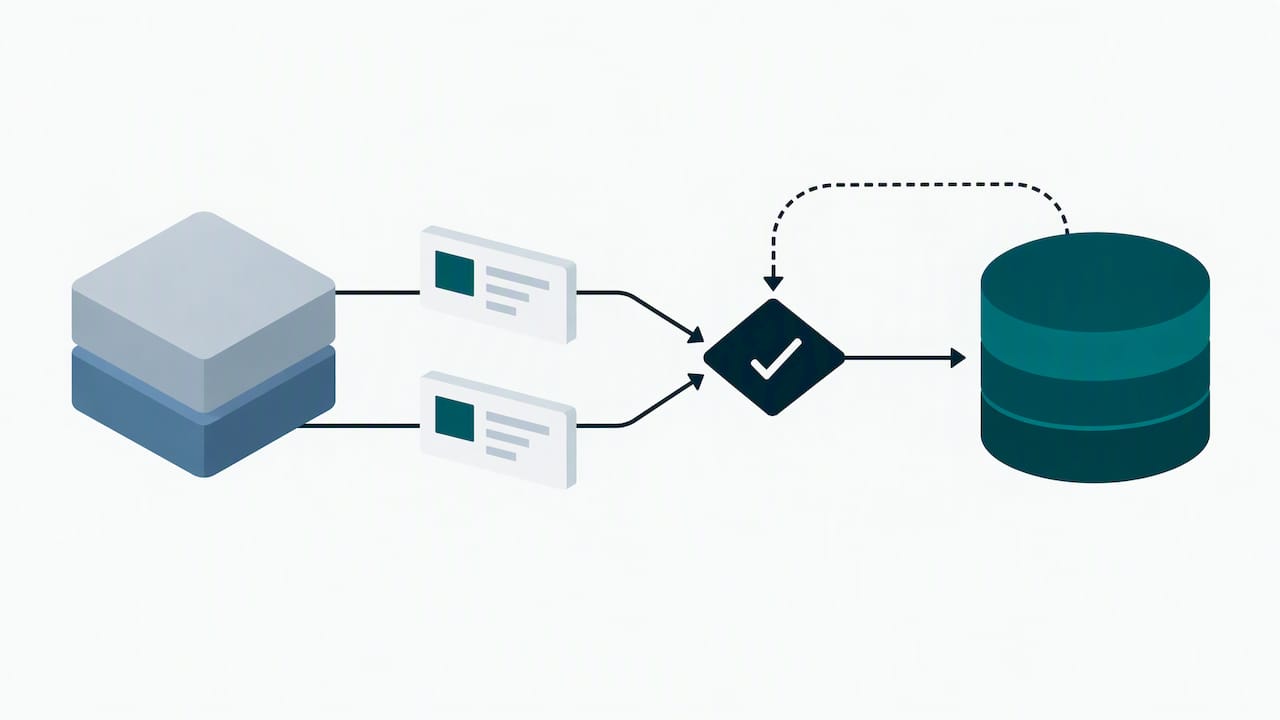
Governance should not be an afterthought bolted on after launch. Establish a change control process so no one modifies field mappings or webhook subscriptions without a documented review. Write a runbook that tells on-call staff what to check first when an integration fails, including which logs to pull and who to escalate to. Finally, define a service-level agreement, even an internal one, for how quickly broken integrations get fixed, since a failed write that goes unnoticed for days can quietly corrupt a recruiting pipeline. Mapping these steps to your recruitment workflow is easier when your recruitment projects and pipelines are already structured consistently, since clean pipeline data gives your integration layer fewer edge cases to handle.
Common integration pitfalls and how to avoid them
Most integration failures trace back to a handful of recurring mistakes, and each has a practical fix.
Integration sprawl: connecting too many point-to-point tools without a central layer creates a web of fragile dependencies; consolidate through a unified API or platform instead of adding one-off connectors.
Schema mismatches: a field that means one thing in your ATS can mean something different in a connected tool; use schema contract testing to catch mismatches before they reach production.
Silent write failures: a failed write that does not trigger an alert can leave recruiters working from stale data for days; build retries with exponential backoff and alerting on repeated failures.
Skipping staged rollouts: pushing a new integration to the full team at once multiplies the damage if something breaks; roll out to one team or region first.
Consider an anonymized but common scenario: a mid-size agency connects its job board postings directly to its ATS without idempotency checks. A temporary network timeout causes the job board to resend the same application twice, creating duplicate candidate records. Recruiters spend the next several days manually merging profiles and re-confirming which interview notes belong to which duplicate, work that a simple idempotency key would have prevented entirely. The lesson holds across nearly every integration type: the cost of a failed write is rarely the failure itself, it is the manual cleanup afterward.
HR technology remains fragmented across most organizations, which is part of why these pitfalls recur: teams often add tools faster than they add the governance to connect them safely.
How Recruitify approaches integrated recruiting operations
We built Recruitify around a different premise: instead of integrating many separate tools, we consolidate the applicant tracking system, sales CRM, and IT contracting functions into one operational ecosystem. That design choice removes much of the integration surface area that causes the pitfalls described above, since fewer systems means fewer handoffs that can fail.
We include Contextual Matching AI that evaluates candidate fit against project requirements and returns a match score, work that would otherwise require stitching an ATS to a separate scoring tool. Our AI CV Parser extracts structured data from PDFs, scans, and photos and automatically flags duplicates, a task that integration layers often handle poorly when parsing logic differs between connected systems. We provide a GDPR consent management module that maintains an audit trail for records, supporting compliance teams with necessary documentation.
Capability | Integration advantage |
|---|---|
Consolidated ATS, CRM, and contracting | Fewer systems to connect, fewer points of failure |
Contextual Matching AI with scoring | Built-in matching instead of a separate scoring integration |
AI CV Parser with OCR | Native parsing removes a common integration failure point |
GDPR consent audit trail | Compliance documentation built into the platform, not bolted on |
The real lesson in recruiting tech stack integration
Most advice on this topic still reads like a shopping list: pick an ATS, pick a CRM, pick a sourcing tool, then “integrate them.” That ordering is backward. The teams that get the most value start with the architecture question, pass-through or sync-and-store, unified API or consolidated platform, before they evaluate a single vendor feature. Skipping that step is why so many recruiting stacks end up with five tools and three broken handoffs between them.
The conventional wisdom also overrates feature breadth and underrates write support. A tool that reads data beautifully but cannot write a status update back to your ATS creates more manual work than it saves. We would rather see a recruiting team ask “what can this vendor actually write back, and where is that documented” before asking about dashboards or AI features.
If you take one thing from this guide, prioritize governance and architecture decisions before tool selection. The tools change faster than the discipline you build around connecting them.
- Recruitify Team
Evaluate Recruitify for your recruiting tech stack
If the architecture decisions above feel like more overhead than your team wants to own, consolidation solves a different problem than integration does. Instead of choosing a unified API, mapping schemas, and maintaining webhook subscriptions across several vendors, you get the ATS, CRM, and contracting functions working from one data model from the start. That means fewer contracts to manage, fewer places for a candidate record to go stale, and one audit trail instead of several.

Our HR Team and Recruitment Agencies plans start at €69 and €79 per user per month, respectively, with Enterprise pricing available on request. If reducing administrative overhead is the goal behind your integration project, our automation capabilities are worth a direct look. Check the pricing page for current plan details, or request a demo to see how a consolidated workflow compares to the integration stack you are currently planning.
FAQ
What is the best way to start integrating a recruiting tech stack?
Start by mapping the specific data objects and workflows you need connected, such as candidate applications or interview stage updates, before selecting a vendor. Choosing the architecture (pass-through, sync-and-store, or a consolidated platform) first prevents costly rework later.
What are the 5 C’s of recruitment?
Definitions vary across sources, but common versions of the “5 C’s” framework include competency, character, culture fit, communication, and career direction as evaluation criteria for candidates. No single authoritative source fixes the list, so treat it as a general screening heuristic rather than a standard.
What is the 80/20 rule in recruiting?
The principle in recruiting is that a small share of sourcing channels or recruiters typically produces most of the successful hires. It is used as a prioritization heuristic to focus effort on the highest-performing channels rather than as a fixed statistic.
How much do recruiting integration platforms typically cost?
Costs vary widely depending on whether you build custom integrations, pay for a unified API platform, or choose a consolidated system. Recruitify’s own HR Team and Recruitment Agencies plans are priced at €69 and €79 per user per month, with Enterprise pricing available on request.
How long does it typically take to implement recruiting tech integrations?
Timelines depend heavily on the number of writable fields and webhook events required, with simple read-only integrations often taking a few weeks and write-enabled, multi-system integrations taking longer. Building in staging tests and user acceptance testing, as outlined in the implementation roadmap above, adds time upfront but prevents longer delays from post-launch fixes.
Sources
Recommended


News & Updates
Stay up-to-date with the latest innovations, features, and tips about Recruitify!
By providing your email address within the newsletter sign-up form, you confirm its processing to send marketing information regarding the Administrator’s products and services. The Administrator of your personal data processed for the abovementioned purposes is Recruitify Spółka z o.o., based in Warsaw, Poland (KRS 0000709889). For more information on the principles of personal data processing and the rights of data subjects, please check the Privacy Policy.

Last updated:
Plan Integrations First: 3 Recruiting Tech Stack Architectures
Recruitment Process
Acquiring Talent
The Recruitify Team
We recommend planning integrations before selecting individual tools, favoring a single integration layer or a unified ATS API for most recruiting teams. This approach cuts manual data entry, keeps candidate records current across systems, speeds up hiring decisions, and gives recruiting leaders cleaner analytics. For teams that want fewer moving parts from day one, a consolidated platform is worth evaluating alongside a build-your-own integration stack.
TL;DR:
Using a unified API or platform as a service simplifies data flow, improves consistency, and supports multiple ATS schemas without maintaining separate codebases.
Pass-through architectures are ideal for teams with strict privacy needs and require real-time data without storing candidate information centrally.
Prioritize pass-through or webhook-driven models unless there are clear analytics, offline reporting, or performance needs that justify more complex sync-and-store setups.
When selecting vendors, focus on their ability to support specific objects you need to read and write, their webhook coverage, and compliance features, not just feature breadth.
Building governance, clear change control, and solid testing into your integration process prevents common failures like schema mismatches and duplicate records.
RecruitifyBring Recruiting Operations TogetherRecruitify combines ATS, Sales CRM, and IT contracting in one ecosystem, helping recruitment agencies reduce operational complexity.Explore Recruitify
Table of Contents
Choosing the right integration approach for your team
Integration architectures: pass-through, sync-and-store, and hybrid models
What unified ATS APIs and integration platforms actually deliver
How to choose the right integration vendor or approach
Implementation roadmap: from scoping to go-live
Common integration pitfalls and how to avoid them
How Recruitify approaches integrated recruiting operations
The real lesson in recruiting tech stack integration
Evaluate Recruitify for your recruiting tech stack
FAQ
Sources
Choosing the right integration approach for your team
Three broad patterns cover almost every recruiting tech stack: unified API or iPaaS middleware, pass-through unified ATS APIs, and all-in-one platforms that consolidate functions internally. Each suits a different mix of team size, compliance exposure, and engineering capacity.
A unified API or integration platform as a service (iPaaS) sits between your applicant tracking system and the other tools in your stack, translating data formats so you connect once instead of building a custom integration for every vendor pair. Unified ATS APIs normalize multiple underlying ATS schemas into one consistent data model, which means an engineering team can support several ATS platforms without maintaining separate codebases for each.
Pass-through unified ATS APIs work similarly but avoid storing a persistent copy of candidate data, routing requests directly to the source system instead. This matters for teams with strict data residency rules, since no mirrored database exists to secure or delete.
All-in-one platforms consolidate ATS, CRM, and related functions inside one system, which removes the need for most external integrations altogether.
Unified API or iPaaS: best for mid-size teams running several best-of-breed tools; moderate engineering effort, near real-time data, and flexible compliance controls.
Pass-through unified ATS API: best for teams with strict privacy requirements; low data retention risk but dependent on the source system’s uptime and API limits.
All-in-one platform: best for lean teams that want to avoid integration maintenance entirely; minimal engineering effort but less flexibility to swap individual tools later.
For small recruiting teams without dedicated engineering support, an all-in-one platform typically minimizes ongoing maintenance, since there are no middleware contracts, webhook subscriptions, or schema updates to monitor. Larger teams with in-house developers often get more long-term flexibility from a unified API approach, provided someone owns the integration roadmap.
Integration architectures: pass-through, sync-and-store, and hybrid models
The architecture behind an integration determines how fresh your data stays, how much risk you carry, and how auditable your pipeline is. Three models dominate recruiting tech stacks: pass-through (or proxy), sync-and-store, and hybrid event-driven designs built on webhooks.
A pass-through architecture queries the source system in real time and never persists a copy of the data in the middle layer. This keeps personally identifiable information in its system of record, which simplifies GDPR accountability since there is one authoritative copy to protect or delete. Vendor documentation for pass-through models shows that this approach suits teams prioritizing data minimization over raw query speed.
Sync-and-store architectures mirror data from the source system into the integration layer, which improves query speed and supports offline analytics but creates a second copy of sensitive candidate data that must be governed, encrypted, and deleted on the same schedule as the original. Comparisons of unified API vendors note that sync-and-store requires its own retention and deletion policy, separate from the source system’s, which adds compliance overhead.
Webhook-driven hybrid models combine the two: data stays in source systems, but event notifications trigger near real-time updates downstream, avoiding both the latency of pure pass-through calls and the storage burden of full syncing.
Before committing to an architecture, weigh these factors:
Latency tolerance: can your workflow wait for a scheduled sync, or does it need instant updates?
Write requirements: does the integration only read data, or does it need to write interview feedback, offers, or status changes back to the ATS?
Auditability: can you produce a clear record of who changed what, and when, across every connected system?
Pro Tip: Default to pass-through or webhook-driven models unless you have a specific analytics or performance reason to mirror candidate data, since every mirrored copy adds a compliance obligation.
What unified ATS APIs and integration platforms actually deliver
Unified ATS APIs and integration platforms promise to replace dozens of point-to-point connections with one normalized layer, but the coverage behind that promise varies by vendor and even by individual integration. Unified.to’s documentation describes normalized schemas for candidates, applications, and jobs, along with webhook support for event-driven updates, which together let a single codebase work across multiple ATS platforms.
In practice, that normalization covers common objects like candidate profiles, job postings, and application stages well, but gets inconsistent for more specialized fields such as custom tags, scorecards, or attachments. Before signing a contract, confirm these capability items directly in the vendor’s published documentation rather than taking a sales deck at face value:
Writable fields: which objects can your integration actually update, not just read, in each connected ATS?
Webhook event coverage: does the vendor push real-time notifications for stage changes, new applications, and offer updates, or only for a subset?
Authentication flows: does the integration support the OAuth or API key model your source systems require, including token refresh handling?
Service-level agreement for update latency: how long does it take for a change to propagate between systems, and is that documented or just assumed?
Attachment and resume handling: can the integration move file attachments, not just structured data fields?
A detailed comparison of unified API vendors found that architecture and coverage differ meaningfully between providers, with some favoring sync-and-store designs and others pass-through, and with published per-integration capability matrices that vary from one connected ATS to the next. That inconsistency is the main reason generic marketing claims about “full integration” deserve scrutiny: a vendor may support read access to one ATS and full read-write access to another, under the same product name. Always request the specific matrix for the systems in your stack, not the vendor’s general capability sheet.
How to choose the right integration vendor or approach
Selecting an integration vendor works best as a weighted scoring exercise rather than a feature checklist, since no single capability matters in isolation. We suggest ranking vendors against five criteria, in this order of importance for most recruiting teams:
Business objective alignment: does the integration solve the specific workflow bottleneck you identified, such as duplicate data entry between your ATS and job boards?
Object-level read and write coverage: can the integration both pull and push the specific data objects your team needs, such as interview feedback or offer status?
Time to implement: how many weeks of engineering or vendor-managed setup separate you from go-live?
Security and compliance fit: does the vendor’s architecture match your data residency and consent requirements?
Maintenance burden and total cost: who owns ongoing upkeep, and what does the vendor charge beyond the base subscription?
Adjust the weights to match your own risk tolerance, but keep write support and compliance near the top, since those two criteria are hardest to fix after a contract is signed.
Integrated HR ecosystems deliver roughly two times the return on investment of siloed systems, according to a 2025 ISG HR Tech survey of more than 200 HR, IT, and business leaders. That gap is the clearest argument for treating integration architecture as a budget priority rather than an afterthought.
Involve recruiting operations, IT or security, and finance stakeholders before finalizing any vendor choice. During demos, ask vendors to show the exact objects they can write back to your current ATS, not just read, and request references from customers running a comparable data volume.
Implementation roadmap: from scoping to go-live
A disciplined rollout sequence prevents most of the costly surprises that surface after launch. We outline five steps that apply to nearly any recruiting integration project.
Scope objectives and map data objects. Document which business outcome the integration serves, such as eliminating duplicate candidate entry, and list every data object involved: candidates, applications, interview stages, offers, and attachments.
Choose authentication and environments. Decide on OAuth or API key access, and set up separate sandbox and production environments so changes can be tested without touching live candidate data.
Implement webhooks and writes with idempotency. Build event listeners for the stage changes you need, and design write operations so repeated calls with the same input never create duplicate records.
Run staging test cases and user acceptance testing. Validate the integration against realistic scenarios before any recruiter depends on it.
Roll out and monitor. Launch to a small group first, then expand once error rates and data accuracy hold steady over a full hiring cycle.
Useful test cases to run during staging include a candidate applying through a career portal and generating a matching application record, an interview stage update propagating to every connected system within the expected time window, an offer status write-back reaching the ATS correctly, and an attachment upload (resume or portfolio) transferring without corruption or data loss.
Pro Tip: Run every write operation twice in staging with identical input before go-live. If the second call creates a duplicate record instead of recognizing the first, your idempotency logic needs more work before production.
Governance should not be an afterthought bolted on after launch. Establish a change control process so no one modifies field mappings or webhook subscriptions without a documented review. Write a runbook that tells on-call staff what to check first when an integration fails, including which logs to pull and who to escalate to. Finally, define a service-level agreement, even an internal one, for how quickly broken integrations get fixed, since a failed write that goes unnoticed for days can quietly corrupt a recruiting pipeline. Mapping these steps to your recruitment workflow is easier when your recruitment projects and pipelines are already structured consistently, since clean pipeline data gives your integration layer fewer edge cases to handle.
Common integration pitfalls and how to avoid them
Most integration failures trace back to a handful of recurring mistakes, and each has a practical fix.
Integration sprawl: connecting too many point-to-point tools without a central layer creates a web of fragile dependencies; consolidate through a unified API or platform instead of adding one-off connectors.
Schema mismatches: a field that means one thing in your ATS can mean something different in a connected tool; use schema contract testing to catch mismatches before they reach production.
Silent write failures: a failed write that does not trigger an alert can leave recruiters working from stale data for days; build retries with exponential backoff and alerting on repeated failures.
Skipping staged rollouts: pushing a new integration to the full team at once multiplies the damage if something breaks; roll out to one team or region first.
Consider an anonymized but common scenario: a mid-size agency connects its job board postings directly to its ATS without idempotency checks. A temporary network timeout causes the job board to resend the same application twice, creating duplicate candidate records. Recruiters spend the next several days manually merging profiles and re-confirming which interview notes belong to which duplicate, work that a simple idempotency key would have prevented entirely. The lesson holds across nearly every integration type: the cost of a failed write is rarely the failure itself, it is the manual cleanup afterward.
HR technology remains fragmented across most organizations, which is part of why these pitfalls recur: teams often add tools faster than they add the governance to connect them safely.
How Recruitify approaches integrated recruiting operations
We built Recruitify around a different premise: instead of integrating many separate tools, we consolidate the applicant tracking system, sales CRM, and IT contracting functions into one operational ecosystem. That design choice removes much of the integration surface area that causes the pitfalls described above, since fewer systems means fewer handoffs that can fail.
We include Contextual Matching AI that evaluates candidate fit against project requirements and returns a match score, work that would otherwise require stitching an ATS to a separate scoring tool. Our AI CV Parser extracts structured data from PDFs, scans, and photos and automatically flags duplicates, a task that integration layers often handle poorly when parsing logic differs between connected systems. We provide a GDPR consent management module that maintains an audit trail for records, supporting compliance teams with necessary documentation.
Capability | Integration advantage |
|---|---|
Consolidated ATS, CRM, and contracting | Fewer systems to connect, fewer points of failure |
Contextual Matching AI with scoring | Built-in matching instead of a separate scoring integration |
AI CV Parser with OCR | Native parsing removes a common integration failure point |
GDPR consent audit trail | Compliance documentation built into the platform, not bolted on |
The real lesson in recruiting tech stack integration
Most advice on this topic still reads like a shopping list: pick an ATS, pick a CRM, pick a sourcing tool, then “integrate them.” That ordering is backward. The teams that get the most value start with the architecture question, pass-through or sync-and-store, unified API or consolidated platform, before they evaluate a single vendor feature. Skipping that step is why so many recruiting stacks end up with five tools and three broken handoffs between them.
The conventional wisdom also overrates feature breadth and underrates write support. A tool that reads data beautifully but cannot write a status update back to your ATS creates more manual work than it saves. We would rather see a recruiting team ask “what can this vendor actually write back, and where is that documented” before asking about dashboards or AI features.
If you take one thing from this guide, prioritize governance and architecture decisions before tool selection. The tools change faster than the discipline you build around connecting them.
- Recruitify Team
Evaluate Recruitify for your recruiting tech stack
If the architecture decisions above feel like more overhead than your team wants to own, consolidation solves a different problem than integration does. Instead of choosing a unified API, mapping schemas, and maintaining webhook subscriptions across several vendors, you get the ATS, CRM, and contracting functions working from one data model from the start. That means fewer contracts to manage, fewer places for a candidate record to go stale, and one audit trail instead of several.
Our HR Team and Recruitment Agencies plans start at €69 and €79 per user per month, respectively, with Enterprise pricing available on request. If reducing administrative overhead is the goal behind your integration project, our automation capabilities are worth a direct look. Check the pricing page for current plan details, or request a demo to see how a consolidated workflow compares to the integration stack you are currently planning.
FAQ
What is the best way to start integrating a recruiting tech stack?
Start by mapping the specific data objects and workflows you need connected, such as candidate applications or interview stage updates, before selecting a vendor. Choosing the architecture (pass-through, sync-and-store, or a consolidated platform) first prevents costly rework later.
What are the 5 C’s of recruitment?
Definitions vary across sources, but common versions of the “5 C’s” framework include competency, character, culture fit, communication, and career direction as evaluation criteria for candidates. No single authoritative source fixes the list, so treat it as a general screening heuristic rather than a standard.
What is the 80/20 rule in recruiting?
The principle in recruiting is that a small share of sourcing channels or recruiters typically produces most of the successful hires. It is used as a prioritization heuristic to focus effort on the highest-performing channels rather than as a fixed statistic.
How much do recruiting integration platforms typically cost?
Costs vary widely depending on whether you build custom integrations, pay for a unified API platform, or choose a consolidated system. Recruitify’s own HR Team and Recruitment Agencies plans are priced at €69 and €79 per user per month, with Enterprise pricing available on request.
How long does it typically take to implement recruiting tech integrations?
Timelines depend heavily on the number of writable fields and webhook events required, with simple read-only integrations often taking a few weeks and write-enabled, multi-system integrations taking longer. Building in staging tests and user acceptance testing, as outlined in the implementation roadmap above, adds time upfront but prevents longer delays from post-launch fixes.
Sources
Recommended
News & Updates
Stay up-to-date with the latest innovations, features, and tips about Recruitify!
By providing your email address within the newsletter sign-up form, you confirm its processing to send marketing information regarding the Administrator’s products and services. The Administrator of your personal data processed for the abovementioned purposes is Recruitify Spółka z o.o., based in Warsaw, Poland (KRS 0000709889). For more information on the principles of personal data processing and the rights of data subjects, please check the Privacy Policy.
Last updated:
Plan Integrations First: 3 Recruiting Tech Stack Architectures
Recruitment Process
Acquiring Talent
The Recruitify Team
We recommend planning integrations before selecting individual tools, favoring a single integration layer or a unified ATS API for most recruiting teams. This approach cuts manual data entry, keeps candidate records current across systems, speeds up hiring decisions, and gives recruiting leaders cleaner analytics. For teams that want fewer moving parts from day one, a consolidated platform is worth evaluating alongside a build-your-own integration stack.
TL;DR:
Using a unified API or platform as a service simplifies data flow, improves consistency, and supports multiple ATS schemas without maintaining separate codebases.
Pass-through architectures are ideal for teams with strict privacy needs and require real-time data without storing candidate information centrally.
Prioritize pass-through or webhook-driven models unless there are clear analytics, offline reporting, or performance needs that justify more complex sync-and-store setups.
When selecting vendors, focus on their ability to support specific objects you need to read and write, their webhook coverage, and compliance features, not just feature breadth.
Building governance, clear change control, and solid testing into your integration process prevents common failures like schema mismatches and duplicate records.
RecruitifyBring Recruiting Operations TogetherRecruitify combines ATS, Sales CRM, and IT contracting in one ecosystem, helping recruitment agencies reduce operational complexity.Explore Recruitify
Table of Contents
Choosing the right integration approach for your team
Integration architectures: pass-through, sync-and-store, and hybrid models
What unified ATS APIs and integration platforms actually deliver
How to choose the right integration vendor or approach
Implementation roadmap: from scoping to go-live
Common integration pitfalls and how to avoid them
How Recruitify approaches integrated recruiting operations
The real lesson in recruiting tech stack integration
Evaluate Recruitify for your recruiting tech stack
FAQ
Sources
Choosing the right integration approach for your team
Three broad patterns cover almost every recruiting tech stack: unified API or iPaaS middleware, pass-through unified ATS APIs, and all-in-one platforms that consolidate functions internally. Each suits a different mix of team size, compliance exposure, and engineering capacity.
A unified API or integration platform as a service (iPaaS) sits between your applicant tracking system and the other tools in your stack, translating data formats so you connect once instead of building a custom integration for every vendor pair. Unified ATS APIs normalize multiple underlying ATS schemas into one consistent data model, which means an engineering team can support several ATS platforms without maintaining separate codebases for each.
Pass-through unified ATS APIs work similarly but avoid storing a persistent copy of candidate data, routing requests directly to the source system instead. This matters for teams with strict data residency rules, since no mirrored database exists to secure or delete.
All-in-one platforms consolidate ATS, CRM, and related functions inside one system, which removes the need for most external integrations altogether.
Unified API or iPaaS: best for mid-size teams running several best-of-breed tools; moderate engineering effort, near real-time data, and flexible compliance controls.
Pass-through unified ATS API: best for teams with strict privacy requirements; low data retention risk but dependent on the source system’s uptime and API limits.
All-in-one platform: best for lean teams that want to avoid integration maintenance entirely; minimal engineering effort but less flexibility to swap individual tools later.
For small recruiting teams without dedicated engineering support, an all-in-one platform typically minimizes ongoing maintenance, since there are no middleware contracts, webhook subscriptions, or schema updates to monitor. Larger teams with in-house developers often get more long-term flexibility from a unified API approach, provided someone owns the integration roadmap.
Integration architectures: pass-through, sync-and-store, and hybrid models
The architecture behind an integration determines how fresh your data stays, how much risk you carry, and how auditable your pipeline is. Three models dominate recruiting tech stacks: pass-through (or proxy), sync-and-store, and hybrid event-driven designs built on webhooks.
A pass-through architecture queries the source system in real time and never persists a copy of the data in the middle layer. This keeps personally identifiable information in its system of record, which simplifies GDPR accountability since there is one authoritative copy to protect or delete. Vendor documentation for pass-through models shows that this approach suits teams prioritizing data minimization over raw query speed.
Sync-and-store architectures mirror data from the source system into the integration layer, which improves query speed and supports offline analytics but creates a second copy of sensitive candidate data that must be governed, encrypted, and deleted on the same schedule as the original. Comparisons of unified API vendors note that sync-and-store requires its own retention and deletion policy, separate from the source system’s, which adds compliance overhead.
Webhook-driven hybrid models combine the two: data stays in source systems, but event notifications trigger near real-time updates downstream, avoiding both the latency of pure pass-through calls and the storage burden of full syncing.
Before committing to an architecture, weigh these factors:
Latency tolerance: can your workflow wait for a scheduled sync, or does it need instant updates?
Write requirements: does the integration only read data, or does it need to write interview feedback, offers, or status changes back to the ATS?
Auditability: can you produce a clear record of who changed what, and when, across every connected system?
Pro Tip: Default to pass-through or webhook-driven models unless you have a specific analytics or performance reason to mirror candidate data, since every mirrored copy adds a compliance obligation.
What unified ATS APIs and integration platforms actually deliver
Unified ATS APIs and integration platforms promise to replace dozens of point-to-point connections with one normalized layer, but the coverage behind that promise varies by vendor and even by individual integration. Unified.to’s documentation describes normalized schemas for candidates, applications, and jobs, along with webhook support for event-driven updates, which together let a single codebase work across multiple ATS platforms.
In practice, that normalization covers common objects like candidate profiles, job postings, and application stages well, but gets inconsistent for more specialized fields such as custom tags, scorecards, or attachments. Before signing a contract, confirm these capability items directly in the vendor’s published documentation rather than taking a sales deck at face value:
Writable fields: which objects can your integration actually update, not just read, in each connected ATS?
Webhook event coverage: does the vendor push real-time notifications for stage changes, new applications, and offer updates, or only for a subset?
Authentication flows: does the integration support the OAuth or API key model your source systems require, including token refresh handling?
Service-level agreement for update latency: how long does it take for a change to propagate between systems, and is that documented or just assumed?
Attachment and resume handling: can the integration move file attachments, not just structured data fields?
A detailed comparison of unified API vendors found that architecture and coverage differ meaningfully between providers, with some favoring sync-and-store designs and others pass-through, and with published per-integration capability matrices that vary from one connected ATS to the next. That inconsistency is the main reason generic marketing claims about “full integration” deserve scrutiny: a vendor may support read access to one ATS and full read-write access to another, under the same product name. Always request the specific matrix for the systems in your stack, not the vendor’s general capability sheet.
How to choose the right integration vendor or approach
Selecting an integration vendor works best as a weighted scoring exercise rather than a feature checklist, since no single capability matters in isolation. We suggest ranking vendors against five criteria, in this order of importance for most recruiting teams:
Business objective alignment: does the integration solve the specific workflow bottleneck you identified, such as duplicate data entry between your ATS and job boards?
Object-level read and write coverage: can the integration both pull and push the specific data objects your team needs, such as interview feedback or offer status?
Time to implement: how many weeks of engineering or vendor-managed setup separate you from go-live?
Security and compliance fit: does the vendor’s architecture match your data residency and consent requirements?
Maintenance burden and total cost: who owns ongoing upkeep, and what does the vendor charge beyond the base subscription?
Adjust the weights to match your own risk tolerance, but keep write support and compliance near the top, since those two criteria are hardest to fix after a contract is signed.
Integrated HR ecosystems deliver roughly two times the return on investment of siloed systems, according to a 2025 ISG HR Tech survey of more than 200 HR, IT, and business leaders. That gap is the clearest argument for treating integration architecture as a budget priority rather than an afterthought.
Involve recruiting operations, IT or security, and finance stakeholders before finalizing any vendor choice. During demos, ask vendors to show the exact objects they can write back to your current ATS, not just read, and request references from customers running a comparable data volume.
Implementation roadmap: from scoping to go-live
A disciplined rollout sequence prevents most of the costly surprises that surface after launch. We outline five steps that apply to nearly any recruiting integration project.
Scope objectives and map data objects. Document which business outcome the integration serves, such as eliminating duplicate candidate entry, and list every data object involved: candidates, applications, interview stages, offers, and attachments.
Choose authentication and environments. Decide on OAuth or API key access, and set up separate sandbox and production environments so changes can be tested without touching live candidate data.
Implement webhooks and writes with idempotency. Build event listeners for the stage changes you need, and design write operations so repeated calls with the same input never create duplicate records.
Run staging test cases and user acceptance testing. Validate the integration against realistic scenarios before any recruiter depends on it.
Roll out and monitor. Launch to a small group first, then expand once error rates and data accuracy hold steady over a full hiring cycle.
Useful test cases to run during staging include a candidate applying through a career portal and generating a matching application record, an interview stage update propagating to every connected system within the expected time window, an offer status write-back reaching the ATS correctly, and an attachment upload (resume or portfolio) transferring without corruption or data loss.
Pro Tip: Run every write operation twice in staging with identical input before go-live. If the second call creates a duplicate record instead of recognizing the first, your idempotency logic needs more work before production.
Governance should not be an afterthought bolted on after launch. Establish a change control process so no one modifies field mappings or webhook subscriptions without a documented review. Write a runbook that tells on-call staff what to check first when an integration fails, including which logs to pull and who to escalate to. Finally, define a service-level agreement, even an internal one, for how quickly broken integrations get fixed, since a failed write that goes unnoticed for days can quietly corrupt a recruiting pipeline. Mapping these steps to your recruitment workflow is easier when your recruitment projects and pipelines are already structured consistently, since clean pipeline data gives your integration layer fewer edge cases to handle.
Common integration pitfalls and how to avoid them
Most integration failures trace back to a handful of recurring mistakes, and each has a practical fix.
Integration sprawl: connecting too many point-to-point tools without a central layer creates a web of fragile dependencies; consolidate through a unified API or platform instead of adding one-off connectors.
Schema mismatches: a field that means one thing in your ATS can mean something different in a connected tool; use schema contract testing to catch mismatches before they reach production.
Silent write failures: a failed write that does not trigger an alert can leave recruiters working from stale data for days; build retries with exponential backoff and alerting on repeated failures.
Skipping staged rollouts: pushing a new integration to the full team at once multiplies the damage if something breaks; roll out to one team or region first.
Consider an anonymized but common scenario: a mid-size agency connects its job board postings directly to its ATS without idempotency checks. A temporary network timeout causes the job board to resend the same application twice, creating duplicate candidate records. Recruiters spend the next several days manually merging profiles and re-confirming which interview notes belong to which duplicate, work that a simple idempotency key would have prevented entirely. The lesson holds across nearly every integration type: the cost of a failed write is rarely the failure itself, it is the manual cleanup afterward.
HR technology remains fragmented across most organizations, which is part of why these pitfalls recur: teams often add tools faster than they add the governance to connect them safely.
How Recruitify approaches integrated recruiting operations
We built Recruitify around a different premise: instead of integrating many separate tools, we consolidate the applicant tracking system, sales CRM, and IT contracting functions into one operational ecosystem. That design choice removes much of the integration surface area that causes the pitfalls described above, since fewer systems means fewer handoffs that can fail.
We include Contextual Matching AI that evaluates candidate fit against project requirements and returns a match score, work that would otherwise require stitching an ATS to a separate scoring tool. Our AI CV Parser extracts structured data from PDFs, scans, and photos and automatically flags duplicates, a task that integration layers often handle poorly when parsing logic differs between connected systems. We provide a GDPR consent management module that maintains an audit trail for records, supporting compliance teams with necessary documentation.
Capability | Integration advantage |
|---|---|
Consolidated ATS, CRM, and contracting | Fewer systems to connect, fewer points of failure |
Contextual Matching AI with scoring | Built-in matching instead of a separate scoring integration |
AI CV Parser with OCR | Native parsing removes a common integration failure point |
GDPR consent audit trail | Compliance documentation built into the platform, not bolted on |
The real lesson in recruiting tech stack integration
Most advice on this topic still reads like a shopping list: pick an ATS, pick a CRM, pick a sourcing tool, then “integrate them.” That ordering is backward. The teams that get the most value start with the architecture question, pass-through or sync-and-store, unified API or consolidated platform, before they evaluate a single vendor feature. Skipping that step is why so many recruiting stacks end up with five tools and three broken handoffs between them.
The conventional wisdom also overrates feature breadth and underrates write support. A tool that reads data beautifully but cannot write a status update back to your ATS creates more manual work than it saves. We would rather see a recruiting team ask “what can this vendor actually write back, and where is that documented” before asking about dashboards or AI features.
If you take one thing from this guide, prioritize governance and architecture decisions before tool selection. The tools change faster than the discipline you build around connecting them.
- Recruitify Team
Evaluate Recruitify for your recruiting tech stack
If the architecture decisions above feel like more overhead than your team wants to own, consolidation solves a different problem than integration does. Instead of choosing a unified API, mapping schemas, and maintaining webhook subscriptions across several vendors, you get the ATS, CRM, and contracting functions working from one data model from the start. That means fewer contracts to manage, fewer places for a candidate record to go stale, and one audit trail instead of several.
Our HR Team and Recruitment Agencies plans start at €69 and €79 per user per month, respectively, with Enterprise pricing available on request. If reducing administrative overhead is the goal behind your integration project, our automation capabilities are worth a direct look. Check the pricing page for current plan details, or request a demo to see how a consolidated workflow compares to the integration stack you are currently planning.
FAQ
What is the best way to start integrating a recruiting tech stack?
Start by mapping the specific data objects and workflows you need connected, such as candidate applications or interview stage updates, before selecting a vendor. Choosing the architecture (pass-through, sync-and-store, or a consolidated platform) first prevents costly rework later.
What are the 5 C’s of recruitment?
Definitions vary across sources, but common versions of the “5 C’s” framework include competency, character, culture fit, communication, and career direction as evaluation criteria for candidates. No single authoritative source fixes the list, so treat it as a general screening heuristic rather than a standard.
What is the 80/20 rule in recruiting?
The principle in recruiting is that a small share of sourcing channels or recruiters typically produces most of the successful hires. It is used as a prioritization heuristic to focus effort on the highest-performing channels rather than as a fixed statistic.
How much do recruiting integration platforms typically cost?
Costs vary widely depending on whether you build custom integrations, pay for a unified API platform, or choose a consolidated system. Recruitify’s own HR Team and Recruitment Agencies plans are priced at €69 and €79 per user per month, with Enterprise pricing available on request.
How long does it typically take to implement recruiting tech integrations?
Timelines depend heavily on the number of writable fields and webhook events required, with simple read-only integrations often taking a few weeks and write-enabled, multi-system integrations taking longer. Building in staging tests and user acceptance testing, as outlined in the implementation roadmap above, adds time upfront but prevents longer delays from post-launch fixes.
Sources
Recommended
News & Updates
Stay up-to-date with the latest innovations, features, and tips about Recruitify!
By providing your email address within the newsletter sign-up form, you confirm its processing to send marketing information regarding the Administrator’s products and services. The Administrator of your personal data processed for the abovementioned purposes is Recruitify Spółka z o.o., based in Warsaw, Poland (KRS 0000709889). For more information on the principles of personal data processing and the rights of data subjects, please check the Privacy Policy.

Discover More

Recruitment Process
Recruiters: Compliant Automated Candidate Outreach in 3–4 Touches
A compliance-first playbook for recruiters: build auditable automated outreach with 3–4-touch sequences, personalization rules, consent logging, KPIs, and...
4 Oct 2026
Discover More

Recruitment Process
Recruiters: AI Ready, GDPR Safe Candidate Communication Automation
Hands on playbook for recruiters to deploy candidate communication automation with AI personalization and GDPR guardrails. 30–90 day checklist
3 Oct 2026
Discover More

Innovations
3.4M Applicants Show AI Recruiting Bias: HR Per Job Audit Plan
Practitioner-first playbook for HR to reduce AI bias in recruiting. Run per job audits, measure selection rates per role, and keep human review before...
2 Oct 2026
Discover More
Recruitment Process
Recruiters: Compliant Automated Candidate Outreach in 3–4 Touches
A compliance-first playbook for recruiters: build auditable automated outreach with 3–4-touch sequences, personalization rules, consent logging, KPIs, and...
4 Oct 2026
Discover More
Recruitment Process
Recruiters: AI Ready, GDPR Safe Candidate Communication Automation
Hands on playbook for recruiters to deploy candidate communication automation with AI personalization and GDPR guardrails. 30–90 day checklist
3 Oct 2026
Discover More

