
Last updated:
Recruitment Process Mapping for Recruiters: Fix Handoffs With SLAs

Acquiring Talent

The Recruitify Team
Recruitment process mapping is the practice of drawing every hiring stage, its owner, its system and its handoffs on one shared diagram. The immediate payoff is visibility: you can see where candidates wait, who is responsible at each transition, and where data gets retyped. Teams that map first can set clear service levels and target the delays that cost them hires.
RecruitifyBring Recruitment Workflows TogetherRecruitify brings ATS, sales CRM, and IT contracting into one platform, helping recruitment teams reduce scattered data and handoff friction.Explore Recruitify
Key Takeaways
Mapping the recruitment process reveals inefficiencies, clarifies responsibilities, and enables targeted improvements to accelerate hiring and enhance candidate experience.
Point | Details |
|---|---|
Visualize the entire process | Create a detailed diagram that includes each step, responsible owner, systems used, and wait times to identify bottlenecks. |
Define clear ownership and SLAs | Assign owners for each handoff and establish non-negotiable service level agreements to prevent delays and candidate drop-off. |
Track key metrics consistently | Monitor recruitment costs, requisitions per recruiter, speed, and retention to diagnose process bottlenecks and measure improvements. |
Use the right diagram type | Choose swimlane diagrams for responsibility, candidate journeys for experience, or flowcharts for decision points, based on your needs. |
Leverage integrated platforms like Recruitify | Use unified systems that consolidate ATS, CRM, and contract management to streamline data entry and reduce handoff errors. |
Table of Contents
What is recruitment process mapping, and when should you use it?
What does a good recruitment map actually deliver?
How do you create a recruitment process map step by step?
Who owns each handoff, and which SLAs stop candidates from vanishing?
Which metrics show whether your process is healthy?
Which diagram type should you choose?
How do you keep the map accurate after launch?
What do external benchmarks and AI guidance add to your map?
Where we see maps pay off fastest
How can an integrated platform put your map to work?
FAQ
Sources
What is recruitment process mapping, and when should you use it?
A recruitment process map covers the path from approved requisition to a new hire’s first day. A candidate-journey map is a close relative, but it looks at the same path from the candidate’s side: what they see, receive and feel at each step. The process map answers “who does what and when,” while the journey map answers “what is it like to go through this.” Most teams need both, built from the same stage list.
A usable map includes these components:
Steps: each discrete action, from intake meeting to offer letter
Decision gates: points where someone approves, rejects or routes a candidate
Owners: one named role responsible for each step and each handoff
Touchpoints: every message or interaction a candidate has with your team
Systems: the ATS, calendar, e-mail or spreadsheet used at each step
Wait times: the idle gaps between steps, which are usually where hires are lost
You should map when delays keep recurring, when requisition volume has outgrown informal habits, or when candidates tell you they never heard back. Another strong trigger is a new tool rollout. Automating a process nobody has documented tends to speed up the confusion rather than fix it.
What does a good recruitment map actually deliver?
The first gains are operational. A map exposes duplicate data entry, such as a recruiter copying details from a CV into the ATS and again into a client sheet. It shows approval steps that sit idle for days, and it removes the “black holes” where a candidate is passed along and nobody follows up. Once those are visible, shortening time-to-offer becomes a matter of fixing specific steps rather than pushing everyone to work faster.
Candidates benefit too. When each stage has a predictable communication rule, people stop chasing for updates, and fewer rejections arrive as a surprise weeks after the last interview. Recruiters spend less time answering status questions and more time on conversations that move a search forward.
Less repeated data entry across systems
Faster movement between approval and offer
Predictable candidate updates at every stage
A lighter status-chasing workload for recruiters
The business case rests on metrics leaders already watch. APQC advises tracking five high-level recruiting measures, including recruiting cost, requisitions per recruiter and new-hire retention, to find out whether bottlenecks sit in approval, sourcing or selection.
Five baseline recruiting measures from APQC give you a before-and-after comparison for any mapping project. Cost per hire, recruiter workload and retention all move when handoffs stop leaking time.
How do you create a recruitment process map step by step?
Follow this sequence to produce a map people will use rather than file away.
Plan and scope the project. Decide which roles or requisition types the map covers, since a map for high-volume support hiring will differ from one for executive search. Name the stakeholders: recruiters, coordinators, hiring managers, and anyone who approves offers.
Collect evidence. Pull ATS stage logs, calendar data on interview scheduling, and notes from short interviews with hiring managers. Add candidate feedback from surveys or withdrawal conversations. Evidence beats memory: people routinely underestimate how long a step takes.
Draft the map. Choose a format (see the visualization section below), list every step in order, and mark decision gates and wait times. Include the unglamorous steps, such as waiting for budget sign-off or chasing a reference.
Validate with the people who live in it. Walk hiring managers and recruiters through the draft and ask where it differs from reality. Adjust until both groups say “yes, that is what happens,” then finalize.
Assign owners and publish service levels. Give every step and every handoff a named owner, write down the expected turnaround for each transition, and pilot the changes on a small set of requisitions before a wider rollout.
For reference timing, a university recruitment journey map shows how stage durations can be recorded, with screening and shortlisting allotted 3-7 business days and interview and evaluation 7-15 business days. Those figures come from an institutional example, so treat them as a format to copy, not a benchmark to match.
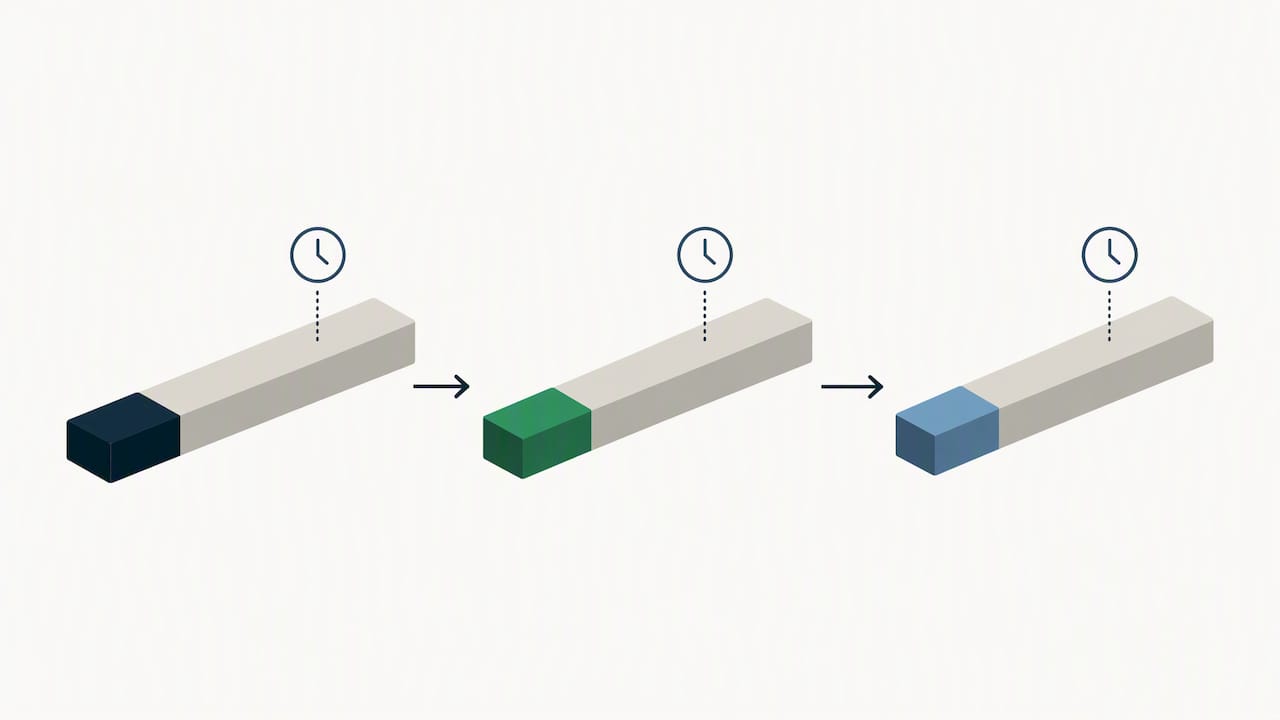
Pro Tip: Record the waiting time between steps as its own line on the map, separate from the work time. A step can take little effort yet sit untouched, and that gap is the thing you actually need to fix.
If you want a deeper look at turning the redesigned flow into daily practice, our guide to optimizing the recruitment process covers tactics that follow naturally from a finished map.
Who owns each handoff, and which SLAs stop candidates from vanishing?
Most hiring failures happen between stages, not inside them. A screener finishes, assumes the coordinator will pick it up, the coordinator assumes the hiring manager will ask, and the candidate waits. Practitioner commentary from DISA identifies weak handoffs as a common cause of hiring failure and recommends treating each transition as bidirectionally owned, with non-negotiable service levels.
The usual culprits are easy to spot once you look for them:
No named owner for the transition itself
Data re-entered by hand because systems do not share it
Unclear outputs, so the receiving person does not know what “done” looks like
Approvals that have no deadline attached
Bidirectional ownership means both the sender and the receiver are accountable. The sender must deliver a complete package: scorecard, notes, next-step recommendation. The receiver must acknowledge it and act within the agreed window. If the window passes, the sender escalates rather than waiting politely.
Sample SLAs you can adapt to your own volumes:
Screening to interview: the recruiter submits a shortlist with notes, and the hiring manager confirms interview slots within an agreed window
Interview to offer: interviewers submit written feedback promptly after each interview, and the offer decision is made within an agreed window after the final round
Offer to onboarding: the signed offer triggers background checks and equipment requests, with a named coordinator confirming completion
Write each owner and SLA directly on the map, next to the handoff arrow. That placement makes responsibilities auditable: anyone reviewing a stalled requisition can see who held the baton and for how long.
Pro Tip: Treat a missed SLA as a data point about the process before treating it as a performance problem. If the same handoff misses repeatedly, the window or the handoff package is probably wrong.
Which metrics show whether your process is healthy?
Start with APQC’s five high-level recruiting measures, then add stage-level metrics that explain them.
Measure | What it tells you |
|---|---|
Recruiting cost | Overall efficiency of hiring spend |
Requisitions per recruiter | Workload and capacity |
Recruiting FTEs per $1 billion in revenue | Staffing scale relative to the business |
Calendar days from requisition approval to offer acceptance | End-to-end speed |
New-hire retention rate | Quality of the hiring outcome |
These five measures come directly from APQC’s recruitment guidance. Tracking them as a baseline helps you determine whether a bottleneck sits in approval, sourcing or selection.
Supporting operational metrics make those diagnoses precise. Time-in-stage shows where candidates accumulate. Requisitions per recruiter explains whether slow stages are a capacity issue. Interview-to-offer ratio signals whether screening criteria match what hiring managers want. Trend each one over several months rather than reacting to a single week, and when one stage is a consistent outlier, return to the map and inspect that step’s owner, inputs and wait times.
On the map itself, show time-in-stage and the SLA target for each transition. Keep the cost and retention measures on a separate dashboard, since they describe the whole process rather than one step. Our breakdown of recruitment funnel metrics shows how to populate these views.
Which diagram type should you choose?
Pick the visual that answers the question your audience is asking.
Swimlane diagrams put each role in its own lane, so ownership and parallel workstreams are obvious. Use them when the problem is “who is responsible here?”
Candidate-journey maps lay out touchpoints, communications and the candidate’s likely sentiment at each stage. Use them when the problem is experience, such as silence after an interview.
Flowcharts show decision gates and approval logic, including the paths for rejection and rework. Use them when stakeholders disagree about what happens when a candidate fails a gate.
Whatever format you choose, every step should carry the same minimum details: a step label, the owner, the system used, the input it needs, the output it produces and the average wait before the next step. If a box on the diagram is missing one of those, the map will raise questions instead of answering them. Many teams keep one master swimlane for internal use and derive a simpler journey map from it for candidate-communication planning.
How do you keep the map accurate after launch?
A map that is not maintained can quickly become folklore. Use this checklist to keep it honest.
Review the map monthly with recruiters and coordinators, and quarterly with hiring managers
Name the person to contact when a stage metric slips, so escalation has a destination
Pilot any process change on a small group of requisitions and compare time-in-stage before rolling it out
Record exceptions, such as urgent hires or executive roles, and list improvement ideas directly on the map
Write SLAs and responsibilities into role descriptions or team charters so they carry weight
Practice | Cadence | Owner |
|---|---|---|
Stage metric review | Monthly | Recruiting lead |
Full map walkthrough | Quarterly | Recruiting lead and hiring managers |
SLA and charter update | Regularly | TA manager |
Pilot review | After each pilot | Pilot sponsor |
The pilot habit matters most. Changing three things at once makes it impossible to know which one worked, while a single change on a handful of requisitions gives you a clear before-and-after read.
What do external benchmarks and AI guidance add to your map?
Outside frameworks give your internal decisions a credible reference point.
APQC’s five recruiting measures provide a common baseline and a diagnostic habit: check approval, sourcing and selection separately before blaming any single stage.
GOV.UK’s responsible AI in recruitment guidance recommends transparency, human-in-the-loop assurance, model cards and impact assessments, plus piloting AI tools with diverse users. If candidate scoring appears anywhere on your map, mark the human review gate explicitly.
The OPM End-to-End Hiring Roadmap connects workforce planning, recruitment, hiring, security and suitability, and orientation, and provides stage-level timelines you can adapt to your own process.
Our article on AI scoring with a human touch shows how to keep review gates in place when scoring is automated.
Where we see maps pay off fastest
In our experience, recurring failures include candidates dropped at a handoff, details typed into several systems, and approvals that wait with no deadline. The quickest wins are also the least glamorous. Lock the SLAs, automate interview scheduling, and standardize screening templates so every recruiter captures the same fields. Behind all three sits one principle: keep ATS and CRM data in one place so nobody retypes anything and every owner sees the same record.
- Recruitify Team
How can an integrated platform put your map to work?
A map only changes outcomes when the handoffs it describes actually happen. Recruitify consolidates the ATS, CRM and contracting modules into one system, so OCR-based CV parsing, audit trails and reporting are available in one place. We built it to support recruitment workflows. Review the plans for HR teams, agencies and enterprises, or request a demo to see your own map running in the product.

FAQ
How do you monitor the recruitment process?
Track APQC’s five baseline measures for the whole process, then watch time-in-stage and handoff SLA compliance for each step. Review them monthly and investigate any stage that trends worse for several periods in a row.
What does mapping a process mean in a recruiting job?
It means documenting each hiring step, who owns it, which system it uses and how long candidates wait before the next one. The result is a diagram, usually a swimlane or flowchart, that the whole team can inspect and improve.
How do you choose between a process map and a candidate-journey map?
Choose a process map when the problem is ownership, delays or approvals. Choose a journey map when the problem is candidate experience, such as unclear communication. Most teams build the process map first and derive the journey map from it.
How often should you update a recruitment process map?
Review it monthly against your stage metrics, and revisit the whole map quarterly with hiring managers. Update it immediately after any pilot that changes a step, an owner or an SLA.
Sources
Recommended


News & Updates
Stay up-to-date with the latest innovations, features, and tips about Recruitify!
By providing your email address within the newsletter sign-up form, you confirm its processing to send marketing information regarding the Administrator’s products and services. The Administrator of your personal data processed for the abovementioned purposes is Recruitify Spółka z o.o., based in Warsaw, Poland (KRS 0000709889). For more information on the principles of personal data processing and the rights of data subjects, please check the Privacy Policy.

Last updated:
Recruitment Process Mapping for Recruiters: Fix Handoffs With SLAs
Acquiring Talent
The Recruitify Team
Recruitment process mapping is the practice of drawing every hiring stage, its owner, its system and its handoffs on one shared diagram. The immediate payoff is visibility: you can see where candidates wait, who is responsible at each transition, and where data gets retyped. Teams that map first can set clear service levels and target the delays that cost them hires.
RecruitifyBring Recruitment Workflows TogetherRecruitify brings ATS, sales CRM, and IT contracting into one platform, helping recruitment teams reduce scattered data and handoff friction.Explore Recruitify
Key Takeaways
Mapping the recruitment process reveals inefficiencies, clarifies responsibilities, and enables targeted improvements to accelerate hiring and enhance candidate experience.
Point | Details |
|---|---|
Visualize the entire process | Create a detailed diagram that includes each step, responsible owner, systems used, and wait times to identify bottlenecks. |
Define clear ownership and SLAs | Assign owners for each handoff and establish non-negotiable service level agreements to prevent delays and candidate drop-off. |
Track key metrics consistently | Monitor recruitment costs, requisitions per recruiter, speed, and retention to diagnose process bottlenecks and measure improvements. |
Use the right diagram type | Choose swimlane diagrams for responsibility, candidate journeys for experience, or flowcharts for decision points, based on your needs. |
Leverage integrated platforms like Recruitify | Use unified systems that consolidate ATS, CRM, and contract management to streamline data entry and reduce handoff errors. |
Table of Contents
What is recruitment process mapping, and when should you use it?
What does a good recruitment map actually deliver?
How do you create a recruitment process map step by step?
Who owns each handoff, and which SLAs stop candidates from vanishing?
Which metrics show whether your process is healthy?
Which diagram type should you choose?
How do you keep the map accurate after launch?
What do external benchmarks and AI guidance add to your map?
Where we see maps pay off fastest
How can an integrated platform put your map to work?
FAQ
Sources
What is recruitment process mapping, and when should you use it?
A recruitment process map covers the path from approved requisition to a new hire’s first day. A candidate-journey map is a close relative, but it looks at the same path from the candidate’s side: what they see, receive and feel at each step. The process map answers “who does what and when,” while the journey map answers “what is it like to go through this.” Most teams need both, built from the same stage list.
A usable map includes these components:
Steps: each discrete action, from intake meeting to offer letter
Decision gates: points where someone approves, rejects or routes a candidate
Owners: one named role responsible for each step and each handoff
Touchpoints: every message or interaction a candidate has with your team
Systems: the ATS, calendar, e-mail or spreadsheet used at each step
Wait times: the idle gaps between steps, which are usually where hires are lost
You should map when delays keep recurring, when requisition volume has outgrown informal habits, or when candidates tell you they never heard back. Another strong trigger is a new tool rollout. Automating a process nobody has documented tends to speed up the confusion rather than fix it.
What does a good recruitment map actually deliver?
The first gains are operational. A map exposes duplicate data entry, such as a recruiter copying details from a CV into the ATS and again into a client sheet. It shows approval steps that sit idle for days, and it removes the “black holes” where a candidate is passed along and nobody follows up. Once those are visible, shortening time-to-offer becomes a matter of fixing specific steps rather than pushing everyone to work faster.
Candidates benefit too. When each stage has a predictable communication rule, people stop chasing for updates, and fewer rejections arrive as a surprise weeks after the last interview. Recruiters spend less time answering status questions and more time on conversations that move a search forward.
Less repeated data entry across systems
Faster movement between approval and offer
Predictable candidate updates at every stage
A lighter status-chasing workload for recruiters
The business case rests on metrics leaders already watch. APQC advises tracking five high-level recruiting measures, including recruiting cost, requisitions per recruiter and new-hire retention, to find out whether bottlenecks sit in approval, sourcing or selection.
Five baseline recruiting measures from APQC give you a before-and-after comparison for any mapping project. Cost per hire, recruiter workload and retention all move when handoffs stop leaking time.
How do you create a recruitment process map step by step?
Follow this sequence to produce a map people will use rather than file away.
Plan and scope the project. Decide which roles or requisition types the map covers, since a map for high-volume support hiring will differ from one for executive search. Name the stakeholders: recruiters, coordinators, hiring managers, and anyone who approves offers.
Collect evidence. Pull ATS stage logs, calendar data on interview scheduling, and notes from short interviews with hiring managers. Add candidate feedback from surveys or withdrawal conversations. Evidence beats memory: people routinely underestimate how long a step takes.
Draft the map. Choose a format (see the visualization section below), list every step in order, and mark decision gates and wait times. Include the unglamorous steps, such as waiting for budget sign-off or chasing a reference.
Validate with the people who live in it. Walk hiring managers and recruiters through the draft and ask where it differs from reality. Adjust until both groups say “yes, that is what happens,” then finalize.
Assign owners and publish service levels. Give every step and every handoff a named owner, write down the expected turnaround for each transition, and pilot the changes on a small set of requisitions before a wider rollout.
For reference timing, a university recruitment journey map shows how stage durations can be recorded, with screening and shortlisting allotted 3-7 business days and interview and evaluation 7-15 business days. Those figures come from an institutional example, so treat them as a format to copy, not a benchmark to match.
Pro Tip: Record the waiting time between steps as its own line on the map, separate from the work time. A step can take little effort yet sit untouched, and that gap is the thing you actually need to fix.
If you want a deeper look at turning the redesigned flow into daily practice, our guide to optimizing the recruitment process covers tactics that follow naturally from a finished map.
Who owns each handoff, and which SLAs stop candidates from vanishing?
Most hiring failures happen between stages, not inside them. A screener finishes, assumes the coordinator will pick it up, the coordinator assumes the hiring manager will ask, and the candidate waits. Practitioner commentary from DISA identifies weak handoffs as a common cause of hiring failure and recommends treating each transition as bidirectionally owned, with non-negotiable service levels.
The usual culprits are easy to spot once you look for them:
No named owner for the transition itself
Data re-entered by hand because systems do not share it
Unclear outputs, so the receiving person does not know what “done” looks like
Approvals that have no deadline attached
Bidirectional ownership means both the sender and the receiver are accountable. The sender must deliver a complete package: scorecard, notes, next-step recommendation. The receiver must acknowledge it and act within the agreed window. If the window passes, the sender escalates rather than waiting politely.
Sample SLAs you can adapt to your own volumes:
Screening to interview: the recruiter submits a shortlist with notes, and the hiring manager confirms interview slots within an agreed window
Interview to offer: interviewers submit written feedback promptly after each interview, and the offer decision is made within an agreed window after the final round
Offer to onboarding: the signed offer triggers background checks and equipment requests, with a named coordinator confirming completion
Write each owner and SLA directly on the map, next to the handoff arrow. That placement makes responsibilities auditable: anyone reviewing a stalled requisition can see who held the baton and for how long.
Pro Tip: Treat a missed SLA as a data point about the process before treating it as a performance problem. If the same handoff misses repeatedly, the window or the handoff package is probably wrong.
Which metrics show whether your process is healthy?
Start with APQC’s five high-level recruiting measures, then add stage-level metrics that explain them.
Measure | What it tells you |
|---|---|
Recruiting cost | Overall efficiency of hiring spend |
Requisitions per recruiter | Workload and capacity |
Recruiting FTEs per $1 billion in revenue | Staffing scale relative to the business |
Calendar days from requisition approval to offer acceptance | End-to-end speed |
New-hire retention rate | Quality of the hiring outcome |
These five measures come directly from APQC’s recruitment guidance. Tracking them as a baseline helps you determine whether a bottleneck sits in approval, sourcing or selection.
Supporting operational metrics make those diagnoses precise. Time-in-stage shows where candidates accumulate. Requisitions per recruiter explains whether slow stages are a capacity issue. Interview-to-offer ratio signals whether screening criteria match what hiring managers want. Trend each one over several months rather than reacting to a single week, and when one stage is a consistent outlier, return to the map and inspect that step’s owner, inputs and wait times.
On the map itself, show time-in-stage and the SLA target for each transition. Keep the cost and retention measures on a separate dashboard, since they describe the whole process rather than one step. Our breakdown of recruitment funnel metrics shows how to populate these views.
Which diagram type should you choose?
Pick the visual that answers the question your audience is asking.
Swimlane diagrams put each role in its own lane, so ownership and parallel workstreams are obvious. Use them when the problem is “who is responsible here?”
Candidate-journey maps lay out touchpoints, communications and the candidate’s likely sentiment at each stage. Use them when the problem is experience, such as silence after an interview.
Flowcharts show decision gates and approval logic, including the paths for rejection and rework. Use them when stakeholders disagree about what happens when a candidate fails a gate.
Whatever format you choose, every step should carry the same minimum details: a step label, the owner, the system used, the input it needs, the output it produces and the average wait before the next step. If a box on the diagram is missing one of those, the map will raise questions instead of answering them. Many teams keep one master swimlane for internal use and derive a simpler journey map from it for candidate-communication planning.
How do you keep the map accurate after launch?
A map that is not maintained can quickly become folklore. Use this checklist to keep it honest.
Review the map monthly with recruiters and coordinators, and quarterly with hiring managers
Name the person to contact when a stage metric slips, so escalation has a destination
Pilot any process change on a small group of requisitions and compare time-in-stage before rolling it out
Record exceptions, such as urgent hires or executive roles, and list improvement ideas directly on the map
Write SLAs and responsibilities into role descriptions or team charters so they carry weight
Practice | Cadence | Owner |
|---|---|---|
Stage metric review | Monthly | Recruiting lead |
Full map walkthrough | Quarterly | Recruiting lead and hiring managers |
SLA and charter update | Regularly | TA manager |
Pilot review | After each pilot | Pilot sponsor |
The pilot habit matters most. Changing three things at once makes it impossible to know which one worked, while a single change on a handful of requisitions gives you a clear before-and-after read.
What do external benchmarks and AI guidance add to your map?
Outside frameworks give your internal decisions a credible reference point.
APQC’s five recruiting measures provide a common baseline and a diagnostic habit: check approval, sourcing and selection separately before blaming any single stage.
GOV.UK’s responsible AI in recruitment guidance recommends transparency, human-in-the-loop assurance, model cards and impact assessments, plus piloting AI tools with diverse users. If candidate scoring appears anywhere on your map, mark the human review gate explicitly.
The OPM End-to-End Hiring Roadmap connects workforce planning, recruitment, hiring, security and suitability, and orientation, and provides stage-level timelines you can adapt to your own process.
Our article on AI scoring with a human touch shows how to keep review gates in place when scoring is automated.
Where we see maps pay off fastest
In our experience, recurring failures include candidates dropped at a handoff, details typed into several systems, and approvals that wait with no deadline. The quickest wins are also the least glamorous. Lock the SLAs, automate interview scheduling, and standardize screening templates so every recruiter captures the same fields. Behind all three sits one principle: keep ATS and CRM data in one place so nobody retypes anything and every owner sees the same record.
- Recruitify Team
How can an integrated platform put your map to work?
A map only changes outcomes when the handoffs it describes actually happen. Recruitify consolidates the ATS, CRM and contracting modules into one system, so OCR-based CV parsing, audit trails and reporting are available in one place. We built it to support recruitment workflows. Review the plans for HR teams, agencies and enterprises, or request a demo to see your own map running in the product.
FAQ
How do you monitor the recruitment process?
Track APQC’s five baseline measures for the whole process, then watch time-in-stage and handoff SLA compliance for each step. Review them monthly and investigate any stage that trends worse for several periods in a row.
What does mapping a process mean in a recruiting job?
It means documenting each hiring step, who owns it, which system it uses and how long candidates wait before the next one. The result is a diagram, usually a swimlane or flowchart, that the whole team can inspect and improve.
How do you choose between a process map and a candidate-journey map?
Choose a process map when the problem is ownership, delays or approvals. Choose a journey map when the problem is candidate experience, such as unclear communication. Most teams build the process map first and derive the journey map from it.
How often should you update a recruitment process map?
Review it monthly against your stage metrics, and revisit the whole map quarterly with hiring managers. Update it immediately after any pilot that changes a step, an owner or an SLA.
Sources
Recommended
News & Updates
Stay up-to-date with the latest innovations, features, and tips about Recruitify!
By providing your email address within the newsletter sign-up form, you confirm its processing to send marketing information regarding the Administrator’s products and services. The Administrator of your personal data processed for the abovementioned purposes is Recruitify Spółka z o.o., based in Warsaw, Poland (KRS 0000709889). For more information on the principles of personal data processing and the rights of data subjects, please check the Privacy Policy.
Last updated:
Recruitment Process Mapping for Recruiters: Fix Handoffs With SLAs
Acquiring Talent
The Recruitify Team
Recruitment process mapping is the practice of drawing every hiring stage, its owner, its system and its handoffs on one shared diagram. The immediate payoff is visibility: you can see where candidates wait, who is responsible at each transition, and where data gets retyped. Teams that map first can set clear service levels and target the delays that cost them hires.
RecruitifyBring Recruitment Workflows TogetherRecruitify brings ATS, sales CRM, and IT contracting into one platform, helping recruitment teams reduce scattered data and handoff friction.Explore Recruitify
Key Takeaways
Mapping the recruitment process reveals inefficiencies, clarifies responsibilities, and enables targeted improvements to accelerate hiring and enhance candidate experience.
Point | Details |
|---|---|
Visualize the entire process | Create a detailed diagram that includes each step, responsible owner, systems used, and wait times to identify bottlenecks. |
Define clear ownership and SLAs | Assign owners for each handoff and establish non-negotiable service level agreements to prevent delays and candidate drop-off. |
Track key metrics consistently | Monitor recruitment costs, requisitions per recruiter, speed, and retention to diagnose process bottlenecks and measure improvements. |
Use the right diagram type | Choose swimlane diagrams for responsibility, candidate journeys for experience, or flowcharts for decision points, based on your needs. |
Leverage integrated platforms like Recruitify | Use unified systems that consolidate ATS, CRM, and contract management to streamline data entry and reduce handoff errors. |
Table of Contents
What is recruitment process mapping, and when should you use it?
What does a good recruitment map actually deliver?
How do you create a recruitment process map step by step?
Who owns each handoff, and which SLAs stop candidates from vanishing?
Which metrics show whether your process is healthy?
Which diagram type should you choose?
How do you keep the map accurate after launch?
What do external benchmarks and AI guidance add to your map?
Where we see maps pay off fastest
How can an integrated platform put your map to work?
FAQ
Sources
What is recruitment process mapping, and when should you use it?
A recruitment process map covers the path from approved requisition to a new hire’s first day. A candidate-journey map is a close relative, but it looks at the same path from the candidate’s side: what they see, receive and feel at each step. The process map answers “who does what and when,” while the journey map answers “what is it like to go through this.” Most teams need both, built from the same stage list.
A usable map includes these components:
Steps: each discrete action, from intake meeting to offer letter
Decision gates: points where someone approves, rejects or routes a candidate
Owners: one named role responsible for each step and each handoff
Touchpoints: every message or interaction a candidate has with your team
Systems: the ATS, calendar, e-mail or spreadsheet used at each step
Wait times: the idle gaps between steps, which are usually where hires are lost
You should map when delays keep recurring, when requisition volume has outgrown informal habits, or when candidates tell you they never heard back. Another strong trigger is a new tool rollout. Automating a process nobody has documented tends to speed up the confusion rather than fix it.
What does a good recruitment map actually deliver?
The first gains are operational. A map exposes duplicate data entry, such as a recruiter copying details from a CV into the ATS and again into a client sheet. It shows approval steps that sit idle for days, and it removes the “black holes” where a candidate is passed along and nobody follows up. Once those are visible, shortening time-to-offer becomes a matter of fixing specific steps rather than pushing everyone to work faster.
Candidates benefit too. When each stage has a predictable communication rule, people stop chasing for updates, and fewer rejections arrive as a surprise weeks after the last interview. Recruiters spend less time answering status questions and more time on conversations that move a search forward.
Less repeated data entry across systems
Faster movement between approval and offer
Predictable candidate updates at every stage
A lighter status-chasing workload for recruiters
The business case rests on metrics leaders already watch. APQC advises tracking five high-level recruiting measures, including recruiting cost, requisitions per recruiter and new-hire retention, to find out whether bottlenecks sit in approval, sourcing or selection.
Five baseline recruiting measures from APQC give you a before-and-after comparison for any mapping project. Cost per hire, recruiter workload and retention all move when handoffs stop leaking time.
How do you create a recruitment process map step by step?
Follow this sequence to produce a map people will use rather than file away.
Plan and scope the project. Decide which roles or requisition types the map covers, since a map for high-volume support hiring will differ from one for executive search. Name the stakeholders: recruiters, coordinators, hiring managers, and anyone who approves offers.
Collect evidence. Pull ATS stage logs, calendar data on interview scheduling, and notes from short interviews with hiring managers. Add candidate feedback from surveys or withdrawal conversations. Evidence beats memory: people routinely underestimate how long a step takes.
Draft the map. Choose a format (see the visualization section below), list every step in order, and mark decision gates and wait times. Include the unglamorous steps, such as waiting for budget sign-off or chasing a reference.
Validate with the people who live in it. Walk hiring managers and recruiters through the draft and ask where it differs from reality. Adjust until both groups say “yes, that is what happens,” then finalize.
Assign owners and publish service levels. Give every step and every handoff a named owner, write down the expected turnaround for each transition, and pilot the changes on a small set of requisitions before a wider rollout.
For reference timing, a university recruitment journey map shows how stage durations can be recorded, with screening and shortlisting allotted 3-7 business days and interview and evaluation 7-15 business days. Those figures come from an institutional example, so treat them as a format to copy, not a benchmark to match.
Pro Tip: Record the waiting time between steps as its own line on the map, separate from the work time. A step can take little effort yet sit untouched, and that gap is the thing you actually need to fix.
If you want a deeper look at turning the redesigned flow into daily practice, our guide to optimizing the recruitment process covers tactics that follow naturally from a finished map.
Who owns each handoff, and which SLAs stop candidates from vanishing?
Most hiring failures happen between stages, not inside them. A screener finishes, assumes the coordinator will pick it up, the coordinator assumes the hiring manager will ask, and the candidate waits. Practitioner commentary from DISA identifies weak handoffs as a common cause of hiring failure and recommends treating each transition as bidirectionally owned, with non-negotiable service levels.
The usual culprits are easy to spot once you look for them:
No named owner for the transition itself
Data re-entered by hand because systems do not share it
Unclear outputs, so the receiving person does not know what “done” looks like
Approvals that have no deadline attached
Bidirectional ownership means both the sender and the receiver are accountable. The sender must deliver a complete package: scorecard, notes, next-step recommendation. The receiver must acknowledge it and act within the agreed window. If the window passes, the sender escalates rather than waiting politely.
Sample SLAs you can adapt to your own volumes:
Screening to interview: the recruiter submits a shortlist with notes, and the hiring manager confirms interview slots within an agreed window
Interview to offer: interviewers submit written feedback promptly after each interview, and the offer decision is made within an agreed window after the final round
Offer to onboarding: the signed offer triggers background checks and equipment requests, with a named coordinator confirming completion
Write each owner and SLA directly on the map, next to the handoff arrow. That placement makes responsibilities auditable: anyone reviewing a stalled requisition can see who held the baton and for how long.
Pro Tip: Treat a missed SLA as a data point about the process before treating it as a performance problem. If the same handoff misses repeatedly, the window or the handoff package is probably wrong.
Which metrics show whether your process is healthy?
Start with APQC’s five high-level recruiting measures, then add stage-level metrics that explain them.
Measure | What it tells you |
|---|---|
Recruiting cost | Overall efficiency of hiring spend |
Requisitions per recruiter | Workload and capacity |
Recruiting FTEs per $1 billion in revenue | Staffing scale relative to the business |
Calendar days from requisition approval to offer acceptance | End-to-end speed |
New-hire retention rate | Quality of the hiring outcome |
These five measures come directly from APQC’s recruitment guidance. Tracking them as a baseline helps you determine whether a bottleneck sits in approval, sourcing or selection.
Supporting operational metrics make those diagnoses precise. Time-in-stage shows where candidates accumulate. Requisitions per recruiter explains whether slow stages are a capacity issue. Interview-to-offer ratio signals whether screening criteria match what hiring managers want. Trend each one over several months rather than reacting to a single week, and when one stage is a consistent outlier, return to the map and inspect that step’s owner, inputs and wait times.
On the map itself, show time-in-stage and the SLA target for each transition. Keep the cost and retention measures on a separate dashboard, since they describe the whole process rather than one step. Our breakdown of recruitment funnel metrics shows how to populate these views.
Which diagram type should you choose?
Pick the visual that answers the question your audience is asking.
Swimlane diagrams put each role in its own lane, so ownership and parallel workstreams are obvious. Use them when the problem is “who is responsible here?”
Candidate-journey maps lay out touchpoints, communications and the candidate’s likely sentiment at each stage. Use them when the problem is experience, such as silence after an interview.
Flowcharts show decision gates and approval logic, including the paths for rejection and rework. Use them when stakeholders disagree about what happens when a candidate fails a gate.
Whatever format you choose, every step should carry the same minimum details: a step label, the owner, the system used, the input it needs, the output it produces and the average wait before the next step. If a box on the diagram is missing one of those, the map will raise questions instead of answering them. Many teams keep one master swimlane for internal use and derive a simpler journey map from it for candidate-communication planning.
How do you keep the map accurate after launch?
A map that is not maintained can quickly become folklore. Use this checklist to keep it honest.
Review the map monthly with recruiters and coordinators, and quarterly with hiring managers
Name the person to contact when a stage metric slips, so escalation has a destination
Pilot any process change on a small group of requisitions and compare time-in-stage before rolling it out
Record exceptions, such as urgent hires or executive roles, and list improvement ideas directly on the map
Write SLAs and responsibilities into role descriptions or team charters so they carry weight
Practice | Cadence | Owner |
|---|---|---|
Stage metric review | Monthly | Recruiting lead |
Full map walkthrough | Quarterly | Recruiting lead and hiring managers |
SLA and charter update | Regularly | TA manager |
Pilot review | After each pilot | Pilot sponsor |
The pilot habit matters most. Changing three things at once makes it impossible to know which one worked, while a single change on a handful of requisitions gives you a clear before-and-after read.
What do external benchmarks and AI guidance add to your map?
Outside frameworks give your internal decisions a credible reference point.
APQC’s five recruiting measures provide a common baseline and a diagnostic habit: check approval, sourcing and selection separately before blaming any single stage.
GOV.UK’s responsible AI in recruitment guidance recommends transparency, human-in-the-loop assurance, model cards and impact assessments, plus piloting AI tools with diverse users. If candidate scoring appears anywhere on your map, mark the human review gate explicitly.
The OPM End-to-End Hiring Roadmap connects workforce planning, recruitment, hiring, security and suitability, and orientation, and provides stage-level timelines you can adapt to your own process.
Our article on AI scoring with a human touch shows how to keep review gates in place when scoring is automated.
Where we see maps pay off fastest
In our experience, recurring failures include candidates dropped at a handoff, details typed into several systems, and approvals that wait with no deadline. The quickest wins are also the least glamorous. Lock the SLAs, automate interview scheduling, and standardize screening templates so every recruiter captures the same fields. Behind all three sits one principle: keep ATS and CRM data in one place so nobody retypes anything and every owner sees the same record.
- Recruitify Team
How can an integrated platform put your map to work?
A map only changes outcomes when the handoffs it describes actually happen. Recruitify consolidates the ATS, CRM and contracting modules into one system, so OCR-based CV parsing, audit trails and reporting are available in one place. We built it to support recruitment workflows. Review the plans for HR teams, agencies and enterprises, or request a demo to see your own map running in the product.
FAQ
How do you monitor the recruitment process?
Track APQC’s five baseline measures for the whole process, then watch time-in-stage and handoff SLA compliance for each step. Review them monthly and investigate any stage that trends worse for several periods in a row.
What does mapping a process mean in a recruiting job?
It means documenting each hiring step, who owns it, which system it uses and how long candidates wait before the next one. The result is a diagram, usually a swimlane or flowchart, that the whole team can inspect and improve.
How do you choose between a process map and a candidate-journey map?
Choose a process map when the problem is ownership, delays or approvals. Choose a journey map when the problem is candidate experience, such as unclear communication. Most teams build the process map first and derive the journey map from it.
How often should you update a recruitment process map?
Review it monthly against your stage metrics, and revisit the whole map quarterly with hiring managers. Update it immediately after any pilot that changes a step, an owner or an SLA.
Sources
Recommended
News & Updates
Stay up-to-date with the latest innovations, features, and tips about Recruitify!
By providing your email address within the newsletter sign-up form, you confirm its processing to send marketing information regarding the Administrator’s products and services. The Administrator of your personal data processed for the abovementioned purposes is Recruitify Spółka z o.o., based in Warsaw, Poland (KRS 0000709889). For more information on the principles of personal data processing and the rights of data subjects, please check the Privacy Policy.

Discover More

Applicant Tracking System
Contractor Onboarding Checklist for IT Staffing Agencies
A contractor onboarding checklist for agencies and HR teams: classification, US tax forms, GDPR, least-privilege access and gates that stop work before approval.
20 Oct 2026
Discover More

Acquiring Talent
Boolean Search Strings: Operators, Examples and Templates
Learn how to write Boolean search strings for recruiting: operators, LinkedIn and Google X-ray examples, developer templates and mistakes to avoid.
19 Oct 2026
Discover More

Recruitment Process
Recruiter Productivity Metrics: 3 Measures That Expose Funnel Leaks
Choose recruiter productivity metrics that expose funnel leaks, track hiring quality and candidate experience, and show where stage delays hurt results.
18 Oct 2026
Discover More
Applicant Tracking System
Contractor Onboarding Checklist for IT Staffing Agencies
A contractor onboarding checklist for agencies and HR teams: classification, US tax forms, GDPR, least-privilege access and gates that stop work before approval.
20 Oct 2026
Discover More
Acquiring Talent
Boolean Search Strings: Operators, Examples and Templates
Learn how to write Boolean search strings for recruiting: operators, LinkedIn and Google X-ray examples, developer templates and mistakes to avoid.
19 Oct 2026
Discover More

